Outdated Drivers Are Slowing You Down
One free scan finds every outdated or missing driver and matches the right update for your exact hardware.Free scan · exact hardware matchPC Slower Than It Used to Be?
A free scan shows the junk files, broken settings and background clutter dragging Windows down - then fixes them in one click.Free scan · Windows 10 & 11Some links on this page are affiliate links: if you buy through them we may earn a commission, at no extra cost to you.
Tesla Autopilot 2.0 was the common name for the company’s second-generation driver-assistance hardware, introduced in late 2016. It brought a larger camera suite, updated sensors and a more powerful computer, but it did not make a Tesla autonomous—and the software initially lacked features already available on the older system. Today, whether an early Tesla can be upgraded depends on its hardware, software purchase history and VIN-specific eligibility.
What “Autopilot 2.0” means
“Autopilot 2.0” and “HW2” are commonly used names for Tesla’s second-generation Autopilot hardware. Tesla’s 2016 annual filing described a second generation introduced in the fourth quarter of 2016; the label was not a permanent retail product name. The rollout began in October 2016, with Tesla describing the new hardware as a foundation for developing more advanced features through software updates. Tesla’s 2016 Form 10-K
As an Amazon Associate I earn from qualifying purchases.
The distinction that matters is between hardware intended to support a software roadmap and features a car can actually use. Installing cameras and a more capable computer did not make every promised function available at launch, guarantee future feature access, or transfer the driver’s responsibility to the vehicle.
How HW2 compared with first-generation Autopilot
Tesla’s first-generation system combined a forward-facing camera, forward radar, 12 long-range ultrasonic sensors and digitally controlled electric-assist braking. Tesla also described software updates and vehicle sensor data as part of its development approach. Tesla’s 2015 Form 10-K
Popular on Amazon

- Compatible with 2015-up Tesla Model X, 2017-up Model 3 & Model S and 2020-up Model Y (ONLY for models with Auto-Pilot 2.0 side marker cameras ONLY)
- One pair of driver and passenger fender side marker light accent decoration cover panel trims, featuring double-sided tape on the back for an easy peel-and-apply installation
- Sidemarker cover trims made with lightweight and durable polypropylene (PP) plastic, featuring a matte/dry black finish, offering a premium add-on for car exterior decor
- No cut-out, no modification required, works better than any vinyl wrap/overlay, and with a precision fit, it instantly transforms your vehicle with an awesome and aggressive unique look while providing guard/protection around your side marker wings
- Installation Tip: 1. Clean the surface with rubbing alcohol and wait until it is completely dry; 2. Ensure the tape and surface are warm enough to enhance bonding; 3. Peel, carefully stick on, and apply adequate pressure for about 2 minutes
| Area | First-generation Autopilot (HW1) | Second-generation Autopilot (HW2) |
|---|---|---|
| Approximate rollout | Vehicles built from September 2014 through October 2016, according to Tesla’s current support description | Introduced in Q4 2016; the rollout began in October 2016 |
| Cameras | One forward-facing camera | Eight exterior cameras designed to provide 360-degree visibility |
| Radar and ultrasonics | Forward radar and ultrasonic sensors | Forward-facing radar and 12 updated ultrasonic sensors; configurations and availability may vary |
| Computing | Earlier Mobileye-era architecture | A more powerful onboard Autopilot computer; contemporary reporting associated the system with NVIDIA Drive PX2 |
| Initial software maturity | Some established driver-assistance functions | Initially lacked some functions available on HW1 |
Tesla’s descriptions of the HW2-era suite specify eight external cameras, radar, 12 ultrasonic sensors and an onboard computer. Tesla’s description of Autopilot and Full Self-Driving hardware The NVIDIA Drive PX2 identification comes from contemporary reporting, rather than the cited Tesla filing, and should be treated as an attributed report, not a complete official specification. Contemporary reporting on HW2
What changed—and what the hardware could not do by itself
A wider sensor view
Eight cameras offered views around the vehicle rather than relying on a single forward camera. Updated ultrasonic sensors and forward radar added other forms of sensing. More sensors can give the system more input, but sensor count alone does not establish how well the software interprets that input or which features are available.
Before the production system was fully described, reports discussed expected triple front cameras and additional radar coverage. Those were pre-launch expectations, not a reliable specification for every production vehicle. Contemporary pre-launch reporting
Also popular on Amazon
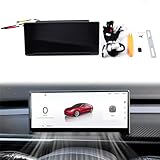
- Display & Performance: 8.9-inch HD Touchscreen – Crisp 1920×720 resolution with 2.5D curved glass for anti-fingerprint protection. Smooth Operation – 256MB RAM + 8GB ROM ensures fast response and ample storage. Capacitive Multi-Touch – Highly responsive, smartphone-like control.
- Tesla Owner’s Essential: A must-have upgrade for Model 3/Y drivers seeking safer, smarter journeys without compromising Tesla’s sleek aesthetics. Compatible Model: Model 3 2017-2023, Model Y 2020-2024, Model 3 Highland 2024, Model Y Juniper 2025
- Customization & Convenience: Real-Time Driving Data – Shows speed, gear, battery level, turn signals, and more. 3D Visual UI – Customizable themes (day/night modes) with True 3D modeling. Multi-Language Support – Accessible for global users.
- Connectivity & Compatibility: Full Smartphone Integration – Supports CarPlay (iOS), Android Auto, and HUAWEI HiCar for navigation, calls, and media. Type-C Port – Enables data transfer & wireless firmware updates (OTA).
- Driving Safety & Assistance: Front Camera System – Enhances parking and low-visibility safety. Blind Spot Detection (BSD) – Alerts for lane-changing risks. Autopilot Warnings – Alerts for hands-off steering wheel and other ADAS triggers.
A separate Autopilot computer
The Autopilot computer processes sensor information and runs driver-assistance functions. It is not the same as the MCU, the vehicle’s infotainment and media-control computer. A new sensor and computing platform required its own software and integration work; it was not simply a matter of connecting extra cameras to the old system.
More capacity, but an unfinished rollout
Tesla presented the new hardware as a platform for improvements delivered over the air. That did not mean all of its sensors or capabilities were ready for use at installation. A February 2017 report said Tesla was initially using only a subset of the cameras for Autosteer operation. Camera installation, calibration, software development and validation are distinct steps. Contemporary reporting on early camera use
Why some HW2 cars initially had fewer features than HW1 cars
HW2’s early software did not immediately match the older system. Contemporary Tesla-related reporting documented a temporary gap that included functions such as automatic emergency braking, forward-collision warning, lane holding and active cruise control. Contemporary reporting on the HW2 feature gap
Free tools Windows power users keep installed
One-click scans. No signup required.
Also popular on Amazon

- 🚗 [Premium Material] Made of durable ABS plastic. Sturdy and durable than instead of vinyl. No fading, not easy to fall off.
- 🚗 [Upgrade Exterior Protection] The side camera covers will personalize and upgrade your car appearance,provides a great protection for your car, prevent the surface of your side camera from scratches and dust.
- 🚗 [Easy to Install] The cover just adhere directly to the Autopilot Hardware 4.0 and can be applied without any tools or cutting. Note: It is not recommended to install on rainy days.
- 🚗 [Customized Design Fit for Tesla Model 3 Model Y] Fit for Tesla Model 3 (2022 2023) Tesla Model Y, (2022-2023). Vehicles with Autopilot 4.0 side view camera. 【NOTE: Please check if the product size is compatible before buying】
- 🚗 [Package Contents] Turn Signal Side Camera Protection Covers (Red) x2, Non-Woven wipes x2.
This was the trade-off of moving to a broader, newer platform: the hardware had greater potential, while its software was less mature at first. A feature roadmap or an installed sensor is not proof that a feature was enabled, validated or available in every market and software version.
HW2, HW2.5 and later Tesla computers
HW2.5 was a later revision, not simply another name for every HW2 vehicle. Tesla’s current AI-computer support page distinguishes vehicles with computer 2.0 and 2.5 when describing possible upgrades, so owners should identify the computer in their own car rather than assume the generation from a broad model-year label. Tesla AI-computer support
Tesla later introduced its in-house FSD computer, commonly called HW3 or computer 3.0. Later vehicles have further hardware generations. The naming describes successive vehicle hardware, not a promise that an older car can run every newer feature or be converted to the latest system.
Also popular on Amazon

- 【Applicable】: Only fit for Tesla Model 3 S X Y with HW4.0, Doesn't fit 2023 Model 3 / Model Y with HW2.0 3.0. (Remark: Recently, Tesla Model 3/Y has made updates the camera cover to HW4.0. Please verify that your vehicle Hardware before buying, As our current turn signal covers are Only compatible with HW4.0.)
- 【High-Quality Material】 : Tesla Side Camera cover decoration for HW4.0 Model 3/Y, It is made of high quality ABS plastic,, no bubbles will be generated, and the carbon cloth pattern will not be deformed and distorted , more effective scratch prevention, long service life, and low-key luxury.
- 【Upgrade Design Perfect Matching】:The Side Camera cover is made by 1:1 mold casting based on the original data of Tesla Model 3 Model Y, high standard alignment, consistent radian, and carefully polished to avoid scraping the paint and affecting the original vehicle function, great accessories to perfect your Tesla.
- 【Easy Installation】:You don't need to dismantle any parts of the original car, and the installation is completely non-destructive and will not affect any tesla warranty. You just need to put our Model Y/3 Side Cemare Cover stick on your car side cemare.It's generally ,you can install it in less than 5 minutes and it will work perfectly on your car.
- 【Service】:YJMOTOR Promise We are committed to giving customers a better shopping experience. if the product is naturally damaged during transportation or normal use. Please contact our friendly customer service immediately for replacement.
Can you upgrade an older Tesla?
First-generation HW1 cars
Tesla says vehicles built between September 2014 and October 2016 with first-generation Autopilot hardware are not eligible for a retrofit to the latest Autopilot hardware. That is different from replacing an individual component; it means there is no general official HW1-to-current-hardware conversion path. Tesla’s Autopilot hardware and retrofit guidance
Quick wins for a faster PC:
Fix the driver behind crashes, sound loss and screen glitchesFind Drivers →Clear out junk files and repair common Windows errorsFree Scan →Scan for outdated or missing drivers - takes under a minuteDriver Scan →HW2 and HW2.5 cars
Some owners with computer 2.0 or 2.5 and a purchased Full Self-Driving package may qualify for a complimentary upgrade to computer 3.0. Tesla says a subscription alone does not qualify for that complimentary upgrade. The support page also lists a possible paid upgrade at $1,000 plus applicable tax, including installation, for eligible vehicles. These are conditional program terms, not a universal price or promise of eligibility; Tesla may also require camera replacements for certain vehicles. Tesla’s current AI-computer upgrade terms
FSD software is not the same as hardware
A purchased FSD package, an FSD subscription and an Autopilot computer are separate things. Buying or subscribing to software does not by itself replace an older computer, make an ineligible car eligible, or guarantee every feature in every region. Tesla says feature availability depends on vehicle configuration, hardware, software version, region, model, trim and model year. Tesla Full Self-Driving support
Also popular on Amazon

- 【Applicable】: Only fit for Tesla 2020-2023 Model 3 / Model Y with HW2.0-HW3.0, Doesn't fit 2023 Model 3 / Model Y with HW4.0. (Remark: Recently, Tesla Model Y has made updates the camera cover to HW4.0. Please verify that your vehicle Hardware before buying, As our current turn signal covers are Only compatible with HW2.0-HW3.0.)
- 【High-Quality Material】 : Tesla Side Camera cover decoration for 2021-2023 Model 3/Y, It is made of high quality ABS plastic,, no bubbles will be generated, and the carbon cloth pattern will not be deformed and distorted , more effective scratch prevention, long service life, and low-key luxury.
- 【Upgrade Design Perfect Matching】:The Side Camera cover is made by 1:1 mold casting based on the original data of Tesla Model 3 Model Y, high standard alignment, consistent radian, and carefully polished to avoid scraping the paint and affecting the original vehicle function, great accessories to perfect your Tesla.
- 【Easy Installation】:You don't need to dismantle any parts of the original car, and the installation is completely non-destructive and will not affect any tesla warranty. You just need to put our Model Y/3 Side Cemare Cover stick on your car side cemare.It's generally ,you can install it in less than 5 minutes and it will work perfectly on your car.
- 【Service】:YJMOTOR Promise We are committed to giving customers a better shopping experience. if the product is naturally damaged during transportation or normal use. Please contact our friendly customer service immediately for replacement.
How to check the computer in your Tesla
- On the vehicle touchscreen, open Controls.
- Select Software.
- Check the listed AI computer type.
- Press Additional Vehicle Information to view further vehicle details.
Use the touchscreen and Tesla service records to verify a car’s configuration. Model year, registration year, delivery date and a seller’s “FSD capable” description are not reliable substitutes for checking the specific vehicle. If an upgrade matters to a purchase, ask Tesla to confirm eligibility for that VIN before paying.
What Autopilot 2.0 does not mean
- It does not mean the car is fully autonomous or safe to operate unattended.
- It does not mean every camera or sensor was used by the first software release.
- It does not guarantee every later software feature will be available on the vehicle.
- It does not mean an HW1 car can be retrofitted to the latest Autopilot hardware.
- It does not make “FSD capable” equivalent to having current FSD software or autonomous operation.
Tesla’s current documentation says its vehicles require active driver supervision and that FSD features do not make a vehicle autonomous. Tesla characterizes Autopilot and related capabilities as driver assistance; drivers must remain attentive and ready to take control. Tesla’s current FSD supervision requirements Tesla’s description of the system as SAE Level 2 is also available in its Autopilot hardware overview. Tesla’s Autopilot overview
The Tool Desk
Outbyte Driver Updater FREEFix the driver behind crashes, sound loss and screen glitchesFind Drivers →Outbyte PC Repair FREERepair Windows errors before they cause bigger problemsFix Now →What used-Tesla buyers should verify
- Check the actual AI computer type in the vehicle rather than inferring it from the model year.
- Confirm whether FSD was purchased or is only available as a subscription.
- Ask Tesla whether the specific VIN qualifies for a computer or camera upgrade.
- Inspect camera condition and ask about replacement or service history.
- Evaluate the car for the driver-assistance features it currently supports, not a promised future capability.
Driver-assistance performance can also be affected by poor visibility, heavy rain, snow or fog; direct sunlight or bright headlights; dirty, damaged or obstructed cameras and sensors; mounted accessories such as bike racks; narrow or winding roads; and damaged or misaligned bumpers. Tesla lists these as conditions that can limit Autopilot operation. Tesla Autopilot operating limitations
A 2023 Autosteer recall included vehicles with HW1, HW2 and HW2.5, among other hardware. Tesla described its remedy as adding controls and alerts intended to reduce misuse while preserving Autosteer; it did not change the system into a higher automation level. Tesla’s Autosteer misuse-prevention remedy
Why HW2 still matters
Autopilot 2.0 marked a major hardware transition: Tesla installed a broader sensor suite and more powerful computing platform to support an evolving driver-assistance system. Its rollout also showed why future-oriented hardware is not the same as mature software. For an owner today, the practical questions are which computer the car has, whether purchased FSD and upgrade terms apply, and what Tesla confirms for the vehicle’s VIN.