Some links on this page are affiliate links: if you buy through them we may earn a commission, at no extra cost to you.
Open Google Maps and search for “gas prices”, “gas”, or “gas stations”. You can also tap the Gas shortcut when it appears below the search bar. Nearby station cards may show a fuel price, and opening a listing can reveal additional details and directions.
Price coverage and freshness vary by station, region, fuel grade, device, and app version. Treat the number in Maps as a useful comparison point—not a guaranteed pump price.
As an Amazon Associate I earn from qualifying purchases.
PC Slower Than It Used to Be?
A free scan shows the junk files, broken settings and background clutter dragging Windows down - then fixes them in one click.Free scan · Windows 10 & 11Crashes, No Sound, or Screen Glitches?
Random freezes, missing sound and display glitches usually trace back to one bad driver. Find and replace yours safely.Free scan · under a minuteHow to find gas prices near you
Android
- Open the Google Maps app.
- Tap the search box and enter gas prices, gas, or gas stations.
- If it appears, tap the Gas category shortcut below the search bar.
- Review nearby station cards for listings that display a price.
- Tap a station to open its full listing.
- Check the address, hours, fuel details, and route information, then tap Directions if you want to drive there.
Google Maps supports category searches such as gas stations, although shortcut buttons and labels can vary by country, language, location, account, and app version. Google’s Android Maps help documents the general search process.
iPhone and iPad
- Open Google Maps.
- Tap the search field.
- Search for gas prices, gas, or gas stations.
- Tap Gas if that shortcut is visible.
- Compare the prices shown on station results.
- Open a listing for more information and tap Directions to navigate.
The iPhone and iPad workflow is broadly the same, but Google can expose different controls on different platforms and in different regions. If the Gas shortcut is missing, search for the category manually. Google’s general Maps search guide confirms that place categories such as gas stations can be searched directly.
Popular on Amazon

- Bright, high-resolution 5” glass capacitive touchscreen display lets you easily view your route
- Get more situational awareness with alerts for school zones, speed changes, sharp curves and more
- View food, fuel and rest areas along your active route, and see upcoming cities and milestones
- View Tripadvisor traveler ratings for top-rated restaurants, hotels and attractions to help you make the most of road trips
- Directory of U.S. national parks simplifies navigation to entrances, visitor centers and landmarks within the parks
On a desktop browser
Go to Google Maps in a browser and search for gas stations, gas prices, or a specific station. Select a listing and check whether a price appears. Desktop Maps can search for stations, but its price cards and controls do not necessarily match the phone app.
What the price in Google Maps means
A result card may display one prominent price, commonly for regular gasoline. Open the complete station listing before deciding where to stop. Depending on the station and location, Maps may show prices for regular, midgrade, premium, or diesel.
Not every listing includes every fuel type. A station may show regular gasoline while omitting premium or diesel, even if those fuels are sold there. If you need a particular grade, confirm that grade in the listing and at the pump.
Google does not publish a universal update interval or worldwide coverage list for fuel prices. Its local-listing documentation says information can come from public sources, licensed third-party data, user contributions, business owners, and Google’s own interactions with places, but it does not establish one fuel-price source or refresh schedule for every market. See Google’s local listings explanation.
How to find gas along an active route
- Open directions to your destination and tap Start.
- Open the navigation information card or additional actions.
- Choose Search along route.
- Search for gas stations, or select the gas-station category if it is offered.
- Compare available prices and the estimated detour.
- Select a station and add it as a stop.
Google documents searching for places such as gas stations while navigating. Navigation help and Google’s route-search instructions cover this workflow.
On compatible Apple CarPlay setups, Google says stops can include information such as gas prices and detour times. Availability depends on the vehicle, software, region, connectivity, and other compatibility factors. Check Google’s CarPlay documentation.
Quick wins for a faster PC:
Fix the driver behind crashes, sound loss and screen glitchesFind Drivers →Clear out junk files and repair common Windows errorsFree Scan →Scan for outdated or missing drivers - takes under a minuteDriver Scan →Can Google Maps show the cheapest station first?
Do not assume there is a universal sort by cheapest control. Maps may show prices on some station cards, allowing you to compare them manually, but filters and sorting options vary by country, language, region, and interface version.
Also popular on Amazon
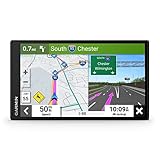
- 6” high-resolution navigator includes map updates of North America
- Hands-free calling when paired with your compatible smartphone with BLUETOOTH technology and convenient Garmin voice assist lets you ask for directions to places you want to go
- Road trip–ready features include the HISTORY database of notable sites, a U.S. national parks directory, Tripadvisor traveler ratings and millions of Foursquare POIs
- Driver alerts for things such as school zones, sharp curves and speed changes help encourage safer driving and increase situational awareness
- Access live traffic, fuel prices, parking, weather and smart notifications when you pair this navigator with your compatible smartphone running the Garmin Drive app
Compare the visible prices yourself. If the stations you want are not listed, move or zoom the map, search a nearby town, or search for a specific station. A 2026 consumer walkthrough also describes comparing prices from station cards, but it is not a guarantee that every user sees identical controls. Android Authority’s walkthrough shows the reported workflow.
How to choose the cheapest practical stop
The lowest number on the screen is not always the lowest effective cost. Before leaving your route, compare:
- The same fuel grade: Regular, premium, diesel, and other fuels are not interchangeable.
- Payment terms: Cash, credit, loyalty, fleet-card, and membership prices may differ.
- Detour distance: A cheaper station can cost more in fuel and time if it is far from the route.
- Road access: A station on the opposite side of a divided highway may require a difficult turn or U-turn.
- Price freshness: A recent station price change may not yet be reflected in Maps.
- Special pricing: A car-wash bundle, regional tax rule, or other promotion may not match the displayed number.
For a road trip, a station that is slightly more expensive but directly on your route can be the better choice than one requiring a lengthy detour.
Recommended Free Tools
Why some gas stations have no price
A missing price does not necessarily mean the station is closed or incorrectly categorized. Common explanations include:
- Fuel-price coverage is unavailable or limited in that region.
- The station’s listing has incomplete data.
- The price changed and the listing has not caught up.
- Only one fuel grade is available in the result card.
- The information appears inside the full listing but not on the search card.
- Your map area, search wording, app version, or platform affects the results.
Google has promoted searching “gas prices” in Maps as a way to compare nearby fuel prices, but that does not amount to a worldwide freshness or availability guarantee. Google’s Maps guidance describes the search approach.
Try these fixes
- Search more specifically for gas prices, gas station, petrol, or fuel, depending on local terminology.
- Move or zoom the map to include the area you want.
- Open another station listing to determine whether the problem affects one station.
- Confirm that Maps can determine your location.
- Update the Google Maps app.
- Open the full listing instead of relying only on the result card.
- Try another region or town if you are traveling.
- Use a dedicated fuel-price service or a regional government fuel-price portal when freshness is critical.
Changing a station’s ordinary Business Profile category is not a reliable way to make fuel prices appear. Google’s public documentation does not establish such a control.
Independent reader supportYour contribution helps us test, update, and keep practical guides available for everyone.How to report an incorrect gas price
Open the station’s listing and look for Send feedback, Suggest an edit, or the relevant reporting option. Describe whether the price is missing or incorrect and identify the fuel grade. Menus can vary, and Google does not promise an immediate correction or a fixed correction time.
Also popular on Amazon
- 7” high-resolution navigator includes map updates of North America .Special Feature:Easy-To-Read Display; Voice Assist; Hands-Free Calling; Live Traffic and Weather; Traffic Cams and Parking; Smart Notifications,Driver Alerts; Tripadvisor; National Parks Directory; Find Places by Name; Garmin Real Directions Feature.
- Hands-free calling when paired with your compatible smartphone with BLUETOOTH technology and convenient Garmin voice assist lets you ask for directions to places you want to go
- Road trip–ready features include the HISTORY database of notable sites, a U.S. national parks directory, Tripadvisor traveler ratings and millions of Foursquare POIs
- Driver alerts for things such as school zones, sharp curves and speed changes help encourage safer driving and increase situational awareness
- Access live traffic, fuel prices, parking, weather and smart notifications when you pair this navigator with your compatible smartphone running the Garmin Drive app
Reporting information is different from directly editing a fuel-price field. Google Maps Community guidance discusses reporting incorrect price information, but community answers are not a universal product guarantee.
Using Google Maps in the car
CarPlay
Google’s CarPlay documentation says Maps can support route stops with details such as gas prices and detour times on compatible systems. The exact experience depends on the car, region, software, and data connection.
Android Auto
Do not assume the phone workflow appears identically on the dashboard. Android Auto’s available controls depend on the current app release, vehicle, screen, region, and connection. Set up or compare stations before driving when possible.
Built-in Google Maps
Cars with Google Maps built in can expose a different feature set from the phone app. Google says functionality depends on the manufacturer, region, and data plan. Google’s built-in Maps help explains those limitations.
Eco-friendly routing is different from fuel-price comparison
Google Maps also offers eco-friendly routing in selected countries and regions. You can choose an engine type such as gas, diesel, hybrid, or electric, and Maps estimates relative fuel or energy efficiency using factors including traffic, road conditions, hills, and road type.
This feature helps choose a potentially more efficient route; it does not compare pump prices or replace the gas-price search. Read Google’s eco-friendly route guidance.
When Google Maps is enough—and when it is not
Google Maps is a good fit when you want a quick nearby comparison, directions and station details in one app, or a fuel stop along an existing route without installing another service.
Verify prices elsewhere or at the pump when you need the freshest possible number, a specific grade such as premium or diesel, a cash or loyalty price, or reliable coverage while crossing a border. Dedicated fuel-price apps, official regional price portals, station websites, and loyalty apps may provide more relevant information for those situations.