Some links on this page are affiliate links: if you buy through them we may earn a commission, at no extra cost to you.
Connect a phone to a Rivian in three separate ways: pair Bluetooth for calls and audio, add the phone in the Rivian app as a digital key, and (optionally) subscribe to Connect+ for the vehicle’s own cellular media and cloud features. Bluetooth pairing does not create a key, and the app key does not require a Connect+ subscription. The steps below cover R1S and R1T workflows, contact and message syncing, hands-free calls, remote controls, charging and trip tools, and what to do when a connection fails.
| Option | What you need | Best for |
|---|---|---|
| Bluetooth pairing | Phone with Bluetooth enabled; Rivian in Park | Phone calls, contacts, media audio from the phone |
| Rivian app phone-as-key | Rivian app, Rivian account, Bluetooth and required phone permissions | Entering and driving without carrying the key card, remote lock/unlock, vehicle controls |
| Connect+ | Rivian vehicle with an active Connect+ plan or trial | Native streaming, hotspot and expanded connected services |
What can a phone do when it is connected to a Rivian?
A paired phone can provide phone calls, contacts and media audio. The center display offers Favorites, Recent Calls, Contacts and Keypad views, while the phone remains where you designate a contact as a favorite. Rivian’s owner guide describes Bluetooth media as streaming “music or podcasts” from the phone; you start playback on the phone and use the vehicle controls for volume and playback.
As an Amazon Associate I earn from qualifying purchases.
What’s actually slowing this PC down?
Pick the symptom - the matching free tool is one click away.
Phone-as-key is a separate Rivian-app function. Once configured, the app can lock or unlock the vehicle, start climate preconditioning, share access with authorized drivers, show charging locations, start charging, monitor the vehicle, share an address, plan trips through navigation features and schedule service. Those controls use the app and Rivian account rather than the Bluetooth audio profile.
Connect+ is another layer. It adds vehicle-connected services such as an in-car hotspot and native data for Apple Music, Audible, Spotify, Tidal and TuneIn, plus satellite imagery, Alexa Connected commands, Gear Guard Live Cam, Google Cast and YouTube. Phone-as-key, remote vehicle commands, live navigation and tethering are listed as standard connectivity features, not Connect+ exclusives. Availability and menus can change with over-the-air software updates.
Popular on Amazon

- Universal Compatibility: Perfectly compatible with any devices with a 3. 5mm aux port. Such as Apple iPhone, iPod, iPad, Headphones, Hi-Fi, Car Stereos, Tablet, Laptop, Smartphones, MP3 Player, Speaker and any other audio-playing devices. (ATTENTION: Incompatible with Life proof Cases And Otter Box cases)
- Unparalleled Sound Quality: Polished 24K gold-plated connectors ensure reliability and eliminate signal loss and noise possible, offer clear and stereo sound to your devices.
- Ultra Durable And Tangle-Free: With an 15000+ ultra-durable bend lifespan several times longer than original audio cables. You can wind it without having to worry about knots or kinks.
- Easy Carrying And Storage: Double shielding significantly enhances protection against interference, and with the specially designed organizer, no messy or tangled cable any more.
- What You Get - Sync wire 3.3 ft. Nylon Braided Aux Cable, 3 Years Free Card, User Guide and Customer Service
How do I pair Bluetooth in an R1S or R1T?
Use the center display and the phone together. Keep the Rivian in Park, and grant only the permissions you actually want.
- Open Bluetooth controls in the vehicle. Tap the Bluetooth icon, or open the Media, Phone or Settings app and select its Bluetooth controls.
- Make the phone discoverable. Open the phone’s Bluetooth settings and leave that screen visible.
- Select the Rivian device. Choose the Rivian audio/device entry shown by the vehicle or phone.
- Confirm the code. Accept the matching pairing code on both screens.
- Choose permissions. Enable Phone Calls, Contacts and/or Media Audio. You can decline a permission and add it later from the saved device’s settings.
- Start audio on the phone. Open your music, podcast or audiobook app, select the Rivian as the output if prompted, and press play. Adjust listening level with the steering-wheel or center-display controls.
The 2025 R1S Owner’s Guide documents these three permission categories and the phone-based media-source selection in its Bluetooth instructions (Rivian R1S Owner’s Guide). The exact labels can move after an OTA update, but the Bluetooth icon and saved-device entry remain the logical places to look.
Free tools Windows power users keep installed
One-click scans. No signup required.
How do I make hands-free calls and show contacts on the Rivian screen?
Enable the Phone Calls and Contacts permissions during pairing. The Rivian phone interface then provides Favorites, Recent Calls, Contacts and Keypad views for hands-free calling. Your phone is still needed to mark someone as a favorite; the vehicle display presents the resulting list rather than replacing the phone’s contact-management functions.
If calls work but the Contacts list is empty, expand the saved phone entry in Bluetooth settings and turn on Upload contacts. On the R1T, open Settings > Rivian Assistant, select the connected device under Phone contacts, and allow contact access on the phone. Give a full synchronization several minutes before assuming it failed.
Also popular on Amazon

- 【2026 Upgraded Version】The Seulliya iPhone audio cable features an Apple MFi certified chip for stable connectivity, allowing effortless linking to car stereos, home audio systems, speakers, or any device with a 3.5mm AUX port. Enjoy high-quality music without "accessory not supported" errors
- 【Premium Sound Transmission】This auxiliary car audio cable features a built-in advanced DAC (Digital-to-Analog Converter) chip and high-purity copper wires to ensure stable, lossless audio signal transmission. It delivers flawless music playback and clear Hi-Fi sound quality. Enjoy high-quality music by connecting your iPhone to your car stereo, home audio system, headphones, Hi-Fi equipment, computer speakers, and more
- 【Ultra Durability】15,000+ bend lifespan is several times longer than most aux cords, soft TPE making this 3.5mm audio cable to iPhone a flexible and long-lasting cable. It's lightweight and convenient to take around. No worry about the winding, knot, or kink
- 【Plug and Play】No need for any driver or external power, just plug and play. Easy to connect and use. The aux for iPhone allows you to enjoy high-quality music anytime and anywhere. Great for home & travel
- 【Wide Compatibility】The Seulliya Lightning to 3.5mm Car Audio Cable offers broad compatibility with a wide range of Apple devices, including iPhone 14/13/12/11/XS/XR/X/8/7, iPod touch, and iPad Mini/Air/Pro models. Enjoy seamless connectivity and clear audio in your car, perfect for music, navigation
How do I sync texts and use Rivian Assistant?
Text-message access requires an additional permission sequence beyond basic audio pairing:
- Complete Bluetooth pairing and choose Allow in the center-display pop-up.
- Open Bluetooth, expand the phone entry, and enable Phone calls, Upload contacts and Text messages.
- Go to Settings > Rivian Assistant, select the connected device under Phone contacts, and enable message pairing on the phone.
- On iPhone, open Settings > Bluetooth > Rivian Audio, then turn on Show Message Notifications and Sync Contacts.
- On Android, use the Bluetooth device’s notification or message-access controls; menu names vary by manufacturer and Android version.
The current R1T guide describes this sequence and recommends forgetting and re-pairing if the message option never appears (Rivian R1T Owner’s Guide). Rivian Assistant does not currently support group texts, so a group conversation may not be available even when one-to-one messages work.
Recommended Free Tools
How do I stream Spotify, music or podcasts from my phone?
For phone-based listening, Bluetooth is enough; no cable, phone mount or paid plan is required by the documented workflow. Start Spotify or another music, podcast or audiobook app on the phone, choose the Rivian output, and use the vehicle’s media controls and steering-wheel volume. If another saved phone is connected, use Switch Devices before starting playback.
Bluetooth media audio is distinct from Rivian’s native streaming services. With Connect+, the vehicle can use its own data connection for Apple Music, Audible, Spotify, Tidal and TuneIn, along with the other connected features listed below. Native playback can continue without routing the audio from a phone, but the service account and current Rivian software still determine what appears on screen.
Also popular on Amazon
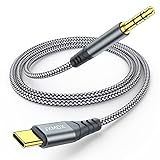
- 【Multi-function Dongle】This USB C to 3.5mm aux cable cord can easily connect your Type C devices to car stereo, home stereo, speaker, headphones or any device with standard 3.5mm audio jack or Aux-in port and offers you the freedom of listening to music.
- 【Hi-Fi Sound Quality】This usb c to 3.5mm aux cable cord adopted an advance DAC Smart Chip, offer high-definition audio, powerful noise reduction, you can get higher fidelity sound from it.
- 【Relief Strain Design】This Cable Can withstand More Than 12000 Bending Tests, Nylon Braided style not only let it look upscale and attractive but also provids maximum's durability.
- 【Wide Compatibility】 Wider compatibility than others type c to 3.5mm adapters, compatible with most of the type c phones : iPhone 16 16 Pro 16 Plus 16 Pro Max, iPhone 15 15 Pro 15 Plus 15 Pro Max, iPad pro, iPad Air, iPad mini 6, Mac book, Samsung Galaxy S24 S24+ S24 Ultra, S23 S23+ S23 Ultra, S22 S22+ S22 Ultra, S21 S21+ S21 Ultra, S20 Ultra S20 Z Flip S20+ S10 S9 S8 Plus, Note 20 10 10+ 9 8, Google pixel 4 3 2 XL, One plus 6T 7 7Pro and more.
- 【Plug and Play】This Type C to 3.5mm aux cable cord No need to install software, drive, or complex connection mode, plug and play. You may encounter compatibility issues when using this product. Please contact our customer service for technical support.
What does the Rivian app phone-as-key setup do?
Install the Rivian app only from the Apple App Store, Google Play or Rivian’s own site. Sign in with the Rivian account associated with the vehicle and follow the in-app prompts to add the phone as a key. Keep Bluetooth on and approve the permissions the app requests.
Rivian describes the app as the vehicle’s primary key. Depending on model, software and account authorization, it can:
- Let you enter and drive without using a physical key card when the phone is recognized.
- Lock and unlock the doors from nearby or remotely.
- Start climate preconditioning before you leave.
- Manage charging, including starting a charging session and setting charging schedules.
- Find charging locations and share an address for navigation or trip planning.
- Monitor vehicle status and share access with authorized drivers.
- Schedule service through the app.
- Help install vehicle software updates.
These functions are independent of Bluetooth media pairing: a phone can play music successfully even if phone-as-key setup is unfinished. Rivian’s technology overview explains the app key, remote commands, charging and other connected functions (Rivian technology and connectivity overview).
How do I change phones or carry a fallback key?
When replacing a phone, remove the old phone key from the vehicle or account before adding the replacement if the app reports a key conflict. Complete the new phone’s app authorization while it has Bluetooth enabled and the correct driver profile selected.
Also popular on Amazon
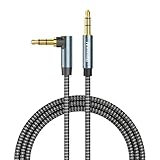
- ELIMINATE CABLE BENDING IN TIGHT SPACES: Our 90-degree right-angle design prevents stress and damage. Perfect for cramped car AUX connections or resting a gaming controller comfortably against your body without bulky, annoying interference.
- PRISTINE HI-FI STEREO SOUND WITHOUT STATIC: Engineered with pure copper cores and triple shielding for lossless audio. Enjoy your music or immersive gaming without lag, distortion, or the frustrating crackling background noise of standard cords.
- HEAVY-DUTY NYLON BRAIDING FOR MAXIMUM LIFESPAN: Built to withstand heavy daily use. This robust, tangle-free 3.5mm auxiliary cable features reinforced connectors tested for 20000+ bends, completely preventing fraying and unexpected breaks.
- FAILSAFE UNIVERSAL 3.5MM PLUG & PLAY: Seamlessly links to standard audio jacks. Instant, zero-driver setup for Car Stereos, PS5/PS4/Xbox Controllers, Home Speakers, Headphones, PCs, and Tablets. Upgrade your current audio setup effortlessly.
- CRUCIAL COMPATIBILITY NOTE & 24-MONTH SUPPORT: Designed for native 3.5mm ports. Modern devices without a jack require a separate adapter (not included). Nanxudyj stands by your purchase with 24-month dedicated support for a flawless experience.
Carry the supplied key card while changing devices or reauthorizing a key. Digital-key hardware and exact fallback behavior can vary by model year, so follow the current owner guide for your vehicle. A key card is also useful if the phone battery is depleted or the app cannot authenticate.
What is Connect+, and do I need it to connect a phone?
No. Bluetooth audio, calls and the Rivian app key use the vehicle’s built-in software and your phone. Connect+ is an optional connected-services plan that adds an in-vehicle hotspot, satellite images, Alexa Connected commands, data for Apple Music, Audible, Spotify, Tidal and TuneIn, Gear Guard Live Cam, Google Cast and YouTube.
Windows Errors? Fix Them Before They Spread
Repair common Windows errors and clear accumulated junk for a smoother, more stable PC - no reinstall needed.Free scan · no reinstallOutdated Drivers Are Slowing You Down
One free scan finds every outdated or missing driver and matches the right update for your exact hardware.Free scan · exact hardware matchRivian listed Connect+ at $14.99 per month or $149.99 per year in the United States when its technology page was published, with a 60-day trial for existing owners beginning August 13, 2024 and delivery-based trials for later buyers. Treat those as dated U.S. figures: check the current offer, vehicle eligibility and country before subscribing. Standard connectivity on the same page includes phone-as-key, remote vehicle commands, live navigation and tethering.
Independent reader supportYour contribution helps us test, update, and keep practical guides available for everyone.Why is my Rivian not connecting to my phone?
| Symptom | Likely cause | First fix |
|---|---|---|
| No audio | Phone is not the selected media source, volume is low, or Media Audio is off | Select the phone as source, raise both volumes, and recheck Media Audio |
| Calls work but music does not | Media Audio permission was declined or disabled | Open the saved Bluetooth device and enable Media Audio, then start playback on the phone |
| Contacts are missing | Upload contacts or Rivian Assistant access is off; sync is still running | Enable Upload contacts, select the device under Phone contacts, and wait several minutes |
| Messages do not appear on iPhone | Show Message Notifications or Sync Contacts is off | Turn both on under Settings > Bluetooth > Rivian Audio |
| The wrong phone connects | Several saved phones are available | Use Switch Devices, or use More (…) > Forget Device for the unused phone |
| Phone key fails | Bluetooth, permissions or driver assignment is incorrect | Turn Bluetooth on, open the Rivian app, verify the driver profile, and use the key card while reauthorizing |
If a message option is missing, use the vehicle’s More (…) > Forget Device command, toggle Bluetooth off and on in both devices, and pair again. When available, Phone > Messages > Refresh Connection can force another connection attempt. Keep the vehicle in Park during pairing and do not assume a successful phone call means media, contacts or messages have also been authorized.
Also popular on Amazon

- NO MORE DETACHED SHELLS: Glued connectors fail. We use a mechanical screw-lock design instead. The aluminum housing threads directly onto the core, ensuring it never slides off when yanked from tight car stereos or heavy audio gear.
- ELIMINATE STATIC & BUZZING: Tired of crackling audio when moving the wire? We pair 24K gold contacts, a pure copper core, and dual shielding to block interference, delivering crisp, uninterrupted stereo sound to your car or headphones.
- STAIN & ODOR FREE: Sick of cords absorbing sweat and stinking, or turning into a fuzzy mess in your bag? Our hydrophobic braid repels liquids—coffee simply beads up. Wipe it instantly clean. Zero pilling, and easily survives 20,000+ bends.
- FIT WITH BULKY CASES: Stop removing thick phone covers to plug in. We engineered a remarkably slim aluminum housing. It slides straight through the tightest protective cutouts, securing a flush connection every time without the daily hassle.
- SEAMLESS 3.5MM FIT (AUDIO ONLY): Connects perfectly to car stereos, headphones, and home speakers. Note: This 3-pole TRS cord strictly transmits audio. It lacks mic or inline volume controls. Backed by our 3-year brand support.
Does a Rivian support Apple CarPlay or Android Auto?
The supplied Rivian guides and technology materials do not definitively establish current Apple CarPlay or Android Auto availability. Do not treat ordinary Bluetooth pairing, Rivian Assistant, or Connect+ native streaming as proof that either projection system is supported. Check the latest owner guide and the vehicle’s current software menus for the specific model year before buying accessories or changing your phone setup.
How were these connection methods selected?
This guide separates the three workflows documented by Rivian: Bluetooth for calls, contacts and phone media; the Rivian app for digital-key and vehicle controls; and Connect+ for optional cellular media and cloud services. The steps and permission names come from Rivian’s R1S and R1T owner guides, while app capabilities and plan boundaries come from Rivian’s technology information. Because Rivian changes menus and Assistant behavior through OTA updates, use the current guide for your exact model year when a label differs.
Frequently Asked Questions
Can two phones be connected to a Rivian at the same time?
Several phones can remain saved, but the vehicle may connect to the one currently selected or available first. Use Switch Devices to choose the active phone, and forget an old device when it repeatedly takes priority.
Will Bluetooth still work if I do not subscribe to Connect+?
Yes. Bluetooth phone calls, contact access and audio streaming from a phone do not require Connect+. Connect+ concerns the vehicle’s own cellular data and additional connected services.
What happens if my phone battery dies while it is my Rivian key?
Use the supplied key card as your immediate fallback, then restore or reauthorize the phone key through the Rivian app. Exact passive-entry behavior depends on the phone, hardware and model year.
Why do my contacts appear but not my text messages?
Contacts and messages have separate permissions. Enable Text messages in the saved Bluetooth device, then complete Rivian Assistant message pairing; on iPhone also enable Show Message Notifications and Sync Contacts.
The Tool Desk
Outbyte Driver Updater FREEFix the driver behind crashes, sound loss and screen glitchesFind Drivers →Outbyte PC Repair FREERepair Windows errors before they cause bigger problemsFix Now →