Auto repair shop software · #30 of 33
Mitchell RepairCenter
mitchell.com
What it is
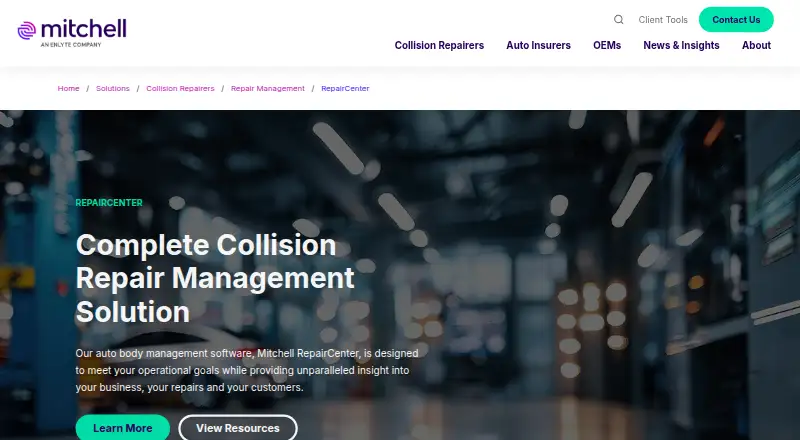
Mitchell RepairCenter is collision repair shop management software for coordinating repair work, shop operations, business performance and customer communication. Its workflows cover estimating, blueprinting, scheduling and documentation, with cycle-time visibility. Repair orders act as virtual job files that show labor totals, job costs and payments, while the Mitchell RepairCenter Accounting Interface supports bookkeeping and financial tracking.
Online Repair Status can send customers text and email updates, progress alerts and expected delivery information. Parts connections include OEConnection Parts Management and CollisionLink; TechAdvisor provides access to OEM procedures and Mitchell-authored parts and labor guides. Optional interfaces exchange repair order and vehicle data with ADP or Reynolds & Reynolds dealer systems. Other connections include QuickBooks, QuickBooks Online and BusinessWorks, plus third-party body shop applications through ToolStore. A mobile capabilities module can add photos, documents, videos, audio files and invoices to repair orders. Multi-Site Capabilities provides analytics across shops. Mitchell offers packages including QuickStart Parts, QuickStart Basic Accounting, Essentials, Professional and Premier, as well as individual modules. The product is available for Android, iOS and Windows, with an API through the RepairCenter Partner Network.
Who it suits. RepairCenter suits collision repair businesses that need to manage repair orders, workflow stages, customer updates and financial performance in one system. Its multi-site analytics and optional dealer-system interfaces may fit operators coordinating work across shops or connecting with ADP or Reynolds & Reynolds.
Good to know
- Repair workflows cover estimating, blueprinting, scheduling and documentation.
- Repair orders show labor totals, job costs and payments.
- Online Repair Status can send text and email progress updates.
- Accounting interfaces include QuickBooks, QuickBooks Online and BusinessWorks.
- Multi-Site Capabilities provides analytics across shops.
- Mobile capabilities add photos and other files to repair orders.
Watch for
- Pricing is available on request.
- The listed packages do not state their included modules.
- Installation instructions and a code are requested through an administrator.
Choose Mitchell RepairCenter if your collision shop needs repair workflow tracking alongside repair order costs, customer updates and accounting connections. Its optional dealer interfaces, parts integrations and multi-site analytics add coverage for connected or multi-location operations. Ask Mitchell for a demo and pricing to determine which package or modules fit your shop.
Your product? You can pay for an editorial review of Mitchell RepairCenter; CarCody's editors write the verdict · from $99/mo. How it works →
Plans and prices
QuickStart Parts
on requestPackage shown; no price or included-module details stated in the opened page.
Essentials
on requestPackage shown; no price or included-module details stated in the opened page.
Premier
on requestPackage shown; no price or included-module details stated in the opened page.
QuickStart Basic Accounting
on requestPackage shown; no price or included-module details stated in the opened page.
Professional
on requestPackage shown; no price or included-module details stated in the opened page.
From Mitchell RepairCenter's own pricing page, read 9 October 2026. Every plan →
Its site
Getting started
- Visit the Mitchell RepairCenter product page.
- Schedule a demo to discuss the product and packages.
- Ask Mitchell for pricing and package details.
- Request installation instructions and an installation code by email through an administrator.
- Install RepairCenter on a new computer using the instructions and code.
On record
- Purpose
- RepairCenter is collision repair shop management software for tracking shop operations, repairs, business performance and customer interactions.
- Repair workflows
- It supports repair workflows spanning estimating, blueprinting, scheduling and documentation, with cycle-time visibility.
- Repair orders
- Repair orders create virtual job files and show labor totals, job costs and payments.
- Customer updates
- Online Repair Status can send customers text and email updates, progress alerts and expected delivery information.
- Accounting integrations
- Accounting interfaces include QuickBooks, QuickBooks Online and BusinessWorks.
- Parts integration
- RepairCenter can integrate OEConnection Parts Management and the CollisionLink online parts ordering system.
- Dealer systems
- Optional Dealer Management System interfaces provide bi-directional integration and automate repair order and vehicle data transfers to ADP or Reynolds & Reynolds systems.
- Other integrations
- ToolStore provides access to third-party body shop applications from within RepairCenter, and the product can integrate reporting from Mitchell Diagnostics Solutions.
- Mobile capabilities
- The Attachments & Mobile Capabilities module can upload photos, PDFs, text documents, videos, audio files and invoices to repair orders from a mobile device.
- Modular packages
- Mitchell offers packages named QuickStart Parts, QuickStart Basic Accounting, Essentials, Professional and Premier, as well as individual modules.
- Pricing
- The opened product page lists packages and optional modules but does not state prices; it invites visitors to schedule a demo.
- Installation
- Customers can request installation instructions and an installation code by email through an administrator; the page describes installing RepairCenter on a new computer.
- Support
- Mitchell lists collision repair technical support by phone at 800.448.4401, Monday through Friday, 5:00 am–5:00 pm Pacific Time.
- Company history
- Mitchell says it began with Glenn Mitchell's automotive parts lists in 1946.
- Work order management
- Yes
- Technician time tracking
- Yes
Questions
How much does Mitchell RepairCenter cost?
Pricing is available on request. The product page invites visitors to schedule a demo.
What packages does Mitchell offer?
Package names include QuickStart Parts, QuickStart Basic Accounting, Essentials, Professional and Premier. Individual modules are also offered.
Which platforms does RepairCenter support?
The listed platforms are Android, iOS and Windows. The RepairCenter Partner Network also provides an API.
What accounting and dealer systems can it connect with?
Accounting interfaces include QuickBooks, QuickBooks Online and BusinessWorks. Optional dealer management interfaces exchange data with ADP or Reynolds & Reynolds systems.
Can it send repair updates to customers?
Online Repair Status can send text and email updates, progress alerts and expected delivery information.
How can a shop get installation instructions?
An administrator can request installation instructions and an installation code by email.