Auto repair shop software · #28 of 33
CCC ONE Repair Workflow
cccis.com
What it is
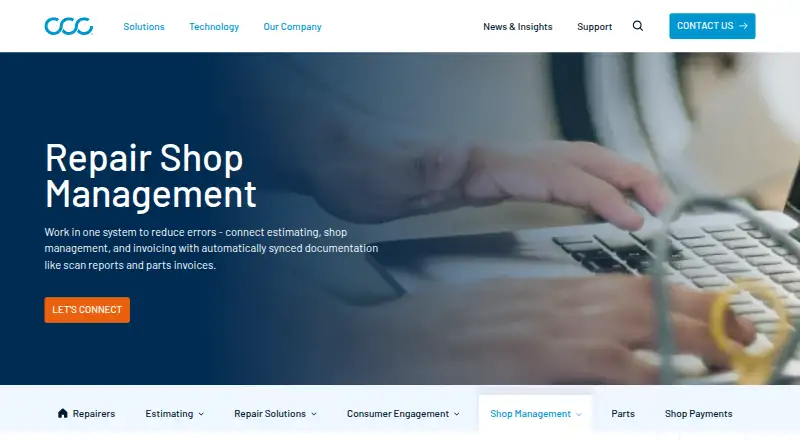
CCC ONE Repair Workflow combines shop management and estimating for collision repair shops. Digital production boards, schedules, checklists, and reports help teams follow vehicles through repair stages and identify bottlenecks, inefficiencies, and missed on-hand supply attribution. Shops can build plans for teardown, bodywork, mechanical work, and refinishing, then assign and manage them from repair orders or the production schedule. CCC says key documents, including scan reports and parts invoices, sync automatically to reduce data entry. Connected diagnostics providers can attach scan reports and invoices to CCC ONE workfiles; electronic invoices are sent only when the shop has Repair Workflow. Integrations with Tekion and CDK dealer systems synchronize repair orders, vehicle and repair history, and accounting information. Listed accounting connections include BusinessWorks, MAS90/MAS200, Microsoft Dynamics GP, and QuickBooks Online. CCC Mobile supports remote process updates, photos, and notes on Android and Apple mobile devices. The product is available on Android, iOS, web, and Windows. Pricing is on request, and no trial offer is stated.
Who it suits. CCC ONE Repair Workflow is aimed at collision repair shops managing repair stages, estimates, and production plans. Its mobile access and integrations may suit shops that use the listed connected systems.
Good to know
- Production boards and schedules track repair stages.
- Repair planning covers teardown through refinishing.
- Key documents sync to reduce data entry.
- CCC Mobile supports remote updates, photos, and notes.
Watch for
- Pricing is on request.
- Electronic invoices require Repair Workflow.
- Some consumer payment services come from third parties.
CCC ONE Repair Workflow links estimating with production management for collision repair. Shops should check integration availability and the pricing terms directly before deciding.
Your product? You can pay for an editorial review of CCC ONE Repair Workflow; CarCody's editors write the verdict · from $99/mo. How it works →
Its site
Getting started
- Visit the CCC Repair Workflow page.
- Contact CCC to ask about pricing and access.
- Choose supported access through Android, iOS, web or Windows.
- Connect applicable diagnostics providers, dealer systems or accounting software.
- Use CCC Mobile on a supported Android or Apple device for remote workflow updates.
On record
- Purpose
- CCC Repair Workflow combines shop management tools with estimating to help collision repair shops manage production and shop performance.
- Workflow tracking
- Digital production boards, production schedules, checklists, and reports help shops track vehicles through repair stages.
- Efficiency
- The product helps identify bottlenecks, inefficiencies, and missed on-hand supply attribution to improve repair ROI and cycle time.
- Estimating integration
- Repair Workflow is embedded in CCC estimating tools, bringing shop management and estimating into one platform.
- Automatic documentation
- CCC says its shop management tools automatically sync key documents, including scan reports and parts invoices, to reduce data entry between systems.
- Repair plans
- Shops can create repair plans that reflect vehicle work such as teardown, bodywork, mechanical work, and refinishing, then assign and manage those plans from repair orders or the production schedule.
- Diagnostics integration
- When a shop connects to listed diagnostics providers, scan reports and invoices can be attached to CCC ONE workfiles; electronic invoices are sent only if the shop has Repair Workflow.
- Dealer system integrations
- CCC announced integrations with Tekion and CDK dealer management systems that synchronize repair order, vehicle, repair history, and accounting information.
- Accounting integrations
- CCC ONE documentation lists accounting connections for BusinessWorks, MAS90/MAS200, Microsoft Dynamics GP, and QuickBooks Online.
- Payments
- CCC ONE supports integrated consumer payment solutions, including Xplor Pay features such as text-to-pay, and business payments from participating payers; some consumer services are provided by third parties.
- Mobile access
- CCC Mobile lets repair facility users remotely manage repair processes on Android devices, iPhones, iPod Touch devices, and iPads, with features including updating production phases and adding photos and notes.
- Security and trust
- CCC's trust portal lists SOC 2, CAIQ, SIG Lite, and SIG Core categories, though it shows zero documents under each category.
- Support
- CCC offers technical support, billing help, training, and assistance from its support team, including product support for collision repairers.
- Pricing and trial
- The product page directs prospective customers to contact CCC and does not state a price or trial offer.
- Work order management
- Yes
Questions
How much does CCC ONE Repair Workflow cost?
Pricing is available on request by contacting CCC.
Is there a free plan or trial?
The product page does not state a free plan or trial offer.
Which platforms does Repair Workflow support?
The listed platforms are Android, iOS, web and Windows. CCC Mobile supports Android devices and Apple mobile devices including iPhones, iPod Touch devices and iPads.
Which integrations are listed?
Dealer system integrations include Tekion and CDK. Accounting connections include BusinessWorks, MAS90/MAS200, Microsoft Dynamics GP and QuickBooks Online; diagnostics providers can attach reports and invoices to CCC ONE workfiles.
Can diagnostic invoices be sent electronically?
Electronic invoices are sent only if the shop has Repair Workflow.
What can shops do with CCC Mobile?
Facility users can remotely update production phases and add photos and notes.