Recommended Free Tools
The Motorola Edge+ 2023—sold as the Motorola Edge 40 Pro in many markets—supports Android Auto over USB when paired with a compatible vehicle or aftermarket head unit. If the phone charges but Android Auto does not start, or the connection repeatedly drops, the problem is usually somewhere in the USB data path: the cable, vehicle port, phone USB state, pairing data, or infotainment system. There is no established evidence of a universal Edge+ 2023 Android Auto hardware defect.
Start with the highest-value tests: unlock the phone, use the vehicle’s Android Auto port, replace the cable with a short data cable under 1 metre (about 3 feet), and test another phone or vehicle before attempting a factory reset.
As an Amazon Associate I earn from qualifying purchases.
Quick diagnosis
| Symptom | Most likely direction |
|---|---|
| Phone charges but Android Auto never appears | Charge-only cable, wrong vehicle port, USB data mode, dirty port, pairing problem, or vehicle incompatibility |
| Android Auto starts and then disconnects | Long or poor-quality cable, loose connector, noisy USB port, overheating, or head-unit software |
| The car shows “USB error” | USB negotiation, cable, vehicle port, or infotainment fault |
| Connection works only while the phone is unlocked | Pending permissions or pairing state; user reports exist, but this is not a confirmed model-wide requirement |
| Wireless Android Auto works but USB does not | The phone’s Android Auto compatibility is probably intact; investigate the wired USB path |
| USB file transfer also fails | Greater suspicion of the cable, USB-C port, moisture protection, or phone hardware |
Before changing phone settings
- Confirm that the car or aftermarket head unit supports Android Auto. A USB socket may provide charging only. Check the vehicle manual or manufacturer compatibility information.
- Use the port labelled for Android Auto, smartphone projection, CarPlay, or media. Multiple vehicle USB ports are not necessarily equivalent.
- Start the car and put it in Park.
- Unlock the Edge+ 2023 before connecting it.
- Remove any USB hub, splitter, extension, or unnecessary adapter.
Google’s minimum guidance includes an Android phone running Android 9 or newer, a mobile data plan, and a compatible vehicle or head unit. Google recommends using the latest available Android version for best performance. Android Auto is built into supported phones as the car-display technology, although the phone may still show update or permission prompts.
See Google’s Android Auto compatibility and troubleshooting guidance for vehicle requirements.
#1 Best Overall
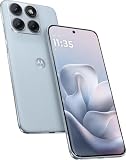
- Warning USA Market , Phone in Global Unlocked BUT Only works on Tmobile / Metro / Mint / Tello or Any under TMOBILE Network. OUTISE THE USA WORKS ANY CARRIER WORLDWIDE - SIM Card Dual SIM (/ Wi-Fi Wi-Fi 802.11 a/b/g/n/ac/ax / 2.4 GHz | 5 GHz | 6 GHz / Wi-Fi 6E Wi-Fi hotspot
- Dual SIM (1 Nano SIM + eSIM) (NO MicroSD Slot) : 5G: NR n1/2/3/5/7/8/20/26/28/38/40/41/66/75/77/78 - 4G: 1/2/3/4/5/7/8/12/13/17/18/19/20/26/28/32/38/39/40/41/42/43/48/66 - 3G: B1/2/4/5/8 - 2G: B2/3/5/8
- Snapdragon 7s Gen 3 Octa-core (1x2.5 GHz Cortex-A720 & 3x2.4 GHz Cortex-A720 & 4x1.8 GHz Cortex-A520) - GPU Adreno 810. NFC Security Updates 5 years (until 02/2031) Android 16 . Location Services GPS, AGPS, LTEPP, SUPL, Glonass, Galileo Sensors Proximity Sensor Ambient Light Sensor Accelerometer Gyroscope Sar sensor Sensor Hub Magnetometer (e-Compass)
- Display Technology HDR10+ Pantone Validated Colours Pantone SkinTone Validated 100% DCI-P3 colour space 10-bit; Over one billion colour shades Refresh rate up to 144Hz14 Peak Brightness: 5200 nits Touch sampling rate: up to 1500Hz Water Touch Resolution Super HD (2772 x 1272) 450ppi
- Rear Camera 1 50MP Sony - LYTIA 710 sensor f/1.8 aperture 1.0μm pixel size | Ultra Pixel Technology for 2.0μm All Pixel Focus Optical Image Stabilisation (OIS) Rear Camera 2 13MP Ultrawide angle (120° FOV) Macro Vision f/2.2 aperture 1.12μm pixel size PDAF Rear Camera 3 Dedicated 3-in-1 light sensor Front Camera Hardware 32 MP f/2.2 aperture 0.7 μm pixel size | Quad Pixel Technology for 1.4 μm
1. Replace the cable first
A cable that charges a phone is not necessarily capable of carrying the stable USB data connection Android Auto needs. Google recommends a reliable data cable shorter than 3 feet (1 metre), without hubs or extensions. Motorola specifically recommends trying a short cable of approximately 12 inches when Android Auto disconnects randomly because some vehicles have weak or noisy USB data signalling.
- Try the original Motorola cable if you still have it.
- Then try a short, reputable USB data cable with the connector combination your car requires: USB-A-to-USB-C or USB-C-to-USB-C.
- Avoid cables that are frayed, sharply bent, unusually thin, loose in the socket, or longer than 1 metre.
- Test a second known-good cable before changing Developer options or resetting the phone.
Do not assume a cable is suitable merely because it fast-charges the Edge+ 2023. The most useful cable is short, data-capable, and a snug fit in both the phone and vehicle.
Motorola’s guidance is available in its article on random Android Auto disconnections.
Outdated Drivers Are Slowing You Down
One free scan finds every outdated or missing driver and matches the right update for your exact hardware.Free scan · exact hardware matchPC Slower Than It Used to Be?
A free scan shows the junk files, broken settings and background clutter dragging Windows down - then fixes them in one click.Free scan · Windows 10 & 112. Check the phone’s USB connection state
Motorola phones commonly default to No data transfer, also described as charging only. Check the USB notification after connecting the cable, or open Settings > Connected devices > USB.
The available USB choices can include Smart Connect, File transfer, USB tethering, MIDI, PTP, and No data transfer. Android Auto does not necessarily require you to leave the phone permanently set to File transfer. The diagnostic question is whether the phone has established a data-capable USB connection rather than merely charging.
If the notification says charging only and Android Auto never appears, try another cable and vehicle port first. Selecting File transfer temporarily can help determine whether the phone and car are negotiating USB data, but it is not a guaranteed Android Auto fix.
Motorola also documents a persistent default under Settings > System > Advanced > Developer options > Default USB configuration. Do not enable Developer options as the first troubleshooting step; basic cable and cross-testing are more informative.
The Tool Desk
Outbyte Driver Updater FREEScan for outdated or missing drivers - takes under a minuteDriver Scan →Outbyte PC Repair FREERepair Windows errors before they cause bigger problemsFix Now →See Motorola’s USB connection instructions for labels that may vary by Android version and software build.
3. Connect with the phone unlocked
- Start the vehicle and select the Android Auto or smartphone-projection input.
- Unlock the Edge+ 2023.
- Connect the cable.
- Accept Android Auto, Bluetooth, and permission prompts on the phone and car display.
- Keep the screen unlocked until initial setup finishes.
Some users have reported that wired Android Auto would not start until the Edge+ 2023 was unlocked. That is useful, low-cost troubleshooting, but it is anecdotal—not evidence that every Edge+ 2023 requires an unlocked screen for every connection.
4. Forget the saved car and pair again
A stale Android Auto or Bluetooth pairing can prevent a previously working connection from starting after a phone, app, or vehicle update.
Rank #2

- Factory Unlocked International Model: No warranty in US, compatible with AT&T, T-Mobile, Metro by T-Mobile Global GSM networks. Not compatible with Verizon and other MVNOs; Verify compatibility before purchase
- Premium Display Technology: 6.7" Super HD+ pOLED Quad-Curved Display, 2712 x 1220px resolution, 446ppi, HDR10+, 10-bit color, 120Hz Refresh Rate, up to 4500 nits peak brightness, Gorilla Glass 7i, IP68/IP69 water and dust resistance, MIL-STD-810H certified
- High-Performance Storage and Processing: 256GB UFS 4.0 Storage, 8GB LPDDR5X RAM, MediaTek Dimensity 8350 Extreme (4nm), Octa-core processor, Android 15 operating system
- Advanced Camera System: Triple Rear Camera with 50MP Sony LYTIA 700C f/1.8 Wide with OIS, 50MP f/2.0 Ultrawide/Macro, 10MP f/2.0 Telephoto with OIS and 3x Optical Zoom; 50MP Front Camera; 6000mAh Battery, 90W TurboPower, 15W Wireless Charging
- Extensive Network Compatibility: Global 4G LTE Bands, 5G bands including n1/2/3/5/7/8/20/26/28/38/40/41/66/71/75/77/78; Dual SIM capability with Nano-SIM and eSIM support for flexible connectivity options
- Open Settings > Connected devices > Connection preferences > Android Auto.
- Open Previously connected cars.
- Use the menu option to forget or clear the affected vehicle.
- Restart the phone and power-cycle the vehicle’s infotainment system.
- Reconnect with the phone unlocked and accept every prompt.
Motorola software labels vary by Android version and region. If the path is different, search Settings for Android Auto. If the vehicle uses Bluetooth during setup, remove and reconnect the vehicle’s Bluetooth pairing as well.
5. Update and restart both sides
- Install any available Android Auto update through Google Play.
- Install available Motorola system updates under the phone’s software-update settings.
- Restart the Edge+ 2023.
- Restart or fully power-cycle the infotainment system according to the vehicle manual.
Do not attribute the problem automatically to Android 14, Android 15, Android 16, or another Android version. A version-specific regression requires a documented build, vehicle, and reproducible pattern; the available evidence does not establish one for this model.
6. Inspect both USB ports
Look inside the phone’s USB-C port and the vehicle’s USB port for lint, damage, or a loose fit. Remove lint carefully without inserting metal tools. Check whether the vehicle port resets, becomes disabled, or continues displaying an error after a failed connection.
If the phone displays a moisture warning, unplug it and allow the port to dry completely before reconnecting. Do not repeatedly force a cable into a wet port or attempt to override the warning.
Test the Edge+ 2023 with a computer using several known-good data cables. If it cannot transfer files to computers as well as connect to cars, the issue is probably not Android Auto alone. A physically loose port, persistent moisture warning, or repeated computer disconnections is a reason to contact Motorola service.
Free tools Windows power users keep installed
One-click scans. No signup required.
Motorola explains its USB port and moisture troubleshooting in more detail.
7. Isolate the phone from the car
| Cross-test | What it suggests |
|---|---|
| Another phone works in the same car, port, and cable | Investigate the Edge+ 2023’s software, cable compatibility, USB state, or port |
| The Edge+ 2023 works in another compatible car | Investigate the original vehicle’s port, head unit, firmware, wiring, or compatibility |
| Several phones fail in the same vehicle port | Vehicle-side USB or infotainment problem |
| The Edge+ 2023 charges but cannot transfer files | Cable, port, moisture protection, or hardware data-path problem |
| Wireless Android Auto works but wired fails | Focus on the cable, phone USB port, vehicle port, or wired head-unit path |
| A short cable fixes repeated disconnections | Original cable length, construction, or signal quality was the likely cause |
This matrix is more reliable than concluding that the Motorola is defective from a single car’s error message. It also distinguishes a projection failure from a lower-level USB failure.
Independent reader supportYour contribution helps us test, update, and keep practical guides available for everyone.What to do if USB Android Auto still fails
Contact the vehicle manufacturer or dealer if multiple phones fail in the same port, especially if the infotainment system reports a USB error or the port repeatedly resets. The vehicle may need a head-unit update, port repair, or wiring diagnosis.
Contact Motorola if the Edge+ 2023 fails in multiple Android Auto-compatible vehicles with multiple short data cables and also fails USB file-transfer tests. Provide the phone’s software build, vehicles tested, cables used, exact error message, and whether wireless Android Auto works.
A factory reset should be a last resort, not the opening move. It erases personal data and is unlikely to repair a charge-only cable, defective vehicle port, or damaged USB-C connector.
Rank #3

- CONNECTIVITY- Global unlocked model compatible with AT&T, T-Mobile, and Verizon; MVNO activation may require IMEI registration. Carrier compatibility depends on network bands and policies.
- DUAL SIM – Supports one physical Nano-SIM plus eSIM.
- POWERFUL 4NM PERFORMANCE – Enjoy fast, smooth performance with the MediaTek Dimensity 7300 processor and Mali-G615 MC2 GPU, designed for responsive apps, gaming, streaming, and everyday use.
- EFFORTLESS MULTITASKING – Up to 12GB of RAM with RAM Boost delivers faster app launches, fluid multitasking, and seamless switching between applications.
- GENEROUS EXPANDABLE STORAGE – Store more apps, movies, music, photos, and videos with up to 512GB of built-in storage, plus support for microSD cards up to 1TB. MicroSD card not included
Wireless adapter alternatives
A wireless adapter can be convenient when the car already has working wired Android Auto and the phone connects reliably by USB. It does not repair a dead vehicle USB data port, add Android Auto to an incompatible car, or necessarily bypass a damaged phone USB-C port. The adapter still normally uses the vehicle’s USB connection for power and wired-Android-Auto communication.
Motorola’s MA1 is designed for vehicles with an existing Android Auto-enabled USB port. Motorola lists a $69.99 price on its official product page, although price and availability can change, and it notes that some vehicle models may be incompatible. The product requires a compatible Android phone and active data plan.
AAWireless is another option for vehicles or head units that support wired-only Android Auto. Its official page highlights a companion app, troubleshooting tools, multi-phone features, and an included USB data cable. Availability and pricing should be checked on the manufacturer’s current shop page. The company states that purchases through its official webshop or Amazon include a two-year warranty.
What’s actually slowing this PC down?
Pick the symptom - the matching free tool is one click away.
Choose an adapter only after wired Android Auto has been proven to work in that vehicle. If the wired path is already dead, fix the car, cable, or phone first.
When to suspect hardware
- The USB-C plug is loose or disconnects when lightly moved.
- USB file transfer fails with multiple computers and known-good data cables.
- A moisture warning remains after the port has dried completely.
- The Edge+ 2023 fails in multiple compatible vehicles and with multiple cables.
- Several phones fail in the same vehicle port.
These results point toward phone hardware or vehicle hardware, respectively, rather than another Android Auto pairing reset.
Frequently Asked Questions
Does the Moto Edge+ 2023 support wired Android Auto?
Yes. Motorola documents Android Auto connection by USB or wirelessly when the vehicle supports the feature. The Edge 40 Pro is the corresponding name used in many markets.
Why does the phone charge but Android Auto not connect?
Charging proves only that power is reaching the phone. Android Auto also needs a stable data connection, the correct vehicle USB port, a compatible car, and successful permissions and pairing.
Does Android Auto require File transfer mode?
Not necessarily. File transfer can be a diagnostic test, but Android Auto’s essential requirement is a functioning data-capable USB connection.
Is this a known Edge+ 2023 defect?
The available evidence does not establish a universal model-wide defect. Cross-test the cable, vehicle, port, and phone before assigning blame to the handset.
Should I factory-reset the phone?
No—not initially. A cable replacement, correct USB port, pairing reset, software update, and cross-test are safer and more informative first steps.
Quick Recap
Product prices and availability are accurate as of the date/time indicated and are subject to change. Any price and availability information displayed on Amazon at the time of purchase will apply.




