Recommended Free Tools
Some links on this page are affiliate links: if you buy through them we may earn a commission, at no extra cost to you.
Sometimes, but not as a universal technique. The FAA does not publish a blanket rule that names hand-over-hand yoke steering as either safe or prohibited. In an airplane, the important questions are whether your hand movement produces smooth, proportionate inputs; preserves light fingertip pressure; leaves you able to correct promptly; and complies with that aircraft’s flight manual and your instructor’s procedures. A movement that causes a sudden roll or pitch change, a tight grip, blocked access, or a delayed correction is operationally undesirable.
What “hand-over-hand” can mean in an airplane
The phrase is borrowed from automobile steering, but pilots use it loosely. It can describe several different actions, and the safety answer changes with the context.
As an Amazon Associate I earn from qualifying purchases.
One pilot repositioning a hand during a maneuver
Here, one pilot is flying and moves a hand around the yoke to obtain more roll authority, reach a comfortable position, or keep the wrist aligned. The issue is not the name of the movement. It is the control input that results: smooth or abrupt, measured or excessive, and immediately available for correction or temporarily awkward.
Using both hands on the yoke
A pilot may place both hands on the yoke during a large attitude change, turbulence, or an instructional demonstration. That is a different question from crossing one hand over the other. Both hands can make it easier to apply force, but a heavy grip can also make the pilot overcontrol the airplane and lose the tactile “feel” of the controls.
Popular on Amazon
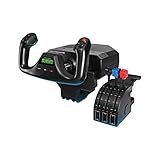
- Realistic yoke controls offer an ideal setup for new pilots and help experienced pilots build muscle memory. In the Box : Flight Yoke with 5.9 ft (1.8m) USB Connector Cable, Flight Throttle Quadrant with 4.92 ft (1.5m), PS/2 Connector Cable, 2 Desk Clamps
- Stainless Steel Yoke Shaft - Robust, smooth and accurate control of your virtual aircraft in flight simulators
- POV Hat, 14 button controls, and 3-position mode switch offer at least 54 programmable controls, giving you most of your aircraft’s functions under your fingertips
- 2 position desk clamp provides mounting flexibility for a wide range of desks with a robust, secure clamping force to ensure your controls stay where you need them
- In the Box : Flight Yoke with 5.9 ft (1.8m) USB Connector Cable, Flight Throttle Quadrant with 4.92 ft (1.5m), PS/2 Connector Cable, 2 Desk Clamps
One pilot taking the controls from another
Some people use “hand-over-hand” to mean a transfer between pilots. That is a cockpit-procedure question, not a hand-placement question. It requires an explicit verbal exchange and positive confirmation under the aircraft operator’s training procedures. Do not treat advice about a single pilot’s yoke movement as a transfer procedure.
What the FAA actually says about yoke pressure
The clearest official guidance is in Chapter 3, “Basic Flight Maneuvers,” of the FAA’s Airplane Flying Handbook (FAA-H-8083-3C). The chapter states:
Crashes, No Sound, or Screen Glitches?
Random freezes, missing sound and display glitches usually trace back to one bad driver. Find and replace yours safely.Free scan · under a minuteWindows Errors? Fix Them Before They Spread
Repair common Windows errors and clear accumulated junk for a smoother, more stable PC - no reinstall needed.Free scan · no reinstall“The pilot should hold the pitch and roll flight controls (aileron and elevator controls, yoke, stick, or side-stick control) lightly with the fingers and not grab or squeeze them with the entire hand.”
“When flight control pressure is applied to change a control surface position, the pilot should exert pressure on the aileron and elevator controls with the fingers only.”
Also popular on Amazon
 Thrustmaster TCA SKY YOKE – Flight Yoke and Throttle for PS5 and PC | Flight simulation controller for beginners, first PS5 yoke, 7 axes, built-in trim wheel, rudder control
- 🛩️ AN ALL-IN-ONE YOKE: Fly with 7 axes and built-in essential functions: throttle, trim wheel, and rudder controls; it's a complete solution to get started without buying multiple pieces of equipment.
- ✈️ SMOOTH AND REALISTIC MOVEMENTS: Push or pull the yoke to control your climbs and descents, then rotate it up to 180° to bank the aircraft and execute turns with smoothness and precision.
- ⚙️ EFFORTLESS CONTROL: The steel pitch axis is paired with a self-centering damping mechanism; transition smoothly from climb to descent, with no break in movement and a minimal dead zone.
- 🎛️ ALL CONTROLS AT YOUR FINGERTIPS: Pilot intuitively thanks to 24 action buttons and ergonomically placed controls; keep your hands on the yoke and your full attention on piloting.
- 🧲 HALL EFFECT PRECISION: Thrustmaster's H.E.A.R.T. magnetic technology and 16-bit resolution ensure smooth and precise control across all 7 axes, delivering consistent performance throughout your flights.
Read the wording in context in the FAA Chapter 3 PDF. It is guidance about how to feel and apply flight-control pressure; it is not a named FAA rule about crossing hands or a direct endorsement of hand-over-hand steering.
The FAA’s Airplane Flying Handbook page identifies FAA-H-8083-3C and says the page was last updated March 29, 2022. The broader FAA handbooks index, last updated July 31, 2026, lists an October 2025 addendum. Check that index for the current publication and addendum status before relying on a printed copy.
A related reference is Chapter 6, “Flight Controls,” in the Pilot’s Handbook of Aeronautical Knowledge, whose FAA page was last updated July 10, 2023. Neither source establishes a universal hand-over-hand maneuver.
When hand repositioning is operationally acceptable
A hand movement can be reasonable if it keeps the airplane under precise control. Use these tests rather than assuming that a particular hand path is always right or wrong.
Also popular on Amazon

- True-to-Life Flight Control: Experience immersive flight simulation with the Honeycomb Alpha Flight Controller Yoke and Switch Panel. Featuring 180° rotation and a solid steel shaft with two linear ball bearings for smooth control.
- Enhanced Responsiveness: This yoke flight simulator control features a dampened, self-centering mechanism with no center detent and minimal deadzone for effortless, accurate maneuvers.
- Integrated Switch Panel: The switch panel features main, alternator, avionics, light switches, and a 5-position ignition switch. This flight yoke also ensures good operability during night flights with red LED backlighting.
- Multi-Function Yoke Handles: This flight sim yoke comes equipped with an 8-way round-view switch, two vertical and two horizontal 2-way rocker switches, three buttons, and a push-to-talk button for a complete cockpit setup.
- Dual Mounting Solution: Secure your Alpha Flight Sim Controls with the two included heavy-duty clamps, or use a micro-suction pad that produces 40lbs of tensile strength for a clamp-free solution on thicker tabletops.
It produces a smooth input
The airplane should not make an unintended jerk, rapid bank, pitch bobble, or oscillation as your hand moves. If crossing or sliding a hand around the yoke changes the control surface abruptly, reduce the size of the movement and return to a lighter fingertip contact. Large control displacement is not automatically needed for a large bank; coordinated rudder and appropriate attitude control still matter.
You can keep a light fingertip contact
The FAA’s teaching is deliberately light. A tight, full-hand squeeze reduces sensitivity to small forces and encourages the pilot to chase altitude or bank with excessive movements. A suitable repositioning method lets the fingers guide the yoke while the other hand, if used, remains relaxed rather than clamping down.
The Tool Desk
Outbyte PC Repair FREERepair Windows errors before they cause bigger problemsFix Now →Outbyte Driver Updater FREEScan for outdated or missing drivers - takes under a minuteDriver Scan →Nothing blocks the next correction
At any moment you may need to arrest a bank, counter a gust, adjust pitch, or respond to an instrument trend. If a crossed wrist, the cockpit structure, a kneeboard, or another person prevents an immediate correction, the position is a poor choice for that phase of flight. Reposition before the airplane needs a correction, not while you are already behind it.
The movement matches the airplane’s control geometry
Yokes differ in travel, friction, control linkage, and clearance. A technique that feels harmless in a trainer may be awkward in a different model, especially with a large control column, limited instrument-panel clearance, or a center-mounted throttle quadrant. The aircraft’s approved flight manual or pilot’s operating handbook (AFM/POH) and an instructor familiar with the model take priority over generic advice.
Also popular on Amazon

- 🛩️ AN ALL-IN-ONE YOKE: Fly with 7 axes and built-in essential functions: throttle, trim wheel, and rudder controls; it's a complete solution to get started without buying multiple pieces of equipment
- ✈️ SMOOTH AND REALISTIC MOVEMENTS: Push or pull the yoke to control your climbs and descents, then rotate it up to 180° to bank the aircraft and execute turns with smoothness and precision
- 🎛️ ALL CONTROLS AT YOUR FINGERTIPS: Pilot intuitively thanks to 24 action buttons and ergonomically placed controls; keep your hands on the yoke and your full attention on piloting
- 🧲 HALL EFFECT PRECISION: Thrustmaster's H.E.A.R.T. magnetic technology and 16-bit resolution ensure smooth and precise control across all 7 axes, delivering consistent performance throughout your flights
- 👨✈️ LEARN AND PILOT AS A DUO: Connect two TCA SKY YOKE controllers to an XBOX or a PC using the Dual Control; instructor and student, or pilot and co-pilot, can switch controls with the push of a button and the announcement: "You have the controls“
How the answer changes by phase of operation
| Situation | Primary concern | Practical standard |
|---|---|---|
| Routine straight-and-level flight | Unnecessary movement and overcontrol | Keep a relaxed, light grip and make small corrections. Reposition only if it does not disturb attitude or trim. |
| Normal turns | Coordinated, predictable bank entry and rollout | Use the least movement that gives the required bank. Maintain access to stop or reverse the roll immediately. |
| Steep turns or large bank changes | Higher workload and larger attitude corrections | Follow the maneuver briefing and instructor technique. Do not let a hand crossing create a sudden input or obscure the instruments. |
| Approach and landing | Low altitude leaves less time to recover from an upset | Use the established aircraft-specific hand position and stabilize before the flare. Avoid experimenting with a new crossing motion. |
| Turbulence or an upset | Rapid, accurate corrections | Use the aircraft’s turbulence or upset-recovery guidance. A hand position that slows a correction or encourages a hard pull is unsuitable. |
| Taxiing with a steerable nosewheel | Ground-direction control, braking, and lookout | Follow the POH and local training. Taxi steering geometry and control forces are not the same as airborne roll control. |
The table gives decision criteria, not a universal checklist. Aircraft limitations, crosswind technique, and operating-company procedures can change what is appropriate.
Why automotive steering habits can mislead pilots
In a car, hand-over-hand steering is commonly used to turn a wheel through a large angle while the vehicle remains constrained to a road. An airplane yoke commands an aerodynamic response in three dimensions. Small yoke movements can change bank and pitch, and the airplane may continue rolling or pitching after the initial input unless the pilot anticipates and stops the motion. The yoke also interacts with trim, airspeed, load factor, and rudder coordination.
Do these 3 things before closing this tab:
1Fix the driver behind crashes, sound loss and screen glitches2Clear out junk files and repair common Windows errors3Scan for outdated or missing drivers - takes under a minuteThat difference makes “turn the yoke farther because the turn is bigger” an unreliable rule. A pilot should select the required attitude, monitor the resulting trend, and remove or reverse pressure as needed. Crossing a hand may be physically possible, but it should never replace attitude awareness, coordinated control, or a stabilized approach to the maneuver.
Independent reader supportYour contribution helps us test, update, and keep practical guides available for everyone.A safe way to evaluate the technique in training
If you are curious about hand-over-hand movement, evaluate it with an instructor in a low-workload setting rather than trying it for the first time near the runway.
Also popular on Amazon

- The Honeycomb Alpha Flight Controls Yoke & Switch Panel is the most advanced flight simulation system available to simmers, flight students, and pilots. The yoke has a realistic full 180° yoke rotation and a solid steel shaft with dual linear ball bearings that provide smooth control
- The yoke features a dampened, self-centering mechanism with no center detent or minimal to no dead zone. The base includes a Switch Panel with master, alternator, avionics, and light switches, as well as a 5-position ignition switch
- The left and right handles feature one 8-way hat switch, two vertical and two horizontal 2-way rocker switches, three buttons, and a push to talk button
- The Dual Mounting Solution allows for full use with or without clamps. The yoke comes with two steel heavy-duty clamps, which you can attach firmly and secure the yoke. For thicker tabletops, a large 3M Micro-Suction Pad that produces 40lbs of tensile strength can be used for a clamp-free solution
- The Honeycomb Alpha Flight Controls Yoke & Switch Panel was designed and developed in California by pilots and aerospace engineers to ensure the most realistic flight simulation experience possible
- Identify the exact aircraft and maneuver. Write down the make, model, and the phase of flight. A generic yoke description cannot account for that airplane’s travel, friction, trim system, or cockpit clearance.
- Read the AFM/POH and training syllabus. Look for sections on flight controls, normal maneuvers, turbulence, crosswind operations, landing, and control limitations. Use the current revision supplied for that aircraft.
- Brief the instructor before moving the yoke. Explain whether you mean repositioning one hand, using both hands, taxi steering, or a control transfer. Ask which hand position the instructor teaches for the maneuver.
- Start in straight-and-level flight at a safe altitude. Establish the assigned heading and altitude, trim the airplane, and confirm that the instructor can take over immediately.
- Make the smallest planned movement. Keep fingertip contact, maintain outside and instrument references, and watch for an unintended pitch or roll response as the hand changes position.
- Test the recovery, not just the entry. Without creating an upset, verify that you can stop the bank, return to the target attitude, and make a prompt correction. If the hand position delays any of those actions, abandon it.
- Repeat in the actual task only after it is consistent. Practice turns, then other approved exercises, under the instructor’s supervision. Do not carry an experimental movement into an approach, landing, or abnormal situation until it is part of your trained procedure.
Control transfers between pilots are a separate procedure
When two pilots exchange control, the essential protection is unambiguous communication and positive confirmation—not physically passing a yoke from one hand to another. Use the exact call-and-response procedure taught by the operator, flight school, or instructor. Both pilots should know who is flying, who is monitoring, and when responsibility has changed.
The FAA’s Aviation Instructor’s Handbook page lists flight-instruction techniques. A related discussion of a three-step verbal exchange appears in the FAA Helicopter Instructor’s Handbook. That document is explicitly helicopter-oriented. It should not be presented as an airplane-specific requirement without an airplane source or the procedure authorized by your training organization.
Warning signs that the method is not safe for you
- The airplane makes a noticeable uncommanded pitch or roll as your hand crosses or slides.
- You have to grip the yoke tightly or pull with the whole arm to keep control.
- Your wrist, forearm, or the yoke itself blocks the other control or key instruments.
- You cannot immediately reverse the input or stop the bank.
- You lose outside visual references or instrument scan while managing your hands.
- The movement conflicts with the AFM/POH, the aircraft checklist, or your instructor’s demonstrated technique.
- You are attempting it for the first time during an approach, landing, turbulence, or another high-workload event.
Any one of these signs is a reason to return to the previously trained hand position and ask for coaching. Do not continue simply because the airplane has not yet departed from the desired attitude.
A practical decision rule
Before using a hand-over-hand movement, ask four questions:
- Can I maintain the FAA-recommended light fingertip pressure?
- Will the movement create a smooth, proportionate control input?
- Can I correct immediately in either direction without the hand position becoming a barrier?
- Is this method specifically compatible with this aircraft’s AFM/POH and my instructor’s guidance?
If the answer to any question is no or uncertain, use the established hand position instead. There is no operational advantage in forcing an automotive-style motion when a simple, light repositioning keeps the airplane more predictable.
Bottom line for pilots
You cannot classify hand-over-hand yoke steering as universally safe or universally forbidden from the available FAA guidance. The FAA’s clear instruction is to hold pitch and roll controls lightly with the fingers and apply pressure with the fingers rather than squeezing with the whole hand. A hand movement is acceptable only when it preserves that light touch, produces smooth control, leaves immediate access for correction, and agrees with the specific airplane’s approved procedures and your instructor’s technique. Treat any pilot-to-pilot control exchange as a separate, verbal procedure, and do not generalize helicopter exchange guidance to airplanes.
What’s actually slowing this PC down?
Pick the symptom - the matching free tool is one click away.