The Tool Desk
Outbyte PC Repair FREERepair Windows errors before they cause bigger problemsFix Now →Outbyte Driver Updater FREEScan for outdated or missing drivers - takes under a minuteDriver Scan →Some links on this page are affiliate links: if you buy through them we may earn a commission, at no extra cost to you.
Usually, no. A conventional backup camera sends a live view of the area behind your vehicle to the dashboard display while you reverse, but it does not automatically save that view. Video recording requires separate recording hardware, storage, and enabled settings. Some vehicles include an integrated dash-cam system that records front and rear views; others need a dual-channel dash cam with its own rear camera.
To determine what your car can do, check the owner’s manual for Dash Cam or recording functions, identify whether a memory card is installed, confirm that the rear camera is part of the recording system, and test a saved clip. The exact answer depends on the vehicle’s model year, trim, market, and installed options.
As an Amazon Associate I earn from qualifying purchases.
What a conventional backup camera actually does
A conventional backup-camera system is a safety aid, not necessarily a recorder. The rear-facing camera transmits a video image to a digital display, normally when the transmission is shifted into reverse. NHTSA describes this as a way to help the driver see the area behind the vehicle while reversing and to reduce backover-crash risk.
The camera, wiring, control module, and screen can provide a perfectly clear moving image without creating a file anywhere. When the vehicle leaves reverse, the display may switch away from the rear view, and there may be no memory card, recording processor, or playback menu at all. Seeing a live image therefore does not prove that the vehicle captured or retained video.
Popular on Amazon

- Note: "Viidure" APP doesn't require VIP for footage. [No VIP needed for: online video viewing, front/rear view switching, playback viewing, video downloading, social media sharing, camera setup.] [Developed with a third-party, Viidure isn't exclusive. Some features need membership: video speed adjustment, timeline viewing, cloud disk uploads.]
- Notice: Please format the memory card regularly. If the card is full without being formatted, the file storage time may revert to previous dates or automatically restore to the factory time. Reconnect to Wi-Fi after formatting. Please contact us via Amazon immediately if you have any issues regarding memory card storage.
- 4K + 1080P Dual Recording Dash Cam (Front and Rear): The WANLIPO A13 front and rear dash cam captures crystal-clear footage in Ultra HD 4K (3840*2160P) for the front and Full HD 1080P for the rear. This ensures that essential details, such as road signs and license plates, are easily visible. With a 170° wide-angle front lens and a 120° rear lens, the dual dash cam minimizes blind spots, providing full coverage to preserve critical evidence during incidents such as collisions
- 5GHz WiFi & Smart App Control: Easily connect the A13 front and rear dash cam to your smartphone via WiFi and control everything through the "Viidure" app. Compatible with both iOS and Android, this dash cam allows you to view, playback, and download recordings seamlessly. With 5GHz WiFi, enjoy fast video transfers from the dual dash cam. The app also enables one-click sharing of your footage, making it perfect for reliving and sharing memorable drives
- Loop Recording & 64GB SD Card:The WANLIPO A13 front and rear dash cam features intelligent loop recording, ensuring you never miss a moment, as it automatically overwrites the oldest files when storage is full. This dual dash cam comes with a 64GB SD card, allowing you to start recording immediately and continuously without worrying about running out of space. Equipped with a premium F1.6 aperture and a 6-layer optical lens, this dash cam's WDR technology enhances clarity in low-light conditions
NHTSA says backup-camera technology was required on all new vehicles as of May 2018. That is a safety-equipment requirement, not a claim that every such camera records footage. The requirement also does not establish what a particular used vehicle can do, because recording features vary by equipment package and market.
How recording systems differ from reversing systems
Factory backup camera: display only
In the simplest arrangement, the rear camera is connected to the infotainment display and reverse-gear signal. Its job is to show the driver what is behind the vehicle at that moment. It may draw power only when the ignition or reverse circuit is active, and it may have no connection to removable storage.
PC Slower Than It Used to Be?
A free scan shows the junk files, broken settings and background clutter dragging Windows down - then fixes them in one click.Free scan · Windows 10 & 11Outdated Drivers Are Slowing You Down
One free scan finds every outdated or missing driver and matches the right update for your exact hardware.Free scan · exact hardware matchAdding a recorder to this arrangement is not as simple as turning on a hidden menu. A recorder must receive a compatible video signal, encode it, write files to storage, and manage power and file protection. The original camera may not expose a usable signal to an aftermarket recorder, and the vehicle’s software may not support saving clips from the factory screen.
Integrated dash-cam system
Some vehicles offer a built-in Dash Cam as separate equipment or as part of a higher trim. Hyundai’s 2026 owner documentation describes a system that records front and rear views and stores footage on a memory card. Its controls include more than the normal reversing display, such as manual and event recording, with parked-recording options on supported configurations.
Tesla’s Model 3 manual documents multi-camera Dashcam recording and states that rear-camera recordings are available on vehicles produced after approximately February 2018. The manual also explains that clips can be overwritten unless they are saved. These examples show why the answer must be tied to the exact model, production period, software, and installed hardware rather than to the presence of a screen image.
Also popular on Amazon
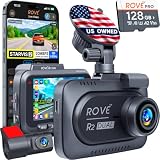
- UPSCALED 4K FRONT + 1080P REAR DUAL DASH CAM: The ROVE R2-4K DUAL records the road ahead and behind at the same time. The front camera captures at 2.5K (QHD) and intelligently upscales to 4K (2160P) for higher-detail playback, while the rear camera records at Full HD 1080P. This is upscaled 4K, not native 4K, engineered to show sharper everyday detail than standard 1080P dash cams, so you can read license plates, signs, and surroundings in front and rear footage.
- SONY STARVIS 2 IMX675 SENSOR + SUPER NIGHT VISION: The front camera uses a Sony STARVIS 2 IMX675 5MP image sensor with a wide F1.5 aperture (F1.8 rear) and HDR to pull in more light for clearer low-light footage. This advanced sensor enhances nighttime clarity, helping capture license plates, road signs, and surrounding vehicles with greater reliability when driving after dark, through tunnels, or in dusk and dawn conditions.
- ULTRA FAST 5.8GHz WIFI/ UP TO 20MB/s DOWNLOAD SPEED: With its built-in dual-band 5.8GHz and 2.4GHz WiFi, you can use the ROVE dash cam app to view and manage dash cam recordings instantly on your iPhone and Android smartphone. Using the ROVE app, download your recorded videos directly to your smartphone at up to 20 MB/sec, then easily share them on social media with friends and family. Additionally, manage camera settings and update the latest firmware over-the-air via the ROVE App.
- CAR CAMERA WITH GPS: The new front and rear dashcam comes with built-in GPS, which enables you to view real-time live speed and compass on the 3” IPS wide camera screen. It records precise driving routes, locations, and speed stamps directly on the video so you can watch dashcam videos with GPS data using ROVE's free GPS Player on your PC or Mac & get additional evidence when you need it.
- FEATURES WITH STATE-OF-THE-ART TECHNOLOGY INCLUDED: Experience peace of mind with this front and rear car dash cam. It comes with a free 128GB microSD card and offers advanced features such as an f1.5 aperture, motion detection, G-sensor, seamless loop recording, emergency video lock, screen saver, live speed and compass direction, voice guidance, ring of threads for optional CPL filter, a built-in supercapacitor for extended product life, support for up to 1TB microSD cards, and many more.
Recording modes and storage
A recording system can operate in several ways, depending on its design:
Quick wins for a faster PC:
Scan for outdated or missing drivers - takes under a minuteDriver Scan →Repair Windows errors before they cause bigger problemsFix Now →- Continuous recording: The system writes a rolling sequence of clips while the vehicle is operating. Older unsaved clips may be overwritten when storage fills.
- Manual recording: The driver presses a control to preserve a clip or start a recording. The control may be on the screen, a physical button, or a connected device.
- Event or impact recording: The system protects footage when its sensors detect an event. Protection is not guaranteed for every incident, so important clips should be copied promptly.
- Parked recording: The camera monitors the vehicle while it is parked. This requires a supported power source and can stop when a time limit is reached or the auxiliary battery is depleted.
Hyundai’s documentation specifically describes memory-card storage, selectable recording modes, and a dedicated auxiliary battery requirement for parked recording. A system that records only while driving should not be represented as a parking-surveillance system.
How to check whether your particular car records
1. Search the correct owner’s manual
Use the manual for the exact model year, trim, market, and installed options. Search the electronic manual or index for Dash Cam, recording, SD, microSD, event recording, saved clips, and parked recording. A section that discusses only camera brightness, guide lines, or reverse-display settings describes a viewing system, not necessarily a recorder.
2. Confirm that storage hardware exists
Look for an SD or microSD slot, a specified memory card, or an internal storage location identified by the manufacturer. Hyundai’s specifications for its built-in system list a microSD card. If the manual never mentions storage and the vehicle has no card slot or recording menu, assume that the factory reversing camera is display-only until the manufacturer confirms otherwise.
3. Verify that the rear view is included
A vehicle can have a front-facing dash cam and a separate reversing camera. Read the recording menu or specifications to confirm that rear footage is captured, not merely shown during reversing. The words front and rear, multi-camera, or a rear-camera channel are stronger evidence than a dashboard image that appears when reverse is selected.
Do these 3 things before closing this tab:
1Clear out junk files and repair common Windows errors2Scan for outdated or missing drivers - takes under a minute3Repair Windows errors before they cause bigger problemsAlso popular on Amazon

- 【True 360° Blind-Spot Free Protection】Never miss an angle. This revolutionary 5-channel dash cam simultaneously captures front, rear, left, right, and inside cabin views. It eliminates fatal blind spots for large SUVs and trucks, while offering bulletproof fraud and false-claim protection for Uber, Lyft, and taxi drivers.
- 【Ultra-HD 4K Front & Quad 1080P Clarity】Powered by an advanced multi-channel processor, the front camera delivers breathtaking 4K UHD to read license plates. The remaining 4 tactical lenses record in synchronized 1080P HD, ensuring crystal-clear court-admissible evidence from every direction.
- 【Instant 5.8GHz WiFi 6 File Sharing】Stop waiting at the roadside during emergencies. Upgraded with next-gen 5.8GHz WiFi 6 tech, this car camera provides significantly faster video transfer speeds directly to your phone via the smart app, making it quick and seamless to access footage for insurance claims.
- 【Infrared Cabin Night Vision & GPS Tracking】The inside dash cam utilizes advanced infrared LEDs to capture perfect cabin details even in pitch-black darkness. Meanwhile, the built-in GPS embeds real-time speed, live route mapping, and precise timestamps directly into your footage to verify exactly what happened.
- 【24/7 Smart Parking Surveillance】Transform your car into a full-time fortress. When connected to our professional Affver Hardwire Kit (sold separately), the camera auto-activites time-lapse or G-sensor crash recording when the engine is off. Built-in low-voltage protection ensures your vehicle's battery never drains.
4. Check whether recording is enabled
Some systems allow recording modes to be disabled, limited to events, or changed between driving and parked operation. Confirm the relevant switches in the camera settings, insert the supported card if required, and check for an indicator that recording is active. A card that is full, incompatible, locked, or missing can prevent new clips from being written.
5. Check parked-recording power requirements
Do not infer parked capability from the presence of a rear camera. Hyundai’s manual says its parked recording requires a dedicated auxiliary battery and can end when the configured time limit or battery capacity is exhausted. Other vehicles may use different power arrangements. Follow the vehicle’s specified method rather than connecting an unknown device directly to a fuse or battery.
6. Test a clip before relying on the system
With the vehicle safely stationary, create a short recording, stop it, and open the playback or file-management screen. Confirm the clip has front and rear views, a usable date and time, and a location you can copy to another device. Do not operate playback controls while driving; Hyundai warns that video playback while driving can distract the driver and restricts playback functions for that reason.
Factory camera versus a dual-channel dash cam
| Feature | Factory backup camera | Built-in or aftermarket dual-channel recorder |
|---|---|---|
| Primary purpose | Live rear view for reversing | Saved video evidence from front and rear cameras |
| Coverage | Usually rear view while the system is active | Front and rear recording when both channels are installed and enabled |
| Storage | Often not stated or not present | Memory card or other specified storage; capacity and overwrite behavior depend on the system |
| Recording modes | Not necessarily available | May include continuous, manual, event, and parked modes |
| Power | Typically tied to the vehicle’s display or reverse operation | Ignition power for driving; parked recording needs a supported auxiliary or hardwired power solution |
| Installation | Factory-integrated placement and wiring | Additional camera placement, cable routing, and compatibility checks |
| Privacy and legal considerations | Still subject to local rules if recording is added | Audio, video, notification, and data-retention rules must be checked for the jurisdiction |
A dual-channel dash cam with a rear camera is the practical product category when a factory system shows a rear image but does not save it. It should be treated as a separate camera system, not as a universal way to record the factory camera feed.
Free tools Windows power users keep installed
One-click scans. No signup required.
Can an existing backup camera be made to record?
When the vehicle already has a recorder
If the manufacturer supplied a recording function, use the documented card, menu, and recording modes. The factory system is the most likely to preserve the original camera’s field of view and display integration. Follow the manual’s file-saving procedure because some systems overwrite unsaved clips automatically.
Also popular on Amazon
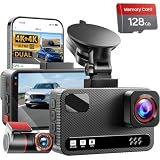
- 4K Front + 4K Rear — This front-and-rear dashcam features dual-channel recording, capturing footage simultaneously from both the front and rear cameras. The front camera records at a resolution of 3840x2160P, while the rear camera also records at 3840x2160P. Equipped with a 170° wide-angle lens in the front and a 160° wide-angle lens in the rear, it delivers clearer footage, balanced exposure, and reliable evidence—day or night
- Starlight-Level Sensor & Super Night Vision — With an f/1.5 large aperture and a 5-element optical lens, this dashcam captures clear, high-contrast video in any lighting conditions. WDR technology balances highlights and shadows, ensuring this dashcam delivers clear image quality with vivid colors and sharp details, even in poor lighting conditions
- Built-in 5.8GHz/ Download Speeds of Up to 20MB/s — With built-in dual-band 5GHz and 2.4GHz Wi-Fi, you can instantly view and manage your dashcam recordings on iPhone and Android smartphones via the dashcam app. You can preview, download, and play back videos in real time, view GPS data, and easily manage settings, making it simple to review recordings and share important moments
- Advanced Features — This dashcam offers a range of advanced features, including photo capture via the app, voice guidance, emergency video lock, loop recording, a collision sensor, and GPS positioning. Made from materials that withstand both extreme cold and heat, the device reliably records clear video across a wide temperature range
- 24/7 Parking Mode — In time-lapse recording mode, the device provides continuous monitoring over long periods. If an event occurs while the vehicle is parked, the collision sensor will record a full 1-minute video clip and securely lock it in the event folder, providing complete video evidence of the incident. (Requires the hard-wiring kit, ASIN: B0H8Y69RQC)
When the vehicle has only a reversing camera
A retrofit may be possible, but compatibility is vehicle-specific. The original camera can use a proprietary connector, signal format, voltage, or control module. The infotainment screen may accept only the factory signal, while an aftermarket recorder may require its own camera input. A shop or installer should verify the signal and power requirements before promising that the original camera can be recorded.
When reliable saved rear footage is the priority
Installing a dual-channel dash cam with its own rear camera avoids assuming that the factory camera feed is accessible. Choose a system that states what storage is included or supported, how clips are protected, whether parked recording is supported, and how the rear camera is mounted. Confirm that the camera placement does not block the driver’s view, interfere with the tailgate, or conflict with airbags and trim panels.
Independent reader supportYour contribution helps us test, update, and keep practical guides available for everyone.How to set up a dual-channel dash cam for rear recording
- Define the coverage you need. Decide whether you need front-and-rear driving footage, impact protection, parked monitoring, or only manually saved clips. A system that lacks a rear channel cannot create rear video later.
- Check vehicle fit. Verify windshield and rear-window mounting space, cable-routing paths, hatch or trunk movement, weather exposure, and the manufacturer’s power requirements for your vehicle.
- Use supported storage. Install the specified microSD or other card type and capacity. Format it using the camera’s instructions, and replace it when the manufacturer’s maintenance guidance calls for replacement.
- Mount and connect both cameras. Aim the front camera through a clean area of glass and mount the rear camera where it has a clear view. Route the cable safely around trim without crossing an airbag deployment path.
- Configure recording behavior. Select continuous, manual, event, or parked recording only if the device supports that mode and the power connection is appropriate. Set the date and time before relying on the footage.
- Verify the result. Make a short drive or stationary test, then inspect the saved files. Confirm that both channels are present, the rear image is not upside down or obstructed, and event protection does not prevent ordinary clips from being copied.
- Protect important evidence. Save relevant files to another device as soon as practical. Rolling systems can overwrite footage, and a protected event file can still be lost if the card fails or is reformatted.
Troubleshooting: the screen works but no video is saved
- No recording menu or card slot: The vehicle probably has a display-only reversing system. Check the manual before buying a card or attempting a retrofit.
- Recording menu appears but files are missing: Check whether a supported card is inserted, unlocked, formatted, and recognized by the system. Review whether recording is disabled or restricted to events.
- Front clips exist but rear footage does not: Confirm that the installed equipment includes a rear recording camera. A reversing camera can be physically separate from the dash cam.
- Parked clips stop unexpectedly: Check the documented time limit, auxiliary-battery condition, and low-voltage protection. Hyundai’s manual identifies both a dedicated auxiliary battery requirement and stopping conditions.
- Old clips disappeared: Continuous systems commonly overwrite unsaved footage. Save important clips promptly and verify that event files are actually protected.
- Playback is unavailable while moving: This can be an intentional safety restriction. Stop in a safe location before reviewing files.
Privacy, audio, and local rules
Recording a road scene can capture passengers, pedestrians, license plates, private property, or conversations. Whether video or audio recording is permitted, whether people must be notified, and how long footage may be retained depend on the relevant jurisdiction. Hyundai places responsibility on the user to check local rules before using its recording functions.
Disable audio if you do not need it and your local rules make sound recording more restrictive. Secure exported files, avoid sharing unrelated personal footage, and retain only clips that serve a legitimate purpose. A camera’s technical ability to record does not by itself establish that every use is lawful.
A practical decision checklist
Use this sequence when someone asks, “Does my backup camera record?”
- Identify the exact vehicle model year, trim, market, and installed options.
- Look up the manual’s Dash Cam and recording sections.
- Find the specified storage card or internal-storage instructions.
- Confirm that the rear camera is a recording channel, not only a reversing display.
- Check which modes are enabled: driving, manual, event, or parked.
- Verify power requirements and limits for any parked mode.
- Make and play back a test clip while parked.
- If no factory recording exists, consider a compatible dual-channel dash cam with a rear camera rather than assuming the original camera feed can be captured.
Bottom line
A backup camera normally helps you see behind the car; it does not automatically save video. Recording is present only when the vehicle has documented dash-cam hardware or a separate recorder, supported storage, suitable power, and enabled settings. The owner’s manual and a test file are the reliable ways to establish what your particular car records.