Quick wins for a faster PC:
Repair Windows errors before they cause bigger problemsFix Now →Scan for outdated or missing drivers - takes under a minuteDriver Scan →Some links on this page are affiliate links: if you buy through them we may earn a commission, at no extra cost to you.
Pairing a phone to the BYD DOLPHIN SURF has two separate parts. First, pair it from the infotainment system’s Bluetooth Connection screen for calls and Bluetooth functions. Then start Apple CarPlay or Android Auto using the route supported by your car, phone, market and software. A phone that is paired for Bluetooth is not automatically running either projection system.
BYD Europe lists Apple CarPlay and Android Auto on the DOLPHIN SURF versions in its European specification, with a 10.1-inch rotating touchscreen. The exact projection menus can differ by regional specification and software, so use the prompts on your screen and the manual for your market.
As an Amazon Associate I earn from qualifying purchases.
Do these 3 things before closing this tab:
1Scan for outdated or missing drivers - takes under a minute2Clear out junk files and repair common Windows errors3Fix the driver behind crashes, sound loss and screen glitchesWhat each connection does
The DOLPHIN SURF can expose several phone functions, but they are not interchangeable. Bluetooth pairing creates a wireless connection for supported call and audio functions. Phone projection places a compatible phone interface on the car’s display and requires separate support from the vehicle, phone and software.
| Connection route | What is established | What you need to check |
|---|---|---|
| Bluetooth phone pairing | Calls and other Bluetooth functions. The owner’s-manual procedure includes access to contacts, call history, missed calls and a dial keypad after connection. | Bluetooth must be enabled on the phone, and the pairing code must match on both screens. |
| Wired phone projection | Apple CarPlay or Android Auto through a physical USB connection, where the car and phone support it. | Use a certified USB data cable, connect it to a vehicle USB data port, and confirm that the connector fits your phone. |
| Wireless phone projection | Apple CarPlay or Android Auto without a cable, where that function is enabled for the specific car and software. | Follow the prompts shown by your DOLPHIN SURF. A complete, model-specific wireless sequence was not established for every market. |
If your objective is simply hands-free calling, Bluetooth may be all you need. If you want the phone-projection interface, navigation apps or other projection features, continue with the separate CarPlay or Android Auto setup after Bluetooth pairing.
Popular on Amazon

- 2-in-1: 2-in-1 Multiple charging cable was designed with the idea of simplifying your life. It combines 2 ports (USB A to USB C, USB A to Lightning) in one cable. Each port supports charging and data transfer functions. One cable equal TWO cables. No need to carry multi cable for different devices.
- Support Apple CarPlay & Android Auto: This usb c and lightning 2 in 1 carplay cable has a great solution for charging your phone in the car and supports Apple CarPlay and Android Auto. USB C cable also supports the latest iPhone 15/16/17/18 series carplay. Coiled lightning+usb c cable with spring shape design, portable and not tangled. Besides, coiled lightning and usb c cable combo can save your space in the car and say goodbye to the hassle of charge cable clutter.
- 3A/2.4A Fast Charger & Data Sync: This coiled USB C cable supports safe high-speed charging (3A) and fast data transfer (480Mbps). Allowing you to charge your Samsung, 0 to 90% in 1hr / iPhone 15/16/17/18, 0 to 50% in 45mins. Coiled short lightning charging cable meets all Apple standards with transfer speeds up to 2.4A fast charging and 480Mbps. Allowing you to charge your iPhone 14/13/12, 0 to 50% in 30mins or 75% in 1hr.
- MFi Certified && Wide Compatibility: Coiled usb c and lightning cable 2 in 1 by MFi and safety certified, compatible with all USB-C & iOS devices, such as iPhone 18, iPhone 17, iPhone 16, iPhone 15, iPhone 14, iPhone 13, iPhone 12, iPhone X, Air Pods, Samsung Galaxy, Huawei, HTC, LG, Sony Xperia, Android Smartphones. Note: USB-C port does not support charging tablets, Pads and Laptops.
- Anti-Tangle & Portable: The usb to lightning and usbc-c cable combo is engineered with a thicker smooth TPE exterior. It also adds durability and flexibility to your charge. Up to 30X more durable than ordinary cables, that don’t get frayed or tangled. Also, coiled usb c and lightning cable 2 in 1 can be stretched to a suitable length and automatically recover again, not taking up your space. If you have any questions about the product, please contact us without any doubt.
Check the prerequisites before you start
- Park safely. Complete pairing and projection setup while the car is stationary. Do not handle the phone while driving.
- Identify your market and version. The equipment evidence cited here is BYD Europe’s DOLPHIN SURF information. It confirms the features on the European versions shown there, not on every global market, trim or software build.
- Prepare the phone. Turn on Bluetooth for Bluetooth pairing. For a cable connection, bring a certified USB data cable with the correct connector for the phone and the car’s data-capable USB port.
- For Android Auto, check the stated requirements. BYD’s European specification says the phone must run Android 8 or higher, have an active data plan and have the Android Auto app. Android Auto requirements can change, so check the current requirements applicable to your phone and region as well.
- Keep both screens visible during pairing. You must compare the code displayed by the DOLPHIN SURF with the code on the phone before confirming.
Pair a phone over Bluetooth
The owner’s-manual extract names the relevant screens Bluetooth Connection and Scanning. Use this sequence for the initial Bluetooth connection.
- Open the Bluetooth Call screen. On the center display, open the screen used for Bluetooth calls.
- Select “Bluetooth Connection.” This opens the vehicle’s phone-connection controls.
- Tap “Scanning.” Leave Bluetooth enabled on the phone so it can be discovered.
- Choose your phone from the available-device list. Select the phone name that appears on the DOLPHIN SURF screen.
- Compare the pairing code. Check that the code shown on the touchscreen is identical to the code shown on the phone. Confirm only when the two codes match.
- Finish the phone’s Bluetooth prompts. Accept the pairing request on the phone and complete any permission prompts it presents.
- Wait for the connection state to update. The phone should appear as connected in the vehicle’s Bluetooth area. If the phone asks whether to share contacts or call history, choose the option that matches your privacy preference and intended use.
The Bluetooth procedure establishes the phone connection for supported call functions. It does not, by itself, demonstrate that Apple CarPlay or Android Auto is active. Projection must be started separately.
The Tool Desk
Outbyte Driver Updater FREEFix the driver behind crashes, sound loss and screen glitchesFind Drivers →Outbyte PC Repair FREERepair Windows errors before they cause bigger problemsFix Now →What Bluetooth pairing enables
According to the manual extract, a connected Bluetooth phone can provide contacts, call logs, missed calls and a dial keypad through the vehicle interface. The exact controls and permission wording can vary between phone operating systems. If you decline contact or call-history permissions, basic calling may still be available, but the vehicle may not be able to show those phone records.
Also popular on Amazon
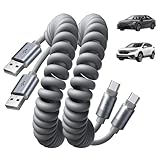
- Optimized for CarPlay & Android Auto | LISEN USB A to USB C cable features an upgraded internal structure with double reinforcement. UV adhesive sealing and molded unibody construction prevent disconnections even on bumpy roads. This USB-A to USB-C cable supports both data transfer and stable, reliable charging, delivering 480Mbps data transfer speed (USB 2.0 sync speed) for media and picture files. Power your phone and enjoy seamless navigation & music via rock-solid CarPlay & Android Auto, mile after mile
- Neat & Safe Driving Companion | Are you tired of the messy cables in your car, and want to make your center console look neater? Coiled USB C cable unique telescopic spring cable design avoids the drawbacks of ordinary straight cables, such as getting stuck on the gear lever or hanging near the accelerator/brake pedal that affect driving operations. Designed to be used with a car’s USB port, it delivers a more focused and safe driving experience.Multi-protection safety features include over-voltage, over-current, short-circuit, and over-temperature protection for your connected devices
- 2026 Armored Silicone Pro | USB to C cable made with high-grade eco-friendly silicone for exceptional softness and reliability. Its smooth, waterproof surface repels dirt/spills, enhancing safety. Withstands -40°F to 392°F for reliable year-round car use, eliminating sun/cold concerns. Precision metal connectors rated for 30,000+ plug cycles. Bend-resistant joint where the metal tip meets the cable body is tested to 10,000+ bends without cracking. This reinforces the most fragile part of the cable. Outperforms standard PVC cables that crack in summer heat or winter cold
- Coil Freedom 1-4ft | Retractable USB C cable extends from 1ft natural length up to 4ft maximum, with optimal comfort at 2-3ft. Crafted from full 1.5m straight cable coiled to true 1.2m length (unlike imitations using 1m material that shrinks to just 0.7m). The adjustable length works for multiple setups: 1-2ft for power bank and laptop bag, 2-3ft for car navigation, office desk, or bedside charging, and 3-4ft for couch or hotel room use. Enjoy tug-free, snag-free experience whether you're driving, working, or relaxing. Note: USB-A to USB-C. Check: charger/car=rectangular USB-A; phone=small oval USB-C. Not C to C
- Plug & Play Perfection | Our USB A to C cable is compatible with: iPhone 17/16/15 series; Samsung Galaxy S, Note, and A series; Google Pixel; LG; Moto; OnePlus —fully compatible with Android phones—; power banks; and other USB-C devices. 3-Step CarPlay Fix: Connect to factory USB port (not cigarette lighter/aftermarket hubs), Unlock phone → tap "Trust" on pop-up (first connection only), Update system: iOS 9+ or Android 5.0+
If the phone does not appear while scanning
- Confirm that Bluetooth is switched on in the phone’s settings and that the phone is discoverable for the pairing attempt.
- Move the phone close to the center display and wait for the scan to refresh.
- Check whether the phone is already connected to another device in a way that prevents a new connection.
- Cancel the scan and start it again from Bluetooth Connection > Scanning.
- If a previously saved pairing is causing confusion, remove or forget the old vehicle entry on the phone and retry. The names of these controls depend on the phone.
Start Apple CarPlay or Android Auto
Once Bluetooth pairing is complete, look for the projection option or prompt on the DOLPHIN SURF display. BYD Europe lists both Apple CarPlay and Android Auto as equipment on the European DOLPHIN SURF versions shown in its specification. That listing does not prove that every market, trim or software version has the same menu, nor does it establish whether a particular vehicle supports wired, wireless or both connection methods.
Wired Android Auto
BYD’s specification gives these Android Auto conditions: a compatible Android phone running Android 8 or higher, an active data plan and the Android Auto app. The same specification describes wired phone projection through a certified USB cable connected to a vehicle USB data port.
- Confirm that the phone meets the Android Auto requirements that apply in your region, including the Android version and app requirement stated by BYD.
- Use a certified USB cable that carries data, not a cable intended only for charging.
- Plug the cable into a USB port in the vehicle that supports data. A charging-only port will not establish wired projection.
- Connect the phone and wait for the DOLPHIN SURF and phone prompts.
- Unlock the phone if requested, review the permissions and accept the prompts you understand and want to enable.
- If the Android Auto interface appears on the 10.1-inch display, leave the phone connected while using the wired session.
Connector shape is only one part of compatibility. The cable must fit the phone and the vehicle port and must carry data. Buying a cable cannot add Android Auto to a vehicle, phone or software build that does not support it.
Free tools Windows power users keep installed
One-click scans. No signup required.
Also popular on Amazon

- 🚗[Tame Your Car's Cable Jungle] No more wrestling with spaghetti cords! Our coiled design stretches from short to long, perfect for tight car spaces, then snaps back neatly like a slinky. Keep your cup holders free for coffee, not tangled chaos! Soft and elastic: No more wrestling with stiff, frozen-spaghetti-like cables in winter; Squishy as a pacifier, coils like a zen master.
- ⚡[USB-IF Certified + Turbocharged 3A Fast Charging] Certified for safety and speed, this USB-A to USB-C cable delivers 3A rapid charging - juice up your devices faster than your morning coffee brews!
- 🛡️[Exquisite Workmanship & Durable] Built to Survive Your Daily Grind. Survives 15,000+ bends, -50°C winters, and frantic unplugs! Tinned copper core = 3x lifespan vs. flimsy cords.
- 📱[Slim Fit, No Fuss - Even With Armor-Like Cases] The ultra-slim USB-C tip slides effortlessly into 99% of cases, including OtterBox Defender and waterproof designs. No more case removal gymnastics - just plug & play! Bonus: Eco-friendly materials.
- 🌟[Universal Compatibility + 24-Month Peace of Mind] Compatible with iPhone iPhone 15/16 series, CarPlay-optimized with anti-interference tech to banish "ghost disconnections". Backed by a 24-month warranty and US-based support - if it ever fails, we'll rush a replacement, no forms needed. Pinky promise! Tired of CarPlay Ghost Disconnections? Snag This Anti-Tangle Hero🔋
Wired Apple CarPlay
The European DOLPHIN SURF information lists Apple CarPlay, and the wired-projection specification calls for a certified USB cable in a vehicle USB data port. The indexed manual material does not provide one complete CarPlay menu sequence for every DOLPHIN SURF configuration, so use the CarPlay icon or prompt shown by your car rather than applying instructions from another BYD model.
- Confirm that your phone and the DOLPHIN SURF version support CarPlay in your market.
- Connect the phone with a certified USB data cable to a data-capable vehicle USB port.
- Follow the prompts on the touchscreen and the phone. Unlock the phone when requested and approve only the permissions you want to grant.
- Select the CarPlay option if the vehicle presents more than one projection choice.
- Keep the cable connected during a wired CarPlay session.
If the car only charges the phone, the most likely connection issue is a cable or port that does not carry data, although unsupported vehicle software or regional equipment can produce the same symptom.
Wireless CarPlay or Android Auto
Wireless projection is convenient when it is supported, but the available evidence does not establish one universal DOLPHIN SURF-specific wireless setup sequence. Menus and prompts may depend on the market, trim, infotainment software and phone. If your display shows a CarPlay or Android Auto icon, a phone-projection menu or a wireless-pairing prompt, follow that on-screen flow and the phone’s matching prompts.
Also popular on Amazon

- [Reliable Car Connectivity & Android Auto] Engineered specifically to solve "falling short" connection issues in vehicles. This cable provides a stable, high-speed link for Android Auto and Apple CarPlay, ensuring consistent navigation and music streaming in models like the Ford Raptor and other modern consoles
- [True 10Gbps Ultra-Fast Data Sync] Eliminate data transfer bottlenecks with genuine USB 3.1 Gen 2 performance. Move 4K movies or entire photo libraries in seconds at 10Gbps—speeds significantly faster than standard USB 3.0 cables that often drop to 40Mbps
- [Built for Tidy Spaces & Durability] The 3ft length is the "perfect length" for car consoles and tidy desktop setups, eliminating excess cable clutter. Featuring an aluminum alloy case and premium nylon braiding, it is manufactured to prevent loose wires and fraying near the plugs
- [Versatile One-for-All Functionality] A single solution for your high-speed ecosystem. Seamlessly connects the latest iPhone 18 Pro Max Duo/17/16, Samsung Galaxy S26/S25/S24 Ultra, PS5/PS4 controllers, and external SSDs to USB-A ports
- [Charging & Compatibility Boundaries] Provides efficient 3A/18W fast charging for smartphones and tablets. Please note: This cable is optimized for mobile devices and is not intended for high-wattage laptops (65W+) or use cases requiring cables longer than 3 feet
Do not assume that a successful Bluetooth call connection means wireless projection is available. Bluetooth calling and phone projection are separate functions. If no projection option appears, verify the vehicle’s local equipment list and software with the matching regional manual or BYD dealer support.
Choose the connection route that fits your use
| Situation | Most practical route | Reason and limitation |
|---|---|---|
| You only need hands-free calls or Bluetooth functions. | Bluetooth pairing. | The manual documents scanning, code confirmation and call-related phone data. It does not launch a projection interface. |
| You want projection and your vehicle has a data-capable USB port. | Wired CarPlay or Android Auto. | A certified data cable provides the physical link, but the phone, software and regional vehicle equipment must still be compatible. |
| You want no cable and the car presents a wireless projection option. | Wireless CarPlay or Android Auto. | Use the prompts for the actual car. The exact wireless sequence is not established for every DOLPHIN SURF configuration. |
| The projection icon is missing. | Check regional specification and software before changing cables. | European equipment listings cannot be generalized to every market or build. |
Troubleshoot a failed setup
Bluetooth pairs, but CarPlay or Android Auto does not start
This is not necessarily a fault. Bluetooth pairing and projection are separate tasks. After confirming Bluetooth, look for a separate projection icon or prompt. For a wired attempt, connect a certified data cable to the vehicle’s USB data port and follow the phone and vehicle prompts. If no projection option exists, check whether your market, trim and software include the feature.
The phone charges but the projection screen never appears
- Replace the cable with a certified USB data cable that matches the phone connector.
- Try the vehicle USB port identified as data-capable rather than a charging-only port.
- Unlock the phone and respond to any permission request.
- Check the Android Auto version, app and Android version if you are using Android. BYD’s stated Android requirement is Android 8 or higher, an active data plan and the Android Auto app, subject to current regional requirements.
- If the same phone and cable work elsewhere but not in the DOLPHIN SURF, confirm the car’s local projection support and software.
The pairing code does not match
Do not confirm a code that differs between the phone and touchscreen. Cancel the request, return to Bluetooth Connection > Scanning, select the phone again and compare the newly displayed code before accepting.
Also popular on Amazon

- 10Gbps Data Transfer: SUNGUY USB 3.1 Gen 2 cable supports super speed data transmission up to 10Gbps, transfer HD movies, songs, file or photos in seconds. Backwards compatible to USB 3.0 and 2.0; DOES NOT support video output.
- Works with Android Auto: This android auto cable can quick-charge your USB-C devices at up to 3A safe charging power. 56KΩ pull-up resistor provides a safer charging current, and protects your devices from damage. Works great with your car's Android Auto.
- Works with CarPlay: The nylon braided usb c to usb a cable compatible with iPhone 15/15Pro/15 Pro Max/15 Plus CarPlay cable. Supports connecting the iPhone 15 series to iTunes on your computer.
- Great Compatibility: This usb c data cable is compatible with iPhone 15/15 Pro Max, Galaxy S23/S23 Ultra/S22/S22 Ultra/S21/S21+/Note 10 Plus/Note 20 S10/S10e/S10+, Pixel 5 6 7 Pro, iPad Pro 2020, MacBook, MacBook Pro, MacBook Air, LG G6 G7 V40 V35, ThinQ V30S V30, Chromebook, Dell XPS 13, Samsung T7 Shield, Extreme Portable SSD and more.
- What You Get: You will receive 1pcs 1.5ft USB 3.1 Gen2 10Gbps Cable, with our 12-month product replacement warranty and lifetime 24/7 friendly technical support.
The vehicle finds the wrong phone
Pause Bluetooth on phones that are not being paired, then run Scanning again and select the intended device. Check the phone name shown in its Bluetooth settings so you can distinguish it from other nearby devices.
Contacts or call history are unavailable
The manual describes contacts, call logs and missed calls as Bluetooth-connected functions, but the phone may require permission before sharing them. Review the permissions presented during pairing. If you previously declined access, open the phone’s Bluetooth settings for the vehicle and review its contact-sharing permissions, using the labels provided by the phone.
Crashes, No Sound, or Screen Glitches?
Random freezes, missing sound and display glitches usually trace back to one bad driver. Find and replace yours safely.Free scan · under a minuteWindows Errors? Fix Them Before They Spread
Repair common Windows errors and clear accumulated junk for a smoother, more stable PC - no reinstall needed.Free scan · no reinstallThe feature worked before but disappeared
Recheck the phone’s Bluetooth state, the projection app or operating-system requirements and the vehicle’s software. A change in phone software, vehicle software or regional configuration can alter the available prompts. If the projection menu remains absent, use the manual for your exact market and ask BYD support or a dealer to verify the vehicle’s software and equipment rather than following steps for another model.
Market, software and display qualifications
The 10.1-inch rotating touchscreen and the listing of Apple CarPlay and Android Auto come from BYD Europe’s DOLPHIN SURF product and specification material, including a Europe specification identified as 2025. Those facts describe the listed European versions. They do not establish identical equipment or menus for vehicles sold elsewhere.
The indexed owner’s-manual material provides the Bluetooth labels and sequence, but it does not provide a complete projection procedure for every regional and software configuration. That is why the safest instruction for the projection stage is to use the live prompts on your own display and the matching regional manual. If the screen does not offer the feature, a different cable alone will not resolve a market or software limitation.
Quick Recap
A quick setup checklist
- Park the car before changing connection settings.
- Open the Bluetooth Call screen.
- Choose Bluetooth Connection, then Scanning.
- Select the phone and confirm that the pairing code matches on both screens.
- Complete the phone’s Bluetooth and permission prompts.
- Remember that Bluetooth pairing is not the same as CarPlay or Android Auto.
- For wired projection, use a certified USB data cable in a vehicle USB data port.
- For Android Auto, verify Android 8 or higher, an active data plan and the Android Auto app, while checking current regional requirements.
- For wireless projection, follow the prompts shown by the actual DOLPHIN SURF.
- If the projection option is missing or setup repeatedly fails, verify the car’s market, trim and software with the matching BYD documentation or dealer support.