Quick wins for a faster PC:
Scan for outdated or missing drivers - takes under a minuteDriver Scan →Clear out junk files and repair common Windows errorsFree Scan →Some links on this page are affiliate links: if you buy through them we may earn a commission, at no extra cost to you.
Some Hyundai software updates are free, but there is no single worldwide policy or lifetime guarantee. In the United States, new vehicles generally include three years of map and multimedia over-the-air (OTA) updates when the vehicle has an active Bluelink account. After that included period, continued map and multimedia OTA updates require a paid subscription. Hyundai says certain safety, security and vehicle-system updates continue at no cost.
Eligible U.S. owners can often avoid an OTA subscription by downloading a map or multimedia update manually through Hyundai’s updater and installing it with USB media. Other markets use different terms: Hyundai UK describes free OTA updates only during a six-month PRO Bluelink trial, while September 2025 Australian terms for specified Motrex systems allow updates within six and a half years of initial purchase, with a maximum of five updates. Your country, model year, infotainment hardware and update type determine the answer.
As an Amazon Associate I earn from qualifying purchases.
What “free Hyundai software updates” actually covers
Hyundai software updates are delivered in several categories, and the price and support period can differ for each one. Treating every update as the same is the main reason owners get conflicting answers.
- Map and multimedia updates: navigation maps, infotainment software and related media features. These are the updates most closely tied to Bluelink and the published subscription periods.
- Safety, security and vehicle-system updates: software intended to address vehicle operation, security or system behavior. Hyundai’s U.S. OTA guidance says certain updates in these categories continue at no cost, even when the included map and multimedia OTA period has ended.
- OTA delivery: the vehicle receives an update through its connected services. Eligibility normally depends on the vehicle’s hardware, market, model year, network capability and an active service account.
- Manual delivery: the owner downloads an eligible package to a computer and installs it in the vehicle using USB media. This can remain free after an OTA subscription period ends, where Hyundai makes the download available.
“Free” therefore needs a qualifier: free for which update type, delivered by which method, in which country, and during which service period?
Popular on Amazon
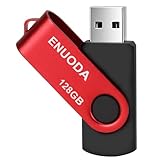
- 1-Pack 128GB USB Flash Drive: Store, back up, and transfer photos, videos, music, documents, movies, manuals, and software with ease. Large-capacity portable storage for school, office, business, travel, and everyday use
- Plug and Play: No software installation required. Simply connect the USB flash drive to a USB port for quick access to your files. Ideal for file sharing, data storage, backup, and transferring digital content between devices
- Wide Compatibility: Compatible with 11 / 10 / 8.1 / 8 / 7 / XP/ Vista / 2000 / ME / NT, Linux and Mac OS, and most USB-enabled devices. This USB drive works with desktop computers, laptops, TVs, car audio systems, speakers, and more. Supports USB 2.0 and is backward compatible with USB 1.1
- Portable Swivel Design: Features a 360° rotating metal cover that helps protect the USB connector when not in use. Built-in keyring loop allows easy attachment to keychains, backpacks, briefcases, or lanyards. Durable ABS plastic housing with LED activity indicator
- Tested for Quality: Each thumb drive undergoes quality testing and pre-formatting before shipment. Designed for dependable everyday use and convenient file storage across compatible devices
United States: the current three-year OTA arrangement
Hyundai USA’s current guidance states: “All new vehicles include 3 years of Map and Multimedia Over-the-Air Updates with an active Bluelink account.” That is an included period for the described new-vehicle arrangement, not a universal promise that every Hyundai component receives free updates for three years or longer.
| Update or delivery method | What the U.S. guidance says | What happens after the included period |
|---|---|---|
| Map and multimedia OTA updates | Included for three years on new vehicles with an active Bluelink account. | A paid subscription is required for continued map and multimedia OTA updates. |
| Certain safety, security and vehicle-system updates | Hyundai says certain updates continue to be provided at no cost. | No single end date is stated in the guidance; eligibility remains vehicle- and update-specific. |
| Manual map or multimedia download | Eligible owners can download an update free through Hyundai’s Global MapCare process. | The download can avoid an OTA subscription when the vehicle remains eligible for that package. |
| Physical update media ordered by mail | Hyundai lists a charge of $25 USD plus shipping. | This is a purchase of the media, not a recurring OTA subscription. |
The three-year figure applies to map and multimedia OTA updates under the stated U.S. Bluelink arrangement. It should not be read as a warranty period for all software, nor as proof that every model, model year or infotainment system supports OTA delivery.
The Tool Desk
Outbyte Driver Updater FREEScan for outdated or missing drivers - takes under a minuteDriver Scan →Outbyte PC Repair FREEClear out junk files and repair common Windows errorsFree Scan →Regional policies are different
Hyundai does not publish one global support period that applies to every market. The same model name can have different connected-service terms depending on where it was sold and which infotainment hardware it uses.
United Kingdom
Hyundai UK states that OTA updates are free of charge during the six-month free trial period of PRO Bluelink subscriptions only. That is materially shorter than the U.S. three-year map and multimedia OTA inclusion. A U.K. owner should therefore check the vehicle’s PRO Bluelink terms rather than applying the U.S. period.
Also popular on Amazon

- High-speed USB 3.0 performance of up to 150MB/s(1) [(1) Write to drive up to 15x faster than standard USB 2.0 drives (4MB/s); varies by drive capacity. Up to 150MB/s read speed. USB 3.0 port required. Based on internal testing; performance may be lower depending on host device, usage conditions, and other factors; 1MB=1,000,000 bytes]
- Transfer a full-length movie in less than 30 seconds(2) [(2) Based on 1.2GB MPEG-4 video transfer with USB 3.0 host device. Results may vary based on host device, file attributes and other factors]
- Transfer to drive up to 15 times faster than standard USB 2.0 drives(1)
- Sleek, durable metal casing
- Easy-to-use password protection for your private files(3) [(3)Password protection uses 128-bit AES encryption and is supported by Windows 7, Windows 8, Windows 10, and Mac OS X v10.9 plus; Software download required for Mac, visit the SanDisk SecureAccess support page]
Europe
Hyundai Europe describes OTA updates as free during the complimentary period of Bluelink services. The wording makes the service period, rather than a universal number of years, the controlling condition.
Australia
Hyundai Australia’s September 2025 terms for specified Motrex systems require updates to be completed within six and a half years of initial purchase, with a maximum of five updates. Those limits apply to the systems covered by those terms; they are not a promise for every Hyundai sold in Australia or elsewhere.
These examples show why an answer based only on the vehicle badge or purchase date can be wrong. Confirm the market, head unit and applicable service terms before assuming an update is free or still supported.
How long are Hyundai maps and infotainment supported?
There is no single Hyundai-wide end date. Support is bounded by several separate conditions:
Also popular on Amazon

- Compact plug-and-stay design to instantly add storage to your laptop, game console, in-car audio, and more
- Save time with ultra-fast transfer speeds up to 400MB/s (Based on read speed. 1 MB/s = 1 million bytes per second. Based on internal testing; performance may vary depending upon host device, usage conditions, drive capacity, and other factors. USB 3.0 port required.)
- Transfer a full-length movie to the drive in less than 30 seconds (Based on 1.2GB MPEG-4 video transfer with USB 3.2 Gen 1 or USB 3.0 host device.)
- Get space for your high-resolution photos, videos, and more at a great value with up to 256GB of storage (1GB=1,000,000,000 bytes. Actual user storage less.)
- Password-protect files using a downloadable software (Password protection uses 128-bit AES encryption and is supported by Windows 10+ and macOS v10.9+ (Software download required, see Password Protection page on SanDisk site).)
- Included connected-service period: in the U.S. example, three years for map and multimedia OTA updates on a new vehicle with active Bluelink; in the U.K. example, six months for the PRO Bluelink trial.
- Hardware eligibility: older infotainment systems may not support the same OTA functions or current update packages as newer systems.
- Market terms: local service agreements can set different periods or update counts, such as Australia’s six-and-a-half-year and five-update limits for specified Motrex systems.
- Update type: safety, security and vehicle-system updates can have a different cost or support treatment from maps and multimedia.
- Release availability: an update must exist for the exact model, model year, region and head unit. A general Hyundai release announcement does not establish eligibility for every vehicle.
For a used vehicle, the original sale date, the vehicle’s market and the infotainment system can all matter. The reliable way to establish remaining support is to enter the vehicle details in Hyundai’s official update portal or eligibility page, not to infer it from the age of a similar car.
How often does Hyundai release navigation software?
Hyundai Europe and Hyundai UK say maps and software are usually updated twice yearly. “Usually” matters: release timing and availability can vary by market, model and system.
Free tools Windows power users keep installed
One-click scans. No signup required.
The U.S. release portal lists dated releases, including entries for July 2026 and June 2026. Those dates demonstrate that updates are published in identifiable releases, but they do not mean every vehicle receives every listed release. The updater or vehicle eligibility lookup remains the authority for a particular VIN or head unit.
How to check whether your Hyundai is eligible
Use this sequence before paying for a subscription or ordering media:
Also popular on Amazon

- Powerful Storage & High Speed:The 256GB oversize capacity allows you to store lots of videos, photos, music, games and other files without risk of loss. Equipped with a USB3.0 interface to help you transfer file data quickly with read speeds up to 100Mb/s and write speeds up to 35Mb/s
- Waterproof and Durable:Due to the use of unique UDP packaging technology and metal housing, can stay use after dry if the u disk accidentally falls into the water. The USB flash drive has dust and impact protection, rugged and safely protect your file data
- Portable and Convenient Design:The thumb drive is so small (size: 1.90*0.48*0.1inch ) and handy that you can put it in your pocket or purse.There is also a keyring on the USB drive, and help you to attach it to your backpack or wallet, carrying the data wherever you go
- Broad Compatibility:Plug and Play, without software installation. The USB plug fits into a variety of devices( PC, Laptop, TV, Car, Audio and etc) and supports multiple systems( Windows 7/8/10 / XP / Unix / 2000 / ME / NT Linux and Mac OS). Help you with data transfer usage between multiple devices
- What you get :1*256GB USB3.0 metal Drive(Default format: exFAT, you can reformat it to FAT32 or NTFS if needed)
- Identify the vehicle’s market. Record the country where it was sold or registered for Hyundai services. U.S., U.K., European and Australian terms are not interchangeable.
- Record the model year and infotainment system. The head unit and its software platform determine which OTA and USB packages can be installed.
- Have the VIN available. Hyundai’s update and connected-service pages may use vehicle details to show the correct package and eligibility.
- Check the official update portal or MyHyundai/Bluelink eligibility page. Look for the exact vehicle rather than selecting a similar model from memory.
- Separate OTA eligibility from download eligibility. A vehicle can lose included OTA access while still having a free manual download available.
- Read the service-period notice. Confirm whether the vehicle is inside a complimentary Bluelink period, whether a subscription is required, and whether the notice applies to maps, multimedia or another update category.
How to update manually with a USB drive
For eligible vehicles, Hyundai’s updater process can provide a free alternative to continued map and multimedia OTA service. The exact USB capacity, filesystem and model instructions are supplied by the current updater, so follow those instructions rather than relying on a generic USB setup.
- Open Hyundai’s official map and software update portal for your market and select the vehicle using the requested model, model year or VIN information.
- Install or run Hyundai’s updater software on a computer. Select the package that the updater identifies for the vehicle’s infotainment system.
- Prepare the required USB media. The updater will specify the supported capacity and filesystem. Back up or erase the drive only when you are certain it contains no files you need.
- Download and copy the package through the updater. Do not rename files or substitute a package for another model or region.
- Bring the USB drive to the vehicle. Park safely and follow the vehicle-specific installation prompts. The display may restart during the process.
- Do not interrupt installation. Do not remove the USB drive, switch off the vehicle or ignore a prompt while the update is being applied. Follow Hyundai’s instructions about keeping the vehicle stationary and powered.
- Verify completion. Confirm the new map or software version in the infotainment system and retain the USB package only if Hyundai’s instructions say it may be useful.
A manual download is not automatically available for every vehicle. If the portal does not offer a package, that usually means the vehicle, system, region or release is not eligible for that download; it does not justify installing a file intended for another Hyundai system.
What’s actually slowing this PC down?
Pick the symptom - the matching free tool is one click away.
OTA updates versus USB updates
| Consideration | OTA | Manual USB |
|---|---|---|
| Convenience | Updates through the connected vehicle when eligible. | Requires a computer, compatible USB drive and an in-vehicle installation. |
| Subscription | U.S. map and multimedia OTA updates require an active included period or paid subscription. | May remain free for eligible downloads after the OTA period ends. |
| Eligibility | Requires compatible hardware, market support and the applicable Bluelink status. | Requires a published package for the exact vehicle and system. |
| Cost noted by Hyundai USA | Included for three years on qualifying new-vehicle arrangements; paid afterward for map and multimedia. | Download free when eligible; mailed physical media is $25 plus shipping. |
| Risk to avoid | Starting an update without following the vehicle’s operating instructions. | Using the wrong regional or model package, an unsupported USB format or removing the drive during installation. |
What you may have to pay
For a U.S. owner, the potential charges are distinct:
- Bluelink subscription: may be required after the included three-year period for continued map and multimedia OTA updates.
- Manual download: free when Hyundai lists the vehicle as eligible for the download.
- Mailed media: $25 USD plus shipping according to Hyundai USA’s map FAQ.
These figures do not establish prices in other countries, and they do not apply to every Hyundai service. Check the local portal for currency, taxes, subscription terms and delivery options.
Also popular on Amazon

- Reliable storage for photos, videos, music and other files
- Available in capacities from 8GB to 256GB (1GB = 1,000,000,000 bytes - Actual user storage less)
- Transfer with confidence when moving images and other content
- Retractable design keeps the connector safe
- SanDisk SecureAcces software with 128-bit AES encryption and password protection(1)
Common problems and the correct response
The car says no OTA update is available
Check the vehicle’s model year, infotainment hardware, market and Bluelink status. The absence of an OTA prompt does not prove that no software exists; the update may be available only by USB, or the vehicle may not be eligible for that release.
The complimentary period has ended
For U.S. map and multimedia updates, compare the subscription cost with the free manual-download option. If Hyundai’s updater offers a package for the exact vehicle, USB installation can avoid an OTA subscription. Safety, security and vehicle-system updates may still be provided at no cost, but their availability is update-specific.
Recommended Free Tools
The updater does not list the vehicle
Recheck the market and model-year selection, then use the VIN or eligibility lookup if offered. Do not force a download intended for another head unit. If the system remains unlisted, Hyundai has not established that package as compatible through the portal.
The USB installation fails
- Confirm that the package came from Hyundai’s official updater for the correct region and system.
- Recreate the USB using the capacity and filesystem specified by the current instructions.
- Ensure the download completed before disconnecting the drive from the computer.
- Restart the procedure only according to Hyundai’s vehicle-specific recovery instructions; do not repeatedly remove power or media during an active installation.
A practical decision checklist
Use these questions in order:
- Is the vehicle in the same market as the Hyundai policy you are reading?
- Is the update for maps and multimedia, or for safety, security or vehicle systems?
- Is the vehicle still inside its complimentary Bluelink or connected-service period?
- Does Hyundai list the vehicle for a free manual download?
- Does the package match the exact model year, infotainment hardware and region?
- Would mailed media or a subscription cost more than the time and equipment needed for a USB installation?
If any answer is unclear, pause before installing or paying. Hyundai’s official eligibility result for the vehicle is more reliable than a general statement about the brand’s update policy.