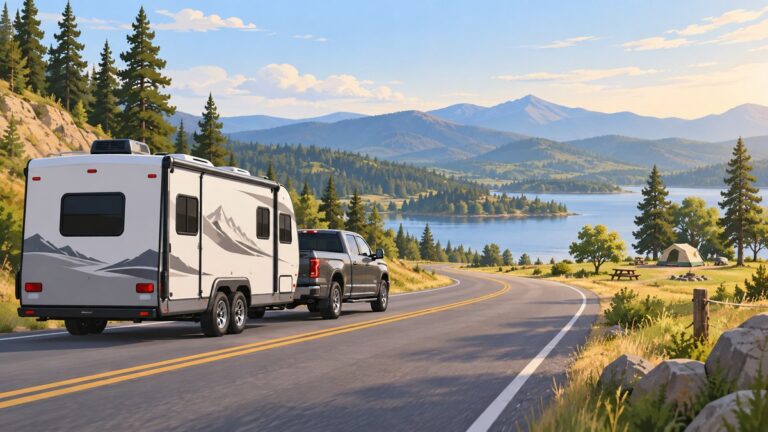
The best road trip plan is not the route with the most stops or the shortest estimated arrival time. It is a realistic, flexible itinerary that gets you where you need to go without depending on perfect traffic, weather, vehicle performance, phone service, or driver stamina.
Plan in this order: define the trip, set achievable driving days, choose priority stops, reserve the fixed parts, prepare the vehicle, download offline information, share your itinerary, and create a fallback for anything that could reasonably go wrong.

![Road Trip Planner: Vacation Planner & Travel Journal / Diary for 4 Trips, with Checklists, Itinerary & more [ Softback * Large (8” x 10”) * American Roadtrip ] (Travel Gifts)](https://m.media-amazon.com/images/I/516DpemdOvL._SL160_.jpg)

1. Define the trip before opening a map
Start with the trip’s purpose. A drive to one destination requires a different plan from a scenic loop, a national-park visit, a camping trip, a family visit, or a journey that combines several of these.
Write down:
- Starting point and destination or destination region
- Travel dates and the date you must return
- Number and ages of travelers
- Vehicle type, fuel type, towing setup, and ground-clearance limitations
- Budget for fuel, charging, lodging, food, tolls, parking, permits, and activities
- Accessibility requirements
- Child, pet, medical, dietary, or mobility needs
- Whether the route includes remote areas, mountain roads, seasonal roads, or unpaved surfaces
Next, divide your plans into fixed commitments and optional stops. Fixed commitments might include a timed ticket, campground reservation, hotel check-in, wedding, work obligation, ferry, or return deadline. Optional stops should be ranked by importance so that the least important ones can be removed when traffic, weather, or fatigue changes the day.
What’s actually slowing this PC down?
Pick the symptom - the matching free tool is one click away.
#1 Best Overall
This distinction prevents a common planning mistake: building an itinerary in which every stop is treated as mandatory. The National Park Service recommends having a backup plan because weather, closures, parking, equipment, and personal readiness can all change. See the NPS trip-planning resources before traveling to a national park or other federal recreation site.
2. Set realistic driving days
Use a mapping app to estimate the driving time, but do not mistake that estimate for the length of the day. The displayed time generally does not account adequately for fuel or charging, meals, restrooms, traffic surprises, construction, navigation errors, sightseeing, weather, or the time required to find parking.
A more useful calculation is:
Available trip time = total driving estimate + planned stops + service time + traffic and weather margin
For example, a route that displays six hours may consume eight or nine hours once stops, congestion, meals, and a late departure are included. If the route is mountainous, remote, unfamiliar, or likely to involve sightseeing, add more margin rather than treating the app’s number as a target to beat.
The Tool Desk
Outbyte PC Repair FREEClear out junk files and repair common Windows errorsFree Scan →Outbyte Driver Updater FREEFix the driver behind crashes, sound loss and screen glitchesFind Drivers →There is no universal safe maximum number of driving hours. It depends on the driver, road type, weather, traffic, vehicle, passengers, and whether the trip begins after work or sleep has been limited. A practical daily plan should include:
- A departure and arrival window instead of a rigid minute-by-minute schedule
- One or two priority activities per day
- A planned overnight location before the driver becomes exhausted
- Fuel or charging locations before remote stretches
- Optional stops that can be dropped without affecting reservations
- A buffer or recovery day on particularly long journeys
Fatigue is a route-planning constraint, not an inconvenience to overcome. The Federal Motor Carrier Safety Administration’s driver-safety guidance recommends getting adequate sleep, avoiding naturally drowsy periods when possible, taking a safe break or nap when drowsy, and avoiding medicines that impair alertness. Set navigation before moving, and pull over when you are tired.
3. Choose the route and overnight stops
Compare routes by more than distance. Consider:
- Total travel time after realistic stops
- Tolls and ferry costs
- Fuel or charging availability
- Mountain passes, steep grades, and winter exposure
- Construction, border crossings, and likely congestion
- Availability of food, lodging, medical care, and vehicle services
- Scenic value and worthwhile attractions
- Whether the vehicle is suitable for the road surface and restrictions
For a long trip, choose overnight towns before choosing every attraction. An overnight stop should leave the driver with enough energy for the next day, not merely divide the route into mathematically equal distances. A smaller town with reliable lodging and services may be a better stop than a popular destination that requires a late arrival and an early departure.
Rank #2

- Road Atlas, Adventure Edition
- Road Atlas, Adventure Edition
- National Geographic Maps
Keep at least one alternate overnight location in mind for each remote or reservation-heavy section. Do not assume that a scenic shortcut is a valid fallback: seasonal roads, unpaved roads, mountain passes, and park roads can close with little notice.
Windows Errors? Fix Them Before They Spread
Repair common Windows errors and clear accumulated junk for a smoother, more stable PC - no reinstall needed.Free scan · no reinstallOutdated Drivers Are Slowing You Down
One free scan finds every outdated or missing driver and matches the right update for your exact hardware.Free scan · exact hardware match4. Add fuel, charging, food, and rest stops
Mark service stops before leaving, especially where there are long distances between gas stations, electric-vehicle chargers, restaurants, stores, or rest areas. Plan to stop while you still have a comfortable fuel or battery reserve. A station may be occupied, out of service, closed, incompatible with your vehicle, or farther away than expected after a detour.
For an EV, check more than the existence of a charger. Consider connector compatibility, charging speed, operating hours, payment requirements, likely queueing, weather effects on range, and a second charging option when traveling through sparsely served areas.
Combine stops when practical: refuel or charge, eat, use the restroom, hydrate, stretch, and inspect the vehicle during one break. In remote regions, carry extra water and food instead of assuming that the next business will be open.
Schedule breaks before fatigue becomes urgent. If the driver starts missing signs, yawning repeatedly, drifting within the lane, losing concentration, or feeling unable to remember the last section of road, the plan has already failed. Stop at the next safe location. Do not try to reach the next attraction or preserve the original arrival time.
5. Use navigation apps without depending on them
Google Maps and similar tools are useful for comparing routes, finding services, estimating travel times, and adding destinations. Google’s official Maps Help documentation also covers departure or arrival-time planning, route preferences, multiple destinations, and offline maps.
Before departure:
- Save lodging, fuel stations, charging stations, grocery stores, hospitals, visitor centers, trailheads, rest areas, and alternate overnight stops.
- Download the map areas you will need while you still have a reliable connection.
- Save reservation addresses and confirmation numbers offline.
- Check that the downloaded maps cover detours, not only the main route.
- Bring a paper road atlas or regional road map as a backup.
Offline maps are not a complete substitute for current road information. Downloaded data may not show a new closure, temporary restriction, traffic incident, or changed access rule. A phone can also lose battery, connectivity, GPS accuracy, or functionality. Keep a charging cable or vehicle charger accessible, and do not place all navigation information on one device.
Set the destination and review the route before the vehicle moves. Never type an address, search for a business, or adjust the route while driving. Pull over safely if you need to make a change.
6. Verify conditions close to departure
A route planned weeks ahead can be invalid on departure day. Recheck the following shortly before leaving and again during the trip when conditions are changing:
- Weather along the entire route, not only at the destination
- Highway construction, incidents, closures, and restrictions
- Mountain passes and seasonal roads
- Flood-prone roads, wildfire areas, extreme heat, snow, and ice
- Park entrances, timed-entry systems, permits, parking, and shuttle requirements
- Campground, hotel, attraction, ferry, and activity reservations
- Fuel and charging availability in remote areas
- Rules affecting pets, trailers, tire chains, vehicle height, and unpaved-road access
In the United States, 511 traveler information is the nationwide framework for route, traffic, and road-condition information, although each state or region operates its own service. Use the applicable state transportation department or 511 service along with official destination websites.
For federal recreation destinations, Recreation.gov provides information and reservations for camping, permits, tours, passes, and other activities across participating federal agencies. It does not replace the individual agency or park page: local agencies set their own policies, fees, availability, access rules, and alerts.
For a national park, check the park’s official page for current conditions, active alerts, closures, weather, water availability, wildlife activity, permits, parking, and reservations. If a road, trail, or activity is closed, use the backup activity you identified rather than trying to bypass the restriction.
7. Reserve the parts that are difficult to replace
Reserve high-demand or time-sensitive items first:
- Lodging in popular destinations
- Campgrounds
- Timed-entry permits
- Ferries and shuttles
- Limited-capacity tours and attractions
- Special-access activities
Keep confirmation numbers, addresses, check-in instructions, cancellation deadlines, and phone numbers in one place. Store them digitally and offline. Confirm arrival windows and vehicle requirements rather than assuming that a reservation guarantees access under every condition.
Do these 3 things before closing this tab:
1Fix the driver behind crashes, sound loss and screen glitches2Repair Windows errors before they cause bigger problems3Scan for outdated or missing drivers - takes under a minuteA resilient itinerary usually has a firm overnight reservation, one or two high-priority activities, and flexible time between them. Avoid booking every hour. A schedule that collapses when one attraction runs 30 minutes late is not efficient; it is fragile.
8. Prepare the vehicle before the trip
Follow the vehicle manufacturer’s maintenance schedule and arrange repairs before departure rather than treating a long trip as a test of an unresolved problem. At minimum, inspect:
- Tire pressure, including the spare
- Tire tread, sidewalls, cracks, bulges, and embedded objects
- Engine oil and other fluid levels
- Warning lights and unusual noises
- Headlights, brake lights, turn signals, and hazard lights
- Wiper blades and windshield-washer fluid
- Brakes and steering response
- Battery condition
- Jack, lug wrench, wheel-lock key, and spare-tire equipment
Use the pressure listed on the vehicle’s door-jamb label or in the owner’s manual, not the maximum pressure molded into the tire sidewall. Check the vehicle’s load rating and avoid exceeding its passenger, cargo, roof-rack, trailer, or tongue-weight limits. The National Highway Traffic Safety Administration’s tire guidance covers tire condition, pressure, and safety considerations.
A roadside emergency kit can help organize basic supplies, but no kit makes a vehicle self-sufficient. Useful categories include:
- Approved spare tire or temporary-spare equipment
- Jack, lug wrench, and wheel-lock key
- Tire-pressure gauge and 12-volt tire inflator
- Jumper cables or a compatible jump starter
- Flashlight or headlamp with spare batteries
- Reflective triangles, vest, or other visibility equipment
- Gloves, basic tools, duct tape, and tie-downs
- First-aid supplies and necessary medications
- Water, food, warm layers, rain protection, and blankets appropriate for the route
- Phone charging equipment
A 12V tire inflator is useful for checking and topping up pressure, but it does not replace a spare tire or professional help for every puncture, sidewall failure, wheel problem, or tire that cannot safely be repaired. Follow the owner’s manual and tire manufacturer’s instructions.
9. Plan for remote roads and outdoor stops
Remote and backcountry roads require a higher margin for error. Research the road surface, clearance, weather exposure, fuel distance, water availability, legal access, and expected phone coverage. Tell someone where you are going and when you expect to return.
Carry enough water, food, clothing, medication, and emergency equipment for delays. Do not assume that a navigation app’s route is suitable for your vehicle simply because it is legally mapped. A route may involve a rough surface, a narrow road, a low-clearance crossing, or conditions that changed after rain, snow, flooding, or fire.
In remote areas, self-rescue has limits. If the vehicle is immobilized, remain with it when leaving would expose you to greater danger, conserve water and battery, and contact emergency or roadside services when possible. Follow local agency instructions rather than driving around a closure.
Free tools Windows power users keep installed
One-click scans. No signup required.
10. Share the itinerary
Give a trusted person:
- Your route and major destinations
- Lodging and campground details
- Vehicle make, model, color, and license plate information
- Expected check-in times
- Names or contact details of other travelers if appropriate
- A simple instruction for what to do if you miss a check-in
Agree on how often you will check in and notify that person when the trip ends. Update them when you change the route or overnight location. A trip plan is useful only if it reflects where you actually went.
Independent reader supportYour contribution helps us test, update, and keep practical guides available for everyone.11. Pack by function, not by convenience
Organize luggage into categories so that essential items are accessible without unloading the entire vehicle:
| Category | Examples |
|---|---|
| Vehicle safety | Spare-tire equipment, jack, lug wrench, gauge, inflator, jump starter, flashlight, visibility gear, gloves, and basic tools |
| Documents and navigation | Identification, insurance information, registration, reservations, chargers, offline maps, and a paper road map |
| Health and hygiene | Prescription medicines, first-aid supplies, hand sanitizer, tissues, toiletries, and sanitation supplies |
| Food and water | Drinking water, shelf-stable snacks, meals for remote stretches, and any dietary necessities |
| Clothing | Layers, comfortable footwear, rain protection, sun protection, and weather-specific clothing |
| Sleep or camping | Sleeping equipment, tent, lights, cooking equipment, and supplies required by the destination |
| Destination gear | Child or pet supplies, mobility equipment, hiking gear, swimwear, or activity-specific equipment |
Keep emergency equipment, medication, water, and navigation backups where you can reach them. Do not bury them beneath suitcases or load heavy items where they can become projectiles during hard braking.
Best Value

- KEEP YOUR TRAVEL ORGANIZED - This travel notebook will help you to plan your itinerary before start your trip, record trip journal and plan for your next travel. It can help you plan your trip effectively and maximize your time at each destination. By making a travel packing list, you've got all the important details sorted out. This trip organizer will help you relax and enjoy your trip, saving you a lot of time.
- FULFILL YOUR TRAVEL DREAMS - If you dream of seeing the world,but are worried about the difficulties and lack of planning during the trip, this travel planner organizer is for you! Use this travel log book to build your travel bucket list and start fulfilling it, explore new places, and plan exciting and safe trips
- RECORD THE GOOD MOMENTS - This travel journal for couples and includes safety tips, helpful travel info, common phrase translations, and a packing list to ensure you have everything you need while traveling. And keep track of travel important details: like flight and hotel reservations, packing list, budget, trip itinerary and lots of space for the daily adventures.
- HIGH QUALITY - This travel planner size of 5.8" x 8.5", just the perfectly size to fit in your backpack, purse or laptop case. Is used to high quality 100gsm pure white paper, elastic band and a back pocket for extra space.
- THE PERFECT GIFT - Travel Journal for kids daily tracking, give it to your children, friends, family as a gift for Birthday| Easter|Children's Day|Halloween|Thanksgiving|Christmas|Back to school and New Year's Day.
If you want a destination-focused planning aid, a Road Trip USA travel guide can help with attraction and themed-route research; choose an edition whose geographic coverage and publication date match your journey. It is supplemental research, not a substitute for current closure, weather, or reservation information.
Quick wins for a faster PC:
Repair Windows errors before they cause bigger problemsFix Now →Fix the driver behind crashes, sound loss and screen glitchesFind Drivers →12. Use a departure-day checklist
Before pulling out, confirm:
- Everyone has identification, medication, water, and weather-appropriate clothing.
- Tires are correctly inflated and the spare is present.
- Fuel or battery level is sufficient for the first planned segment.
- Maps and reservation details are available offline.
- The phone is charged and mounted before driving.
- Weather, closures, traffic, and destination alerts have been checked.
- Lodging and timed-entry reservations are still valid.
- A trusted contact has the current itinerary.
- Mirrors, seats, cargo, and child restraints are properly arranged.
- The driver is rested and not impaired by alcohol, drugs, or medication.
13. Stay flexible while driving
Use explicit decision rules instead of vague intentions to “figure it out.” For example:
- If the main road closes: use the named alternate route, or stop for the night in the named alternate town.
- If weather worsens: replace the remote or scenic segment with the lower-risk activity already identified.
- If the driver becomes tired: stop at the next safe rest area or lodging option; do not extend the driving day to preserve the schedule.
- If cell service disappears: use downloaded maps and the paper atlas, and follow the route you reviewed before departure.
- If a reservation becomes unusable: check its cancellation policy and contact the backup lodging or activity.
- If the vehicle develops a warning light, handling problem, overheating, or unusual noise: stop when safe, assess the owner’s manual guidance, and arrange professional assistance rather than continuing blindly.
Seat belts, posted speed limits, local restrictions, and focused driving matter more than completing the itinerary. The National Park Service notes that motor-vehicle crashes are a leading cause of unintentional fatalities in national parks and emphasizes speed control, seat belts, awareness of pedestrians and cyclists, and using park shuttles where available.
The goal is not to preserve every planned stop. The goal is to complete a good trip safely. Canceling an activity, shortening a day, or spending an unexpected night in a different town is a successful adjustment when the original plan has become unsafe.
A simple road-trip planning worksheet
- Trip purpose: What is the main reason for going?
- Fixed commitments: Which reservations, tickets, check-ins, or deadlines cannot move?
- Priority stops: Which one or two experiences matter most each day?
- Driving plan: What are the realistic departure and arrival windows?
- Overnights: Where will you stop before fatigue becomes a problem?
- Services: Where are the next fuel, charging, food, restroom, and medical options?
- Conditions: What official sources will you check for weather, closures, permits, and alerts?
- Vehicle: Are tires, fluids, lights, brakes, battery, spare, and emergency equipment ready?
- Offline backup: Are maps, confirmations, contacts, and a paper atlas available?
- Contingencies: What will you do if the road closes, the weather changes, the car breaks down, or the driver becomes tired?
Frequently Asked Questions
How far should I drive in one day on a road trip?
There is no universal safe distance or number of hours. Start with the mapping estimate, then add time for fuel or charging, meals, restrooms, traffic, weather, construction, sightseeing, and navigation errors. Plan to arrive with energy remaining, and stop earlier if the driver becomes tired.
Should I plan every stop in advance?
Plan fixed commitments, overnight locations, priority attractions, and service stops. Leave optional stops flexible so one delay does not ruin the entire itinerary.
Are offline maps enough for a road trip?
No. Offline maps help when connectivity is poor, but they may not show current closures or restrictions. Download the route before departure and carry a paper road atlas or regional map as a backup.
What should I check on my car before a long drive?
Check tire pressure and damage, including the spare, plus fluids, warning lights, lights, wipers, brakes, battery condition, and spare-tire tools. Use the manufacturer’s maintenance schedule and correct load and tire-pressure specifications.
What should I do if I become tired while driving?
Stop at the next safe location. Take a substantial break or nap, change drivers if a rested driver is available, or stop for the night. Do not use caffeine or an aggressive schedule as a substitute for adequate rest.
Recommended Free Tools
The Bottom Line
A road trip is ready when the route, vehicle, travelers, reservations, offline backups, and fallback decisions are ready—not merely when a navigation app produces directions. Build margin into every driving day, verify conditions before departure, and be willing to shorten or change the plan when safety requires it.
Quick Recap
Product prices and availability are accurate as of the date/time indicated and are subject to change. Any price and availability information displayed on Amazon at the time of purchase will apply.