Ford SYNC 3 was a meaningful improvement over the company’s previous infotainment system: its interface was easier to use, and Apple CarPlay and Android Auto made it more useful for many drivers. But “faster” was Ford’s design claim, not a published benchmark, and dated hands-on reporting and Ford service documentation show that speed and reliability are not guaranteed across every vehicle. Whether it is good enough today depends on your vehicle’s hardware, update eligibility and how reliably its functions work.
What changed with SYNC 3?
Ford introduced SYNC 3 on June 2, 2015, describing it as a reset for the in-car system. The company highlighted a more responsive experience, a smartphone-like touchscreen, clearer graphics, more conversational voice recognition, Siri Eyes Free, AppLink and Wi-Fi software updates. Ford said the first North American applications would be the 2016 Escape and Fiesta. These were manufacturer-stated goals and features, not independently measured performance results. Ford’s SYNC 3 announcement.
One consequential change came later: Ford announced that SYNC 3 version 2.2 would add Apple CarPlay and Android Auto support for model-year 2016 vehicles. That phone projection can make an older factory system more practical by bringing familiar phone apps and interfaces onto the vehicle screen. The announcement establishes support for the specified update, not that every SYNC 3 vehicle has the same hardware, software version or connection behavior. Ford’s 2017 version 2.2 announcement.
Is SYNC 3 actually faster?
Ford promoted faster performance, but the available evidence does not establish a broadly applicable response-time figure for SYNC 3. A 2015 TechCrunch hands-on review called the system a welcome departure from its predecessor and said software changes made a later version significantly better than the first. The reviewer also noted that Ford retained the same slow hardware for compatibility. Those are observations from a dated review, not a current test of every SYNC 3 vehicle.
#1 Best Overall

- 🟢Compatible with: Ford Explorer: 2011 - 2018; Ford F-150: 2011 - 2018; Ford F-250 Super Duty: 2013 - 2018; Ford F-550 Super Duty: 2013 - 2018; Ford Focus: 2012 - 2018; Ford C-Max: 2013 - 2018; Ford Escape: 2013 - 2018; Ford Edge: 2011 - 2018; Ford Fusion: 2013-2018; Ford Expedition: 2015-2018; Ford Flex: 2013-2018; Ford Taurus: 2013-2018; Ford Mustang: 2015 - 2018.
- Lincoln MKS: 2015 - 2018; Lincoln MKC: 2015 - 2018; Lincoln MKX: 2011 - 2018; Lincoln MKZ: 2013 - 2018.
- 🟢Glass Digitizer: The glass digitizer is a thin, transparent layer of glass that sits on top of the actual display screen. It is responsible for translating the physical touch into electrical signals that the device's processor can interpret as commands.
- 🟢Replace OE Number: LQ080Y5DZ05; FS-2006A.
- 🟢Specification: 8 Inches (192*120mm). Interface type: 60-pin. Material: Glass.
In practice, judge the specific car rather than relying on the name of the system. Notice how long the screen takes to become usable after startup, whether taps register promptly, and whether menus remain responsive during a longer drive. A vehicle’s model year, equipment and software version matter; the available evidence does not support a single speed verdict for all SYNC 3 installations.
What are its limits?
Voice recognition is not reliably conversational
Ford advertised more conversational voice recognition, but the TechCrunch review found practical limits: the command “OK Sync, please set the temperature to 72 degrees” did not get far. That example is evidence of a limitation observed in the 2015 hands-on, not proof that every command or later version fails. If you depend on voice control, try the navigation, calling, media and climate commands you would actually use.
Rank #2

- 【for 2015-2020 Ford Raptor F150 SYNC-3 Upgrade】Precision-fit for Ford F-150 Raptor dashboards (2015-2020 models only)Anti-Glare 2K Touchscreen 14.4" Vertical Screen – .128GB Storage – Preload offline maps/music .
- 【Snapdragon CPU|8GB RAM Multi-Task Proven】 Lab-Tested Performance – Runs Waze + Spotify .Extended 8GB RAM Cooling – Aluminum heatsink prevents slowdowns in desert/arctic climates.
- 【OEM Steering Wheel Voice Control|Wireless CarPlay/Android Auto】 Use Factory Voice Button – Press steering wheel mic icon to activate Siri Google Assistant.Seamless Switching – Wi-Fi pauses during mirroring but reactivates for navigation updates.
- 【Free-Installation-Tool|FM AM Radio with 16-Band EQ】 No Wiring Kit Needed – Includes trim adapters for 2015-2020 F150 Raptor models.1-Click Sound Profiles
- For your peace of mind】 we offer a 45-day no-reason return policy, an 16-month warranty, and lifetime technical support as part of our worry-free after-sales service.
Some vehicles have documented software symptoms
Ford Technical Service Bulletin 21-2411, dated November 18, 2021, lists SYNC 3 symptoms on specified 2019–2021 Ford and Lincoln vehicle lines. The listed symptoms include frozen or blank screens, Apple CarPlay failing to launch or displaying a black screen, poor or missing AppLink function, Bluetooth calls with echo or robotic-sounding audio, voice prompts that skip or pause, Sirius-related issues and other infotainment behavior. The bulletin applies according to the listed model, model year and symptom; it does not show that all SYNC 3 vehicles have these faults. Ford Service Content, Technical Service Bulletin 21-2411.
How to tell whether it is good enough for you
When evaluating a SYNC 3-equipped car, check the specific features and behavior that matter to your driving. These checks are more useful than assuming every system with the same name performs alike.
Rank #3
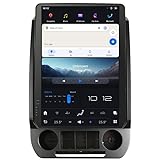
- 【Compatibility】Fit For Ford F150 2015 2016 2017 2018 2019 2020 2021 F250 F350 f450 2017 2018 2019 2020 2021 Year With SYNC 3 Versions;When Installing the Product, You Need to Move the Original Air Conditioning Panel And the Physical Buttons to Our Product.
- 【 Important Note 】Please Order The Corresponding Product Version According To The Original Radio System, If You Order The Wrong Product Version, The Product Will Not Work Properly After Installation. Also When Installing This Product You Need To Move The SYNC Module Behind The Original Radio Screen To The Back Of Our Product, The Original CD Player Or Audio Main Unit Does Not Need To Be Removed.
- 【 Android 13 System】Screen Resolution: 1920*1200;Qualcomm Octa-Core Processor Snapdragon 665 Model, With RAM 8GB + ROM 128GB, Using LPDDR4 Memory, Read And Write Speed Faster, Large -Capacity Memory Operation Is Smoother.
- 【 Carplay & Android Auto 】The Product Supports Bluetooth Connection For Carplay/Android Auto, Allowing Users To Mirror Their Phone Content Onto The Screen. This Enables Functions Such As Making Phone Calls, Using Navigation, And Playing Music Through Carplay/Android Auto.
- 【Built-in 4G Module】Insert The SIM Card For Internet Access, But It Cannot Support To Make Phone Calls Or Send SMS.Please Note That Different Mobile Companies Offer Different SIM Card Network Standards.Supported Network Formats:LTE-FDD:B2/4/5/7/12/13/14/17/25/26/66/71;LTE-TDD: B41/48;WCDMA: B2/4/5;GSM: 850/900/1800/1900MHz.
- Responsiveness: Try the touchscreen after startup and after using the system for a while. Pay attention to delayed taps, slow menus or freezes.
- Phone projection: Confirm that Apple CarPlay or Android Auto is available on that vehicle and test whether the connection works consistently. The 2017 version 2.2 announcement covers support for model-year 2016 vehicles, but does not establish wireless connectivity.
- Updates: Check the vehicle identification number (VIN), SYNC generation and available update method with Ford. Equipment can affect whether Wi-Fi updating is supported.
- Reliability: Test the screen, app launches and Bluetooth calls, listening for audio artifacts and watching for black screens or interruptions.
- Voice control: Try commands for the functions you use rather than judging voice recognition by the feature description alone.
How to check for a SYNC 3 update
Ford provides update guidance through its support site. Its instructions call for checking by VIN and identifying the SYNC generation before downloading an update. Supported configurations may update over Wi-Fi or by USB; SYNC 3 vehicles without a touchscreen or navigation may not have the same Wi-Fi update path. Ford’s UK support page is market-specific, so follow the instructions and eligibility shown for your own vehicle and region. Ford UK: SYNC update instructions.
- Open Ford’s SYNC update support page and enter the vehicle’s VIN as directed.
- Confirm that the vehicle uses SYNC 3 and review the update offered for that specific vehicle and market.
- Use the Wi-Fi or USB method only if Ford identifies it as supported. For a USB update, follow Ford’s exact instructions for the flash drive, formatting, file placement, ignition state and completion confirmation.
- Do not install a package simply because it is labeled for SYNC 3; verify that it is intended for the vehicle’s model year and market.
- If the screen is frozen, an update fails or the hardware is unclear, contact a Ford dealer rather than trying an unverified package.
Ford’s 2017 update announcement described the SYNC 3 software platform as designed to make updates easy and provide customers with feature, functionality and security enhancements. That stated design intent does not mean every vehicle supports every update route. Ford’s 2017 announcement.
Rank #4

- 🟢Compatible with SYNC 3 Systems – Designed for Ford and Lincoln vehicles equipped with the SYNC 3 navigation or media system. Replaces the 8-inch LCD screen and digitizer. Compatible replacement for: Ford Explorer: (2014 - 2018); Ford F-150: (2013 - 2018); Ford F-250 Super Duty: (2013 - 2018); Ford F-350: (2014 - 2016); Ford F-350 Super Duty: (2014 - 2018); Ford Focus: (2012 - 2018); Ford C-Max: (2013 - 2018); Ford Escape: (2013 - 2018); Ford Edge: (2011 - 2018); Ford Fusion: (2013 - 2018); Ford Expedition: (2012 - 2018); Ford Flex: (2014 - 2018); Ford Taurus: (2014 - 2018); Ford Mustang: (2014 - 2018). Lincoln MKX: (2011 - 2018); MKS: (2013 - 2018); MKZ: (2013 - 2018); MKC: (2015 - 2018).
- 🟢OEM Part Number – Direct replacement for part number LQ080Y5DZ05. Matches factory specs for size, resolution, and touch response. Ideal for broken, cracked, or unresponsive screens.
- 🟢Display Size and Touch Screen – The system features an 8 inch LCD monitor, which provides a large and clear display for various functions and features.The monitor is equipped with a touch-sensitive interface, allowing users to interact with the system using their fingertips.
- 🟢What In Box: 1 x LCD Monitor with Touch Screen.
- 🟢Quality Satisfaction: Your satisfaction is our greatest wish. We will provide you with the best quality products and services. If you are not satisfied please contact with us via messages.
Verdict
SYNC 3 was a substantial usability improvement over Ford’s earlier system, and CarPlay and Android Auto support helped extend its usefulness. It is not an automatic standout: Ford did not publish a general response-time measure in the cited material, voice control had practical limits in early hands-on use, and Ford documented faults on specified vehicles. For an owner or used-car shopper, the decisive test is the individual vehicle’s responsiveness, projection support, update eligibility and reliability.
Quick Recap
Best Value

- Compatible with: Esigned specifically fit for Ford F150 F250 F350 F450 Focus Edge Escape Explorer Taurus. ( Please send your VIN# when you place order.)
- Free Pre-Programmed: Please send VIN in time when purchasing.(we will pre-program the data matching according to your car VIN#. )!!!
- Easy Installation: It is very simple to setup and works efficiently. We provide pre-programming tailored to your vehicle, so you don't need a dealer visit.
- Functions: Compatible with all functions of the original car, steering wheel heating, including seat ventilation heating, reverse image, climate adjustment, active parking assistance, intelligent voice control, and other functions.
- SYNC 2 to SYNC 3 upgrade kit including: SYNC3.4 APIM module, 8 inches touch screen Display, screen-to-module cable, GPS antenna, USB hub, USB power harness, USB bracket, els27 flashing harness, installation tools, (Wireless CarPlay Box).
Product prices and availability are accurate as of the date/time indicated and are subject to change. Any price and availability information displayed on Amazon at the time of purchase will apply.
Quick wins for a faster PC:
Repair Windows errors before they cause bigger problemsFix Now →Scan for outdated or missing drivers - takes under a minuteDriver Scan →