Ford BlueCruise is a Level 2 hands-free driver-assistance system—not a self-driving feature. On qualifying mapped highways, it can help steer, accelerate, and brake while the driver keeps their hands off the wheel. The driver must still keep their eyes on the road, remain alert, and be ready to take over immediately.
It works by combining adaptive cruise control, lane centering, radar and camera perception, connected highway maps, and a driver-facing attention camera. Here is what each part does, where BlueCruise works, how much access costs, and why hands-free does not mean responsibility-free.
As an Amazon Associate I earn from qualifying purchases.
What Ford BlueCruise actually is
Ford BlueCruise is a Level 2 driver-assistance system that can control steering, acceleration, and braking on certain mapped divided highways while the driver keeps their hands off the wheel. It is not autonomous driving and it is not a self-driving system. The driver must continue watching the road, remain alert, and be ready to take over immediately.
Quick wins for a faster PC:
Clear out junk files and repair common Windows errorsFree Scan →Scan for outdated or missing drivers - takes under a minuteDriver Scan →Repair Windows errors before they cause bigger problemsFix Now →The easiest way to understand BlueCruise is as a hands-free interface built from several existing technologies: adaptive cruise control manages speed and following distance, lane centering provides steering input, external sensors detect lanes and traffic, connected maps identify roads where hands-free operation is permitted, and a driver-facing camera checks whether the driver is looking toward the road.
#1 Best Overall

- 【Fitment】Universally fits with any Standard 70mm 6-Bolt Racing Hub Adaptors, Universal Fit Type
- 【Note】Hub Adapter is not included, and you need to make sure you can find the 6 bolt pattern hub for your vehicle before purchase, otherwise you are not able to install this steering wheel, The product does not come with manual/instruction, Professional Install Recommended
- 【Feature】Upgrading a Racing Steering Wheel or just the Hub can already give you a brand new driving experience. Our Steering Wheels are also designed to ensure the best grip for a better performance, Double riveted spokes for extra strength, Light-Weight Design, Improves handling and control
- 【Design】Our classic 75mm deep, 350mm diameter racing steering wheels. Reinforced with 5mm thick spokes, and guaranteed to out perform our competitors
- 【This Item Includes 】1 X Reinforced Steering Wheel
Hands-free does not mean eyes-free or responsibility-free. BlueCruise reduces the effort required to steer on supported highways. It does not remove the driver from the driving task.
How BlueCruise works
Adaptive cruise control manages speed
BlueCruise builds on adaptive cruise control, which uses vehicle sensors to maintain a speed selected by the driver and adjust that speed when traffic ahead slows down. The system can apply the brakes, reduce acceleration, and maintain a selected following gap.
That does not mean the vehicle can recognize every hazard or stop safely for every object. Stationary vehicles, unusual roadway situations, poor visibility, and situations outside the system’s design limits remain the driver’s responsibility.
Do these 3 things before closing this tab:
1Fix the driver behind crashes, sound loss and screen glitches2Repair Windows errors before they cause bigger problems3Scan for outdated or missing drivers - takes under a minuteLane centering provides steering input
Lane centering uses cameras and other vehicle sensors to identify lane markings and provide continuous steering assistance. When the system is operating correctly, it helps keep the vehicle centered in its lane while adaptive cruise control manages speed.
Lane centering is not the same as hands-free BlueCruise. A Ford may provide hands-on adaptive cruise and lane-centering assistance outside a Blue Zone, while the hands-free function remains unavailable. If lane lines are worn, missing, merging, splitting, or obscured, the system may warn the driver, refuse to activate, or return to hands-on assistance.
Radar, cameras, and other sensors perceive the road
Ford says BlueCruise-equipped vehicles use radar, cameras, and other sensors to detect lane markings and surrounding traffic. Those inputs support lane centering, speed control, following-distance adjustments, and some lane-change functions.
The system is therefore not simply following painted lines. It depends on several inputs working together, including usable lane markings, reliable traffic perception, vehicle condition, software, map data, and a driver-monitoring camera with a clear view.
The Tool Desk
Outbyte Driver Updater FREEFix the driver behind crashes, sound loss and screen glitchesFind Drivers →Outbyte PC Repair FREERepair Windows errors before they cause bigger problemsFix Now →Connected maps define the hands-free operating area
BlueCruise hands-free operation is limited to mapped sections of divided highways called Hands-Free Blue Zones. Ford’s published consumer figures describe more than 130,000 miles of qualifying roads in North America, representing approximately 97% of controlled-access highways in the United States and Canada.
A Blue Zone is a compatibility boundary, not a promise that BlueCruise will work at every moment on that road. Construction, lane changes, poor weather, glare, missing markings, outdated map data, or another operating limitation can still prevent activation or cause the system to disengage.
A driver-facing camera monitors attention
A dedicated infrared camera watches the driver’s eye gaze and head position. Ford says it uses the camera to help determine whether the driver is watching the road when their hands are off the wheel.
If the driver looks away for too long, moves outside the camera’s field of view, or blocks the camera, BlueCruise can issue escalating visual and audible alerts. If the driver does not respond, Ford says the vehicle may slow substantially.
Crashes, No Sound, or Screen Glitches?
Random freezes, missing sound and display glitches usually trace back to one bad driver. Find and replace yours safely.Free scan · under a minuteWindows Errors? Fix Them Before They Spread
Repair common Windows errors and clear accumulated junk for a smoother, more stable PC - no reinstall needed.Free scan · no reinstallThere is an important limitation: eye-gaze monitoring is not a complete measure of driver engagement. Independent testing by the Insurance Institute for Highway Safety found that BlueCruise promptly alerted when the camera was covered or the driver’s face was obscured, but it did not detect when the driver’s hands were occupied with another task. A driver can be looking forward and still be distracted, drowsy, or unable to intervene effectively.
Rank #2
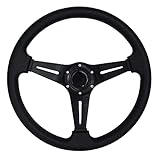
- Optimal Diameter for Enhanced Control: 350mm/13.8 inch in diameter, Reasonable Size Enables Driver to make the Same Turns with Less Effort
- Premium Aluminum Construction: Racing Steering Wheel Frame is made of Premium Quality Light-weight Aluminum, Anti-rust and not easy to Fade, Durable in use
- Universal Compatibility: This Car Steering Wheel is compatible with most standard hub adapter, Universal for most vehicle, racing car (Hub adapter is NOT included)
- Sporty Aesthetic Enhancement: The Universal Auto Steering Wheel Attractive and luxury look, an add-on Decoration to Dress up your car, greatly increase your racing style
- Convenient Installation Package: The Car Sport Steering Wheel with Horn Button comes with mounting screws and wrench, Easy installation
What the driver sees when BlueCruise is active
BlueCruise communicates its status through the instrument cluster using a blue display, icons, text prompts, audible alerts, and takeover warnings. The key confirmation is the hands-free indicator and blue cluster display after the vehicle enters an eligible section of road.
If the hands-free icon does not appear, do not assume BlueCruise is active. The vehicle may be operating only with hands-on adaptive cruise control or lane centering. The driver must continue holding the wheel as required by that mode.
A prompt such as RESUME CONTROL means the system is reaching a limitation or needs the driver to take over. The correct response is to look ahead, place both hands on the wheel, and resume full control without waiting for the system to solve the situation.
How to activate BlueCruise
The exact control layout varies by vehicle, model year, and software version, but Ford’s general setup process is:
- Set up the vehicle account. Add the vehicle identification number to the Ford app or FordPass account and complete the connected-services setup.
- Check the vehicle settings. In the driver-assistance menu, enable Lane Centering with Hands-Free and any other supported settings.
- Activate the driving assistance. Use the steering-wheel controls to turn on adaptive cruise control and the lane-control functions.
- Enter a mapped Blue Zone. The road must be a qualifying, mapped section of highway. Being on a divided highway alone is not enough.
- Confirm the status. Wait for the instrument cluster to turn blue and show the hands-free indicator.
- Continue supervising. Keep your eyes on the road, keep the driver camera unobstructed, and remain ready to steer, brake, or accelerate yourself.
BlueCruise may not activate if the subscription or included access has ended, the modem or account setup is incomplete, the camera cannot see the driver, lane markings are unreliable, or the vehicle has another condition that disables the feature.
BlueCruise lane-change features explained
Ford uses several similar-sounding names for different capabilities. They should not be treated as interchangeable.
| Feature | What it does | Driver input |
|---|---|---|
| Lane Change Assist | Performs a supported lane change after the driver signals a desired move and the system determines that the path is clear. | The driver initiates the maneuver with the turn signal. |
| Automatic Lane Change | Can initiate a hands-free lane change without the driver touching the turn signal when the system determines that the maneuver is appropriate. | The driver still monitors the road and must be ready to take over. |
| In-Lane Repositioning | Subtly shifts the vehicle within its lane to create more space from a vehicle in an adjacent lane. | No lane change is intended; the vehicle remains in its lane. |
Automatic Lane Change is associated with BlueCruise 1.5. Ford’s current materials identify it as available on 2025 and 2026 Mustang Mach-E vehicles and 2026 Explorer vehicles, with availability dependent on configuration and software. Do not assume that a vehicle has it merely because the vehicle has BlueCruise.
What’s actually slowing this PC down?
Pick the symptom - the matching free tool is one click away.
BlueCruise versions: 1.3, 1.4, and 1.5
BlueCruise capability is not uniform across Ford’s lineup. Version availability can depend on model year, production date, trim, installed hardware, software, and eligibility for over-the-air updates.
- BlueCruise 1.3: Ford’s availability materials list updates for certain earlier Mustang Mach-E vehicles.
- BlueCruise 1.4: Ford describes improvements to in-lane stability and speed adjustment through curves. Certain 2022 and 2023 F-150 and F-150 Lightning vehicles are listed for related updates.
- BlueCruise 1.5: Ford describes this version as adding Automatic Lane Change. Ford has identified the 2025 and 2026 Mustang Mach-E and 2026 Explorer among the vehicles receiving the feature, while also describing the 2026 Explorer, Lincoln Aviator, and Lincoln Nautilus as among the first gasoline and hybrid vehicles in the 1.5 rollout.
Eligible vehicles may receive newer versions through over-the-air updates at Ford’s discretion. A model’s name, trim level, or original purchase year is not enough to establish the installed version. Check the vehicle’s software information and Ford Account rather than relying on a general internet feature list.
Which Ford vehicles have BlueCruise?
Ford’s current U.S. consumer materials identify BlueCruise availability on selected model years, trims, and configurations in these vehicle lines:
| Vehicle line | Model years identified by Ford |
|---|---|
| Mustang Mach-E | 2021 and newer |
| F-150 | 2021 and newer |
| F-150 Lightning | 2022 and newer |
| Expedition | 2022 and newer |
| Explorer | 2025 and newer |
These are vehicle-line and model-year guideposts, not a guarantee for every trim or VIN. Production date, hardware, software, market, and package content can change eligibility. Before buying a used or new Ford, use Ford’s account tools to check BlueCruise availability by VIN and confirm the exact feature version and included access period.
Free tools Windows power users keep installed
One-click scans. No signup required.
How much does BlueCruise cost?
Ford’s published BlueCruise pricing lists three options for eligible vehicles:
Rank #3

- High quality aftermarket steering wheel with horn button.(TIPS: Hub adapter is NOT included, Before installation,please choose a Steering Wheel Hub Adapter that fits your car model)
- Universal Application - This racing steering wheel is compatible with most standard hub adapter, universal for most vehicle, racing car
- Comfortable and Durable - Aluminum steering wheel frame and wrapped with Suede, comfortable and durable
- Fashionable & Exquisite Design - This universal steering wheel features fashionable and exquisite design, can enhances the appearance of your car's interior
- Easy to Install - This racing steering wheel with horn comes with mounting screws and wrench, easy installation without modification
- $49.99 per month
- $495 per year
- $2,495 for a one-time purchase
These prices and eligibility rules can change. Ford also describes a complimentary trial beginning at the vehicle’s warranty start date, but individual vehicle order guides may specify different included periods, such as one year plus 90 days. The included term can vary with model year, purchase date, configuration, and promotion.
For that reason, the useful question is not simply whether a Ford has BlueCruise. It is whether that particular VIN has an active plan, how long included access lasts, and what renewal options Ford currently offers. Owners whose trial or included period is ending should review the vehicle-specific BlueCruise pricing and plan status in their Ford Account.
BlueCruise also depends on connected-services setup, modem activation, and account or app configuration. An active plan is required after any included trial or plan period ends. A vehicle can be physically equipped for BlueCruise and still fail to provide hands-free access if its connected service is not activated.
When BlueCruise will not work
BlueCruise has a defined operating domain. It may refuse to activate, revert to hands-on assistance, issue a warning, or disengage in situations such as:
- missing, worn, obscured, merging, or splitting lane lines;
- road construction or temporary lane patterns;
- rain, snow, fog, glare, darkness, or other visibility problems;
- lanes that are unusually narrow or wide or otherwise outside supported dimensions;
- unavailable, inaccurate, or outdated connected map data;
- a blocked driver-facing camera or a camera angle that cannot clearly see the driver;
- a spare tire or active tire-pressure warning; or
- failure to respond to driver-attention alerts.
Other road situations can also exceed the system’s capabilities. A mapped highway may contain stopped traffic, debris, emergency vehicles, abrupt merges, unusual obstacles, or a work zone that the system does not handle as a human driver would. The driver must scan far ahead and not wait for a warning before taking control.
BlueCruise privacy: camera images versus vehicle data
Ford says that during ordinary use, images, photos, or videos from the driver-monitoring camera are not off-boarded from the vehicle to Ford. That statement concerns camera imagery.
It should not be confused with broader connected-vehicle data practices. Ford’s connected-vehicle privacy disclosures state that speed and location data may be transmitted when the customer provides appropriate consent. Camera-image handling and connected-vehicle telemetry are separate issues, so owners who care about privacy should review the settings and disclosures associated with their specific vehicle and connected-services account.
What safety testing and investigations show
IIHS: attention monitoring has limits
IIHS testing found a meaningful strength and a meaningful weakness. BlueCruise promptly issued alerts when its driver-monitoring camera was covered or the driver’s face was obscured. However, it did not detect when the driver’s hands were occupied with another task.
That result illustrates why the camera should not be described as proof that the driver is attentive. It primarily helps monitor gaze and head position. It does not guarantee that the driver is sober, awake, focused, physically ready, or capable of taking control.
NHTSA: investigation into collisions and system limits
NHTSA Engineering Analysis EA25001 concerns collisions involving Ford BlueCruise and related Ford lane-control systems. The agency’s opening material described four frontal collisions involving BlueCruise-equipped Mustang Mach-E vehicles, including two fatalities, and said it was examining limitations involving stationary or slow-moving vehicles, particularly at highway speeds and at night.
The investigation also considers whether drivers can respond appropriately when circumstances exceed the system’s design limits. An investigation is not the same as a finding that every use of BlueCruise is unsafe, but it is a reason to take the system’s limitations and driver-monitoring assumptions seriously.
Recommended Free Tools
NTSB: overreliance is a human-factors risk
In findings dated March 31, 2026, the National Transportation Safety Board stated that driver overreliance contributed to two fatal Ford BlueCruise crashes. The NTSB also identified problems in Ford’s implementation and the absence of sufficiently specific federal guidance and standards for Level 2 systems.
Rank #4

- 【Steering Wheel】This steering wheel features genuine leather grips and aluminum alloy spokes, providing a comfortable and textured grip, enhancing control and maneuverability while driving.
- 【Design]】14-inch (350mm) diameter / genuine leather (lychee texture) / polished aluminum with black leather grips / 6-bolt hole pattern / 2.5-inch deep plate / black horn button / chrome 4-spoke center
- 【Genuine Leather Grip】Crafted from high-quality genuine leather, the steering wheel offers a comfortable and textured grip, enhancing your control and operability while driving。Deep Dish Ergonomics (70mm)Concave back design fits your hands perfectly, providing better control and stability during high-speed driving
- 【Easy to Install 】This racing steering wheel with horn comes with mounting screws and wrench, easy installation without modification.(No Base/Quick Release Included)
- 【Package Included】 1 x Steering Wheel,6 xscrews,1x hex wrench,2xwire harnesses. I Any questions please feel free to reach out to us
The practical lesson is broader than any one software version: a system that works smoothly for long stretches can encourage the driver to stop treating it as assistance. Familiarity is not evidence that the system can handle an unexpected hazard.
How to use BlueCruise more safely
- Know the mode. Confirm whether the vehicle is using hands-free BlueCruise or only hands-on adaptive cruise and lane centering.
- Keep your eyes up. Watch traffic, lane changes, road signs, intersections, shoulders, and distant hazards rather than staring only at the instrument cluster.
- Keep the camera clear. Do not place objects over it, and make sure sunglasses, hats, seating position, or darkness do not prevent it from seeing you clearly.
- Keep your hands ready. Even when hands-free operation is active, be prepared to steer or brake immediately.
- Do not use the feature as a distraction opportunity. Reading, texting, eating, searching for items, or handling another task can leave you unable to respond even if the camera sees your face.
- Watch the road, not the map boundary. Entering a Blue Zone does not mean the system can handle every condition inside it.
- Respond to alerts immediately. If the cluster asks you to resume control, take over before the vehicle reaches the edge of its operating capability.
- Maintain the vehicle. Correct tire pressure, an unobstructed camera, clean sensors, and properly visible lane markings all matter to system availability.
BlueCruise versus self-driving
The distinction is not merely legal wording. A Level 2 system can continuously assist with steering and acceleration or braking, but the human driver remains responsible for supervising the road and handling situations the system cannot manage.
BlueCruise does not transfer legal responsibility to Ford, does not make the vehicle autonomous, and does not guarantee collision avoidance. It is best understood as a workload-reduction tool for supported highway driving. Its value depends on the driver using it within its operating domain without becoming overconfident in its abilities.
Bottom line
BlueCruise combines adaptive cruise control, lane centering, vehicle sensors, mapped Blue Zones, connected services, and a driver-monitoring camera to provide hands-free assistance on qualifying highways. The system can make long highway drives less tiring, but it remains Level 2 assistance.
Keep your eyes on the road, stay ready to take control, and treat every alert or limitation as a prompt to drive—not as a problem the car is obligated to solve.
Frequently Asked Questions
Is Ford BlueCruise self-driving?
No. BlueCruise is a Level 2 driver-assistance system. It can control steering, acceleration, and braking in supported conditions, but the driver must watch the road, remain alert, and be ready to take over.
Does BlueCruise work on every highway?
No. Hands-free operation is limited to mapped Hands-Free Blue Zones and can be unavailable because of weather, poor lane markings, construction, map-data problems, camera obstruction, vehicle warnings, or other conditions.
Which Ford vehicles have BlueCruise?
Ford’s published U.S. materials identify selected model years of the Mustang Mach-E, F-150, F-150 Lightning, Expedition, and Explorer. Trim, hardware, software, production date, and VIN determine actual eligibility.
How much does a BlueCruise subscription cost?
Ford’s published options include $49.99 per month, $495 per year, and a $2,495 one-time purchase for eligible vehicles. Included trial periods vary by vehicle, model year, purchase date, configuration, and promotion.
Does BlueCruise know whether the driver is distracted?
It monitors eye gaze and head position, but it does not prove complete driver engagement. Independent testing found that BlueCruise could alert when the camera was blocked, but it did not detect when the driver’s hands were occupied with another task.
The Bottom Line
BlueCruise is hands-free, not self-driving. It can steer, brake, and accelerate in mapped conditions, but the driver must remain alert, watch the road, and be ready to take over at all times.
Quick Recap
Product prices and availability are accurate as of the date/time indicated and are subject to change. Any price and availability information displayed on Amazon at the time of purchase will apply.




