What’s actually slowing this PC down?
Pick the symptom - the matching free tool is one click away.
Short answer: the forthcoming Volkswagen ID. Tiguan takes a mixed-control approach: a 10-inch driver display, a 15-inch center screen and dedicated physical controls for basic climate, audio, windows and steering-wheel functions. The North American 2025+ Tesla Model Y is more touchscreen-led, but it still has scroll wheels, a turn stalk, a secondary gear selector, window switches, hazard flashers and manual door releases. Neither manufacturer’s documentation establishes a usability winner.
This is a specification and control-layout comparison, not a road test. Volkswagen announced the electric ID. Tiguan on 9 October 2026 and says it will launch in early 2027, so final equipment and regional variations still need confirmation. Tesla’s reference is the North American Owner’s Manual for Model Y vehicles from model year 2025 onward, shown with software version 2026.32.
As an Amazon Associate I earn from qualifying purchases.
At a glance: what each vehicle puts in front of the driver
The two SUVs differ less in whether they have screens than in how many everyday actions are assigned to a screen. Volkswagen describes the ID. Tiguan as a three-display system with tactile controls around it. Tesla’s Model Y centers most interaction on one large touchscreen and supplements it with a smaller set of physical inputs.
| Item | Volkswagen ID. Tiguan | Tesla Model Y |
|---|---|---|
| Vehicle status | Announced 9 October 2026; launch planned for early 2027; pre-sales begin 13 October in Germany and many other European countries. | North American Owner’s Manual covers 2025+ Model Y; manual displayed software version 2026.32. |
| Driver display | 10-inch Digital Cockpit display. | Interior overview identifies the central touchscreen; the cited manual does not state a separate instrument-cluster size. |
| Main infotainment display | 15-inch center infotainment display. | Central touchscreen; exact size varies by Model Y version and year, so verify the vehicle-specific specification. |
| Passenger display | Optional 12-inch front-passenger display for media, apps, games and route planning. | Not stated in the cited manual as a separate passenger display. |
| Physical everyday controls | Button bar for basic air-conditioning functions, center-console audio controller, driver-door window switches and physical multifunction steering-wheel buttons. | Left and right scroll wheels, turn stalk, secondary P/R/N/D selector, power-window switches, hazard flashers and manual door release. |
| Evidence of a usability winner | No controlled comparison, named user study or measured task-performance result is provided by the cited official material. | |
Volkswagen’s figures come from its 9 October 2026 Newsroom announcement and its UK ID. Tiguan interior page. Tesla’s control inventory comes from the North American Model Y Owner’s Manual.
#1 Best Overall

- Aluminacore 9H Glass Protection – High-purity alumina-silicate glass tempered through ion-exchange resists key fobs, sunglasses, paw scratches from pets in the car, and the everyday contact of parking-lot bumps and daily driving, built tougher than standard soda-lime tempered glass at the same 9H hardness rating.
- Anti-Glare Matte Finish – The micro-textured surface scatters incoming light in multiple directions, diffusing reflections before they reach your eyes. Navigation maps, rear camera feeds, and driving information stay readable across changing cabin lighting and direct sunlight without the sharp glare common to clear glass.
- Matte Anti-Fingerprint Finish – Matte texture minimizes the appearance of fingerprints on the 16-inch touchscreen, helping to preserve screen clarity and touch responsiveness.
- EZ FIT Tray, Installation under 60 seconds – EZ FIT includes auto-alignment tray makes installation quick and easy, helping position the protector perfectly in under 60 seconds. A silicone adhesive layer helps prevent air bubbles during application for a clean, seamless fit.
- Check the compatibility – Engineered for Model Y standard/Premium/Performance (2026) and Model 3 (2027)
Volkswagen ID. Tiguan: a mixed screen-and-button layout
Three displays, with different jobs
The ID. Tiguan’s 10-inch Digital Cockpit is the driver-facing display. Volkswagen places a larger 15-inch infotainment display in the center of the dashboard. An optional 12-inch display can be fitted for the front passenger, who can use it for media, apps, games and route planning. The passenger screen is therefore an equipment option, not a feature every ID. Tiguan buyer can assume is standard.
The dimensions describe hardware, not how quickly a task can be completed. A larger panel may show more information, but it does not prove that a temperature change, audio adjustment or navigation edit requires fewer steps. Volkswagen has not published a controlled human-factors comparison against the Model Y.
Climate controls are intended to remain tactile
Volkswagen says basic air-conditioning functions are handled by a button bar in the center console. The UK feature presentation also calls out tactile climate controls. That gives a driver a physical target for common adjustments instead of requiring every basic change to be made through an on-screen menu.
Do these 3 things before closing this tab:
1Fix the driver behind crashes, sound loss and screen glitches2Clear out junk files and repair common Windows errors3Scan for outdated or missing drivers - takes under a minute“Basic” is important: the documentation does not say that every climate setting, seat function or advanced ventilation option has a dedicated switch. Higher-level settings may still use the infotainment interface, and the exact equipment can vary by trim and market.
Audio uses a center-console controller
Audio volume and track or station changes are assigned to a center-console controller in Volkswagen’s description. This is separate from the 15-inch display and from the steering wheel, so the driver has a physical control surface within the console area.
The published material does not specify the controller’s exact shape, detents, backlighting or whether all audio functions are duplicated on the steering wheel. Those details should be checked in the production vehicle.
Steering-wheel buttons replace touch surfaces
The ID. Tiguan returns to physical multifunction steering-wheel buttons rather than touch-sensitive steering-wheel controls. Physical buttons provide a defined press and can be located by feel, although their usefulness still depends on labeling, spacing and the number of functions assigned to each control.
Free tools Windows power users keep installed
One-click scans. No signup required.
Rank #2

- 【Tailored Design】The screen protector set includes 16" front and 8" rear screen protectors. Only fit Model Y Performance 2025~2026 (16") , Model Y Premium 2026 (16") and Model Y L 2026 (16").
- 【Glare-Free, Stay Visible All Day】Tired of being frustrated by sunlight or portrait reflections on your central control screen while driving? Say no more! After thousands of optical experiments, wigoo has solved this problem for you once and for all. The wigoo matte Screen Protector utilizes diffuse reflection optical technology, reducing 80% of glare without compromising clarity! Your screen will remain clear and visible day and night
- 【Smooth Touch, No Fingerprints】Fed up with resistance when swiping your screen and the smudges left behind? Wigoo’s Zero Lag design will provide you with a responsive touch experience like baby’s skin! The silky-smooth touch ensures your control screen responds just as sensitively as the day you got your Tesla, no matter how many taps and swipes you do
- 【9H Military-Grade Protection】Triple ion exchange technology enhances the glass hardness to surpass 9H and is 4 times stronger than ordinary glass. It has passed the 64g steel ball drop test by multiple institutions. For Tesla, the central control screen is everything, so we understand the importance of protecting it at all times
- 【No Edge Gaps】Tailored for the central control screen, perfectly adhering to its curved edges without any gaps. Remember, 99% of cracks and bubbles come from the edges. To achieve a 100% fit, we have gone through multiple iterations of production equipment and finally adopted the most precise cutting technology to ensure the No.1 fitting craftsmanship
Volkswagen CEO Thomas Schäfer described the vehicle as offering “intuitive operation” while discussing the model’s launch. That is a manufacturer claim, not an independent usability result, and it should not be read as proof that the ID. Tiguan is easier to operate than a Model Y.
Windows are controlled from the driver’s door
Window switches are located on the driver’s door. The UK page specifically highlights tactile window controls. Door-mounted switches are a conventional location, so a driver can generally reach them without opening an infotainment menu; the source material does not establish the exact switch count or whether rear-window functions use a selector.
Tesla Model Y: touchscreen-led, but not button-free
What the 2025+ North American manual actually lists
Tesla’s North American manual identifies the central touchscreen, two scroll wheels, a turn stalk, a secondary P/R/N/D selector, power-window switches, hazard flashers and a manual door release in its interior overview. That list makes “everything is on the screen” an inaccurate shorthand.
The manual applies to North American Model Y vehicles from 2025 onward and displayed software version 2026.32 when accessed. Tesla can change functions through software, and other markets or model years may use different hardware. Consult the manual for the exact vehicle rather than assuming a European or earlier Model Y has the same control arrangement.
Scroll wheels provide physical inputs at the steering wheel
Left and right scroll wheels sit on the steering wheel. Their functions can depend on the active vehicle or media context, so the wheels are physical inputs but not necessarily single-purpose knobs. A driver can rotate or press them, while the touchscreen supplies visual feedback and additional choices.
This differs from Volkswagen’s stated approach of using physical multifunction buttons. Both cars therefore retain tactile steering-wheel inputs, but the interaction model is not identical: wheels can be context-sensitive, whereas a labeled button tends to advertise a more fixed function.
Drive direction has a secondary physical selector
The manual lists a secondary P/R/N/D selector. Tesla’s primary drive-direction interaction may be integrated with the vehicle’s electronic controls, but the documented secondary selector gives the driver a physical alternative. Do not describe the Model Y as requiring the center touchscreen for every gear change.
Rank #3

- 【Tailored Design】Compatible with Model Y (2020 2021 2022 2023 2024 2025) and Model 3 (2017 2018 2019 2020 2021 2022 2023). Not compatible with Model 3 (2024~2026) & Model Y Juniper
- 【Glare-Free, Stay Visible All Day】Tired of being frustrated by sunlight or portrait reflections on your central control screen while driving? Say no more! After thousands of optical experiments, wigoo has solved this problem for you once and for all. The wigoo matte Screen Protector utilizes diffuse reflection optical technology, reducing 80% of glare without compromising clarity! Your screen will remain clear and visible day and night
- 【Smooth Touch, No Fingerprints】Fed up with resistance when swiping your screen and the smudges left behind? Wigoo’s Zero Lag design will provide you with a responsive touch experience like baby’s skin! The silky-smooth touch ensures your control screen responds just as sensitively as the day you got your Tesla, no matter how many taps and swipes you do
- 【9H Military-Grade Protection】Triple ion exchange technology enhances the glass hardness to surpass 9H and is 4 times stronger than ordinary glass. It has passed the 64g steel ball drop test by multiple institutions. For Tesla, the central control screen is everything, so we understand the importance of protecting it at all times
- 【No Edge Gaps】Tailored for the Tesla 15" central control screen, perfectly adhering to its curved edges without any gaps. Remember, 99% of cracks and bubbles come from the edges. To achieve a 100% fit, we have gone through multiple iterations of production equipment and finally adopted the most precise cutting technology to ensure the No.1 fitting craftsmanship
Windows, hazards and door release remain physical
Power-window switches, hazard flashers and a manual door release are identified in the interior overview. These controls matter because they cover safety or immediate-access actions that should not depend solely on navigating a menu. Their presence does not make the Model Y a conventional button-heavy cabin: climate, vehicle settings, navigation and many other functions are still presented through the touchscreen.
Quick wins for a faster PC:
Repair Windows errors before they cause bigger problemsFix Now →Fix the driver behind crashes, sound loss and screen glitchesFind Drivers →Task-by-task comparison of the documented controls
The table below compares where the sources place each common task. It does not score speed, distraction or comfort; those require equivalent vehicles, the same software state and repeatable testing.
| Common task | ID. Tiguan documentation | Model Y documentation | What a buyer should verify |
|---|---|---|---|
| Basic temperature or air-conditioning adjustment | Center-console button bar for basic air-conditioning functions. | Touchscreen-led climate interface is documented; the cited overview does not list a dedicated climate button bar. | Whether the desired setting is a direct button, a shortcut or a submenu; confirm operation in the market-specific car. |
| Volume and track/station changes | Center-console audio controller; additional steering-wheel functions may be available, but duplication is not fully specified. | Steering-wheel scroll wheels and touchscreen controls. | Whether the console controller’s rotation, press and shortcut behavior suits your hand position. |
| Navigation and route planning | 15-inch center screen; optional passenger display can also handle route planning. | Central touchscreen. | How easily a passenger can enter a destination without interrupting the driver’s view. |
| Changing drive direction | Exact selector hardware and location are not fully stated in the cited ID. Tiguan material. | Secondary P/R/N/D selector listed in the manual. | Locate the production car’s selector and practice the backup procedure before delivery. |
| Opening windows | Physical switches on the driver’s door. | Physical power-window switches. | Switch layout for all seating positions and child-lock operation. |
| Hazard lights | Not specifically detailed in the cited ID. Tiguan announcement and UK interior page. | Hazard flashers listed in the manual’s interior overview. | Find the exact hazard switch before driving, especially if the vehicle is a pre-production demonstrator. |
| Vehicle settings and less frequent functions | 15-inch infotainment display handles functions not assigned to the stated physical controls. | Central touchscreen handles many vehicle settings and features. | Count the menu layers for settings you use often, such as charging, driver assistance or mirror adjustment. |
| Driver information visibility | Separate 10-inch driver display plus center screen. | Central touchscreen is the documented primary display; a separate instrument-display specification is not stated in the cited manual. | Whether key speed, alerts and navigation prompts are visible in your normal sightline. |
How to judge “which is easier” without a misleading winner
Usability is not determined by screen size or by the number of physical switches. A fair inspection asks how a specific driver performs a specific task in a specific software version. The official documents establish locations and input types, but not measured task times or error rates.
1. Separate reachability from discoverability
A control can be easy to reach yet hard to identify. Check whether the label or icon is visible at a glance, whether the control can be found by touch, and whether its behavior is consistent. The ID. Tiguan’s stated climate bar and steering-wheel buttons should be assessed for labeling and spacing. The Model Y’s scroll wheels should be assessed for the on-screen feedback that explains their current function.
2. Check sightline and menu dependence
For each task, note whether your eyes must leave the road to find a menu. Use the same checklist in both vehicles: change temperature, alter fan speed, adjust volume, skip a track, enter a route, select reverse, open a window and reach the hazard control. Record the number of screens or confirmation steps, but do not treat a single demonstration as a scientific result.
3. Test both driver and passenger workflows
Ask a passenger to enter a destination, change media and adjust cabin settings while the driver maintains the normal seating position. The optional ID. Tiguan passenger display may give the passenger a separate workspace; the Model Y’s documented layout is centered on one touchscreen. Whether that separation helps depends on the exact software and how the vehicle assigns permissions.
4. Repeat after software updates
Tesla’s interface is software-defined, and the manual’s displayed version is 2026.32. A later update can move a control or change a shortcut without changing the physical cabin. Volkswagen’s final launch software may likewise differ from a pre-production presentation. Save the software version and market when making notes.
Rank #4

- Ultra Anti-Glare: Features a Nano-Etched matte surface that minimizes harsh reflections and screen glare in bright light, making your screen easier to read at a glance for a clearer, distraction-free drive.
- Fingerprint Resistant: The Oleophobic Coating repels fingerprints, smudges, and oil buildup, ensuring your Tesla touchscreen remains clear, easy to wipe, and true to Tesla’s clean, minimalist aesthetic.
- Auto-Align Installation: Easily install your Tesla screen protector using the included Auto-Alignment Frame for a perfect 1:1 fit. Just pull the dust removal tab to lift away dust, ensuring a precise and bubble-free installation, even for first-time users.
- Smooth & Responsive Touch: The Matte Surface minimizes finger drag and stickiness, offering a drier, smoother feel than bare glass for easier and more precise tapping and swiping on your Tesla touchscreen.
- Aerospace-Grade Protection: Guard your Tesla screen with our 9H+ Aerospace Tempered Glass, tested to meet the highest industry standards for protection against scratches, daily wear, and accidental impacts.
5. Include emergency and backup actions
Locate hazards, window switches, door releases and drive-direction controls before a test drive. Verify that every occupant understands the manual door release and that its operation does not depend on a powered touchscreen. These checks are about preparedness, not a claim that one vehicle is safer.
Independent reader supportYour contribution helps us test, update, and keep practical guides available for everyone.Launch, market and equipment caveats
ID. Tiguan availability is future-dated
Volkswagen announced the new electric ID. Tiguan on 9 October 2026, with launch planned for early 2027. Pre-sales were scheduled to begin on 13 October in Germany and many other European countries. As of 18 October 2026, this is launch information for a forthcoming vehicle, not a report from owners or an independent road test.
The UK interior page warns that published specifications can reflect a different model year or standard from vehicles built or available from stock. Confirm the exact display package, physical controls and optional passenger screen with a retailer for your country and trim.
Model Y references are region- and software-specific
The cited Tesla manual is North America-specific and covers 2025+ Model Y. Hardware, regulatory requirements and software can differ elsewhere. If you are buying a used Model Y, verify the model year and inspect the actual steering wheel, gear selector, window switches and screen rather than relying on a newer manual.
Optional screen-protector guidance for Model Y owners
A screen protector is an accessory for the touchscreen, not a change to the vehicle’s control architecture. If you search for one, use the phrase Tesla Model Y screen protector and match the product to the exact screen size and model year. Retail coverage documents the product category, while specialist sellers list year- and size-specific kits; neither establishes independent performance testing.
For examples of the fitment issue, see Dealnews’ Model Y screen-protector listing coverage and the size/year options shown by Screen ProTech’s Model Y kit page. Seller statements about glare, fingerprints or touch response are claims to verify, not Tesla approval or independent test results. A protector may protect glass, but it does not make climate or vehicle-setting menus physical controls.
The Tool Desk
Outbyte Driver Updater FREEFix the driver behind crashes, sound loss and screen glitchesFind Drivers →Outbyte PC Repair FREEClear out junk files and repair common Windows errorsFree Scan →Common misconceptions to avoid
“The Model Y has no buttons”
That is false for the documented North American 2025+ vehicle. The manual lists scroll wheels, a turn stalk, a secondary P/R/N/D selector, window switches, hazard flashers and a manual door release. The accurate description is touchscreen-led with several physical inputs.
Best Value
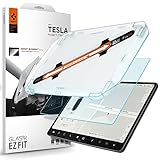
- 9H Hardness – Rated at the highest level on the pencil hardness scale, this glass resists scratches from everyday hazards such as key fobs, sunglasses, paw scratches from pets in the car, and the everyday contact of parking-lot bumps and daily driving without leaving a mark on your tesla 15-inch touchscreen.
- Anti-Glare Matte Finish – The micro-textured surface scatters incoming light in multiple directions, diffusing reflections before they reach your eyes. Navigation maps, rear camera feeds, and driving information stay readable across changing cabin lighting and direct sunlight without the sharp glare common to clear glass.
- Matte Anti-Fingerprint Finish – Matte texture minimizes the appearance of fingerprints on the 15-inch center touchscreen, helping to preserve screen clarity and touch responsiveness.
- EZ FIT Tray, Installation under 60 seconds – EZ FIT includes auto-alignment tray makes installation quick and easy, helping position the protector perfectly in under 60 seconds. A silicone adhesive layer helps prevent air bubbles during application for a clean, seamless fit
- Check the compatibility – Engineered for Tesla Model 3 (2017/2018/2019/2020/2021/2022/2023), Tesla Model Y (2020/2021/2022/2023/2024) 15 inch Dashboard only - NOT compatible with Tesla Model 3 (2024/2025/2026), Model Y (2025/2026)
“The ID. Tiguan puts everything on buttons”
Volkswagen has specified physical controls for basic climate, audio, windows and steering-wheel operation, but the 15-inch infotainment display still handles many functions. Do not infer that every setting has a dedicated switch or that every trim and market is identical.
“A bigger display is automatically easier”
The ID. Tiguan’s 15-inch center screen and Tesla’s central touchscreen dimensions do not establish faster operation, lower distraction or better ergonomics. Those outcomes require controlled, comparable testing that is not provided in the cited documentation.
“The announced layout is the final production specification”
The ID. Tiguan has not launched yet. Equipment can change by market, model year and trim, and Volkswagen’s UK page explicitly advises checking the specification of the vehicle being built or offered.
Which layout may fit your priorities?
| If your priority is… | Layout to investigate first | Why this is only a starting point |
|---|---|---|
| Dedicated tactile access to basic climate functions | ID. Tiguan | Volkswagen documents a physical climate button bar, but exact functions and trim availability remain to be confirmed. |
| A single software-centered interface | Model Y | The central touchscreen consolidates many functions, but menu locations can change with software. |
| Separate passenger media or route-planning space | ID. Tiguan with optional 12-inch passenger display | The screen is optional and its availability depends on market and configuration. |
| Physical backup inputs for drive direction and windows | Model Y or ID. Tiguan | Both documents identify physical controls in these areas, but the exact ID. Tiguan gear-selector arrangement is not fully specified. |
| A separate driver information display | ID. Tiguan | Volkswagen states a 10-inch Digital Cockpit; the cited Model Y manual does not state a separate cluster specification. |
Use these categories to plan a hands-on inspection rather than to declare a winner. Sit in the exact trim, set the seat and steering wheel, and perform the same tasks in the same order. If a vehicle is not yet available, treat photographs and announcements as provisional descriptions.
Verdict: different philosophies, no documented usability champion
The ID. Tiguan is the more visibly mixed system: separate driver and center displays, an optional passenger panel, a physical climate bar, a center-console audio controller, door-mounted window switches and physical steering-wheel buttons. The Model Y is touchscreen-led, but its manual confirms tactile scroll wheels, a turn stalk, a secondary drive selector, window switches, hazards and a manual door release.
For a buyer asking which has easier interior controls, the honest answer is that the sources establish different philosophies rather than a measured winner. Choose the ID. Tiguan if the documented presence of dedicated physical controls and a separate driver display matches how you prefer to work. Choose the Model Y only after checking the exact market, model year and software, and after deciding whether a single touchscreen interface suits your most frequent tasks. A final judgment should wait until the ID. Tiguan reaches production and both vehicles can be inspected under the same conditions.
Quick Recap
Product prices and availability are accurate as of the date/time indicated and are subject to change. Any price and availability information displayed on Amazon at the time of purchase will apply.




