Neither layout is automatically better. A third, passenger-facing display is useful when it gives the front passenger genuinely independent navigation, media, camera or co-pilot functions while keeping the driver’s information and controls focused. A well-designed two-display system can provide the essential split—driver information plus central infotainment—with fewer visual zones to manage. The useful comparison is therefore not “two versus three,” but what each screen does, who can use it, and what remains available while the car is moving.
What “dual-screen” and “triple-screen” mean in a car
Automakers do not use dual-screen and triple-screen as standardized technical categories. One vehicle may count a driver information display and a central touchscreen as two screens. Another may describe a single wide panel as several display zones. A “triple-screen” car usually means three separately assigned areas: a driver-facing instrument display, a central infotainment screen and a display in front of the passenger.
As an Amazon Associate I earn from qualifying purchases.
That distinction matters because screen count says little about the quality of the experience. A narrow driver display, a large center panel and a passenger screen have different jobs. Conversely, a wide panel can visually combine those same jobs without being three physically separate units. Compare the role and interaction of each area, not the number in the brochure.
Crashes, No Sound, or Screen Glitches?
Random freezes, missing sound and display glitches usually trace back to one bad driver. Find and replace yours safely.Free scan · under a minuteWindows Errors? Fix Them Before They Spread
Repair common Windows errors and clear accumulated junk for a smoother, more stable PC - no reinstall needed.Free scan · no reinstallWhat a two-display layout normally provides
A typical dual arrangement separates information needed by the driver from entertainment and vehicle controls. The driver display can show speed, warnings, trip data and navigation prompts. The center touchscreen handles media, phone projection, climate settings, navigation and vehicle settings. This separation keeps the most time-critical information in the driver’s line of sight while avoiding a single screen that has to do everything.
#1 Best Overall

- 【Immersive 10.1-Inch IPS Touchscreen】: Compatible with most single/double din dash openings. Enhance your driving with a vivid HD display. Multi-angle adjustment ensures comfortable viewing. Wired MirrorLink connects iOS/Android devices, turning your car into an entertainment hub.
- [Wired and Wireless CarPlay and Android Auto with Voice Control]: Car stereo system allow to choose between wired or wireless Car Play and Android Auto, and enjoy voice control through Apple Siri or Google Assistant for calls, in-dash navigation, and music. This safer, smarter way to navigate(From connected phones) enhances daily drive with convenience.
- [Audiophile Sound Quality with Built-in DSP]: Immerse in audiophile-grade sound with a built-in DSP system, precisely tuned for perfection. The 10-band EQ lets sculpt the sound to preferences, 4.2 Channel pre amplifier output with peak power 60W*4(240W), 2 subwoofers deliver deep bass output for a resonating multimedia player experience.
- [Independent Bluetooth 5.3 Module with Extra Antenna]: Ensure a robust and uninterrupted connection with the independent Bluetooth 5.3 module and an extra Antenna. Minimize interference, reduce electronic noise, and enjoy a stable connection for hands-free calling and wireless music streaming, even in challenging environments.
- [Safety Driving and SWC Features]: Live Navigation from Carplay or Android Auto, leading directions. Steering wheel control support lets manage essential functions without taking hands off the wheel, creating a comprehensive safety and convenience package for a safer and more enjoyable driving experience.
Chevrolet’s 2026 infotainment description illustrates this pattern with an 8-inch-diagonal driver information center and an 11-inch-diagonal center touchscreen. The system also lists wireless Apple CarPlay and Android Auto compatibility. It is a two-display design, but it still divides driver information from central infotainment without adding a dedicated passenger display.
What a three-display layout adds
A triple layout adds a screen intended for the front passenger. Its value depends on whether that screen is functionally independent. A passenger should be able to choose music, prepare navigation, view vehicle information or use another permitted function without taking over the driver’s central display.
The available 2025 Ram 1500 system is an example of a passenger screen with a specific role: its 10.25-inch display offers co-pilot functions, HDMI entertainment and exterior-camera viewing, and is described as visible only to the front passenger. Mercedes-Benz describes its MBUX Hyperscreen as three screens joined in a 56-inch curved instrument panel: one for the driver, one in the center and one for the front passenger. These examples show why the passenger screen’s capabilities and visibility rules matter more than the fact that the vehicle has three screens.
The Tool Desk
Outbyte Driver Updater FREEFix the driver behind crashes, sound loss and screen glitchesFind Drivers →Outbyte PC Repair FREEClear out junk files and repair common Windows errorsFree Scan →Which layout is more useful for common trips?
The answer changes with the people in the car, the type of trip and the rules applied to moving vehicles. Use the following comparison as a starting point, then verify the exact model and trim.
| Question | Dual-screen layout | Triple-screen layout |
|---|---|---|
| Where does driver information appear? | Usually in a driver-facing cluster or information display separate from the center touchscreen. | Usually in its own driver display, with a second center display and a passenger display. |
| Can a passenger manage media or navigation independently? | Often not completely; the passenger may need to use the central display or voice controls. | Potentially yes, if the passenger screen has independent controls and content. |
| How many visual areas must occupants understand? | Fewer areas, which can make the interface easier to learn when functions are clearly assigned. | More areas, but tasks can be divided between driver and passenger when the system is well isolated. |
| Can passenger entertainment be hidden from the driver? | Not usually through a separate passenger panel; restrictions depend on the vehicle’s software. | Some systems include a visibility restriction, but implementation varies by model. |
| Does the extra screen prove better safety or usability? | No. | No. Screen count alone establishes neither. |
| What must be confirmed before purchase? | Display sizes, controls, phone projection and trim availability. | All of those items, plus passenger-screen functions, visibility restrictions and moving-vehicle behavior. |
When a passenger display is genuinely useful
Long trips with an engaged front passenger
The clearest use case is a passenger who wants to curate music, set a destination, review the route or manage other permitted functions while the driver concentrates on the road. A separate display can prevent the passenger from repeatedly reaching across the center console or asking the driver to change settings.
Rank #2

- 【High Quality Car Stereo Player】- Our double din car stereo size with 7.01"(L)*3.94"(W)2.56"(H), please check the size of your car's radio before ordering. 7inch double din car stereo with 1024*600 Full HD touch screen gives you a fantastic experience. You can enjoy the stream music and the clear picture with your family. Hope you have a good time.
- 【Double Din Car Stereo Phone Mirror Link】- Support mirrorlink and navigation function for most the android cell phone and iPhone, you can connect your smartphone to car audio via a smartphone data cable, easily connect and sync any content (such as video, music, GPS Navigation etc) to the car player displayed on a large screen. Note: the stereo player is not a GPS unit, it gets GPS navigation function by connecting to the cellphone.
- 【7 inch Double Din Car Radio With Bluetooth 5.0 and FM 】- Bluetooth 5.0 and microphone allow you to answer callings, listen to music and media sounds from devices with Bluetooth function. Take Phone Call Hands Free - Free both your hands by dialing and listening to a call on radio by BT connection. It will ensure the safety of your way. High-quality FM radio stereo receiver, three kinds of channel search mode, listen to music, news and traffic information, anywhere and enjoy yourself.
- 【Car Stereo Double Din Inputs】- USB /SD/AUX input. car audio receivers support vast USB, TF Card(Up to 32G) storage equipment, you can download the songs and videos you like into the storage equipment to play. AUX audio input, support external aux(3.5mm plug) to input into the audio, such as navigation, MP3, MP5. Charging function, the USB interfaces are support of cellphones' charging, no worries about having no power. Support Remote Control.
- 【Standard Double Din Stereo with Backup Camera】- Parking has never been easier with this premium double din car stereo which supports front and rear camera, for a safer and time-efficient experience! Simply shift into reverse and the system powers on the camera automatically, for optimal visibility no matter the weather conditions! If you encounter any operation or other problems, please contact us (click "Contact Seller" on your order page)
Independence is not guaranteed by a passenger-sized panel. During a demonstration, check whether the passenger can actually perform the tasks you care about, or whether the screen merely mirrors the center display. Also check whether the passenger must confirm actions on the driver’s side.
Passenger-controlled entertainment
Some systems allow the front passenger to connect or view entertainment sources that are unavailable to the driver while moving. Ram lists HDMI entertainment among the functions of its available passenger display. Such a feature can be useful on a road trip, but only if the screen’s viewing angle prevents the driver from watching it and the system applies appropriate motion restrictions.
Cadillac describes a pillar-to-pillar 55-inch-diagonal display with a central Google built-in area and a front-seat media area for passenger entertainment. Cadillac says the media portion includes digital blinds intended to avoid driver distraction while the vehicle is moving. Treat that as a model-specific implementation, not a feature shared by every triple-screen or wide-screen vehicle.
Co-pilot and camera tasks
A passenger screen can be helpful when the passenger is acting as a navigator or co-pilot. The Ram example lists co-pilot functions and exterior-camera viewing. A passenger may be able to examine an image or prepare a route while the driver retains access to speed, warnings and essential controls.
Ask what happens when the passenger is not present. If the third display becomes a redundant panel, its value may be limited for solo commuting. Look for a layout that keeps the driver’s core functions complete without relying on the passenger screen.
Rank #3
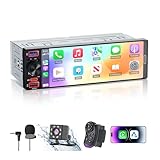
- [ Upgrade Incell Screen ] Experience exceptional clarity with our upgraded Incell Single din touchscreen radio. Unlike traditional Oncell screens, Incell technology offers faster touch response, sharper image quality, and significantly improved sunlight visibility. Enjoy a fully immersive CarPlay and Android Auto experience with a vibrant 1280*452 HD resolution, wide viewing angles, and ultra-smooth touch feedback
- [ Wireless & Wired Apple CarPlay & Android Auto ] This single din radio supports both wireless and wired CarPlay/Android Auto, allowing quick connection for your phone. Access GPS navigation, calls, messages, music, and apps directly on the screen, and use Siri or Google Assistant for hands-free control—making driving safer, smarter, and more convenient.
- [ Wired & Wireless Mirror Link ] This Car stereo supports both wired and wireless Mirror Link for iPhone and Android, allowing you to mirror your phone screen to watch YouTube videos, view Google Maps, or use apps like Spotify with full-screen clarity ( Does't support Netflix). Perfect for break-time entertainment and easy navigation—simple, clear, and more enjoyable on a larger display.
- [1080P HD Night Vision Rear Camera ] Reverse with confidence using our CarPlay-compatible car radio with a 1080P backup camera. The camera auto-activates when reversing and features Night Vision, IP56 waterproofing, and customizable parking guidelines—delivering clearer visibility and more accurate maneuvering in any driving condition.
- [Bluetooth 6.0-Stable & Fast Connection ] This car stereo with bluetooth built with Bluetooth 6.0 provides faster and more stable pairing for hands-free calls, wireless music streaming.
When a two-display system can be the better choice
Solo driving and short commutes
If you normally drive alone, a passenger display may add little practical value. A driver display plus a well-organized center touchscreen can cover navigation, calls, audio and vehicle information without requiring you to learn a third interface.
Free tools Windows power users keep installed
One-click scans. No signup required.
Preference for a simpler visual hierarchy
More display area can mean more places to look. A two-screen arrangement may be easier to understand when the driver display consistently handles driving information and the center display consistently handles infotainment. This is a judgment about interface organization, not proof that every two-screen system is easier or safer.
When essential controls remain physical or voice-operated
Screen count does not tell you whether common actions are quick. Examine how the vehicle handles volume, temperature, defrost, hazard lights, drive modes and camera views. Dedicated switches, a useful rotary controller or reliable voice commands can reduce the need to search through menus. A triple-screen vehicle with buried controls may be more demanding than a dual-screen vehicle with clearer access.
Safety: why screen count is the wrong shortcut
The National Highway Traffic Safety Administration defines distracted driving as “any activity that diverts attention from driving, including talking or texting on your phone, eating and drinking, talking to people in your vehicle, fiddling with the stereo, entertainment or navigation system — anything that takes your attention away from the task of safe driving.” That definition covers the task being performed, not the number of displays on the dashboard.
NHTSA reported 3,208 people killed in crashes involving distracted drivers in 2024 and 315,167 people injured in such crashes. Those figures cover distracted driving broadly; they are not counts attributed to infotainment screens, passenger displays or either layout.
Recommended Free Tools
Rank #4

- ⭐【Ultra-Slim 11” Wireless Apple CarPlay Screen – Market’s Largest Display】 Experience unmatched style with the IIWEY iK11 11-inch wireless CarPlay screen. Its ultra-slim profile and 1280×800 resolution set a new benchmark. ❗❗COMPACT CAR OWNERS: Due to the massive 11" size, dashboard mounting may block visibility in small vehicles. Please use the extended suction cup mount to adjust the position, or search ASIN: B0D9XGT534 for our iK7 model, tailored for smaller cars. ❗❗NOTE: Features an Auto Power System; it powers on/off automatically. No manual operation of the top switch is required.
- ⭐【Wireless Apple CarPlay & Android Auto – Add Smart Connectivity to Any Car】 Seamlessly integrate your smartphone with Apple CarPlay or Android Auto. The iK11 is ideal for anyone looking to add Apple CarPlay to any car, especially older vehicles without built-in infotainment. Enjoy safe, wireless access to apps, music, and messages—hands-free. ❗NOTE: We provide comprehensive instructional videos to easily guide you through all operations and setups.
- ⭐【Voice Control with Siri & Google Assistant – Smarter, Safer Driving】 This intelligent car stereo with Apple CarPlay supports full voice commands via Siri and Google Assistant. Manage navigation, calls, media, and more by voice—ensuring both safety and convenience on every drive.
- ⭐【1280x800 HD Touch Screen Car Stereo with Bluetooth & Wireless Mirroring】 Enjoy premium visuals on this touch screen car stereo, enhanced by Bluetooth support and wireless screen mirroring via AirPlay and Miracast. Whether you’re navigating or streaming, the iK11 delivers smooth performance and a truly modern interface.
- ⭐【4K Dashcam + 1080P Rear Camera – Portable CarPlay with Built-In 64GB Storage】 The iK11 comes equipped with a 4K front dashcam and 1080P rear camera, providing comprehensive road coverage in both directions. This portable CarPlay system includes a pre-installed 64GB high-speed memory card, ensuring you can record and store footage right out of the box. With Wi-Fi video transfer, reviewing or saving clips to your phone is effortless—ideal for safety, travel, and insurance needs.
NHTSA’s visual-manual guidance recommends designing driver tasks so that glances away from the road are no more than two seconds at a time and total glance time is no more than 12 seconds. When a task does not meet the guidance’s acceptance criteria, the guidance recommends that it be unavailable to the driver while driving. These are design and assessment guidelines, not a certification that a particular dashboard is safe.
What to check on a moving vehicle
- Whether video or other visually demanding passenger content is hidden from the driver’s viewing position.
- Which settings become unavailable once the vehicle is in motion.
- Whether navigation destinations and detailed route work can be prepared before departure or delegated to a passenger.
- Whether basic audio, climate and call controls can be reached without extended visual-manual interaction.
- Whether voice control works for the functions you actually use, rather than only for a narrow set of commands.
A passenger screen can reduce driver interaction only when the passenger truly performs the task. If the driver must look toward or reach across to the passenger display, the extra panel has not solved the distraction problem.
How to compare two actual vehicles at a dealership
Use the same procedure for both vehicles. Factory descriptions identify features, but they do not constitute a controlled head-to-head test of responsiveness, reliability, safety or consumer preference.
- Confirm the exact vehicle. Record model year, trim, powertrain and market. Display equipment can change between trims and model years, and an option shown on an automaker’s general page may not be included on the car in front of you.
- Identify every display and its job. Sit in the driver’s seat and note where speed, warnings, navigation prompts and camera images appear. Then sit in the passenger seat and list what that screen can do independently.
- Test the driver’s essential tasks. With the vehicle stationary, set a destination, change audio, adjust temperature, view a camera and return to the driving display. Count the steps and note whether you need to leave the driver’s line of sight for routine actions.
- Test passenger independence. Have a passenger select media, enter a destination and open any permitted camera or co-pilot view. Check whether those actions take over the center display or remain on the passenger side.
- Check motion restrictions. Ask the salesperson to demonstrate what changes when the vehicle is shifted into drive, and verify which passenger content is hidden from the driver’s position. Do not infer the behavior from screen size or from another model in the same brand.
- Evaluate controls without looking for long periods. Locate volume, climate, defrost, hazard lights and voice activation. A control that is easy to reach and identify is more useful than a feature that requires menu hunting.
- Repeat the test for a solo driver. Turn off or ignore the passenger screen and confirm that the driver still has all essential information and functions. This exposes systems that depend too heavily on the third panel.
- Save the equipment list. Keep the window sticker or build sheet showing screen sizes, passenger functions and packages. Use it to verify that the delivered vehicle matches the demonstration.
Model examples: what they demonstrate—and what they do not
| Example | Configuration described by the automaker | Useful lesson | Limit |
|---|---|---|---|
| Available 2025 Ram 1500 system | 10.25-inch passenger display with co-pilot functions, HDMI entertainment and exterior-camera viewing; described as visible only to the front passenger. | A third display can have a defined passenger workflow rather than simply duplicating the center screen. | This description applies to the specified system and does not establish performance or safety for other vehicles. |
| Mercedes-Benz MBUX Hyperscreen | Three screens joined in a 56-inch curved instrument panel: driver, central and front-passenger areas. | A wide integrated panel can still assign distinct zones to driver and passenger. | Physical screen count and visual integration do not reveal how quickly or safely tasks can be completed. |
| Chevrolet 2026 two-display example | 8-inch-diagonal driver information center plus 11-inch-diagonal center touchscreen, with wireless Apple CarPlay and Android Auto compatibility. | Driver information and central infotainment can be separated without a passenger display. | Equipment and behavior must be checked for the exact model and trim. |
| Cadillac pillar-to-pillar display | 55-inch-diagonal display with a central Google built-in area and front-seat media area; digital blinds are described for driver-distraction avoidance while moving. | A passenger media function can include a stated separation mechanism. | Do not generalize this implementation to every wide or triple-screen dashboard. |
Common pitfalls and how to avoid them
Assuming a third screen is always a passenger screen
Some vehicles count a small driver information panel, center display and another zone as three, while the additional zone may not offer independent passenger control. Ask for the exact functions, not the marketing description.
Confusing visibility with access
A display can be visible only from the passenger seat yet still require the driver to approve actions or provide the main navigation input. Test a complete task from start to finish.
Best Value

- 【9 Inch Large Display】The 9 inch CarPlay screen for car features a full HD touchscreen, providing clearer maps, calls, and music controls. The wide display improves visibility, making driving safer and more convenient while offering a smarter upgrade for any vehicle.
- 【Wireless CarPlay & Android Auto】This portable CarPlay screen supports wireless CarPlay and Android Auto, letting you easily access navigation, calls, messages, and music without cables. Enjoy hands-free control through your smartphone while staying focused on the road.
- 【GPS Navigation & Voice Control】The CarPlay screen offers built-in GPS navigation support and voice control compatibility. Quickly find routes, play music, and send messages with Siri or Google Assistant, ensuring smarter, safer driving without distractions.
- 【Mirror Link & Multiple Audio Options】The CarPlay screen supports phone mirror link plus 4 audio output modes: FM transmission, AUX, Bluetooth, and built-in speaker. This portable car play screen ensures flexible, high-quality sound in any car audio system.
- 【Easy Plug & Play Installation】The portable CarPlay screen connects via cigarette lighter and installs in seconds with a stable suction-cup base. No complicated wiring is required—just plug and play for a simple, reliable, and convenient car upgrade.
Ignoring motion-state restrictions
Entertainment that works while parked may be limited or blocked in drive. Verify the restriction in the vehicle, and do not assume that a system with a passenger screen permits video or detailed interaction while moving.
Choosing by diagonal measurement
A larger diagonal does not guarantee clearer information. Compare text size, driver sightline, menu depth, control placement and the amount of visual attention required. A 55-inch panel can contain several small or poorly separated zones.
Assuming a general model page describes every trim
Screen size, passenger functions and projection support can vary by model year, trim and market. Confirm the build sheet for the specific car you would buy; the examples above are automaker feature descriptions, not a universal equipment list.
A practical decision framework
| Your priority | More likely to suit you | What to verify |
|---|---|---|
| You usually drive alone and want a straightforward interface | A clearly organized dual-screen system | Driver display readability, center-screen controls and access to climate and audio functions. |
| A front passenger regularly handles navigation and media | A triple-screen system with genuinely independent passenger controls | Passenger task independence, driver-side visibility limits and what remains available in motion. |
| You carry passengers who want entertainment | A system with a dedicated passenger media function | Supported inputs, content restrictions and whether the driver can see the media from the normal seating position. |
| You care most about minimizing driver interaction | Either layout, provided common tasks are reachable through physical controls, voice or a passenger | Glance demands, menu steps and the behavior of the system while driving. |
| You are comparing cars across markets or trims | Whichever configuration is actually installed on the vehicle you are buying | Model year, trim, option package, display dimensions and software restrictions. |
Can you retrofit one layout into the other?
This comparison concerns factory-integrated systems. Adding a generic screen does not reproduce the software integration, driver-display functions, passenger-view restrictions or vehicle-camera access described for factory systems. A model-specific replacement or aftermarket head unit also requires compatibility information that depends on the vehicle, trim, wiring, sensors and existing software.
Without a specific vehicle and compatibility requirements, there is no responsible universal retrofit recommendation. If you are shopping for a car, compare factory equipment first and treat aftermarket hardware as a separate installation decision.
The bottom line for buyers
Choose a triple-screen layout when the front passenger will regularly use an independent display for navigation, media, co-pilot work or permitted camera views, and when the system clearly limits what the driver can see or do while moving. Choose a dual-screen layout when you value a simpler division between driver information and central infotainment, drive alone often, or find that the third panel adds little beyond duplication.
Before deciding, sit in the exact model and trim, perform the tasks you expect to use, and check the moving-vehicle restrictions. Two screens can be highly usable; three can be useful or distracting depending on assignment, controls and separation. The number itself is not the deciding specification.
Quick wins for a faster PC:
Fix the driver behind crashes, sound loss and screen glitchesFind Drivers →Repair Windows errors before they cause bigger problemsFix Now →Quick Recap
Product prices and availability are accurate as of the date/time indicated and are subject to change. Any price and availability information displayed on Amazon at the time of purchase will apply.




