Short answer: Tesla Powerwall 3 stores 13.5 kWh of nominal energy and can be configured for selectable AC output ratings of 5.8, 7.6, 10, or 11.5 kW. The battery is only one part of a working backup system: installation also requires a Backup Gateway 2, Backup Switch, or Gateway 3, plus mounting, wiring, permits, commissioning, and any panel or structural work. Tesla does not publish one nationwide installed price, so the reliable way to compare offers is a line-item quote that separates equipment, labor, fees, upgrades, taxes, and incentives.
This guide explains how to size a system, what the controller does, how installation proceeds, how to compare quotes, and which federal or local incentives may change your net cost.
As an Amazon Associate I earn from qualifying purchases.
What a Tesla Powerwall 3 system includes
A Powerwall 3 purchase should be evaluated as a complete electrical system rather than as a stand-alone battery. Tesla’s installation documentation says that a functioning system requires the battery and one of three backup-control options: Backup Gateway 2, Backup Switch, or Gateway 3. The controller isolates the home from the utility during an outage and manages the transition between grid power, solar generation, and stored energy.
What’s actually slowing this PC down?
Pick the symptom - the matching free tool is one click away.
Tesla states: “Installation should only be performed by a Tesla Certified Installer.” That requirement matters when you compare a Tesla-direct proposal with an independent contractor’s quote: the installer must be certified for the work, and the proposal should identify who is responsible for design, permits, utility coordination, commissioning, and warranty handling.
#1 Best Overall

- One Powers All. The unit of DELTA Pro Ultra whole house generator includes an inverter and a battery. One inverter supports 120V & 240V and has an exceptional 7200W output, allowing you to run almost any heavy household appliance, even a 3-ton central air conditioner. Triple the inverters for an incredible 21.6kW AC output, allowing you to live life to the fullest even during an outage. The electric generator achieves a total 7200W output even during charging.
- Strong Power Security. Scalable from one battery of 6144Wh, two days of essential power, all the way to 15, it multiplies the energy to a gigantic 90kWh. For a standard North American household, that's over 30 days of essential power secured.
- Customize Your Home Power. Use the EcoFlow app to priolritize specific circuits in your home, extending your backup even longer. For more than just blackouts, it intelligently analyses your home power usage to offset peak rates while utilizing solar to lower energy bills.
- Multi Ways to Charge. One battery of 6144Wh can be fully recharged in 2 hours. Faster than any other 6kWh solar generator. Users can choose among electric vehicle piles, solar, wall outlets or outdoor generators for charging.
- Uninterrupted Life. Online UPS with 0-ms transfer time, offering 24/7 protection for sensitive electrical devices against power disturbances or grid failure. All fans are off for the first half hour of outputting 2000W, giving you absolute silence for tranquility in everyday life.
Powerwall 3 versus an expansion
The main Powerwall 3 unit provides 13.5 kWh of nominal battery energy. Tesla’s 2025 technical specification documents up to three Powerwall 3 Expansion units, for a maximum of seven total units in the documented configuration. Each expansion adds another 13.5 kWh of nominal energy. Expansions are therefore a capacity decision; they do not remove the need for the backup controller, installation labor, permits, or any electrical upgrades required by the site.
Do not confuse kWh and kW
Capacity is measured in kilowatt-hours (kWh), while power is measured in kilowatts (kW). Kilowatt-hours describe how much energy can be stored. Kilowatts describe how much load the system can supply at a moment in time. A household can have enough stored energy for many hours but still trip the system if several high-demand appliances start at once.
| Powerwall 3 specification | Documented value | How to use it when buying |
|---|---|---|
| Nominal battery energy | 13.5 kWh | Use as the nameplate energy figure; ask the installer what usable-energy assumption is used for runtime calculations. |
| Selectable nominal AC output | 5.8, 7.6, 10, or 11.5 kW | Match the selected output to backed-up loads, motor starting requirements, and local electrical design. |
| Expansion path | Up to three Powerwall 3 Expansion units | Each expansion adds 13.5 kWh nominal energy; Tesla documents up to seven total units in the configuration. |
| Backup controller | Backup Gateway 2, Backup Switch, or Gateway 3 | Confirm which device is included and whether local code or utility rules limit the choice. |
The output rating is selectable rather than a single universal number. Your proposal should state which rating is being designed, why it was selected, and whether the rating changes the required wiring, breakers, disconnects, or service work.
How much energy do you need?
There is no universal number of Powerwalls for a house. The correct quantity depends on the circuits you want to keep running, their average energy use, their highest simultaneous demand, the outage duration you are planning for, and the reserve percentage configured by the installer or utility program.
Start with the circuits that matter
Ask for a written load calculation instead of sizing from monthly utility bills alone. A bill can show total energy over a billing period but not which appliances run together or how much starting current a pump, compressor, or other motor requires.
- List essential circuits such as refrigeration, lighting, communications equipment, heating controls, medical equipment, sump pumps, and selected outlets.
- Identify loads that may be excluded during an outage, such as electric vehicle charging, electric resistance heating, large water heaters, pool equipment, or workshop machinery.
- Mark every motor-driven load and ask whether its starting surge requires a higher output setting or additional battery capacity.
- Decide whether you want a critical-loads panel or whole-home backup design; the quote should show exactly which breakers are included.
Use energy and power as separate checks
For energy, the basic planning relationship is:
required nominal energy ≈ daily backed-up energy ÷ usable-energy fraction ÷ efficiency fraction
Rank #2

- Pure Sine Wave Output: Features up to 93% inversion efficiency with an energy-saving mode. Delivers stable frequency and voltage with low ripple for reliable performance.
- High Power Output: Supports 120V with Rating 3.3KW@continues, Max 4.5KW@300S/240V with Rating 5.5KW@continues, Max 7KW@300S.
- Comprehensive Protection Functions: Includes multiple safety mechanisms such as over-current protection, overload protection, temperature protection, and output short-circuit protection.
- LCD Display Screen: Real-time monitoring of system data and operating status, keeping you informed of the inverter’s performance at all times.
- Ultra-Low Standby Power Consumption: Minimizes energy loss when not in use, effectively preserving battery power for longer operation.
The 13.5 kWh figure is nominal. It is not a promise that every household can draw 13.5 kWh at its outlets, because the usable amount depends on the system’s operating limits, reserve setting, conversion losses, and the installer’s design assumptions. Require the proposal to state the usable-energy and round-trip-efficiency assumptions used in its runtime estimate.
Crashes, No Sound, or Screen Glitches?
Random freezes, missing sound and display glitches usually trace back to one bad driver. Find and replace yours safely.Free scan · under a minutePC Slower Than It Used to Be?
A free scan shows the junk files, broken settings and background clutter dragging Windows down - then fixes them in one click.Free scan · Windows 10 & 11For power, compare the selected 5.8, 7.6, 10, or 11.5 kW AC rating with the largest combination of loads that may operate simultaneously. A design that passes an average-energy calculation can still fail when a compressor starts while other loads are running.
What a runtime estimate should show
Insist on a scenario-based calculation rather than a single headline number. A useful worksheet lists the backed-up loads, each load’s estimated watts, expected hours of operation, starting demand where relevant, the reserve percentage, and the assumed efficiency. It should show separate results for normal overnight use, a high-demand evening, and an extended outage with nonessential circuits turned off.
Because weather, household behavior, and solar production vary, treat the result as a planning estimate. A Powerwall can run a home during an outage when the backed-up loads stay within the system’s power and energy limits, but no battery guarantees an unlimited whole-house runtime.
Choosing one unit, multiple units, or expansions
One Powerwall 3
One unit may suit a critical-loads design with moderate demand and a short expected outage. It can be appropriate when the goal is to keep refrigeration, lights, internet equipment, security, and selected outlets operating while larger loads remain off. The installer still has to verify motor starts and simultaneous demand against the selected AC output rating.
Quick wins for a faster PC:
Repair Windows errors before they cause bigger problemsFix Now →Fix the driver behind crashes, sound loss and screen glitchesFind Drivers →Clear out junk files and repair common Windows errorsFree Scan →Multiple Powerwall 3 units
Additional complete units increase stored energy and can provide a larger power envelope for a broader backed-up load set. They also increase equipment, mounting, wiring, labor, permitting, and commissioning costs. Ask whether the quote is adding complete Powerwall 3 units or using the documented Expansion path; those are not interchangeable line items.
Rank #3

- High-Capacity Home Energy Storage: This system pairs a 10kW hybrid inverter with a UL 1973-certified 48V 314Ah LiFePO4 battery, delivering 16.1kWh of usable energy for home backup, off-grid cabins, solar energy storage, and emergency power needs. Backed by a 10-year warranty, the PowerMega 48V 314Ah provides added confidence for reliable, long-term use
- Smart Battery Communication & WiFi Monitoring: The 48V 314Ah battery supports RS485, CAN, and RS232 communication for broad inverter compatibility. A built-in LCD screen shows real-time battery data, while built-in WiFi and Bluetooth connectivity enable convenient mobile app monitoring anytime
- Robust BMS with Built-In Breaker: The 48V battery is equipped with an Active Balancing Smart BMS, built-in circuit breaker, aerosol fire suppression module, and buzzer alarm for multi-layer safety protection. It safeguards against over-charge, over-discharge, over-current, short circuit, and extreme temperatures, ensuring secure and stable long-term operation
- Long Cycle Life & High Efficiency: The 48V 314Ahlithium battery delivers 9,000+ cycles at 80% DoD, providing over 10 years of reliable service. The 10kW hybrid inverter features up to 99.9% MPPT efficiency, maximizing solar energy harvest from high-wattage arrays
- Easy Setup & Flexible Output: The 10000w inverter supports split-phase 240V and single-phase 120V output for flexible installation. The battery includes reinforced casters for easier mobility. Package includes 1 × 10kW Hybrid Inverter + 1 × 48V 314Ah LiFePO4 Battery (battery shipped via truck freight). Two inverter versions are available and will be shipped randomly based on inventory. The two versions differ only in exterior appearance, with no differences in performance, specifications, functions, or compatibility
Powerwall 3 Expansion units
Tesla documents up to three Powerwall 3 Expansion units, with a maximum of seven total units in the documented configuration. Each adds 13.5 kWh nominal energy. Before approving an expansion design, confirm that the proposal identifies the compatible base system, the controller, the number of units after expansion, available wall or ground space, and the electrical work needed for the final configuration.
Installation: what happens and who is responsible
Installation is a site-specific electrical project. The equipment choice, service capacity, panel layout, local code, utility requirements, and mounting surface all affect the scope.
- Site assessment: The certified installer reviews the service entrance, main panel, subpanels, solar equipment, communications path, mounting location, clearances, and access for delivery.
- Load and outage design: You receive a circuit list and load calculation showing backed-up loads, the selected AC output rating, expected outage scenarios, reserve settings, and any motor-starting treatment.
- Controller selection: The proposal identifies Backup Gateway 2, Backup Switch, or Gateway 3 and explains why that device meets local code and utility requirements.
- Permits and utility coordination: The installer handles the permits and any required interconnection or shutdown approvals. The written scope should state which party pays application, inspection, and utility fees.
- Mounting and electrical work: The crew installs the battery and controller, runs conductors and communications wiring, adds disconnects and protection, and performs any panel upgrade, trenching, or structural reinforcement included in the contract.
- Commissioning: The system is configured, tested in grid-connected and backup modes, registered, and handed over with operating instructions and warranty contacts.
Do not assume that solar integration is automatic. Ask whether the quote is for an existing solar array, a new solar installation, or a battery-only retrofit, and identify the inverter and coupling method in writing.
Free tools Windows power users keep installed
One-click scans. No signup required.
Installation checklist
- Confirm the exact model: Powerwall 3, Powerwall 3 Expansion, Powerwall 2, or Powerwall+.
- Confirm the backup controller and its compatibility with the proposed electrical design.
- Request the backed-up circuit list and a load calculation, including motor-starting loads.
- Require stated assumptions for usable energy, round-trip efficiency, and reserve percentage.
- Get a written scope for permits, utility interconnection, panel work, disconnects, communications, mounting, commissioning, and warranty service.
- Obtain at least one quote from a Tesla Certified Installer and compare it with any Tesla-direct offer.
- Verify who will monitor the system, respond to faults, and handle warranty claims after commissioning.
Powerwall 3 installed cost: build the quote, not a national average
Tesla’s public ordering and incentive pages explain the product and programs but do not publish one nationwide installed total. A credible price is therefore a quote for your address, equipment count, electrical configuration, labor market, permitting jurisdiction, and tax situation.
Use this framework:
net cost = battery and expansion hardware + gateway or backup switch + installation labor and design + permitting and utility fees + electrical or structural upgrades + taxes − eligible rebates and tax credits
Ask every installer to separate equipment and labor. A low headline price can omit a gateway, panel work, trenching, permit fees, or post-installation service that appears later as a change order.
Rank #4

- Home Backup Power Station: Still worried about power outages? This kit includes two 51.2V 100Ah LiFePO4 batteryies and one 5000W MPPT inverter, providing 10240Wh capacity and 5000W output power. It can ensure the basic operation of household appliances during power outages.
- Passed UL1973 & UL1741 Tests: The battery and inverter have passed UL1973 & UL1741 testing by Intertek and obtained key North American safety certifications. They also meet California Energy Commission standards, with excellent performance in design, electrical safety, and thermal runaway management, ensuring enhanced safety.
- Closed-Loop Communication Battery: ECO-WORTHY 48V (51.2V) server rack battery features integrated CAN/RS485 interfaces and multiple communication protocols, enabling communication with leading integrated solar inverters for more intelligent system operation. Long-lasting Grade A LiFePO4 cells are used, with built-in Bluetooth and WiFi functionality, allowing easy monitoring of battery status via the ECO-WORTHY APP.
- 3-in-1 Inverter: 5000W Pure Sine Wave Inverter+100A MPPT Controller+Max 100A Battery Chager (AC:40A PV:100A Hybrid:100A). PV input voltage range: 120–500V DC, max rated output power: 5000W, max peak power: 10000W, rated output voltage: 120V. Recommended battery charging voltage: 57.6V, recommended charging current: 0.5C (50A).
- Ultra Expansion Capability: For higher power demand, up to 6 inverters can be connected in parallel to achieve up to 30kW AC output. A single inverter outputs 120V, and when two or more inverters are connected in parallel, it supports 120V / 208V / 240V output. Up to 32 batteries can be connected in parallel, expanding the total storage capacity to 163.84kWh.
| Quote line | Questions to ask |
|---|---|
| Battery hardware | How many Powerwall 3 units and how many Expansion units? Are model names and quantities explicit? |
| Backup controller | Is the proposal for Backup Gateway 2, Backup Switch, or Gateway 3? Is it included or priced separately? |
| Mounting | Is wall or ground mounting included? Are pads, brackets, weather protection, or structural reinforcement required? |
| Electrical work | Does the price include breakers, disconnects, conductors, communications wiring, panel changes, service upgrades, or trenching? |
| Solar integration | Is the system coupled to new or existing solar, and does the design require inverter changes or additional equipment? |
| Permits and utility fees | Which applications, inspections, interconnection fees, and resubmissions are included? |
| Labor and design | Does the labor price include engineering, load calculations, installation, testing, and commissioning? |
| Taxes and service | Are taxes, monitoring, maintenance, travel, and post-installation support itemized? |
| Incentives | Is a rebate shown as an immediate discount, or must the homeowner claim it later? Which party verifies eligibility? |
Why two apparently similar quotes can differ
One proposal may back up a small critical-loads panel, while another may reconfigure the main service for broader backup. One site may need a short surface-mounted cable run; another may require trenching or a panel upgrade. Solar equipment, roof or wall access, local inspection requirements, and utility interconnection can change labor and schedule. Compare the scope and assumptions before comparing totals.
Federal, state, utility, and local incentives
Tesla says Powerwall is designed to qualify for the federal Investment Tax Credit when it is installed on a new or existing solar system and charged 100% with solar energy. The statement describes the intended qualification conditions; your eligibility depends on the tax rules in force, your installation, and your documentation. Confirm the current rules with a qualified tax professional rather than treating the credit as an automatic discount.
State, utility, and local programs can have different equipment, ownership, income, location, solar-coupling, and commissioning requirements. Some incentives are claimed after purchase, while others may be reflected as a price reduction by the installer or utility. Check the program for the installation address and the exact commissioning date.
Next Million Powerwall Rebate
Tesla’s 2026 rebate terms describe a $500 rebate per Powerwall 3 or Powerwall 3 Expansion, with a maximum of $1,000 total, for qualifying orders placed from November 1, 2025, through June 30, 2026. The terms require installation, connection, and registration during 2026. Verify the current terms, eligible order, installation deadline, registration process, and payment method before relying on the rebate; an order date alone does not establish eligibility.
How to document an incentive
- Save the signed contract, itemized invoice, model and serial numbers, permit, inspection approval, utility permission to operate, and commissioning date.
- Record whether the battery is paired with new or existing solar and how charging is configured.
- Ask the installer or program administrator whether the incentive is assigned to the homeowner, contractor, or utility account.
- Do not subtract a rebate or tax credit from your budget until the eligibility conditions and timing are confirmed.
Comparing Powerwall 3 with another home battery
A meaningful comparison uses the same site assumptions for every product. Compare the following fields in a single worksheet:
Do these 3 things before closing this tab:
1Repair Windows errors before they cause bigger problems2Scan for outdated or missing drivers - takes under a minute3Clear out junk files and repair common Windows errors| Comparison axis | What to record | Why it matters |
|---|---|---|
| Usable energy | Usable kWh, reserve setting, and stated degradation or operating limits | Determines how long selected loads can run. |
| Continuous and peak power | Continuous output, surge capability, and motor-starting treatment | Determines whether pumps, compressors, and simultaneous loads can start. |
| Inverter and solar coupling | Integrated inverter, AC- or DC-coupled arrangement, and solar compatibility | Changes retrofit complexity and conversion losses. |
| Backup controller | Required gateway, switch, or transfer equipment | Affects isolation, code compliance, and installed cost. |
| Expansion path | Permitted unit count, expansion hardware, and space requirements | Shows whether the system can grow with the household. |
| Warranty terms | Coverage period, energy-retention terms, labor responsibility, and claim process | Clarifies long-term risk and service obligations. |
| Installer network | Certification requirements, local availability, and response coverage | Affects scheduling, commissioning, and support. |
| Outage controls | Island detection, reserve controls, load management, and restart behavior | Determines how the system behaves during an outage. |
| Software and demand response | Monitoring, alerts, time-of-use controls, and utility programs | Can change operating cost and convenience. |
| Net installed cost | Comparable quote after eligible incentives | Prevents a low equipment price from hiding higher installation costs. |
Common buying mistakes and how to avoid them
Using 13.5 kWh as guaranteed runtime
The nameplate is nominal energy, not a universal runtime promise. Correct the mistake by requiring usable-energy, efficiency, reserve, and load assumptions in writing.
Best Value
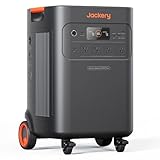
- Handles Even the Big Appliances: Run major home appliances with 7200W of rated power (14,400W surge). Supports both 120V and 240V for powerful more devices, even a 5-ton AC for comfortable indoor temperatures or a water heater for a hot shower.
- Backup That Lasts for 13 Days: A 5040Wh capacity, expandable up to 60kWh — enough to keep your home running through an extended outage, not just overnight.
- More Power From the Sun: Compatible with both high-and low-voltage solar panels, recharge in about 2 hours with up to 4000W input, staying powered in home or RV.
- Protect your essential circuits smartly: Pair with the Jackery 60A Smart Transfer Switch to power up to 12 circuits at 120V or 6 circuits at 240V.
- LiFePO₄ battery cells and ChargeShield 2.0 technology deliver long-cycle durability rated for up to 11 years of daily use. Dependable power you can count on for the long haul.
Buying for energy but not power
A large energy budget does not solve a motor-starting or simultaneous-load problem. Correct it with a load calculation and a stated AC output selection.
Assuming the battery includes the controller
A working system requires Backup Gateway 2, Backup Switch, or Gateway 3. Make the controller a separate, visible quote line.
Comparing equipment-only prices
Equipment prices omit site work that can dominate the total. Compare permits, panel changes, mounting, trenching, wiring, commissioning, taxes, and service on the same worksheet.
Recommended Free Tools
Counting an incentive before confirming eligibility
Programs vary by location, date, solar configuration, and paperwork. Verify the exact commissioning and registration conditions before reducing your available budget.
Leaving the backed-up circuits undefined
“Whole-home backup” can mean different electrical designs. Require a breaker-by-breaker schedule and a written description of what happens to nonessential loads during an outage.
A practical decision sequence
- Write down the circuits that must remain available during an outage and the loads that can be deferred.
- Have a Tesla Certified Installer perform a site assessment and load calculation.
- Choose the output rating based on simultaneous demand and motor starts, not only daily kWh.
- Decide whether one unit, multiple complete units, or documented Expansion units meet the energy and space requirements.
- Obtain itemized quotes that name the battery model, controller, mounting, wiring, permits, upgrades, solar work, taxes, and service.
- Check federal, state, utility, and local incentives for the address and commissioning date; retain all eligibility documents.
- Compare proposals by net installed cost and scope, then confirm the commissioning, registration, monitoring, and warranty handoff in the contract.
What to put in the contract
The contract should identify the exact equipment and the performance assumptions used to design it. Include the number of Powerwall 3 units and Expansion units, selected AC output rating, controller model, backed-up circuits, reserve percentage, usable-energy and efficiency assumptions, mounting method, communications path, and solar integration method.
It should also allocate responsibility for engineering, permits, utility applications, inspections, panel or service upgrades, trenching, weatherproofing, commissioning, registration, monitoring setup, change orders, and warranty claims. Require written approval for any scope change that affects price, schedule, backed-up loads, or incentive eligibility.
The Tool Desk
Outbyte PC Repair FREERepair Windows errors before they cause bigger problemsFix Now →Outbyte Driver Updater FREEScan for outdated or missing drivers - takes under a minuteDriver Scan →Final buying perspective
Powerwall 3 is best evaluated as a designed backup system: 13.5 kWh nominal energy per unit, a selectable 5.8–11.5 kW AC output range, and an expansion path documented to three Expansion units and seven total units. The right quantity follows from your loads, not from a rule of thumb. The right budget follows from an itemized site quote, not an online national average. A Tesla Certified Installer, a documented controller, a written circuit and load plan, and verified incentive conditions are the safeguards that turn a product order into a workable outage system.
Quick Recap
Product prices and availability are accurate as of the date/time indicated and are subject to change. Any price and availability information displayed on Amazon at the time of purchase will apply.




