Quick wins for a faster PC:
Scan for outdated or missing drivers - takes under a minuteDriver Scan →Clear out junk files and repair common Windows errorsFree Scan →Fix the driver behind crashes, sound loss and screen glitchesFind Drivers →Yes—but not every Tesla Model 3 or Model Y can power a home, and the feature requires compatible home-energy equipment. Tesla says all new Model 3 and Model Y vehicles ordered in the United States or Puerto Rico after October 1, 2026 are Powershare-capable; some earlier vehicles qualify too. The quickest way to check a specific car is to look for the Powershare Support toggle under Software > Additional Vehicle Information on its touchscreen.
Can my Model 3 or Model Y power my house?
It can if the vehicle supports Powershare and the home has the required compatible setup. Tesla’s documented Model 3 and Model Y home-backup configuration uses a Powerwall and a Universal Wall Connector or Wall Connector 3. Tesla’s technical configuration note specifies Powerwall 3 with a Universal or Gen 3 Wall Connector for the currently available Model 3 and Model Y vehicle-to-home (V2H) setup.
This is more than plugging a car into an ordinary home outlet: the Powerwall-based configuration is the documented route for supplying backup power to the home. Tesla describes Powershare as bidirectional power transfer, allowing compatible vehicles to supply electricity when they are not being used for transportation.
Does my Tesla have Powershare?
Tesla says all new Model 3 and Model Y vehicles ordered in the United States and Puerto Rico after October 1, 2026 are capable of Powershare. Some vehicles built earlier also qualify, so the date is a useful first screen, not a complete test. Tesla’s Powershare Support page and current Powershare product information describe eligibility and the vehicle check.
PC Slower Than It Used to Be?
A free scan shows the junk files, broken settings and background clutter dragging Windows down - then fixes them in one click.Free scan · Windows 10 & 11Outdated Drivers Are Slowing You Down
One free scan finds every outdated or missing driver and matches the right update for your exact hardware.Free scan · exact hardware match#1 Best Overall
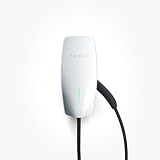
- COMPATIBILITY: Wall Connector is compatible with all Tesla models: Model S, Model 3, Model X and Model Y.
- CHARGING SPEED: Up to 44 miles of range per hour of charge, with up to 11.5 kW / 48 amp output, depending on Tesla model and breaker size.
- CONVENIENCE: Indoor or outdoor installation with variable amperage that allows max output to be customized to an existing power supply and supports any output up to 48A. Possible max output configurations include: 48A, 40A, 32A, 24A, 16A, 12A.
- CONNECTIVITY: Connecting the Wall Connector to a local Wi-Fi network enables over-the-air firmware updates for continual product improvements and remote access control.
- POWER-SHARE: Power-share is ideal for locations that need to charge more than one Tesla at the same time. This functionality allows up to six Wall Connectors to be linked for efficient power management.
- On the vehicle touchscreen, open Software.
- Choose Additional Vehicle Information.
- Check whether the Powershare Support toggle appears.
Use the toggle to confirm the individual vehicle rather than assuming eligibility from model year, trim, or order timing. Tesla’s current documentation attributes Model 3 and Model Y bidirectional inverter functionality to PCS2 Lite, certified pursuant to UL1741.
Tesla’s reviewed materials do not establish a retrofit program for vehicles that do not qualify. Some older vehicles are supported, but an owner should verify the vehicle itself rather than count on a software update or hardware retrofit.
Rank #2

- WORKS WITH EVERY TESLA + OTHER EVs: Built-in Tesla-style plug (NACS standard) connects directly to Tesla Model S, 3, X and Y - and any EV with a NACS port - no adapter needed. The plug even has a button to pop open your Tesla’s charge port. Non-Tesla J1772 vehicles can charge with a NACS-to-J1772 adapter (not included). The extra-long 25 ft cable easily reaches across a garage or driveway.
- HARDWIRED - PROFESSIONAL INSTALL: This Level 2 charger is hardwired (not plug-in), so a licensed electrician installs it per National Electrical Code. It delivers up to 48A on a dedicated 60A, 240V circuit - enough to charge most EVs fully overnight. Want more speed? Your can set DIP switches 4 and 5 to unlock 50A on a dedicated 70A circuit. Before ordering, check your car’s port type and that your electrical panel can support the circuit.
- CONTROL FROM YOUR PHONE: A stronger built-in antenna keeps the charger online even in a garage or basement. Use the free app to start and stop charging, set the charging speed (6-48A), get reminders, and track how much energy and money each charge uses. Requires a 2.4 GHz home WiFi network.
- SAFETY-CERTIFIED & WEATHERPROOF: Independently tested and certified (UL, ETL, FCC, Energy Star). A fully sealed IP66 / NEMA 4 housing stands up to rain, snow, heat and dust indoors or out, and internal steel shielding protects the electronics for years of reliable use.
- GLOW-IN-THE-DARK HOLSTER: The included high-visibility holster glows in the dark so you can find and dock the plug easily at night. Holds the connector securely when not in use.
What do I need to use Tesla Powershare at home?
For the Model 3 and Model Y home-backup setup, Tesla lists a compatible vehicle, Powerwall, and either a Universal Wall Connector or Wall Connector 3. The precise documented V2H configuration is Powerwall 3 with a Universal or Gen 3 Wall Connector. Tesla’s Powerwall system-configuration note says Powerwall 2 and Powerwall+ can be installed now, but their Powershare feature is “coming soon”; do not treat them as currently enabled for this arrangement.
- The Powerwall and Wall Connector must be on the same Wi-Fi network.
- They must be registered to the same site and paired.
- Installation needs to be assessed for the home’s particular electrical and equipment configuration.
Tesla says installation costs vary and directs customers to trained Certified Installers. Ask an installer to confirm that the vehicle, Powerwall, Wall Connector, and site configuration work together before purchasing equipment. Tesla’s Powershare page provides information about Certified Installers.
What’s actually slowing this PC down?
Pick the symptom - the matching free tool is one click away.
Rank #3

- UP TO 9X FASTER CHARGING SPEED: The IYILO electric vehicle charging station delivers up to 46 miles of range per hour at 48A (11.5kW) via hardwired installation (60A breaker & licensed electrician required). Current is adjustable in 1A increments from 6A to 48A. Charges up to 9 times faster than a standard Level 1 charger
- AUTOMATIC CONNECTOR OVERHEAT PROTECTION: Worried about overheating during daily charging? The IYILO Level 2 EV Charger features an advanced NTC temperature sensor built directly into the NACS (Tesla-style) connector, enabling real-time temperature monitoring with live data displayed in the app. If the connector temperature exceeds 221°F (105°C), the system will automatically reduce charging power or completely shut off charging to prevent damage to your EV and ensure safe home charging.
- UTILITY CHARGING PROGRAM SUPPORT: IYILO is currently joining local utility EV charging programs and has been listed on several official portals, including but not limited to ComEd, PSEG (NJ), PSEG-LI, Seattle City Light, Salt River Project, Portland General Electric, Oregon DOT, and Georgia Power ect. Through these programs, you can take advantage of local policy support and incentives. Moving forward, we will continue expanding our partnerships with major utilities and public agencies.
- INTELLIGENT APP & SMART CHARGING CONTROL: The IYILO App features a smart, intuitive interface to set Time-of-Use (TOU) rates, track energy usage and cost, and manage multiple user accounts. It supports multiple charging modes, such as Scheduled charging and RFID card, while also offering OTA remote upgrades, ensuring optimal performance and longer lifespan. Note: Supports 2.4GHz WiFi only; 5GHz not supported
- COMPATIBLE WITH ALL NACS (J3400) EVS & PHEVS: The IYILO Level 2 EV Charger is designed with a native NACS connector and a 25ft heavy-duty charging cable, delivering seamless compatibility with all NACS-equipped electric vehicles and plug-in hybrid vehicles across North America. Engineered for Tesla-style charging standards, it ensures reliable daily home charging performance. Note: For J1772-equipped EVs, a compatible J1772 adapter is required (adapter not included)
Home backup is different from powering an appliance
Tesla also describes Powershare functionality with a Gen 3 Mobile Connector paired with a Tesla Outlet Adapter; Gen 2 Mobile Connector does not support that outlet functionality. That is a separate vehicle-to-load use case, not a replacement for the Powerwall-backed home transfer and backup setup described above.
How long can a Model 3 or Model Y power a home?
Tesla estimates backup duration using an average U.S. household energy use of 30 kWh per day and a vehicle starting at 90% charge. On those assumptions, Tesla estimates up to two days for Standard trims and over two days for Premium and Performance trims. These are Tesla estimates, not guaranteed runtimes or independently validated results; actual duration depends on the home’s electricity demand and other conditions.
Rank #4

- FAST LEVEL 2 CHARGING UP TO 38 MILES PER HOUR – Delivers up to 40 amps at 240V (9.6 kW) for up to 38 miles of range per hour. Charge overnight and wake up to a full battery in your Tesla or NACS EV
- COMPATIBLE WITH ALL TESLA & NACS EVs – SAE J3400 NACS connector works seamlessly with Tesla Model S/3/X/Y and Cybertruck plus next-gen EVs with native NACS ports including Chevrolet Bolt (2027), Hyundai Ioniq 5 (2025), Kia EV6 (2025), Lexus RZ (2026), Rivian R2 (2026), Toyota bZ4X (2026), Toyota C-HR (2026)
- PLUG INTO NEMA 14-50 FOR 40A POWER – Designed for a standard 240V NEMA 14-50 outlet. No hardwiring or electrician required. Perfect for fast, reliable daily home charging
- IP66 WEATHERPROOF WITH EXTRA-LONG 23FT CABLE – Built for indoor and outdoor use in rain, snow, heat and dust. Long cable and included charger holster make mounting and cable management easy
- UL 2594, UL 2231, UL 2251 & UL 817 SAFETY CERTIFIED (ETL LISTED) – Independently tested for automotive-grade charging safety covering shock protection, cable integrity and system reliability. Built-in protection against overheating, overcurrent, voltage faults and ground faults. Energy Star and FCC certified
| Model trim | Tesla’s estimated duration | Estimate assumptions |
|---|---|---|
| Model 3 Standard or Model Y Standard | Up to two days | Average U.S. household use of 30 kWh per day; vehicle at 90% charge at the start |
| Model 3 Premium or Performance; Model Y Premium or Performance | Over two days | Average U.S. household use of 30 kWh per day; vehicle at 90% charge at the start |
The figures are Tesla’s estimates; household consumption, starting charge, and the home’s energy setup affect what a particular owner can expect. See Tesla’s support page for the stated estimates.
Independent reader supportYour contribution helps us test, update, and keep practical guides available for everyone.What software and regional limits should owners check?
For Powershare Home Backup with Powerwall, the Model Y Owner’s Manual lists vehicle firmware 2026.32.6 or later and Tesla app version 4.60.0 or higher as prerequisites. The manual says the feature is unavailable in Mexico. Availability in other regions should be confirmed with Tesla’s current supported-region information.
Quick Recap
Best Value

- ❤ [Equipped with Nema 14-50 plug, Compatible with 110-120V Nema 5-15p to 14-50r EV Adapter(Not packaged) or the other EV Adapter Cable]: Suggest install the 240V Nema 14-50 plug-in socket. [Kindly Note When Using the 5-15P Adapter]: 1. The RV Adapter cable doesn't work for EV chargers, please order the correct EV adapter cable. 2. It will become slow level 1 ev charging and some cars may drop to 12A, the max charging rate is 1.32-1.8kW(110V*12A-120V*15A).
- ❤ [Features a North American Charging Standard (NACS) Connector for All Tesla EVs/Nacs Connector EVs/PHEVs. For j1772 EVs, This will Require an Tesla to j1772 Adapter]: Compatible with Tesla Models S/X/3/Y & Fits for Nac connector-Kia EV6 2025/EV9, Ariya 2025&2025 loniq 5, not work for j1772 connector cars. [6X Faster Charging with ETL, FCC Listed, Meets the Safety Criteria Defined by: UL2231-1/-2, UL 991, UL 2231, UL 2251, UL1998 and UL 2594]: Say goodbye to slow level 1 ev charger, enjoy safe charging and 6X faster charging.
- ❤ [Up to 7.68kWh High Speed Charging, Adjustable Amperage from 16A to 32A & Requires a 20A to 40A circuit]: Maximum current output of 32 Amps for 40A circuit breaker, 24 Amps for 30A circuit breaker, or 16 Amps for 20A circuit breaker (Please pull out the charging gun, long press "A" button to change the current). You can also adjust the current/amperage by APP before the charging.
- ❤ [2 Operating Modes: Plug-charge(The Default Setting) or APP Start Mode & Smart Touch Screen]: The LED Screen Clearly show the Amperage, charging speed, input voltage, delay time, etc. For the touch buttons: 1. Pull out the charging gun before press the button, otherwise no respond; 2. Long press "Ⓐ" or "Time" button to adjust the amperage from 16A to 32A freely or Set the charging start time; 3. You can do "factory reset" if doesn't charging.
- ❤ [Smart WIFI APP, You can Set the Charging Period]: Check the charging cost, history, fully-charged notification, track the charging status, during off-peak period, etc. ❤ [Wi-Fi Reset/Factory Reset Function, Add New Device Quickly]: If you can't find your device or you have replaced a new phone, just pull out the charging gun, simultaneously long press the Ⓐ button and time adjustment button on the product screen until it shows "Factory Reset", then re-start your device. (Kind note: Switch the router from dual brand (2.4 GHz & 5 GHz) to only 2.4 GHz for the first connection.)
Product prices and availability are accurate as of the date/time indicated and are subject to change. Any price and availability information displayed on Amazon at the time of purchase will apply.




