Short answer: None of these systems makes a consumer car autonomous. Tesla’s Full Self-Driving (Supervised) describes the broadest range of attempted maneuvers and road types, including city and residential streets, while Ford BlueCruise and Chevrolet Super Cruise are primarily hands-free highway systems on compatible roads. In every case, the driver remains responsible, must monitor the road, and must be ready to take over immediately.
The useful comparison is not the marketing name. Check each system’s operating domain, attention monitoring, warnings, fallback behavior, maneuver support, and exact vehicle and software eligibility. The information below is primarily for the United States; availability and behavior can differ by country, model year, trim, hardware, options, and software version.
As an Amazon Associate I earn from qualifying purchases.
What “hands-free” means in a driver-assistance system
“Hands-free” describes what your hands may do in a limited operating mode. It does not mean the car can drive without supervision, and it does not mean you may look away from the road.
The National Highway Traffic Safety Administration (NHTSA) describes Level 2 automation as continuous assistance with steering and acceleration or braking while the human driver remains fully engaged and attentive. That definition covers the type of assistance discussed here. The vehicle can help control speed and lane position, but the driver is still the fallback operator.
#1 Best Overall
Hands-free systems generally use cameras, radar or other sensors, digital maps, and software to keep a vehicle centered and at a selected speed. They can lose capability when lane markings are poor, weather obscures sensors, road construction changes the normal path, or the vehicle reaches a road outside its approved operating area. A warning may arrive with only seconds to respond.
“Eyes-off” and “driver-free” are different claims. None of the systems in this comparison authorizes the driver to sleep, use a phone, read, or leave the driving task to the car.
At-a-glance comparison
| System | Where the manufacturer describes it operating | What it attempts or adds | Driver-attention requirement | Important qualification |
|---|---|---|---|---|
| Tesla Autopilot | Exact roads and functions depend on the vehicle, market, hardware, and software. | Driver assistance rather than autonomy; consult the vehicle manual for the enabled functions. | Driver must pay attention and be ready to act immediately. | Do not infer capability from the “Autopilot” name or from another Tesla model. |
| Tesla Full Self-Driving (Supervised) | Tesla describes use on multiple road types, including city and residential streets, as well as highways. | Attempts curves, intersections, turns, roundabouts, highway entrances and exits, and other route-following maneuvers. | Continuous supervision is required; intervention can be needed at any time. | Tesla explicitly says the feature does not make the vehicle fully autonomous. Narrow roads, construction, and complex intersections can require intervention. |
| Ford BlueCruise | Hands-free highway assistance on compatible roads, with eligibility tied to model year and configuration. | Adds hands-free operation to Adaptive Cruise Control within its approved highway domain. | Driver must remain attentive and able to resume control. | Check the vehicle-specific Ford eligibility and feature information; do not generalize across the lineup. |
| Chevrolet Super Cruise | Hands-free assistance on compatible roads. | Controls supported steering and speed functions in its operating domain; a camera monitors head and eye movement. | Driver must watch the road and be ready to take control. | It cannot steer around objects and is not a crash-avoidance system. Selected 2026 and 2027 vehicles may offer Hands-On Steering Assist when compatible roads are unavailable; verify eligibility. |
Tesla: Autopilot and Full Self-Driving (Supervised)
Autopilot is assistance, not a self-driving mode
Tesla describes its driving features as assistance systems, not full autonomy. The exact functions available on a particular car depend on its market, manufacture date, configuration, options, hardware, and installed software. A feature list from one Model 3, Model S, Model X, or Model Y should not be treated as a promise for another vehicle.
Free tools Windows power users keep installed
One-click scans. No signup required.
When comparing Tesla with a hands-free highway system, treat Autopilot as the more conventional assistance reference point. The driver remains responsible for monitoring traffic, lane position, and the road ahead, and for taking over whenever the system requests or the situation demands it.
What FSD (Supervised) attempts
Tesla’s Model 3 owner manual says FSD (Supervised) attempts to navigate curves, intersections, turns, roundabouts, and highway entrances and exits. Tesla also describes operation on different road types, including city and residential streets, rather than limiting the description to a defined set of highways.
That wider claimed domain does not guarantee reliable completion of every maneuver. Tesla warns that intervention may be needed on narrow roads, through construction zones, and at complex intersections. The driver must continue watching the environment and be prepared to act immediately.
Rank #2

- [Advanced ADAS Technology] WOLFBOX G850 PRO mirror dashcam enhances safety with Advanced Driver Assistance System alerts, including forward collision, pedestrian collision, lane departure, lead vehicle start, and distance monitoring. This rearview mirror camera allows you to auto monitor your surroundings, ensuring you drive confidently and securely
- [Enhanced BSD Algorithm] Monitor blind spots effectively with this digital rear view mirror. Detect dangers during lane changes by your car and following car, plus rear collision alerts. WOLFBOX mirror dash cam front and rear delivers thorough protection
- [4K Dual Channel Recording] Record in ultra-high definition with front 2160P(2560*1440)@30fps and rear 1080P@25fps cameras. The WOLFBOX dash cam mirror features a full IPS touch screen for easy operation, and both channels utilize WDR/HDR and wide angle lens to capture super clear details when driving through shadows, direct sunlight, or nighttime conditions
- [5.8GHz WiFi Connectivity] This rear view mirror dash cam features upgraded 5.8GHz WiFi for a seamless connection. Connect to the WOLFBOX App effortlessly, allowing you to download and share videos instantly. Streamline your video management and enjoy effortless access to your footage with this advanced functionality
- [Voice Control Functionality] Operate your WOLFBOX dash camera for cars with simple voice commands. Keep your attention on driving while seamlessly interacting with your backup camera mirror. 12 voice commands available, including turn on WiFi, take picture, and lock the video, among others
Why Tesla’s wider scope is not a higher automation level
FSD (Supervised) may attempt more types of road and maneuver than a highway-only system, but the driver’s legal and practical responsibility does not disappear. A broader list of attempted tasks is a capability description, not an independent reliability score. It also does not establish that the system is safer or better in every environment.
Crashes, No Sound, or Screen Glitches?
Random freezes, missing sound and display glitches usually trace back to one bad driver. Find and replace yours safely.Free scan · under a minuteWindows Errors? Fix Them Before They Spread
Repair common Windows errors and clear accumulated junk for a smoother, more stable PC - no reinstall needed.Free scan · no reinstallFord BlueCruise: hands-free highway assistance
Its operating idea
Ford markets BlueCruise as hands-free highway driver assistance. It adds hands-free driving to Adaptive Cruise Control when the vehicle is on a compatible road and the system is available. The hands-free label applies only inside that operating domain; it is not a claim of unrestricted road use or full self-driving.
Eligibility is vehicle-specific
BlueCruise features and eligible vehicles vary by model year and configuration. Equipment, software, and the specific vehicle’s enabled service determine whether the function can be used. Before buying a used vehicle or relying on a feature list, check the current Ford information for that exact model year, trim, and equipment.
What the driver still does
The driver remains responsible for attention and for taking control when traffic, road conditions, a system alert, or a change in the approved operating area requires it. Do not use hands-free operation as permission to handle a phone, look at a screen, or perform another task that diverts your eyes from the road.
Chevrolet Super Cruise: compatible-road hands-free driving
Road coverage and attention monitoring
Chevrolet describes Super Cruise as available hands-free driver assistance for compatible roads. Its driver-attention system uses a camera to monitor head and eye movement. That is an attention safeguard, not an eyes-off authorization: the driver still has to watch the road and remain prepared to take over.
Quick wins for a faster PC:
Repair Windows errors before they cause bigger problemsFix Now →Scan for outdated or missing drivers - takes under a minuteDriver Scan →Known limits
Chevrolet states that Super Cruise cannot steer around objects and is not a crash-avoidance system. A stopped vehicle, debris, disabled car, unusual work-zone layout, or another obstacle can therefore require the driver to intervene. The system’s ability to maintain a lane or speed should not be confused with the ability to identify and safely evade every hazard.
Rank #3
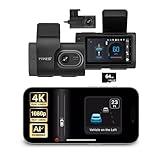
- [Full Coverage, Front and Rear] The TYPE S T400 PLUS dash cam for cars features a front-facing 4K camera and an optional 1080p rear camera. This dual dash cam setup empowers you to capture both the front and rear perspectives of your vehicle while driving, significantly enhancing safety. With this comprehensive coverage, you have access to crucial evidence in the unfortunate event of accidents.
- [Minimize the Blind Spots] The TYPE S AI dash cam incorporates a crucial Blind Spot Warning feature to improve road safety. This system actively monitors the vehicle's blind spots, alerting the driver to the presence of other vehicles in these hard-to-see areas. Using visual or audible signals, the TYPE S ADAS dash cam provides timely warnings, prompting the driver to exercise caution during lane changes or maneuvers.
- [Front & Rear Collision Warning] Powered by AI Algorithms, this TYPE S 4K dash cam features Front & Rear Collision Warning, a smart cam with a smart system that alerts you when you're too close to the car in front or if a vehicle behind is approaching too quickly. Using Ai dash cam advanced driver assistance algorithms, this dual dash cam provides real-time warnings, enabling quick responses and enhancing overall road safety.
- [Lane Departure Warning] The Lane Departure Warning built into the TYPE S AI Series dash cam uses AI-triggered advanced sensors to monitor your vehicle's lane position. If any deviation is detected, it issues a prompt alert, enhancing driving safety by notifying you of deviations and potentially preventing lane-related incidents with the wireless ADAS dash cam.
- [Stop & Go Reminder] Stay vigilant at traffic stops as the front and rear G-Sensor dash cam by TYPE S recognizes when the car ahead starts moving while you're still. Our intelligent reminder keeps you on track, gently prompting you to get moving and prevent any traffic disruptions, making it a reliable wireless dash cam.
Hands-On Steering Assist on newer vehicles
Chevrolet materials describe Hands-On Steering Assist on selected 2026 and 2027 vehicles when compatible roads are unavailable. This newer feature is not automatically present on every Super Cruise vehicle. Confirm the model, trim, production details, and software before assuming it is available or learning its operating limits.
Compare the systems by the questions that matter
1. What is the operating domain?
BlueCruise and Super Cruise are presented primarily as compatible-road highway systems. Tesla’s FSD (Supervised) description covers highways plus city and residential streets. “Compatible road” does not mean every road, and “city streets” does not mean every intersection or neighborhood is handled equally well. Road eligibility is specific to the system, vehicle, software, and region.
2. What can the system attempt?
Basic assistance generally combines speed control with lane-position support. More advanced descriptions add route following, lane changes, turns, intersections, roundabouts, and highway ramps. Compare the exact enabled functions in the vehicle manual rather than assuming that a branded package includes every feature advertised for a newer or more expensive vehicle.
3. How is attention checked?
Different systems can check different signals. A vehicle may use a cabin camera to assess gaze and head position, steering-wheel input, or a combination. The presence of a camera does not make the system autonomous, and the absence of a camera does not make it safe to look away. Read the exact warning and re-engagement procedure for the vehicle you are driving.
4. What happens when the driver does not respond?
Manufacturers use alerts and escalation procedures when attention is missing or the driver ignores a takeover request. The timing, sound, display messages, and eventual fallback behavior vary by vehicle and software. A driver should know where the controls are, how to cancel assistance, and how to resume ordinary manual driving before activating the system.
5. Is there lane-change or intersection support?
Do not infer lane-change, turn, or intersection performance from the product name. Tesla’s FSD (Supervised) manual specifically discusses turns, intersections, roundabouts, and highway entrances and exits. For BlueCruise and Super Cruise, verify the functions enabled on the exact vehicle and software version. A feature may be restricted by road type, speed, map data, or a temporary system condition.
Rank #4
- Publication Date: November 2023
- Book Type: Spiral Bound
- Pages: 76 (including task list, glossary, practice test)
6. What evidence supports the claim?
Separate four kinds of evidence: a manufacturer’s capability description, the owner manual’s operating limits, independent safeguard evaluations, and regulatory records. They answer different questions. A manufacturer page explains intended operation; a safeguard grade examines protections against misuse; a recall or investigation documents a regulatory issue; none by itself is a universal ranking of driving quality.
Recommended Free Tools
Eligibility and software checks before you rely on a feature
Use this sequence when shopping for a vehicle, accepting a software update, or borrowing someone else’s car:
- Identify the exact vehicle. Record the make, model, model year, trim, build or manufacture information, and installed options.
- Check the hardware. Confirm that the required cameras, sensors, driver-monitoring equipment, and other hardware are fitted to that vehicle.
- Check the software. Feature behavior and availability can change with the installed version. Read the current owner manual and in-vehicle release information.
- Confirm the region. Road coverage, legal permissions, and feature availability can vary by country or market.
- Read the operating domain. Note which roads are compatible, when hands-free operation is allowed, and what conditions suspend it.
- Learn the takeover procedure. Know the visual, audible, and tactile alerts, how to cancel assistance, and how to regain manual control smoothly.
- Check recalls by VIN. A vehicle’s current recall status cannot be determined from its model year alone.
Safety and regulatory context
NHTSA’s Level 2 explanation
NHTSA’s automation explainer defines Level 2 as systems that can continuously support steering and acceleration or braking while the driver remains fully engaged and attentive. This is the appropriate frame for the consumer systems discussed here. “Hands-free” changes where the driver’s hands rest; it does not transfer responsibility for the driving task.
NHTSA’s preliminary Tesla evaluation
NHTSA’s preliminary evaluation of FSD describes Tesla’s characterization of the system as Level 2 and discusses reports involving red-light behavior, entry into opposing lanes, and lane-use errors. Those are allegations and preliminary evaluation findings, not a final determination that the system has a particular defect or a final comparative safety ranking. They should be read alongside the vehicle’s current manual, software, and recall information.
The February 2023 Tesla recall acknowledgement
NHTSA’s February 2023 recall acknowledgement for campaign 23V-085 covered specified 2016–2023 Model S and Model X vehicles, 2017–2023 Model 3 vehicles, and 2020–2023 Model Y vehicles equipped with FSD Beta or pending installation. The record described potential intersection and speed-limit behavior and an over-the-air remedy. It is historical recall information. To determine whether a particular vehicle has an open or completed recall, use its VIN in the current recall lookup.
What’s actually slowing this PC down?
Pick the symptom - the matching free tool is one click away.
What IIHS safeguard ratings can and cannot tell you
The Insurance Institute for Highway Safety’s partial-automation safeguard program examines driver monitoring, attention reminders, emergency procedures, lane changes, adaptive-cruise resumption, cooperative steering, and use of safety features. Ratings apply to specific vehicles, years, and software versions. They are evidence about safeguards against misuse and driver disengagement, not a complete score for how well every system drives on every road.
Best Value

- UHD 4K Front + 1080 Rear + 1080P Cabin Recording: Supports simultaneous triple-channel recording, delivering crystal-clear details for every driving scenario. Equipped with a 3.16" IPS screen, it’s ideal for family road trips, commercial drivers, and rideshare use
- 3 Channel Dashcam: Front, rear, and cabin cameras deliver near 360° panoramic coverage. The front camera has a 170° ultra-wide angle, while the rear and cabin cameras both feature a 165° wide angle—capturing broader road views and in-car details simultaneously for all-around protection
- Reliable Accident Capture: Pre-installed with a 128GB Memory Card . When a severe impact is detected by the collision sensor, collision footage is locked and saved automatically. When storage is full, it overwrites the oldest recordings for seamless loop recording
- Built-in High-Precision GPS: The dash cam records driving routes, real-time speed, location, compass and timestamp, with GPS data directly embedded in videos. Review GPS-tagged footage via the free GPS player for Windows and Mac or the app—providing solid evidence for accidents
- 5.8GHz WiFi and Free App Control: Connect the dashcam to your iOS/Android via dual-band 5.8GHz & 2.4GHz WiFi. Use the TERUNSOUl app for seamless operation, instant preview, 20MB/s downloads, sharing with friends, family or insurance, and wireless firmware updates
IIHS Senior Research Scientist Alexandra Mueller summarized the variation this way: “The shortcomings vary from system to system.” That is why a safeguard result should be read with the tested vehicle and software version, not used as a universal winner declaration.
How the choice changes in real driving situations
Long interstate trip
A compatible-road hands-free system such as BlueCruise or Super Cruise may fit a driver whose priority is reducing steering effort on mapped highways. The driver still needs to monitor traffic, watch for construction and stopped objects, and take over when the road leaves the supported domain.
Mixed suburban and city route
Tesla’s FSD (Supervised) description explicitly includes city and residential streets and attempts intersections and turns. That makes its claimed operating scope different from a highway-focused hands-free system. It does not remove the need for close supervision, particularly at complex intersections, on narrow roads, or where construction changes the expected path.
The Tool Desk
Outbyte Driver Updater FREEFix the driver behind crashes, sound loss and screen glitchesFind Drivers →Outbyte PC Repair FREEClear out junk files and repair common Windows errorsFree Scan →Road with an unexpected obstacle
Do not wait for the system to prove it can handle the situation. Chevrolet states that Super Cruise cannot steer around objects and is not a crash-avoidance system; the same practical rule applies to any assistance feature whose manual does not promise obstacle avoidance. Keep scanning ahead and brake or steer yourself when necessary.
Borrowed, used, or recently updated vehicle
Start over with the exact vehicle’s manual and settings. A used car may have a different hardware package, an older software version, or a feature subscription or eligibility condition that differs from a current model. Never assume that the seller’s description or another vehicle’s demonstration applies to the car in front of you.
A practical decision framework
- Choose by road type first. If most driving is on compatible highways, a highway-focused hands-free system may match the use case. If routes routinely include city and residential streets, examine whether the system officially describes those roads and what it attempts there.
- Choose by supervision design. Compare how the car checks attention, how it warns you, and what happens after an ignored alert. A comfortable hands-free experience is not a substitute for a robust takeover habit.
- Choose by maneuver needs. If you want help with ramps, turns, roundabouts, or intersections, verify that exact function for the exact vehicle and software. Do not infer it from a package name.
- Choose by verified eligibility. Confirm model year, trim, hardware, region, compatible roads, and software before paying for or relying on a feature.
- Choose by evidence quality. Treat marketing descriptions, manuals, independent safeguard ratings, and regulatory records as separate evidence. None establishes a universal overall winner.
Safe operating habits for any of these systems
- Adjust mirrors, seating, and controls before activation so you can take over without searching.
- Keep your eyes on the road and your attention on surrounding traffic even when your hands are not on the wheel.
- Scan beyond the vehicle immediately ahead for stopped traffic, debris, pedestrians, cyclists, lane closures, and changed road layouts.
- Be especially cautious at construction zones, narrow roads, complex intersections, poor lane markings, and unusual merges.
- Respond promptly to every attention or takeover alert; do not attempt to defeat the monitoring system.
- Cancel assistance when conditions exceed the system’s stated domain or when you are uncertain what it is doing.
- After a software update, reread the release notes and manual because availability and behavior can change.
What the comparison can—and cannot—conclude
Tesla FSD (Supervised) has the broadest manufacturer-described road and maneuver scope in this group, including city and residential driving attempts. Ford BlueCruise and Chevrolet Super Cruise are framed as hands-free highway assistance on compatible roads, with vehicle-specific eligibility and continued driver supervision. Those descriptions explain intended use; they do not prove that one system is more reliable in every condition.
The defensible conclusion is therefore conditional: compare the system to your roads, your vehicle’s verified hardware and software, and the quality of its attention and takeover safeguards. Use the exact manual and VIN-based recall information for the car you will drive, and treat every hands-free mode as supervised Level 2 assistance—not autonomous driving.
Quick Recap
Product prices and availability are accurate as of the date/time indicated and are subject to change. Any price and availability information displayed on Amazon at the time of purchase will apply.




