The Tool Desk
Outbyte Driver Updater FREEScan for outdated or missing drivers - takes under a minuteDriver Scan →Outbyte PC Repair FREEClear out junk files and repair common Windows errorsFree Scan →A Tesla does not have one universal “Tesla battery.” The battery in a Model 3 can differ from one in another Model 3 by chemistry, cell format, capacity, supplier, software and production date. The Cybertruck, for example, uses a 700-volt high-voltage system, while current Model Y manuals identify either a 345-volt or 350-volt system depending on when the vehicle was built.
For practical ownership, the important questions are usually simpler: how to charge the battery, which charge limit to use, how cold weather affects it, what degradation is normal, what the warranty covers and when a battery warning requires service.
What people mean by “Tesla battery”
The term can refer to three different systems:
| Battery type | What it does |
|---|---|
| High-voltage traction battery | Stores the energy used by the electric motors. This is the large, liquid-cooled lithium-ion pack under the vehicle. |
| Low-voltage battery | Runs computers, locks, displays, lights and other auxiliary equipment. Depending on model and build date, Tesla uses 12-volt, 16-volt, 48-volt and other architectures. |
| Stationary-storage battery | Powerwall and Megapack products store electricity for homes, businesses and utility-scale projects. They are not vehicle batteries. |
The distinction matters when diagnosing a problem. A car can display a low-voltage warning even though the large traction battery still contains energy. Conversely, a depleted high-voltage battery can stop supporting the low-voltage system.
How large is a Tesla battery?
Tesla does not publish one battery-capacity figure that applies to every vehicle. Capacity varies with model, trim, rear- or all-wheel drive, model year, cell chemistry, supplier, software configuration and production date. Tesla’s vehicle configurators generally emphasize EPA range and charging performance rather than publishing gross and usable pack capacity for every version.
Quick wins for a faster PC:
Scan for outdated or missing drivers - takes under a minuteDriver Scan →Repair Windows errors before they cause bigger problemsFix Now →#1 Best Overall

- Dual Voltage Level 1 & 2: Charge at 120V/12A (1.44kW, 2-5 miles/hr) with the included NEMA 5-15 adapter or at 240V/16A (3.84kW, 9-12 miles/hr) with the NEMA 6-20 plug. One SEGUMA portable tesla charger gives you two charging options for everyday home charging, backup charging, and travel
- EV Charger for Tesla Vehicle-Seguma 16A mobile ev charger for tesla is specifically designed for Tesla vehicles, engineered with standardized North American Charging Standard (NACS) connector, works flawlessly with Tesla Model-Y/X/3/S/Cybe truck
- Wireless Charging Door Control-The portable mobile car charger for tesla has a button on the connector that wirelessly opens the charging port door, eliminating the need for physical keys or buttons and making charging more convenient
- Intelligent Charging-The Seguma level 1 charger offers protection against leaks, grounding, voltage issues, overcharging, and overheating. It automatically shuts off when your Tesla is fully charged. Tip: Install a home circuit breaker for extra safety
- Extended 25FT Cable-The 25-foot cable allows easy tesla charging at home or public stations. The included portable storage bag lets you take the tesla home charger anywhere, making it ideal for travel, road trips, or visits. Perfect accessory for Model Y
The Cybertruck website identifies a 123 kWh battery in connection with Powershare. That figure should not be treated as the standard capacity of every Cybertruck or as a universal usable-energy figure for Tesla vehicles.
Battery capacity also is not the same as range. Range depends on usable energy, vehicle efficiency, speed, weather, tires, wheels, elevation and driving style. A larger pack does not automatically produce a proportionally larger range if the vehicle is heavier or less aerodynamic.
Tesla battery chemistry and cell types
Tesla has used several lithium-ion chemistries and cell formats. Some packs use nickel-rich chemistry, while others use lithium-iron-phosphate, commonly called LFP. Tesla has also used different cylindrical cell formats and suppliers over the life of its vehicles.
Chemistry affects charging advice and real-world behavior:
- Daily charge recommendation: the appropriate routine limit can differ between batteries.
- 100% charging: some configurations are intended to be charged to 100% periodically or routinely, while others are better kept below that level for everyday use.
- Cold-weather performance: temperature affects available energy and charging speed for all lithium-ion batteries, though the exact behavior varies by pack.
- Voltage and thermal characteristics: battery architecture influences charging curves, heat management and vehicle performance.
Do not identify a pack’s chemistry from the Tesla model name alone. Use the charge guidance shown on the vehicle touchscreen or in the Tesla app.
What charge limit should you use?
There is no universal Tesla rule that says every car should be limited to 80%. Tesla says the correct recommendation is battery-specific and is shown by the vehicle.
From the touchscreen
- Open Controls.
- Select Charging.
- Move the charge-limit slider to the displayed recommended level.
On supported vehicles, tapping the battery icon can also open the charging screen.
From the Tesla app
- Open the Tesla app and select the vehicle.
- Tap the Charging icon.
- Adjust the charge-limit slider.
When a trip requires more energy, supported vehicles can allow a temporary charge above the daily recommendation. Sliding beyond the normal limit may show a one-time option, after which the vehicle returns to its previous setting.
Charging to 100% is not inherently forbidden. It is sensible before a long trip when the extra range is needed. The battery should not, however, be left at 100% for an extended period unless the vehicle’s own instructions specifically support that routine.
Rank #2
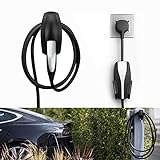
- COMPATIBLE WITH TESLA MODEL 3/MODEL Y/MODEL X/MODEL S CHARGER: Seven Sparta Charging Cable holder is a perfect holder to hang your charging cable from in the garage.
- KEEP YOUR CHARGING CABLE NEATLY AND SECURE: The cable organizer is much better than a normal hook. It does a good job of keeping the cable off of the ground, and protect your cable from falling down accidentally.
- SAFE ABS MATERIAL: The charger cable organizer is made from high quality ABS plastic, pass fireproofing grade testing. The bearing capacity can reach above 30KG at least. Prior to purchasing, we recommend confirming the product's size and material.
- EASY & SECURE INSTALLATION: The charging cable holder takes just minutes to install. The charger head fits snugly into the slot, with a notch to prevent it from sliding out.
Best practices for Tesla battery life
Tesla’s owner manuals support regular, partial charging rather than waiting until the battery is nearly empty.
- Plug in when practical. Keeping the vehicle connected allows it to manage temperature and auxiliary loads from the charger rather than relying entirely on stored energy.
- Use AC charging for routine use. Level 1 or Level 2 charging is usually the practical choice at home. DC fast charging is most useful on road trips.
- Avoid prolonged extremes. Do not leave the battery near 0% or 100% for long periods without a reason.
- Do not deliberately run it to zero. Tesla warns that a fully discharged high-voltage battery can damage vehicle components, including the low-voltage battery.
- Store it near 50% for long absences. Tesla recommends approximately 50% for long-term storage and says to leave the vehicle plugged in if possible.
- Precondition while plugged in. Heating the cabin and battery from external power reduces the energy taken from the pack before departure.
How quickly does a Tesla charge?
Charging speed changes continuously. It depends on the vehicle and battery, state of charge, temperature, age, charger hardware, site conditions and how many vehicles are sharing a Supercharger installation.
| Charging method | Tesla’s approximate published rate |
|---|---|
| Standard 120-volt outlet with Mobile Connector | About 2–3 miles of range per hour |
| 240-volt outlet | Up to about 30 miles of range per hour |
| Tesla Wall Connector | Up to about 44 miles of range per hour |
These are estimates, not guarantees. The electrical installation, amperage, vehicle, temperature and charge level can all reduce the result.
Recommended Free Tools
At a Supercharger, Tesla currently advertises maximum additions over 15 minutes of up to 200 miles for Model S, 175 miles for Model 3, 175 miles for Model X, 162 miles for Model Y and 137 miles for Cybertruck. Those figures describe favorable conditions and do not mean every charging session will achieve them.
Charging slows substantially as the battery approaches full. Consequently, the time required to go from 80% to 100% can be disproportionately longer than the time needed to reach 80%. On road trips, stopping more often and leaving at a lower state of charge is often faster than waiting for a full battery.
Why cold weather reduces charging and range
A cold lithium-ion battery cannot accept energy as quickly as a warm battery. Tesla may temporarily show some energy as unavailable, and charging power can be limited until the pack reaches a suitable temperature.
For a planned Supercharger stop, enter the charger as the destination in Tesla’s Trip Planner. The vehicle can precondition the battery while driving. This generally reduces the time spent waiting for the pack to warm at the charger.
What’s actually slowing this PC down?
Pick the symptom - the matching free tool is one click away.
Scheduled preconditioning can prepare the vehicle for departure. If it is not scheduled, the car may warm the battery only when necessary for charging; that does not necessarily mean the cabin will be ready at the same time.
Battery degradation: what is normal?
High-voltage batteries naturally lose some energy retention with age and use. A lower full-charge range estimate does not, by itself, prove that the battery has failed.
Rank #3

- UP TO 9X FASTER CHARGING SPEED: The IYILO electric vehicle charging station delivers up to 46 miles of range per hour at 48A (11.5kW) via hardwired installation (60A breaker & licensed electrician required). Current is adjustable in 1A increments from 6A to 48A. Charges up to 9 times faster than a standard Level 1 charger
- AUTOMATIC CONNECTOR OVERHEAT PROTECTION: Worried about overheating during daily charging? The IYILO Level 2 EV Charger features an advanced NTC temperature sensor built directly into the NACS (Tesla-style) connector, enabling real-time temperature monitoring with live data displayed in the app. If the connector temperature exceeds 221°F (105°C), the system will automatically reduce charging power or completely shut off charging to prevent damage to your EV and ensure safe home charging.
- UTILITY CHARGING PROGRAM SUPPORT: IYILO is currently joining local utility EV charging programs and has been listed on several official portals, including but not limited to ComEd, PSEG (NJ), PSEG-LI, Seattle City Light, Salt River Project, Portland General Electric, Oregon DOT, and Georgia Power ect. Through these programs, you can take advantage of local policy support and incentives. Moving forward, we will continue expanding our partnerships with major utilities and public agencies.
- INTELLIGENT APP & SMART CHARGING CONTROL: The IYILO App features a smart, intuitive interface to set Time-of-Use (TOU) rates, track energy usage and cost, and manage multiple user accounts. It supports multiple charging modes, such as Scheduled charging and RFID card, while also offering OTA remote upgrades, ensuring optimal performance and longer lifespan. Note: Supports 2.4GHz WiFi only; 5GHz not supported
- COMPATIBLE WITH ALL NACS (J3400) EVS & PHEVS: The IYILO Level 2 EV Charger is designed with a native NACS connector and a 25ft heavy-duty charging cable, delivering seamless compatibility with all NACS-equipped electric vehicles and plug-in hybrid vehicles across North America. Engineered for Tesla-style charging standards, it ensures reliable daily home charging performance. Note: For J1772-equipped EVs, a compatible J1772 adapter is required (adapter not included)
The displayed range is a calculated estimate, not a direct measurement of the battery’s physical capacity. It can change because of temperature, speed, driving conditions, tire and wheel configuration, software calculations and the battery’s current state.
For vehicles equipped with Tesla’s Battery Health Test, the touchscreen path is:
Controls > Service > Battery Health
The vehicle must be connected to an AC charger, and the test can take up to 24 hours. It reports energy retention compared with when the battery was new and may recalibrate the range estimate. Tesla recommends using it when there is a specific concern rather than as routine maintenance. The feature is not available on every Tesla.
Tesla battery warranty
Tesla’s current U.S. warranty page lists an eight-year battery-and-drive-unit warranty, but the mileage limit varies by vehicle and configuration:
| Vehicle or configuration | Coverage |
|---|---|
| Model S, Model X and Cybertruck | 8 years or 150,000 miles |
| Model 3 RWD; Model Y RWD and AWD | 8 years or 100,000 miles |
| Model 3 Premium RWD/AWD and Performance AWD | 8 years or 120,000 miles |
| Model Y Premium RWD/AWD, Performance AWD and L Premium Launch Series | 8 years or 120,000 miles |
The listed minimum retention guarantee is 70% during the applicable warranty period. This is not a promise that the car will retain 70% of its original EPA range in every circumstance. Displayed range is affected by factors beyond battery capacity, and the exact warranty supplied with the vehicle controls.
To find warranty information in the Tesla app, open the vehicle, scroll to the bottom of the home screen, then select Specs & Warranty > Warranty.
Common Tesla battery problems
Charging is slower than expected
A reduced rate does not automatically indicate a failed battery. Common causes include a cold pack, a high state of charge, battery age, charger limitations and normal tapering near full. Repeated DC fast charging can also lead to a slight reduction in peak charging rate over time, but temperature and state of charge are often more immediate causes.
“Maximum battery charge level reduced”
Alerts such as “Maximum battery charge level reduced” or “Unable to charge – Maximum charge level reached” can indicate an internal high-voltage battery condition. The vehicle may remain drivable, but Tesla instructs owners to schedule service rather than repeatedly attempting to override the limit.
The vehicle will not charge after reaching 0%
Do not assume that a displayed 0% or zero-mile range leaves a safe reserve. Tesla warns that usable energy may not remain. Once the high-voltage battery is depleted, the low-voltage battery may also lose support, meaning external low-voltage assistance can be required before high-voltage charging starts. Damage to the low-voltage battery caused by running out of range is not covered by the warranty.
Rank #4

- COMPATIBILITY: Wall Connector is compatible with all Tesla models: Model S, Model 3, Model X and Model Y.
- CHARGING SPEED: Up to 44 miles of range per hour of charge, with up to 11.5 kW / 48 amp output, depending on Tesla model and breaker size.
- CONVENIENCE: Indoor or outdoor installation with variable amperage that allows max output to be customized to an existing power supply and supports any output up to 48A. Possible max output configurations include: 48A, 40A, 32A, 24A, 16A, 12A.
- CONNECTIVITY: Connecting the Wall Connector to a local Wi-Fi network enables over-the-air firmware updates for continual product improvements and remote access control.
- POWER-SHARE: Power-share is ideal for locations that need to charge more than one Tesla at the same time. This functionality allows up to six Wall Connectors to be linked for efficient power management.
Flood or salt-water exposure
Treat a submerged Tesla, particularly one exposed to salt water, as an accident-damaged vehicle. Do not attempt to operate or charge it without professional assessment. Tesla states that water damage is not covered by the vehicle warranty.
PC Slower Than It Used to Be?
A free scan shows the junk files, broken settings and background clutter dragging Windows down - then fixes them in one click.Free scan · Windows 10 & 11Crashes, No Sound, or Screen Glitches?
Random freezes, missing sound and display glitches usually trace back to one bad driver. Find and replace yours safely.Free scan · under a minuteCan a Tesla battery be repaired?
High-voltage battery work is not an owner repair. Tesla warns owners not to open, remove, disassemble or replace high-voltage battery components, cables or connectors. The system can contain lethal voltage even when the vehicle is switched off.
Tesla service documentation includes procedures for complete-pack replacement and for some individual components, including battery-management electronics, contactors, pyrotechnic disconnects and enclosures. The repair available in practice depends on the model, pack design, fault, parts availability, warranty status and service diagnosis. Therefore, both “every battery can be repaired cheaply” and “every failure requires a complete pack” are unreliable claims.
Powerwall and Megapack are separate Tesla batteries
Powerwall 3 is a home energy-storage system with 13.5 kWh of nominal battery energy. Its AC output is configurable from 5.8 kW to 11.5 kW in the cited installation specification, with off-grid discharge ratings of up to 15.4 kW under specified conditions.
Megapack is utility-scale storage. Tesla lists, per Megapack, a two-hour configuration of 1,927 kW/3,854 kWh and a four-hour configuration of 979 kW/3,916 kWh. These systems have different inverter, reserve and installation considerations, so their figures should not be compared directly with a vehicle’s advertised battery capacity.
Do these 3 things before closing this tab:
1Fix the driver behind crashes, sound loss and screen glitches2Repair Windows errors before they cause bigger problems3Scan for outdated or missing drivers - takes under a minuteFAQ
Should every Tesla be charged only to 80%?
No. Tesla says the correct daily charge limit depends on the battery installed in that vehicle. Check the recommendation under Controls > Charging or in the Tesla app. Charge above the daily limit when needed for a trip, but avoid leaving the battery at a high state of charge for extended periods without a reason.
Does Supercharging damage a Tesla battery?
Supercharging is supported by Tesla, but charging speed and long-term battery behavior depend on temperature, state of charge, age, battery design and frequency of DC fast charging. Use AC charging when practical and expect the charging rate to taper as the battery fills.
How can I tell whether my Tesla battery is degrading?
A lower displayed full-charge range is not conclusive because range is an estimate. If your vehicle supports it, run the official test at Controls > Service > Battery Health while connected to AC power. The test can take up to 24 hours. Persistent warnings, a sharply reduced maximum charge level or major changes in usable range warrant Tesla service.
Can I replace a Tesla high-voltage battery myself?
No. Tesla’s high-voltage battery, cables and connectors require trained technicians and specialized safety equipment. Do not open or disconnect the pack. Tesla service documentation includes both pack-level and component-level procedures, but the appropriate repair depends on the vehicle and diagnosed fault.
The Bottom Line
Tesla batteries are durable, liquid-cooled lithium-ion systems, but there is no single Tesla battery specification or universal charging rule. Follow the charge limit displayed for your specific vehicle, use routine AC charging when practical, precondition before cold-weather fast charging, avoid prolonged periods near empty or full, and never deliberately run the car to 0%. Normal range loss is not automatically a battery failure; persistent charge-limit warnings, severe charging reductions or damage from water exposure require professional diagnosis.
Quick Recap
Product prices and availability are accurate as of the date/time indicated and are subject to change. Any price and availability information displayed on Amazon at the time of purchase will apply.