Windows Errors? Fix Them Before They Spread
Repair common Windows errors and clear accumulated junk for a smoother, more stable PC - no reinstall needed.Free scan · no reinstallOutdated Drivers Are Slowing You Down
One free scan finds every outdated or missing driver and matches the right update for your exact hardware.Free scan · exact hardware matchThe fastest fix depends on which MyMazda feature is failing. A sign-in error usually points to credentials, country settings, verification, the app version, or network filtering. If you can sign in but remote start, door locks, vehicle location, health reports, or status updates fail, the problem is more likely Connected Services enrollment, eligibility, Mazda’s online service, or the vehicle’s telematics connection.
Work through the checks below in order. Avoid repeatedly deleting the app or creating new Mazda accounts: those steps cannot repair a Mazda service outage or vehicle-side communication problem and can make account association harder to resolve.
As an Amazon Associate I earn from qualifying purchases.
First, identify exactly what is failing
“MyMazda keeps getting an error” is not one specific fault. The app combines regular account features—such as service history, maintenance information, recalls, dealer contact, manuals, and roadside assistance—with Mazda Connected Services features such as remote start, remote locking, vehicle health, status alerts, and vehicle finding.
Before changing anything, write down:
- The exact error message and any error code
- The feature that fails
- The date and time of the failure
- Your phone model, operating-system version, and MyMazda version
- Your Mazda model and model year
- Whether other pages in the app still work
- When the feature last worked successfully
That information will tell you whether to troubleshoot the app and account or investigate Connected Services and the vehicle.
#1 Best Overall
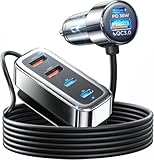
- Road Trip Essentials: 6 Charging Ports, Keep Everyone Charged | The 2026 upgraded car USB charger with 6 charging ports is the ultimate road trip essential! Designed for long trips and families, it allows parents in the front seat and kids in the back seat, using iPads, fire HDs, and other devices, to charge simultaneously without fighting over charging ports. Perfect for SUVs, it ensures that everyone in your car stays charged for a smooth and peaceful journey.
- [Backseat Charging for Kids, Compatible with All Devices] Each backseat passenger gets their own charging port! This charger supports quick charging for iPads, fire HD, Kindles, and all other smart devices. Compatible devices include: iPhone 18 Pro Max 17 16 Duo, Samsung Galaxy S26 S25 Ultra, Pixel 11 10 9, iPad 10.2, iPad Air 4/5, iPad Pro 11-inch/12.9-inch, iPad Mini 6, Fire HD 10, Fire HD 8, Fire 7, Fire HD 10 Kids Edition, Fire HD 8 Kids Edition, Galaxy Tab S8/S7, Galaxy Tab A8, Galaxy Tab Active3, Surface Go 3, Surface Pro 7/8/9, Lenovo Tab P11, Google Pixel Slate, Xiaomi Pad 5, Acer Iconia Tab 10, Asus ZenPad 3S 10, Vankyo MatrixPad Z4, MatrixPad S30, and more.
- [Fast Charging, Peace of Mind for Long Road Trips] With PD 36W USB-C and QC 3.0 ports, this charger allows for simultaneous charging of multiple devices without slowing down. Even on long trips, all devices will charge quickly. The front seat can charge an iPad from 0% to 60% in just 30 minutes, while the backseat can charge an iPhone 18 Pro Max 17 16 Duo Samsung S26/S25/S24 Ultra in just 35 minutes!
- Safety First with Smart Device Recognition | This car charger is made from high-quality ABS+PC fireproof material and features a built-in smart chip that automatically recognizes devices and distributes optimal charging power. It protects your devices from overcurrent, overcharging, overheating, and short circuits. With UL certification, it guarantees safety for all passengers during your road trip.
- Road Trip Essential for All Vehicles | Compatible with all 12V-24V vehicles, including cars, SUVs, trucks, RVs, and more. Especially ideal for SUVs, this charger is the ultimate road trip essential, ensuring that everyone in your car can stay charged on the go.
Try these fixes in order
1. Update MyMazda
Update the app before deleting it, resetting your account, or changing vehicle associations. MyMazda is actively receiving releases. At the research timestamp, Apple’s U.S. listing showed version 9.4.0, following a recent release sequence that included a fix for a country-and-language login issue. The Google Play listing also described a recent August 6, 2026 update with Connected Services bug fixes.
Release notes are general and do not prove that a particular error has been fixed. However, an update is a low-risk first step, especially if the problem began after a phone operating-system update or affects several app functions.
After updating:
- Open MyMazda and try the same action once.
- Do not repeatedly submit a remote command if the first attempt appears stuck.
- Note whether ordinary account pages work even if Connected Services still fails.
2. Check your country, phone number, and login details
Mazda’s Connected Services instructions require the country code to match your country of residence. The phone number used for SMS validation must also be available in that country. A country mismatch can cause registration, verification, and login problems even when the password is correct.
The Tool Desk
Outbyte PC Repair FREEClear out junk files and repair common Windows errorsFree Scan →Outbyte Driver Updater FREEFix the driver behind crashes, sound loss and screen glitchesFind Drivers →Also check the password requirements in the Mazda Connected Services manual. Mazda specifies a password of 6–16 characters using letters, numerals, and the listed permitted symbols. If you recently changed the password, use the new one rather than an older password saved in your phone’s password manager.
Do not keep guessing. Mazda’s instructions say that five incorrect login attempts temporarily prevent login for five minutes. If you have already reached that limit, wait the full five minutes before trying again.
3. Use “Forget Password?” instead of creating another account
If you cannot sign in, choose “Forget Password?” in the app and complete the validation process using the email address or phone number associated with the account. Mazda’s instructions allow the validation code to be delivered by email or phone.
Rank #2

- 200W Max & 6-Port Smart Power Delivery: 200W high power supports charging 6 devices simultaneously, with 3 USB-C ports (C1/C2/C3: 100W/25W/25W) and 3 USB-A ports (18W/15W/15W), great ideal for needing to power laptops, phones, tablets at once
- 200W USB Laptop Car Charger:Compatible with USB C port macbook pro & macbook air 16 15 14 13 inch, M1 M2 M3 M4 M5 MacBook, ipad pro & air 12.9 11 10.9 inch and all USB C device, Dell, Lenovo, HP, M4 M2 M1 iPad Pro 13 12.9 11 inch, iPad 10, M4 M2 M1 iPad Air 5 4, iPad Mini 6 A17 Pro /Dell XPS/HP/Lenovo Thinkpad/Microsoft Surface and more laptops with USB-C charging port
- Widely Compatibility: 200W 6-Port Car charger accessories fits for all USB-C & USB-A devices, compatible with iPhone 18/18 Pro/18 Pro max/17/17 Pro/17 Pro Max/Air/16/16 Pro/16 Pro Max/16 Plus/16e/15/15 Pro/15 Plus/15 Pro Max,Galaxy S26/S25/S24/S23/S22/S21/ S20/Ultra,Google Pixel 10/9/8/7/6/5/4 XL, AirPods, Smart watches, driving recorder,GPS navigation,car vacuum cleaner, power banks and other devices
- LED Ambient Light: Excellent design of the soft blue LED light makes it effortless to find the charging port in the dark
- Multiple Safety System: Built-in 6-layer protection (over-voltage/current/heat/short-circuit/surge/overload), automatically adjusting output via smart IC chip, and adopt advanced PC+Fireproof material body with scratch-resistant, let your car phone charger continue looking good as new, extend the service life
A verification code may expire after 10 minutes. Request a new code if the old one has expired, and enter the newest code rather than an earlier message in your inbox or text history.
Free tools Windows power users keep installed
One-click scans. No signup required.
Creating a second account is usually the wrong first move. Your vehicle, ownership details, subscription, and Connected Services enrollment may be associated with the original account. A duplicate account can make it less clear which account Mazda needs to repair or verify.
4. Test without a VPN or restrictive network settings
Temporarily disable anything that filters or reroutes the app’s traffic, including:
- A VPN
- Custom DNS or an ad-blocking DNS service
- A content-filtering or device-monitoring profile
- A restrictive corporate or school Wi-Fi network
- A browser or security configuration that intercepts sign-in traffic
Then try MyMazda once over ordinary cellular data or a trusted home network. An App Store user reported resolving a “Something went wrong” sign-up or login problem after identifying phone restrictions and VPN-related monitoring settings. That is anecdotal evidence, not proof that VPNs cause every MyMazda error, but it makes a clean network test worthwhile.
If the app works on cellular data but not on Wi-Fi, the likely problem is the Wi-Fi network, DNS, firewall, or filtering profile—not necessarily your Mazda account.
Do these 3 things before closing this tab:
1Clear out junk files and repair common Windows errors2Fix the driver behind crashes, sound loss and screen glitches3Repair Windows errors before they cause bigger problems5. Force-close the app and restart the phone
Force-close MyMazda, restart the phone, and open the app again. This can clear a temporary app state or stalled session without removing account data.
Rank #3

- 【Upgraded 125W 6-Ports Car Charger】BETSEK's upgraded car charger can meet your charging needs for multiple devices. This charger has 3 PD30W USB-C ports, 1QC3.0 18W port and 2 intelligent recognition 2.4A ports, enabling simultaneous 6 devices.
- 【PD30W+QC18W Fast Charging】This cigarette lighter usb charger has USB-C PD Tech & QC3.0 Tech. 125W 14A rapid charging up to 80% in a Short Time, which is Faster Than a Standard Cars Adapters. USB auto charger adapter can work with car form 12V to 24V, include cars, SUV, van, truck and so on. USB vehicle charger compatible for all USB powered devices.
- 【Universal Car Charger & Wide Compatibility】The USB car charger is compatible with smartphones, Galaxy, iPads, android tablets, AirPods, power banks, smartwatches, cameras, wireless chargers, video game controllers, car recorders, and other USB-powered devices.
- 【Safe Charge】ETL certified products to ensure safety and quality. This car usb charger is made of ABS & PC fireproof material. Built-in intelligent chip that can detect your devices automatically to deliver its fastest charge speed. In addition, it has advanced safety systems to prevent overcurrent, over-load and short-circuit.
- 【 What You Get】1 x 6-Ports Car USB Charger, 1 x Car Cigarette lighter Power Cord, 1 x User Guide. If you have any questions or are dissatisfied with your purchase, BESTEK will provide 24 hours x 7 days technical and friendly customer service support, as well as a 18-month product replacement warranty.
If you log out, remember that Mazda’s manual says logging out cancels the “Keep me logged in” setting and biometric-login settings. Make sure you know the correct credentials before signing out.
6. Reinstall MyMazda only after the basic checks
Reinstalling can clear corrupted local app data, but it cannot fix:
- A Mazda account or password problem
- An expired or incomplete Connected Services enrollment
- A service-side outage
- An unsupported vehicle configuration
- A vehicle telematics or cellular-communication fault
Before uninstalling, confirm that you know the correct login details and that the vehicle is associated with the account. Reinstall the current version from the official app store, sign in to the existing account, and test the same feature again.
Use the symptom to find the likely cause
| What you see | Most likely areas | What to do next |
|---|---|---|
| “Incorrect password,” repeated login rejection, or failed sign-in | Wrong credentials, country or account mismatch, temporary lockout, or an app login defect | Stop retrying after five failed attempts, wait five minutes, use password recovery, confirm country details, and update the app. |
| “No internet,” “Cannot connect,” or “Something went wrong” during sign-in | VPN or network filtering, a service problem, or an app defect | Test cellular data and trusted Wi-Fi with VPN and filtering disabled. Check whether the app is current. |
| The app opens, but remote start or lock/unlock fails | Connected Services eligibility, enrollment, subscription, network availability, or vehicle communication | Check eligibility and enrollment. If the failure continues, contact Mazda support or a dealer. |
| Vehicle location, health, door status, mileage, or maintenance data is stale | Delayed vehicle-to-cloud communication or a service-side data problem | Verify the vehicle directly, record the last successful update, and do not rely on the stale app status. |
| SMS verification or registration will not complete | Country code, phone number, expired code, or registration data | Use your country of residence, a valid local number, and a current code. Validation codes may expire after 10 minutes. |
| A vehicle warning appears in the app | A genuine vehicle fault, a stale notification, or a communication artifact | Check the instrument cluster and owner’s manual. Treat a warning shown on the vehicle as potentially real until it is checked. |
If you can sign in but Connected Services fail
This is a different troubleshooting branch from a password error. Test an ordinary MyMazda function such as the service-history, dealer, manual, recall, or maintenance section.
- Regular pages also fail: focus first on the app version, account session, phone network, and a possible Mazda service-side problem.
- Regular pages work but remote functions fail: focus on Connected Services enrollment, vehicle eligibility, subscription status, network availability, and vehicle communication.
Connected Services availability varies by country, vehicle, model year, and usage situation. Mazda’s U.S. app materials identify supported model-year ranges, but those ranges should not be treated as universal worldwide rules. A vehicle may be outside the supported configuration, incompletely enrolled, associated with a pending account change, or affected by a canceled subscription.
For a remote command failure, confirm that the vehicle is in a location where its communication system can connect. If appropriate, drive the vehicle normally, allow it to reconnect, and try again later. Mazda’s Connected Services information identifies network outages and vehicle technical conditions as possible reasons a remote request may fail.
Rank #4
![VIENON 4-Port USB 3.0 Hub [90°/180° Degree Rotatable], USB Splitter with PD-in 5W USB C Port, USB Extender for Laptop, Car, iMac, MacBook Air, MacBook Pro, and More](https://m.media-amazon.com/images/I/31KyAOXX0TL._SL160_.jpg)
- 【USB Port Expander】:This 4-Port USB hub can easily expand one of your computer’s USB ports into 3 USB port and 1 Type C port. Support 4 ports to work at the same time, without any pressure, and keep the temperature in the middle range. Plug and play, no need driver, easy to use.
- 【USB C Power & Data Port】: The USB C female port supports 5V Power supply for the hub, as well as the data transfer, which allowing you to connect to Type C phones, mobile hard drives, and other devices for data transfer has solved the problem of your laptop and computer lacking USB C interfaces. (Note: this usb c port only support power input for the hub, not support power output for charging).
- 【Wide Application】: Ideal for Mac Pro, iMac, MacBook Air, MacBook Pro, MacBook, and Mac mini. And this is also very suitable for use in the car. It extends the USB interface in the car, compatible with esla Model Y 2021-2024 and Model 3 2021-2023 and other Car. (Note: not support audio & video transfer, not compatible with any sound devices)
- 【SuperSpeed Transmission】:With 1 x USB 3.0 port and 2 x USB 2.0 ports. The USB 3.0 interface has a data transfer speed of up to 5Gbps, and can download a high-definition movie in just a few seconds. It is very suitable for inserting USB drives, mobile hard drives, cameras, and other devices for fast data transfer. Two USB 2.0 interfaces with a speed of 480Mbps, suitable for inserting USB peripheral devices such as mice, keyboards, printers, etc.
- 【Plug & Play】: Support hot-swappable on Windows 7/ Vista/ XP/ 2000/ ME/ 98/ 8/ 10; Mac OS 8.6-9.2/ OSX-10.6, and Linux.
Do not send repeated lock, unlock, or start commands while waiting for a delayed response. If the app eventually displays an old result, verify the vehicle directly with the key fob or by physically checking it whenever practical.
Recommended Free Tools
When vehicle data is stale or incorrect
An app that opens normally but shows an old location, outdated mileage, an incorrect door status, or an old health report may be having a communication problem between the vehicle, Mazda’s online service, and the app. That is not the same as a login failure.
Record:
- The data shown in the app
- The time it was last updated
- The last time you drove the vehicle or successfully used the feature
- Whether the vehicle has a warning light or communication-related message
- Whether another person with authorized access sees the same information
Community reports describe recurring remote-function and status-update failures, but those reports are geographically mixed and anecdotal. They can indicate a recurring pattern, not diagnose your individual vehicle.
Safety point: never use a stale MyMazda status as proof that the vehicle is locked, safe, or in a particular location. Verify directly when the information matters.
Independent reader supportYour contribution helps us test, update, and keep practical guides available for everyone.If the app shows a vehicle warning
Do not assume that every app alert is a mechanical diagnosis. A delayed or false alert is possible, but an alert that also appears on the vehicle’s instrument cluster should be treated as potentially genuine.
What’s actually slowing this PC down?
Pick the symptom - the matching free tool is one click away.
- Check the dashboard and instrument cluster.
- Read the relevant section of the owner’s manual for your exact model year.
- Note whether the warning remains after restarting the vehicle.
- Arrange inspection by a Mazda dealer or qualified technician if the warning is current, repeated, or accompanied by unusual vehicle behavior.
An OBD2 scanner may provide additional information about some dashboard warnings, but it is not a fix for a MyMazda login, network, enrollment, or Connected Services problem. It also does not replace professional diagnosis when a warning persists.
Best Value

- 【Multiport USB 3.0 Hub】: This USB 3.0 Hub extends your device with 4 additional USB A ports, backwards compatible with USB 2.0 / 1.1. ideal for connecting USB peripherals such as flash drive, mouse, keyboard, printer. No need to install drivers, plug and play. It’s very portable, suitable for business travel.
- 【with USB-C Power/Data Port】: with 5V/3A USB-C Power port. High-speed transfer of large-capacity data easily leads to insufficient power supply to the hub and slows down the transfer speed. Use the USB-C charging port to ensure transfer stability. It also support data transmission.
- 【5Gbps Data Transfer】: with 1 USB 3.0 and 3 USB 2.0 ports, Supports up to 5 Gbps data transfer. you can transfer movies, photos, and files in seconds, meet your needs for efficient daily work.
- 【Safer Technical Design】: This USB Extender for Laptop Each port has built-in overcurrent protection. This will protect the connected devices from damage caused by short circuits. Stable ABS outer material has the effect of rapid heat dissipation, preventing overheating and scalding during operation.
- 【Wide Compatibility】: Widely Compatible with USB A port Laptop/PC/Desktop XPS, PS4, Xbos and More devices, and Works on Windows, ChromeOS, Linux. Perfectly solve the problem of insufficient USB interfaces on your device, greatly improving daily work efficiency.
What not to do
- Do not repeatedly guess the password. Five incorrect attempts can trigger a temporary five-minute login block.
- Do not create duplicate accounts as a workaround. Recover the existing account first.
- Do not assume reinstalling repairs the vehicle. It only resets local app state.
- Do not treat community workarounds as official fixes. VPN or filtering changes may help one phone but are not a universal explanation.
- Do not rely on stale remote status. Check the vehicle directly when security or safety is involved.
- Do not dismiss a dashboard warning because the app may be wrong. Confirm it on the vehicle and seek diagnosis when necessary.
When to contact Mazda support or a dealer
Contact Mazda customer support when you cannot log in, recover the account, complete registration, verify the phone number, or resolve an app problem that continues across networks or devices. Mazda’s official app-support listings provide support contact information, and Mazda USA provides a customer-support portal.
Contact a Mazda-authorized dealer when:
- Connected Services enrollment remains incomplete or unavailable
- The vehicle is eligible but will not communicate with the app
- Vehicle status, location, health, or remote commands remain stale or unavailable
- The vehicle displays a warning
- The app works on multiple networks and devices but the vehicle-side functions still fail
Give support or the dealer a concise evidence package:
- Exact error text and error code
- Timestamp and time zone
- MyMazda version
- Phone model and operating-system version
- Mazda model year and country of residence
- Whether login and ordinary app pages work
- Whether VPN, custom DNS, or filtering was disabled during testing
- Last successful vehicle update or remote command
- Any dashboard warning or unusual vehicle behavior
Frequently Asked Questions
Why does MyMazda say “Something went wrong”?
That message is an umbrella symptom. Test the app after updating it, disabling VPN or filtering, switching between cellular data and trusted Wi-Fi, and restarting the phone. If only Connected Services features fail, investigate enrollment, eligibility, and vehicle communication rather than repeatedly reinstalling the app.
How long does the MyMazda login lockout last?
Mazda’s Connected Services manual says five incorrect login attempts temporarily prevent login for five minutes. Wait before trying again, then use “Forget Password?” if you are not certain of the credentials.
Why can I open MyMazda but not start or lock my car remotely?
Regular app access and Connected Services are separate layers. Remote start and lock/unlock can fail because of eligibility, incomplete enrollment, subscription status, network availability, a Mazda service problem, or a vehicle telematics issue.
Should I delete and reinstall MyMazda?
Only after updating the app, checking the account, testing a clean network, and confirming that you know the correct credentials. Reinstallation can clear corrupted local data, but it cannot repair an account, enrollment, Mazda service, or vehicle-side fault.
The Bottom Line
The key diagnostic question is what still works. If you cannot sign in, concentrate on the country setting, credentials, verification code, temporary lockout, app version, and network filtering. If you can sign in but remote functions or vehicle data fail, investigate Connected Services enrollment, eligibility, subscription status, network availability, and vehicle communication. When the same failure survives an update, password recovery, a clean network test, and a second device, stop cycling through reinstalls and give Mazda support or a dealer the exact error, timestamp, app version, vehicle details, and last successful update.
Quick Recap
Product prices and availability are accurate as of the date/time indicated and are subject to change. Any price and availability information displayed on Amazon at the time of purchase will apply.




