Recommended Free Tools
LubeLogger is a self-hosted web app for recording vehicle maintenance, fuel mileage, and related expenses in one place. You can log service and repairs, attach receipts, track recurring reminders, and review the records in a dashboard. It is useful if you want an organized vehicle history, but you provide the hosting and enter the information yourself.
What LubeLogger can track
LubeLogger brings maintenance and fuel records together instead of leaving them in separate spreadsheets or paper receipts. Its feature overview lists service, repair, and upgrade records, with receipts or invoices attachable to work entries. Fuel economy can be recorded in MPG, UK MPG, L/100 km, or km/L.


Reminders can recur by date, odometer reading, or whichever comes first. The documentation also lists records for taxes, odometer readings, inspections, equipment, and notes, along with bulk operations. Other capabilities include a planner, supplies tracking, customizable fields, CSV import and export, an API, single sign-on, multiple users, and professional vehicle reports.
See the LubeLogger feature overview and documentation index for the project’s current feature details.
What the dashboard tells you
The dashboard summarizes information you have logged: expenses by type and by year or across all time, monthly expenses, distance traveled, fuel mileage by month, and reminders. It also includes a vehicle maintenance report generator and a view of collaborators. These summaries can help you review recorded activity and spending; the documented features do not establish LubeLogger as an independent diagnostic tool or show that it automatically determines manufacturer-recommended service intervals. The official dashboard guide describes its views.
Choosing how to run LubeLogger
LubeLogger is open-source and self-hosted. That means you choose and set up the environment where it runs, rather than simply signing up for a hosted account. The project documents Docker, Windows standalone, and Linux bare-metal installation paths, as well as a Kubernetes Helm chart supplied by Anza-Labs.
| Deployment path | What the official guide says | Best fit to consider |
|---|---|---|
| Docker | The project calls its Docker Container Repository the “most reliable and up-to-date distribution channel.” The guide describes Docker Compose and a default address of localhost:8080, configurable in the compose file. | A Docker-capable computer or server you already run, or are prepared to configure. |
| Windows standalone | The guide describes a standalone installation with a default port of 5000. | A Windows environment where you prefer not to use Docker. |
| Linux bare metal | The guide describes Linux bare-metal executables. | A Linux system where you intend to run the app directly. |
| Kubernetes Helm chart | The guide mentions a Helm chart supplied by Anza-Labs. | A Kubernetes setup; consult the current guide for deployment details. |
The Docker recommendation above is the project’s own description, not an independent comparison of deployment reliability. Ports and installation details can change, so consult the current LubeLogger Getting Started guide before setting up an instance.
What you need before installing
Because you host the application yourself, you need a suitable computer or server environment and must handle its setup. If you already have a Docker-capable home server, that may be enough; a dedicated mini PC is an optional route for someone who wants a separate host. The project does not publish a minimum hardware specification or recommend a particular computer model, so check your chosen system and deployment requirements rather than assuming compatibility.
Free tools Windows power users keep installed
One-click scans. No signup required.
Rank #3

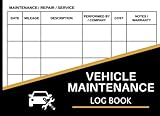
- 110 Sheets Log Book: This vehicle maintenance log book includes 110 record sheets to track repairs, services, fuel costs, and other vehicle-related expenses. It also comes with 36 convenient “Service Due” stickers to help remind you of upcoming maintenance schedules. Everything you need to keep your car records organized in one place.
- Detailed Information: Each page is carefully structured with dedicated sections for date, mileage, service description, parts replaced, vehicle information, cost, and additional notes. The clear and organized format allows you to maintain accurate records, monitor repair history, and better manage long-term vehicle performance and expenses.
- Enough Writing Space: The record sheets provide ample space for clear and thorough entries. Whether you’re documenting routine oil changes or major repairs, there’s plenty of room to write detailed information without feeling cramped.
- Easy to Use: The spiral binding allows the notebook to lay flat for comfortable writing, making entries quick and convenient. The included 36 “Service Due” stickers can be placed inside the book or on visible surfaces like your windshield or dashboard, helping you keep important maintenance reminders in sight.
- Proper Size: This compact logbook measures 5.5” x 7.1”, which fits easily in your glove compartment, center console, backpack, or desk drawer. Its portable size ensures you can access and update your vehicle records anytime, whether at home, in the garage, or at the service center.
Self-hosting also means the hosting environment is part of your responsibility. The documentation index includes advanced material on HTTPS, PostgreSQL, environment variables, OIDC authentication, webhooks, and vehicle maps for readers whose setup or needs call for those topics.
Independent reader supportYour contribution helps us test, update, and keep practical guides available for everyone.Is LubeLogger a good fit for your records?
- Consider it if you want maintenance, receipts, fuel economy, and reminders organized in a web app and are comfortable managing where it runs.
- Plan your setup first if you do not already have a suitable host, or if you need multiple users or advanced authentication and deployment options.
- Do not treat it as an automatic maintenance advisor: the documented dashboard reports entered records, and the reviewed feature descriptions do not establish automatic diagnosis or interval recommendations.
The official pages describe the app’s features and installation routes, but do not provide adoption statistics, cost-savings figures, or measured maintenance outcomes. Whether it helps you stay on top of service depends on keeping your own records current.
Quick Recap
Best Value

- Made in USA - Proudly produced in Ohio by a Veteran-owned business
- This book will help you remember your last oil change /last service appointment. You can easily track all services, mileage and maintenance for multiple automobiles - great for business or personal use.
- The yearly expense summary is a very important part of this book. The yearly summary page is a perfect tool for your tax prep and your budget. After every month you should log your total business miles and personal miles in the “Annual Mileage Summary” page.
- This book comes in two convenient sizes, 8.5” x 11” - perfect to fit into any binder or clipboard that you may use for business and 5” x 7” which is the perfect size to fit into your glove compartment!
- Our unique cover is a semi-rigid transparent cover that leads to a sturdy book that resists stains and wrinkles. Reorder SKU: LOG-100-57CW-PP(Auto-Maintenance)
Product prices and availability are accurate as of the date/time indicated and are subject to change. Any price and availability information displayed on Amazon at the time of purchase will apply.




