Industrial robot troubleshooting starts with the exact alarm, the machine’s safety state, and the controller documentation—not with repeated resets. Make the cell safe, preserve the message and operating context, identify the robot/controller/software combination, then follow the manufacturer’s procedure for that specific fault. If a safety circuit remains open, a collision may have damaged hardware, or the recovery step is unclear, stop and involve the OEM or a qualified integrator.
What to do first when an industrial robot stops
A stopped robot can be reporting anything from a harmless warning to an open emergency-stop circuit, servo shutdown, damaged cable, invalid program target, or failed controller component. The same symptom—such as “robot will not move”—can therefore have several unrelated causes. Use this sequence before changing parameters or attempting recovery.
As an Amazon Associate I earn from qualifying purchases.
- Make the workcell safe. Follow your site’s lockout, guarding, and access procedures. Keep people outside the safeguarded space unless the cell manual and your authorized maintenance process explicitly permit entry. If there was unexpected motion, a collision, a damaged cable, or a safety alarm, stop and assess the condition before trying to jog or reset.
- Preserve the evidence. Write down the complete pendant or controller message, numeric code, indicator lights, operating mode, active job, robot position if it can be observed safely, and what happened immediately beforehand. Note whether the fault appeared during startup, jogging, automatic operation, a tool change, or communication with another machine.
- Record recent changes. Include a power interruption, collision, fixture adjustment, tooling replacement, software or parameter change, maintenance work, backup restore, network change, or program edit. A fault that began immediately after one of these events should be investigated in that context.
- Identify the exact equipment. Capture the robot model and serial number, controller model, software or RobotWare-equivalent version, installed options, tooling, and cell-interface details. Alarm meanings and recovery requirements can change between controller families and software releases.
- Find the matching manual and alarm list. Use the manufacturer’s documentation for that robot, controller, and software combination. Do not substitute a similarly named alarm table from another model.
Do not repeatedly press reset to make the message disappear. A reset can remove the evidence, re-enable motion, or leave an intermittent electrical or mechanical problem unresolved.
Classify the symptom before changing anything
Classification narrows the correct documentation and prevents an unsafe fix. Use the displayed message and the timing of the failure to place the problem in one of these groups.
#1 Best Overall

- Cutting-Edge Technology - Utilizing infrared scanning detection technology, this safety light curtain sensor system embodies the most recent innovations in automatic control products, ensuring exceptional performance.
- Fast Response & Anti-Interference: Experience quick response times and robust anti-interference capabilities with this light curtain sensor switch, ensuring reliable safety in diverse industrial environments.
- Robust Aluminum Alloy Construction: Built to last, this safety grating security device is crafted from high-quality aluminum alloy, offering longevity and dependable protection for forging machines, automation equipment, and more.
- Versatile Application: From shearing machines to industrial robots, this sensor is designed for a variety of machinery. It's ideal for use in production lines, packaging equipment, and solid garages, providing a versatile safety solution.
- Enhanced Efficiency: Featuring low energy consumption and fast response times, this sensor not only saves energy but also enhances operational efficiency, contributing to overall productivity in industrial settings.
| Observed symptom | Likely diagnostic route | First controlled check |
|---|---|---|
| No power or unstable controller operation | Supply, disconnect, fuse, connector, cabinet, or internal controller fault | Check the documented power and indicator conditions; electrical checks are for qualified personnel |
| Robot will not move or enter automatic mode | Emergency stop, protective stop, gate/interlock, enabling device, mode, or safety configuration | Read the safety status and follow the cell-specific safety procedure |
| Servo or controller alarm | Model-specific alarm severity, drive, motor, encoder, or controller diagnostics | Look up the exact code before clearing it |
| Communication or I/O failure | Cabling, fieldbus, Ethernet, robot-to-machine interface, or I/O configuration | Compare the physical and configured interface with the applicable manual |
| Collision, overrun, or shock-sensor alarm | Robot position, tooling or fixture contact, cable routing, clutch or sensor condition | Inspect only from a safe state and use the OEM recovery path |
| Program, target, or path fault | Job state, target validity, frames, limits, syntax, or recent program edits | Read the alarm text and compare the changed instruction or target with a known-good version |
| Unstable performance | Power quality, electrical interface, configuration, software, or mechanical condition | Document when instability occurs and consult the version-specific troubleshooting section |
Robot will not power up or performance is unstable
Safe power checks
When a control box does not turn on, begin with the external conditions specified for the installed system: incoming supply, disconnect switch, connector seating, and fuse status. The EFORT maintenance guidance places these items in its hardware troubleshooting, but that does not make them universal instructions for every cabinet. Industrial cabinets can contain hazardous voltage after an apparent shutdown. Only personnel authorized by your site’s electrical-safety program should open a cabinet, test conductors, or replace a fuse.
- Confirm the documented supply is present and the disconnect is in the expected position.
- Check whether the controller’s power indicators, fans, and status displays match the manual’s normal startup state.
- Inspect accessible connectors and cables for looseness, crushed insulation, contamination, or signs of overheating without entering a safeguarded area or touching energized parts.
- Do not replace a fuse with a different rating or repeatedly re-energize a cabinet that trips protection.
When operation is intermittent
Record whether the instability follows warm-up, a particular axis position, a tool movement, a network exchange, or a load change. Capture the alarm before cycling power. A pattern tied to one cable position or robot posture can point toward routing or connector issues; a pattern tied to an external machine can point toward the cell interface. The exact cause still requires the installed system’s diagnostic procedure.
Robot will not move, jog, or enter automatic mode
Check the safety state first
A robot may intentionally inhibit motion when an emergency-stop circuit, guard, enabling device, or protective-stop condition is active. ABB documentation, for example, describes an unconnected emergency socket and protective-stop symptoms that can prevent motion or automatic operation in the described system. Those pin assignments and consequences must not be generalized to another brand or cell.
Free tools Windows power users keep installed
One-click scans. No signup required.
- Read every active safety or emergency-stop message on the pendant and controller.
- Verify the operating mode, key switch, enabling device, gate status, and external emergency-stop indications according to the cell manual.
- Check that the external safety connection and configured interlocks are intact; do not bridge, jumper, or defeat a safety device to test whether motion returns.
- After the cause is corrected and the area is safe, perform only the reset or restart sequence specified for that controller.
- If the safety fault returns, treat it as unresolved. Escalate rather than repeatedly resetting.
Distinguish a mode issue from a drive issue
If the safety state is clear but jogging remains unavailable, check whether the controller is in the expected manual mode, whether the enabling switch is held correctly, and whether a servo-on condition is required. A servo or controller alarm may also deliberately turn drives off. Use the alarm table for the exact model instead of assuming that a cleared safety display means the robot is ready to move.
Rank #2
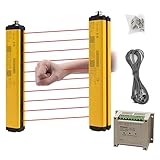
- ROBUST HOUSING- Thick aluminum alloy shell, stable performance, powerful output , and reliable safety.
- ACCURATE MONITORING- The detection is accurate and the response speed is as fast as 10ms. Meets International Electrotechnical Society IEC61496-1/2 standard, designed according to European standards, and has passed CE certification.
- SECURITY PROTECTION- This safety light curtain emits infrared light, resulting in a protective screens. When the light curtain is blocked, the device emits a blackout signal and control potentially dangerous machinery and equipment stops working, or an alarm signal, control and alarm devices to achieve the purpose of security.
- WIDE APPLICATIONS- Reliably protect people or objects in paper machinery, leather machinery, woodworking machinery, injection molding machine, forging machine, punching machine tools, security monitoring etc. Mainly used for the pipeline restricted area, bending machine, injection molding machine,stereo garage and and other dangerous equipment
- High Performance- Built-in amplifier, using modulated light source, programming synchronous scanning mode, strong resistance to external interference, easy to install
How to read controller and servo alarms
Use the alarm class defined for your controller
Mitsubishi’s CR800 documentation illustrates why severity labels matter: it separates high-level errors, which turn the servo off, low-level errors, which stop operation, and warnings, under which operation can continue. Those categories belong to that documentation and should not be applied to a different controller. The same numeric code can also mean something different across product families.
| Alarm information to capture | Why it matters |
|---|---|
| Complete text and numeric code | Shortened descriptions can omit the condition or axis involved |
| Severity or class | Shows whether drives are off, operation is stopped, or the message is advisory on that controller |
| Axis, channel, or device name | Narrows the affected motor, encoder, tool, or interface |
| Time and sequence | Separates the initiating fault from follow-on alarms |
| Required action in the manual | Some faults require a reset, while others require a power cycle or service intervention |
Do not clear before recording
Save the alarm history, screenshots, and any available error report before resetting. If the controller requires a power reset, perform it only after the manual says it is appropriate and after you have preserved the diagnostic information. A power cycle is not a general-purpose repair and can erase useful context.
Communication and I/O problems
Separate physical connection from configuration
Communication faults can involve a loose or damaged cable, a powered-down cell device, a changed IP or fieldbus setting, an incorrect I/O map, or a robot program waiting for a signal that never arrives. ABB’s system-failure guidance includes cabling and I/O configuration among the checks, while Haas groups robot-machine communication alarms with model-specific corrective actions.
Recommended Free Tools
- Record which device is missing: pendant, controller, PLC, safety controller, gripper, vision system, or machine tool.
- Check the documented link status, connector condition, and device power without disturbing a live safety circuit.
- Compare the configured I/O names, addresses, signal polarity, and interface option with the approved cell documentation.
- Check whether the robot is waiting for an input, holding an output, or reporting a timeout; capture the exact signal name.
- Restore only an authorized configuration backup. Do not change network or safety parameters merely to make an alarm disappear.
If a communication alarm began after a controller replacement, software update, or PLC change, preserve both sides’ configuration versions for the integrator. A robot-side reset cannot correct an incompatible or incorrectly mapped cell interface.
Rank #3

- 【Sturdy Aluminum Alloy Shell】Our safety light curtains feature an aluminum alloy shell that is sturdy, well-sealed, and durable. This ensures long-lasting performance, meeting all your needs.
- 【Multifunctional and Reliable】With an IP65 conservation level, our safety light curtains provide short circuit, over current, and reverse connection conservation. Our safety light curtains are equipped with high-quality infrared lamp beads and a light panel, ensuring a strong anti-light ability. This allows for quick and accurate signal response, greatly reducing the occurrence of accidents.
- 【Circuit Safety Conservation】Our safety light curtains incorporate intelligent technology for circuit safety. The self-check design ensures that in case of a failure, the curtains will be locked to a safe state, preventing accidents.
- 【Waterproof and Sensitive】Designed to withstand harsh working environments, our safety light curtains are dustproof, waterproof, and oil-proof. They effectively prevent foreign matter from intruding into the grating while remaining sensitive and responsive.
- 【Wide Application】Suitable for various automation equipment such as forging machine tools, shears, hydraulic presses, robots, packaging equipment, and production lines. It provides enhanced safety in industrial settings.
Collision, overrun, and shock-sensor alarms
Stop before jogging away from the contact
A collision can bend tooling, shift a fixture, damage a cable, change a TCP, or leave an axis outside its expected position. Continuing to jog may turn a minor contact into mechanical or safety damage. Keep the area controlled and inspect from the safe condition required by the cell procedure.
Yaskawa-style shock-sensor recovery example
Yaskawa’s guidance for a described torch-and-fixture application calls for checking robot position, tightly wrapped cables, and the shock-sensor clutch mounting. It also directs users to service if the problem persists. This is an application-specific example, not a universal sequence for every robot or collision sensor.
- Confirm whether the tool or torch contacted a fixture and note the axis position at contact.
- Look for cable loops that have wrapped, pulled tight, or entered the work envelope.
- Check the shock-sensor or clutch mounting only as described by the applicable manual.
- Do not bypass a sensor, force a clutch, or resume automatic production until the cause and physical condition are confirmed.
Program, target, and path errors
Use the alarm context, not just the line number
A program fault may result from an invalid target, changed tool or user frame, an unreachable pose, a limit violation, a missing job, or an instruction that no longer matches the cell. Read the full alarm and identify whether it occurred during program selection, motion planning, execution, or an I/O wait.
What’s actually slowing this PC down?
Pick the symptom - the matching free tool is one click away.
- Save the current job and note the exact instruction, target, tool, frame, and speed at which the fault occurs.
- Compare the changed program with the last approved version; preserve both rather than overwriting the original.
- Verify that the selected tool, work object or user frame, payload, and coordinate system match the physical setup.
- Check the robot’s configured limits and the target’s reachability using the manufacturer’s offline or pendant diagnostic tools.
- Test only in the authorized low-speed or teach procedure, with safeguards and personnel controls in place.
Haas troubleshooting material includes robot motion and command alarms, but an identical-looking code on another controller may have a different meaning. Always use the installed system’s program manual.
Rank #4

- 【Sturdy Aluminum Alloy Shell】Our safety light curtains feature an aluminum alloy shell that is sturdy, well-sealed, and durable. This ensures long-lasting performance, meeting all your needs.
- 【Multifunctional and Reliable】With an IP65 conservation level, our safety light curtains provide short circuit, over current, and reverse connection conservation. Our safety light curtains are equipped with high-quality infrared lamp beads and a light panel, ensuring a strong anti-light ability. This allows for quick and accurate signal response, greatly reducing the occurrence of accidents.
- 【Circuit Safety Conservation】Our safety light curtains incorporate intelligent technology for circuit safety. The self-check design ensures that in case of a failure, the curtains will be locked to a safe state, preventing accidents.
- 【Waterproof and Sensitive】Designed to withstand harsh working environments, our safety light curtains are dustproof, waterproof, and oil-proof. They effectively prevent foreign matter from intruding into the grating while remaining sensitive and responsive.
- 【Wide Application】Suitable for various automation equipment such as forging machine tools, shears, hydraulic presses, robots, packaging equipment, and production lines. It provides enhanced safety in industrial settings.
Unstable performance and version-specific issues
“Unstable” can mean dropped communication, intermittent stops, inconsistent motion, controller resets, or performance that changes with temperature or load. Universal Robots’ troubleshooting material under a SW5.20 manual path includes unstable performance as a symptom category and points to electrical-interface documentation for deeper configuration information. The important lesson is version matching: use the manual for the software release installed on your robot, not a newer or older guide chosen by title alone.
- Record the exact time, cycle count, operating mode, program step, payload, and external equipment state when the behavior appears.
- Check whether the event is repeatable at one axis position, tool orientation, temperature, or communication transaction.
- Preserve controller logs and error history before a restart or software change.
- Do not install firmware, alter motion parameters, or restore a backup without an approved change plan and a known rollback.
What information to send robot service
A complete evidence package shortens the handoff and reduces guesswork. Haas service guidance specifically asks for machine and robot identifiers, an error report, relevant programs or jobs, a machine-data backup, and photos or video where available. Provide the same categories to an OEM or qualified integrator unless its procedure requests a different format.
| Include | Useful detail |
|---|---|
| Identity | Robot model and serial number; controller model and serial number; software or RobotWare-equivalent version |
| Fault record | Full alarm text and code, alarm history, time of occurrence, indicator state, and whether it repeats |
| Operating context | Manual or automatic mode, active job, axis position if safely observable, tool, payload, and external machine state |
| Timeline | Recent collision, maintenance, tooling or fixture change, software update, power event, wiring work, or program edit |
| Files | Error report, relevant jobs, approved backup, configuration export, and controller logs when requested |
| Media | Clear photos or video of the display, damaged area, cable routing, and sequence of events—captured without entering an unsafe area |
| Reproduction steps | Short, numbered description of what was commanded and the exact point where the fault returned |
When to stop troubleshooting and escalate
Contact the OEM service department or a qualified integrator when a fault persists after the documented recovery, returns after a reset, or involves suspected electrical or mechanical damage. Escalate immediately for repeated safety faults, unexplained motion, damaged guarding or cables, smoke or overheating, loss of position, or any condition in which the manual does not define a safe recovery.
The Tool Desk
Outbyte PC Repair FREEClear out junk files and repair common Windows errorsFree Scan →Outbyte Driver Updater FREEFix the driver behind crashes, sound loss and screen glitchesFind Drivers →- Safety-related: emergency-stop, protective-stop, guard, enabling, or safety-controller faults that do not clear through the approved procedure.
- Electrical: blown fuses, cabinet trips, exposed conductors, burning odor, unexplained resets, or measurements outside the manual’s limits.
- Mechanical: collision damage, abnormal backlash or noise, bent tooling, shifted fixtures, or a shock sensor that will not reset.
- Control and software: repeated servo alarms, corrupted jobs, unknown configuration changes, or a failed backup restore.
- Unclear recovery: any alarm for which the required action, authorization, or consequence is not understood.
Yamaha provides alarm search, manuals, and service-contact resources, while Yaskawa’s shock-sensor guidance directs users to service when the described problem persists. Use the support channel for the manufacturer and model actually installed in your cell.
Best Value

- EASY INSTALLATION: Light grating security device is easy to install and disassemble, easy to use. Reliably the safety of persons or objects
- MULTI-AREA : Available in two for your choice. Safety sensor light screen can be used for multi-area , etc.
- STRONG ANTI-INTERFERENCE: Safety sensor can , it has shock and strong anti-interference
- : Light curtain sensor switch made of aluminum alloy material, and long service life
- WIDE USE: Safety light curtains suitable for forging machine tools, automation equipment, shearing machines, hydraulic machines, robots, industrial robots, packaging equipment, production lines, solid garages and other automation equipment
Choosing the next diagnostic route
There is no universal ranking of robot repairs. Choose the next route using five questions:
- What symptom class and alarm severity are present? A warning that permits operation is handled differently from a servo-off error or safety stop.
- Which documentation matches? Confirm manufacturer, robot and controller family, software release, options, and application.
- Does the issue touch a safety function? If yes, use the safety manual and authorized personnel; do not experiment with wiring or bypasses.
- Which layer is implicated? Separate robot mechanics, controller and drives, tooling, program, PLC/network, and the surrounding cell.
- Is escalation required now? Persistent, repeated, damaged, or unexplained faults should go to OEM service or a qualified integrator with the evidence package.
A digital multimeter may be appropriate for qualified personnel performing the power and wiring checks specified by a particular maintenance manual. It is not a substitute for electrical isolation, cabinet qualifications, or the manufacturer’s limits, and no single meter is certified here for every industrial cabinet.
Common troubleshooting mistakes to avoid
- Using a generic alarm list: alarm numbers, severity labels, and reset requirements are controller-specific.
- Resetting before documenting: clearing the display can remove the sequence needed to identify the initiating fault.
- Bypassing safety hardware: bridging an emergency or guard circuit creates a dangerous condition and invalidates the intended safety design.
- Changing several variables at once: parameter, network, program, and tooling changes made together make the cause harder to isolate.
- Restoring an old backup blindly: a backup may contain obsolete I/O maps, frames, payloads, or safety settings.
- Assuming a collision is only a software event: inspect tooling, fixtures, cables, and mechanical alignment before returning to automatic operation.
- Sending an incomplete service request: an alarm code without model, version, timeline, and error history often leads to avoidable back-and-forth.
A printable rapid-triage checklist
- Cell made safe under site procedures
- Exact alarm text and code recorded
- Alarm history, screenshots, and error report preserved
- Robot, controller, serial numbers, and software version identified
- Operating mode, active job, tool, payload, and position recorded where safe
- Recent collision, maintenance, wiring, tooling, power, software, and program changes noted
- Symptom classified as power, safety, servo/controller, communication/I/O, collision, program/path, or instability
- Matching OEM alarm table and manual located
- No safety device bypassed and no undocumented parameter changed
- Documented recovery attempted only with required authorization
- Persistent, repeated, damaged, or unclear conditions escalated with backups and media
Frequently Asked Questions
Why will my industrial robot not move even though the program is selected?
An active emergency stop, protective stop, guard or enabling condition, manual-mode restriction, or servo/controller alarm can inhibit motion. Read the complete safety and alarm status, verify the configured cell conditions using the correct manual, and do not bypass a safety circuit.
Quick wins for a faster PC:
Repair Windows errors before they cause bigger problemsFix Now →Scan for outdated or missing drivers - takes under a minuteDriver Scan →Clear out junk files and repair common Windows errorsFree Scan →Should I power-cycle an industrial robot after an alarm?
Only when the applicable manufacturer procedure explicitly calls for a power reset and you have preserved the alarm evidence. A power cycle is not a universal fix and may erase useful diagnostic context.
What should I send an OEM when requesting robot service?
Send the full alarm and time, robot and controller model and serial numbers, software version, operating mode, active job, recent changes, error report, relevant programs or backups when requested, and safe photos or video showing the condition.
Can I use a generic alarm-code website for troubleshooting?
Use the alarm table for the exact robot model, controller, options, and software release. Codes and severity classifications are not interchangeable across manufacturers or controller families.
Is it safe to bypass an emergency-stop or protective-stop circuit for testing?
No. Do not bridge, jumper, or defeat a safety device. Follow the cell safety procedure and escalate unresolved safety faults to authorized service personnel.
Quick Recap
Product prices and availability are accurate as of the date/time indicated and are subject to change. Any price and availability information displayed on Amazon at the time of purchase will apply.




