Quick wins for a faster PC:
Repair Windows errors before they cause bigger problemsFix Now →Fix the driver behind crashes, sound loss and screen glitchesFind Drivers →Clear out junk files and repair common Windows errorsFree Scan →To program Subaru HomeLink, you usually train a button in the car using a working garage-door remote. No handheld remote? The opener’s wireless keypad may work instead. If you have neither a remote nor keypad, HomeLink says you need to obtain one before programming; the motor’s Learn button alone is not a substitute.
Before you program Subaru HomeLink
- Check the Owner’s Manual for your exact Subaru model and year to confirm HomeLink is fitted, locate its buttons, and follow the vehicle-specific sequence. Subaru and HomeLink provide Owner’s Manual and HomeLink resources, including Subaru-specific HomeLink guidance. Button locations and procedures can vary.
- Park outside the garage, and keep people, pets and objects clear of the door. The door or gate may move during programming.
- If using a handheld remote, start with a fresh battery if possible. A weak battery can make the signal harder for HomeLink to learn.
How do I program Subaru HomeLink with a handheld remote?
- With the vehicle’s instructions in front of you, sit in the car and hold the working garage-door remote near the HomeLink button you want to program. One Subaru manual procedure specifies 1–3 inches (25–76 mm) between the remote and button; check your own manual because the sequence varies by vehicle.
- Press and hold the remote’s button and the selected HomeLink button together. Keep holding until the HomeLink indicator changes, then interpret its behavior using your manual. Subaru’s procedure distinguishes fixed-code from rolling-code results; HomeLink’s general programming instructions describe the same train-from-remote method.
- If your opener uses rolling code and the instructions call for an additional step, briefly press the opener’s Learn, Smart, or Program button, then return to the car and press and release the trained HomeLink button as directed. This step is time-sensitive and may take more than one attempt. Follow the opener and vehicle instructions rather than assuming every opener uses the same sequence.
Security+ 3.0 exception
HomeLink identifies many Security+ 3.0 openers by a white Learn button or white antenna. For these systems, HomeLink says to pair using the original handheld remote, not by programming directly at the motor head. Check HomeLink’s support guidance for the applicable method.
How do I program my Subaru garage door opener without a remote?
If you have the opener’s wireless keypad
HomeLink says the keypad can act as the training transmitter. Remove the keypad from the wall and bring it into the vehicle. Enter its PIN to activate the garage door while holding the desired HomeLink button and the keypad’s Enter button. When the HomeLink indicator flashes rapidly, continue with the regular instructions for your vehicle and opener.
If you have neither a remote nor a keypad
HomeLink’s support answer is that you need a handheld transmitter or wireless keypad. The opener’s Learn button by itself is not described as a way to train HomeLink. Obtain a remote or keypad specifically supported by your opener model, program that device to the opener according to its manufacturer’s directions, then train HomeLink using the appropriate method above.
Do these 3 things before closing this tab:
1Fix the driver behind crashes, sound loss and screen glitches2Clear out junk files and repair common Windows errors3Scan for outdated or missing drivers - takes under a minute#1 Best Overall

- Two easy-to-program buttons. Acts as a Universal Remote for garage doors, state/security gates, home lighting and more
- Works on over 99% of garage doors and gate opening systems. Conveniently replaces bulky remote transmitters
- Mount easily in dash for factory-install look. Rugged, Waterproof construction
- Long-life (10 years calculated at 10 uses per day) self-contained battery
Why is my Subaru HomeLink blinking or not operating the door?
- The indicator keeps blinking slowly: HomeLink says it has not learned the remote signal. Try a fresh remote battery, adjust the remote’s distance and angle, or cycle the remote button while continuing to hold the HomeLink button, following the vehicle instructions.
- The indicator flashes rapidly but the door does not operate: The opener may use rolling code and need the additional Learn/Smart/Program-button step. Follow the opener’s instructions; Security+ 3.0 systems have the exception described above.
- Operation is intermittent or range is poor: HomeLink lists interference, a weak remote battery and a hanging opener antenna as possible causes. Certain LED bulbs can also interfere; HomeLink advises using a bulb approved by the opener manufacturer.
- You are unsure whether the equipment is compatible: HomeLink states a support range of 288–433 MHz, but compatibility also depends on the opener, Subaru model year and HomeLink generation. Some older HomeLink versions paired with specified Chamberlain-family openers may require a Compatibility Bridge Kit. Verify your exact combination with HomeLink and the opener manufacturer before buying a device or kit.
Safety and security after programming
Do not use HomeLink with an opener that lacks safety stop-and-reverse features. When selling or returning a leased Subaru, erase the programmed HomeLink buttons using the procedure in the vehicle’s Owner’s Manual.
Quick Recap
Best Value

- 𝐎𝐧𝐥𝐲 Compatible with Intellicode Genie & Overhead Door garage door opener ACSCTG Type 1,ACSCTG Type 2,ACSCTG Type 3 garage door remote,Replacement remote for Genie control remote manufactured since 1997.【NOT work for control remote with dip switch】.
- Replacement Remote Compatible with 𝐎𝐧𝐥𝐲 Intellicode Genie & Overhead Door garage door opener remote the following model numbers:ACSCTG Type 1,ACSCTG Type 2,ACSCTG Type 3,ACSGT Type 1,ACSGT Type 2,ACSGT Type 3,ACSCTO Type 1,ACSCTO Type 2,ACSCTO Type 3,GIC90-3,GICTD-1,GICT390-1,GIFT390-1,GIT390-4,GIT-2,GIT-3,G2T-1, G2T-2,G2T-3,GL2T-BX,G1T-BX,GITR-3,GIFTD-1,GICTD-1,GICTD-3,GITD-1,GITD-3,GIFT390-1,GIFTD-1,GIFTD-3,TBSTG Type 1,TBSTG Type 2,TBSTG Type 3,GMI3,GMIC-2,GIC90-1,GMIC90-3,GIC90-2,GMIC-3BL.
- Long Distance Remote:datonten Replacement Intellicode garage door opener remote works within 150 feet from the garage door opener for “no waiting” roll-in access.
- Easy push-button programming: Intellicode garage door openers control remote,Universal wireless, programming means no cutting into the garage wiring or installation of an unsightly receiver.
- EASY TO USE:garage door openers remote Instructions can be seen by image video description and on the user manual.Includes battery,visor clip,instructions.
Rank #4
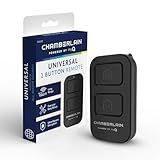
- Compatible with Leading Brands – Works seamlessly with Chamberlain, LiftMaster, Craftsman and most other garage door openers made after 1997.
- Long-Range Performance – Up to 1300 ft range for your garage door opener (conditions permitting) for smooth, reliable operation.
- Fast, Improved Programming – New setup process makes pairing with your garage door opener quick and frustration-free.
- Control Up to 2 Garage Doors or Gates – Each programmable button controls a different garage door openers or gate.
- myQ Smart Garage Control – Connect to the my Q app to manage access, receive notifications, and view garage door opener access history and more!
Rank #3

- Convenient Access - TOPENS HLR01 HomeLink Receiver allows for seamless control of the gate opener through the built-in HomeLink system in the vehicle. Advanced security code technology keeps the gate opener system safe. This integration eliminates the hassle of carrying separate remote controls, providing unmatched convenience. Simply press the HomeLink button to enjoy instant access to your property.
- Easy to Program - Press and hold the HomeLink button for approximately 20 seconds until the status light indicates entering programming mode. Continue to hold the HomeLink button, and place the HLR01 remote (incl.) 2 to 5 inches away from HomeLink, and then press and hold the button on the remote. Keep both buttons held until the status light confirms successful programming. Once programmed, every press of the HomeLink button will make the gate operate between open-stop-close-stop-open.
- Clever Design - The HLR01 receiver can connect with two gate operators and program with multiple vehicles. Simple wire connection makes installation easy and quick. The HomeLink receiver can be wired to the gate opener system via PORT 1 or PORT 2. Remote control button A is used to control PORT 1, while button B is used to control PORT 2. In addition, the remote control can also be used to control gate operation.
- Wide Compability- Works with all TOPENS gate openers, and is compatible with most third party gate opener or garage door opener whose control board accepts the "Normal Open Dry Contact" signal for the push button. It can be powered by the control board of the gate opener or by the external 12-24VDC power source. Kindly note that the external receiver only works with the gate / garage door openers, and does not support other door access control systems.
- Customer Service and Technical Support - All the TOPENS products come with a 12-month war-ranty against defects, a 30-day exchange & return and excellent tech support. Visit TOPENS website for the user manual, installation video, and personalized service. TOPENS is ready to offer professional solutions for any questions or assistance. Enjoy an easier and smarter life by ordering other TOPENS accessories.
Rank #2

- Power Outage Protection: Ensure uninterrupted access during power failures. Battery Backup keeps you in control when it matters most, for safety and peace of mind.
- Quiet Operation: A DC motor paired with a chain drive ensures dependable, lower-noise performance.
- Reliable Power for Everyday Use: Choose the right horsepower for the job. Our 1/2 HP motor* delivers smooth, consistent strength for everyday reliability and standard garage doors.
- Bright When You Need It Most. Illuminate your garage with 1 Bulb lighting for dependable visibility—ideal for everyday lighting needs at any hour. Bulb sold separately.
- Built to Last — Backed with Confidence: Protected by a robust 5 year motor and 1 year chain warranty, this opener reflects Chamberlain's commitment to lasting performance and peace of mind.
Product prices and availability are accurate as of the date/time indicated and are subject to change. Any price and availability information displayed on Amazon at the time of purchase will apply.




