The Tool Desk
Outbyte Driver Updater FREEFix the driver behind crashes, sound loss and screen glitchesFind Drivers →Outbyte PC Repair FREERepair Windows errors before they cause bigger problemsFix Now →Make the deployment safe by assessing the job, workspace and people–robot interaction—not by relying on the word “humanoid” or “collaborative.” Before a robot arrives, define exactly what it will do, where it will move, what it will carry or operate, which people can enter the area, and how it can be started, stopped, supervised and recovered. Then complete an application-specific hazard analysis and risk assessment with the workers who know the job and qualified robot-integration expertise. Select safeguards for the assessed hazards, validate them in the installed workcell, document training and procedures, and reassess whenever the task, tool, payload, software or layout changes.
1. Define the deployment before choosing controls
A humanoid robot is a form factor, not a safety classification. The same machine could present very different risks when moving boxes in a controlled cell, using a powered tool, working in a public area or being teleoperated near employees. Start with a written deployment description that another person can use to understand the intended operation.
As an Amazon Associate I earn from qualifying purchases.
Write the task inventory
- List every planned task, including loading, unloading, inspection, material handling, cleaning, charging and recovery from a fault.
- Describe the sequence of motions, reachable areas, travel routes and expected cycle or duty pattern.
- Record payloads, center of gravity, dimensions, sharp edges, hot or cold surfaces and any contents that could spill.
- Identify each end effector or tool. A gripper, cutter, drill, welding device or other powered implement creates hazards that are different from the robot arm or hands alone.
- State whether operation is autonomous, supervised, remotely teleoperated, manually guided, or able to switch between modes.
- Document startup, normal stopping, emergency stopping, restart after a stop, loss of communications, low battery, software faults and recovery actions.
Map the physical work area
Draw the robot’s intended workspace and every route it may take. Mark fixed equipment, aisles, doors, stairs, loading points, charging locations, maintenance access, emergency exits and places where a person could be trapped or pinned. Show the robot’s full reach, including the load and tool, not merely the footprint of its feet or base.
What’s actually slowing this PC down?
Pick the symptom - the matching free tool is one click away.
Record who may enter each zone: operators, maintenance staff, supervisors, contractors, visitors and emergency responders. Include foreseeable access that is not part of the normal workflow, such as someone retrieving a dropped item or crossing the route during a shift change.
#1 Best Overall
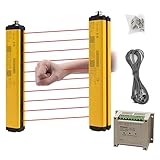
- ROBUST HOUSING- Thick aluminum alloy shell, stable performance, powerful output , and reliable safety.
- ACCURATE MONITORING- The detection is accurate and the response speed is as fast as 10ms. Meets International Electrotechnical Society IEC61496-1/2 standard, designed according to European standards, and has passed CE certification.
- SECURITY PROTECTION- This safety light curtain emits infrared light, resulting in a protective screens. When the light curtain is blocked, the device emits a blackout signal and control potentially dangerous machinery and equipment stops working, or an alarm signal, control and alarm devices to achieve the purpose of security.
- WIDE APPLICATIONS- Reliably protect people or objects in paper machinery, leather machinery, woodworking machinery, injection molding machine, forging machine, punching machine tools, security monitoring etc. Mainly used for the pipeline restricted area, bending machine, injection molding machine,stereo garage and and other dangerous equipment
- High Performance- Built-in amplifier, using modulated light source, programming synchronous scanning mode, strong resistance to external interference, easy to install
Describe human interaction
For each task, state whether people are expected to remain outside the work area, enter only while the robot is stopped, share space while it moves, hand objects to it, work on the same product, or approach during a fault. Note whether the robot can detect people, what stopping behavior is available, and how a person knows which mode is active. Do not treat a proximity sensor, speed limit or “collaborative” setting as proof that the overall application is safe; those features must be assessed in the complete installed system.
2. Perform an application-specific hazard analysis and risk assessment
OSHA’s technical guidance calls for a comprehensive hazard analysis and risk assessment for robot applications, ideally with both employer and worker participation. The assessment should cover the robot, tools, loads, software behavior, environment and work practices as one application. A manufacturer’s general safety information cannot replace an assessment of your particular installation.
Use hazards as prompts, not assumptions
Examine whether the planned operation could create any of the following exposures, when and where they could occur, and who could be affected:
Do these 3 things before closing this tab:
1Fix the driver behind crashes, sound loss and screen glitches2Repair Windows errors before they cause bigger problems3Scan for outdated or missing drivers - takes under a minute- Crushing and pinching: a person caught between the robot and a wall, fixture, vehicle, pallet or another machine.
- Impact: contact with a moving body, limb, load, tool or detached component.
- Entanglement: clothing, hair, gloves, cables or material drawn into moving mechanisms or tools.
- Dropped or ejected objects: a gripper release, unstable load, broken tool or material thrown by motion.
- Unexpected motion: automatic restart, a mode change, remote command, recovery routine, communication restoration or software fault.
- Access to hazardous tools or energy: cutting, drilling, heating, compressed air, electricity or stored mechanical energy carried by the robot or its end effector.
- Shared-route conflicts: a robot and people using the same aisle, doorway, loading point or staging area.
- Changing work: a new product, payload, fixture, software behavior, route or layout that alters reach, speed, stopping distance or exposure.
These are assessment questions, not a claim that every humanoid deployment has every hazard. Record the initiating event, the exposed person, the possible consequence, existing controls and the additional control required. Consider normal production and foreseeable abnormal conditions such as jams, mis-grasps, sensor blockage, low lighting, network loss, battery problems and a person entering to recover material.
Include the people who do the work
Operators and maintenance workers often know about shortcuts, blind spots, congested routes and recovery practices that design documents miss. Involve them while defining tasks, reviewing hazards, selecting safeguards and validating procedures. Include representatives from production, maintenance, facilities, information technology or controls, supervision and health and safety as appropriate. Give workers a clear way to report near misses, unexpected behavior and changes in the work.
Rank #2

- ROBUST HOUSING- Thick aluminum alloy shell, stable performance, powerful output , and reliable safety.
- ACCURATE MONITORING- The detection is accurate and the response speed is as fast as 10ms. Built-in amplifier, using modulated light source, programming synchronous scanning mode, strong resistance to external interference, easy to install
- SECURITY PROTECTION- This safety light curtain emits infrared light, resulting in a protective screens. When the light curtain is blocked, the device emits a blackout signal and control potentially dangerous machinery and equipment stops working, or an alarm signal, control and alarm devices to achieve the purpose of security.
- Self-check function: When the safety screen protector fails, ensure that the wrong signal is not sent to the controlled electrical appliances.
- High Performance- Built-in amplifier, using modulated light source, programming synchronous scanning mode, strong resistance to external interference, easy to install
Use qualified integration expertise
The robot manufacturer’s instructions address the equipment; the integrator or employer remains responsible for how the complete application is arranged and operated under the applicable legal framework. Use personnel competent in robot integration, safeguarding, controls validation and the relevant jurisdiction’s requirements. The exact standard set and control architecture cannot be determined without the robot model, tasks, tooling, operating modes, site conditions and location.
3. Determine which standards and legal requirements apply
Standards are selected by the application, not by appearance. ISO’s current 2025 editions separate requirements for an industrial robot from requirements for the integrated application and cell:
Quick wins for a faster PC:
Clear out junk files and repair common Windows errorsFree Scan →Fix the driver behind crashes, sound loss and screen glitchesFind Drivers →Repair Windows errors before they cause bigger problemsFix Now →| Document | What it addresses | Applicability point |
|---|---|---|
| ISO 10218-1:2025 | Requirements for industrial robots. ISO describes these robots as partly completed machinery and distinguishes the robot from the integrated application. | Relevant when the machine and use fall within the document’s industrial-robot scope; it does not by itself evaluate your complete cell. |
| ISO 10218-2:2025 | Industrial robot applications and robot cells, including integration, commissioning, operation, maintenance and decommissioning. | Addresses the application and lifecycle around the robot, rather than treating the robot alone as the complete system. |
| ISO/TS 15066:2016 | Safety requirements for collaborative industrial robot systems and their work environment, supplementing ISO 10218 guidance. | It does not apply to non-industrial robots. ISO says this edition was reviewed and confirmed as current in 2022. |
| OSHA Technical Manual, Section IV, Chapter 4 | Technical guidance for identifying and controlling robot-application hazards. | Use it as guidance alongside applicable federal, state, provincial, local and sector-specific legal requirements. |
| OSHA Robotics Standards | A page listing consensus standards and related references. | OSHA expressly states, “These are NOT OSHA regulations.” Confirm the legally enforceable rules for your location. |
Not every humanoid is an industrial robot. A service or consumer deployment may be outside ISO 10218’s stated scope, even if some of its safety principles are useful. ISO/TS 15066:2016 itself says: “It does not apply to non-industrial robots, although the safety principles presented can be useful to other areas of robotics.” Classify the exact use with the manufacturer and a qualified safety professional, then check the governing jurisdiction before asserting that a particular standard applies.
The editions and status above reflect information available on October 13, 2026. National adoption, workplace rules and interpretations can change; verify the current requirements before installation and again when the deployment changes.
4. Select safeguards that match the task and exposure
Choose controls only after the risk assessment identifies where people can be exposed and what must be prevented. A safeguard suitable for a fixed industrial cell may be ineffective on a mobile route or during teleoperation.
Rank #3

- Cutting-Edge Technology - Utilizing infrared scanning detection technology, this safety light curtain sensor system embodies the most recent innovations in automatic control products, ensuring exceptional performance.
- Fast Response & Anti-Interference: Experience quick response times and robust anti-interference capabilities with this light curtain sensor switch, ensuring reliable safety in diverse industrial environments.
- Robust Aluminum Alloy Construction: Built to last, this safety grating security device is crafted from high-quality aluminum alloy, offering longevity and dependable protection for forging machines, automation equipment, and more.
- Versatile Application: From shearing machines to industrial robots, this sensor is designed for a variety of machinery. It's ideal for use in production lines, packaging equipment, and solid garages, providing a versatile safety solution.
- Enhanced Efficiency: Featuring low energy consumption and fast response times, this sensor not only saves energy but also enhances operational efficiency, contributing to overall productivity in industrial settings.
Separation and guarding
Where people do not need to enter during motion, physical separation can keep them outside the robot’s reach and the path of its load. Consider fixed or movable guarding, controlled access points, interlocks and clearly defined zones. Check the entire reach envelope, including a dropped or swinging load and any tool projection. Guarding must not create a new trap or block emergency egress.
Sensing and presence detection
Where access or shared space is necessary, use sensing and protective devices appropriate to the hazard and environment. Evaluate detection coverage, response time, stopping distance, blind spots, lighting, reflections, occlusion by materials and failure behavior. An industrial safety light curtain may be appropriate for a particular opening or transfer point, but its suitability, placement and performance must be established for that installation; it is not a universal solution for humanoid robots.
Monitored stopping and operating limits
Consider monitored stops, speed or force limits, restricted operating zones and mode controls where supported by the robot and justified by the assessment. Verify that the robot actually reaches the required safe state when a protective device is triggered, a person enters, a command is lost or a fault occurs. Measure or obtain reliable stopping behavior for the installed payload, tool, surface and software configuration rather than relying on a nominal value from a different setup.
Collaborative operation
A collaborative mode describes an interaction strategy, not a blanket safety approval. It must be supported by the system’s capabilities, the task, the load and tool, the work environment and applicable standards. Validate the complete configuration, including maximum speed, force, pressure, contact surfaces, stopping performance and foreseeable misuse. If the risk cannot be reduced to an acceptable level for a shared task, redesign the task or separate people from motion.
5. Build the lifecycle plan before commissioning
Safety work does not end when the robot passes an initial test. ISO 10218-2:2025 describes lifecycle stages for industrial robot applications and cells. Plan controls and responsibilities for each stage.
Rank #4

- ROBUST HOUSING- Thick aluminum alloy shell, stable performance, powerful output , and reliable safety. Beam Pitch 40mm, Beams 26, Protection Height 1000mm, Total Height 1080mm
- ACCURATE MONITORING- The detection is accurate and the response speed is as fast as 10ms. Meets International Electrotechnical Society IEC61496-1/2 standard, designed according to European standards, and has passed CE certification.
- SECURITY PROTECTION- This safety light curtain emits infrared light, resulting in a protective screens. When the light curtain is blocked, the device emits a blackout signal and control potentially dangerous machinery and equipment stops working, or an alarm signal, control and alarm devices to achieve the purpose of security.
- WIDE APPLICATIONS- Reliably protect people or objects in paper machinery, leather machinery, woodworking machinery, injection molding machine, forging machine, punching machine tools, security monitoring etc. Mainly used for the pipeline restricted area, bending machine, injection molding machine,stereo garage and and other dangerous equipment
- High Performance- Built-in amplifier, using modulated light source, programming synchronous scanning mode, strong resistance to external interference, easy to install
Integration and installation
- Confirm the robot, controller, tools, fixtures, networks, power sources and protective devices match the assessed configuration.
- Record software and safety-function versions, payload limits, operating modes and approved work-area boundaries.
- Verify that guarding, access points, emergency stops, interlocks and sensing are installed as designed and cannot be easily bypassed.
- Identify who may change programs, teach points, routes, payloads or safety settings, and require controlled authorization.
Commissioning and validation
- Test each operating mode separately, including autonomous, teleoperated, manual or maintenance modes that the deployment permits.
- Challenge protective devices under representative speed, payload, tool and environmental conditions.
- Confirm normal stop, emergency stop, protective stop, restart prevention and recovery behavior.
- Test foreseeable abnormal conditions such as a blocked sensor, lost communication, dropped object, jam, power interruption and a person attempting access.
- Document test results, unresolved restrictions, responsible owners and the conditions under which the validation remains valid.
Operation and supervision
Write procedures that tell workers how to start, stop, pause, change modes, clear a fault, report unexpected behavior and summon help. Define who is authorized to operate or supervise the system and how people identify the active mode. Keep routes, exclusion zones and access points visible and free of stored material. Train workers using the actual interface, tooling and workcell rather than a generic demonstration.
Maintenance and fault recovery
List the steps for safely accessing the robot, tool, battery, guarding and fixtures after a jam or fault. State how hazardous energy is controlled under the applicable workplace rules, how stored energy is released, and who may return the system to service. Recovery instructions should address a person or object in the work area, a robot stopped in an awkward position, a lost network connection and a failed sensor. Maintenance changes require a review when they affect motion, guarding, sensing or control logic.
Decommissioning and disposal
Plan how programs, credentials, batteries, tools, stored energy and connected equipment will be disabled or removed. Decommissioning should prevent an abandoned robot from restarting, moving under a remote command or leaving hazardous components accessible.
Independent reader supportYour contribution helps us test, update, and keep practical guides available for everyone.6. Train for the actual interaction, not the product label
Training should reflect the assessed tasks and the boundaries of each operating mode. At minimum, workers who may encounter the robot need to know:
Recommended Free Tools
- Which areas are restricted, which routes are shared and how access is authorized.
- What the robot is expected to do, what loads and tools it may carry, and what behavior is abnormal.
- How to recognize autonomous, teleoperated, manual, stopped and maintenance states.
- How to use normal and emergency stops without entering a hazard zone unnecessarily.
- What to do after a dropped load, collision, sensor fault, communication loss or unexpected restart attempt.
- How to report a near miss, unsafe condition, changed task or new material before work resumes.
Supervisors and maintenance personnel need additional instruction on authorization, program or route changes, safeguarding tests and return-to-service decisions. Keep attendance, competency checks, procedure revisions and refresher triggers documented.
Best Value
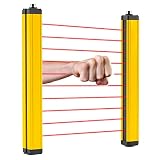
- [Fast Reaction] - The light curtain sensor responds as fast as 0.01 seconds. And the detection distance between transmitter and receiver can be up to 5m. NOTICE: the beam pitch of all types of the safety light curtains is 40mm, which is suitable for wrist or body detection.
- [Security Guard] - This safety grating is mainly used to protect personal safety and reduce work-related injuries. According to research, 90% of work-related injuries are due to lack of safety protection.
- [Stable Output] - It does not need a synchronization line since the power supply can be supplied separately. And it can resist electromagnetic interference and has stable output.
- [Wide Application] - It is applicable to machine tool operation area, production line, automatic welding line, automatic equipment, cutting and pressing equipment, etc. In addition, it has a high protection grade (IP65) and can be suitable for various working environments.
- [Good Quality] - The safety light curtain has a high-brightness indicator light, which makes its working state easy to identify. And the surface is treated with high-quality baking varnish, which makes it waterproof, oil-proof and well sealed.
7. Reassess whenever the application changes
A risk assessment is tied to the configuration that was examined. Reopen it before introducing a new task, product, payload, end effector, route, software behavior, autonomy level, teleoperation arrangement, workcell layout or nearby equipment. Also review after an incident, near miss, unexpected contact, repeated protective stop or significant maintenance change.
Use a change-control record that identifies what changed, why it changed, affected hazards, required tests, updated procedures, worker communication and the person approving return to operation. Do not allow a production deadline to turn an unassessed experiment into a permanent operating mode.
8. A practical readiness checklist
- Deployment: tasks, routes, zones, loads, tools, autonomy and teleoperation modes are written down.
- People: every worker category, visitor path and foreseeable access point is identified.
- Hazards: crushing, impact, pinch, entanglement, dropped or ejected objects, unexpected motion, tool energy and shared-route conflicts have been evaluated where relevant.
- Participation: employers, operators, maintenance staff and other affected workers contributed to the assessment.
- Standards: industrial or non-industrial classification, applicable ISO documents and jurisdictional legal requirements have been confirmed for the specific deployment.
- Safeguards: separation, guarding, sensing, monitored stopping, mode controls and collaborative functions are selected for identified hazards.
- Validation: controls were tested in the installed configuration with representative payloads, tools, speeds and environmental conditions.
- Lifecycle: integration, commissioning, operation, training, maintenance, fault recovery and decommissioning responsibilities are documented.
- Change control: a new task, tool, payload, route, software behavior or layout automatically triggers review.
9. Common preparation mistakes and their fixes
| Mistake | Why it fails | Better approach |
|---|---|---|
| Assuming a humanoid shape is inherently safer | Form factor says nothing about force, speed, reach, tools, loads or stopping behavior. | Assess the complete task and workcell, including the tool and payload. |
| Treating “collaborative” as an approval | Collaborative operation is an application mode with conditions and limits. | Validate the mode against the assessed hazards and installed configuration. |
| Applying ISO 10218 to every humanoid | The available scope does not classify every humanoid as an industrial robot. | Determine the exact use, manufacturer classification and jurisdiction first. |
| Assessing only normal production | Fault recovery, restart, teleoperation and maintenance can expose people to different motion and energy. | Include foreseeable abnormal conditions and the full lifecycle. |
| Installing a safeguard without validation | A device can have blind spots, inadequate response time or an unsafe reset arrangement. | Test it with the actual robot, payload, tool, layout and environmental conditions. |
| Leaving workers out of the assessment | Design documents may miss real routes, shortcuts and recovery practices. | Use worker participation from task definition through commissioning and change review. |
10. The decision rule for a safe launch
Do not authorize operation until the employer can answer, in writing: What will the robot do? Where can it move? Who can be exposed? What can it carry or activate? Which modes and recovery actions are possible? Which hazards remain after controls? How were those controls validated, and who is responsible for monitoring changes?
If any answer depends on an untested assumption—especially about collaborative behavior, stopping distance, sensor coverage, software autonomy or industrial classification—pause the launch and obtain the missing technical and legal determination. Safe humanoid operation is achieved by matching controls to a defined application and maintaining that match throughout the robot’s life, not by selecting a label or a single device.
Quick Recap
Product prices and availability are accurate as of the date/time indicated and are subject to change. Any price and availability information displayed on Amazon at the time of purchase will apply.




