What’s actually slowing this PC down?
Pick the symptom - the matching free tool is one click away.
Measure the complete robot application—not the robot arm alone—by combining a documented, task-based risk assessment with validated safeguards and dated reliability records. Examine production, programming, setup, jam clearing, fault recovery, cleaning, maintenance and foreseeable changes. For each task, identify who can enter the hazard zone, when motion can occur, what the tooling and workpiece can do, how people are detected or kept out, and whether the protective function works as intended. Then verify the controls in the real cell, train affected workers, inspect and test safety-related components, and reassess whenever the task or equipment changes.
What “safe and reliable” means for a robot cell
Safety and reliability are related but different questions. Safety asks whether people are protected from foreseeable injury during every task and abnormal condition. Reliability asks whether the robot, safeguards and procedures continue to perform their intended functions over time, including after faults, maintenance and production changes.
As an Amazon Associate I earn from qualifying purchases.
The unit you must evaluate is the application: robot, controller, end-effector, workpiece, fixtures, guarding, sensors, conveyors, nearby machines, software, workers and work instructions. A robot advertised as collaborative is not automatically safe in your installation. A sharp gripper, heavy part, pinch point, unexpected restart or adjacent machine can create hazards even when robot speed and force are limited.
In the United States, OSHA says there is currently no robotics-specific OSHA standard. General OSHA duties still apply. OSHA points employers and integrators to consensus documents such as ISO 10218-1 and ISO 10218-2 for industrial robots and robot systems and ISO/TS 15066 for collaborative robot safety. Those documents are consensus guidance from their originating organizations, not OSHA regulations. Check the editions and applicability in force when your cell is designed, modified or audited.
#1 Best Overall
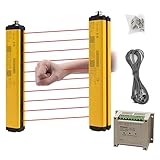
- ROBUST HOUSING- Thick aluminum alloy shell, stable performance, powerful output , and reliable safety.
- ACCURATE MONITORING- The detection is accurate and the response speed is as fast as 10ms. Meets International Electrotechnical Society IEC61496-1/2 standard, designed according to European standards, and has passed CE certification.
- SECURITY PROTECTION- This safety light curtain emits infrared light, resulting in a protective screens. When the light curtain is blocked, the device emits a blackout signal and control potentially dangerous machinery and equipment stops working, or an alarm signal, control and alarm devices to achieve the purpose of security.
- WIDE APPLICATIONS- Reliably protect people or objects in paper machinery, leather machinery, woodworking machinery, injection molding machine, forging machine, punching machine tools, security monitoring etc. Mainly used for the pipeline restricted area, bending machine, injection molding machine,stereo garage and and other dangerous equipment
- High Performance- Built-in amplifier, using modulated light source, programming synchronous scanning mode, strong resistance to external interference, easy to install
OSHA’s Technical Manual also warns that a documented risk assessment alone does not prove an application protects workers. The assessment must lead to effective controls, and those controls must be validated in the actual installation.
Start with a task-based risk assessment
Complete and document the assessment before commissioning, with affected workers involved where practical. Do not limit it to normal automatic production. A cell that is safe in automatic mode can become dangerous when an operator reaches in to clear a jam or teaches a new point.
Build the task inventory
List each operation and the people who may perform or be exposed to it:
Recommended Free Tools
- Loading and unloading parts in automatic production.
- Teaching, programming and jogging the robot.
- Setup, tool changes and fixture adjustment.
- Clearing jams, dropped parts and misfeeds.
- Recovering after a robot, sensor or communication fault.
- Cleaning, inspection and quality checks.
- Preventive maintenance, troubleshooting and repair.
- Recommissioning after a software, layout, tooling or work-instruction change.
For every task, record who can enter the hazard zone, how access occurs, whether the robot or another machine can move, and what starts or restarts motion. Include contractors, cleaners, maintenance technicians, supervisors and visitors when their presence is foreseeable.
Identify hazards from the whole application
Consider hazards created by the robot and by everything it handles or operates. Typical questions include:
- Can the arm, wrist, gripper or fixture crush, shear, pinch or trap a person?
- Can the workpiece fall, eject, break, have a sharp edge or retain heat, pressure or energy?
- Does the end-effector create suction, cutting, welding, dispensing, magnetic or pneumatic hazards?
- Can conveyors, presses, rotary tables or other machines move while a person is inside the robot’s reach?
- Can a program error, sensor failure, network fault or recovery sequence cause unexpected motion?
- Can noise, fumes, hot surfaces, stored pneumatic or electrical energy, or ergonomic strain injure someone even when the robot is stopped?
Describe the exposure, not just the hazard name. State the location, the person’s posture and reach, the frequency and duration of access, and the credible worst case. This makes it possible to choose a safeguard that addresses the actual exposure.
Document affected workers and foreseeable change
Record the employees and contractors consulted, their relevant experience and the training they need. Include foreseeable changes such as a larger workpiece, a new gripper, altered robot speed, a moved fence, a new product variant or a revised recovery procedure. Each change can create a new task or alter stopping distance and access.
Free tools Windows power users keep installed
One-click scans. No signup required.
Choose controls and safeguards for each exposure
Risk reduction normally combines inherently safer design, engineering controls, administrative measures and training. Specify the safety function for every control and how you will verify it.
Rank #2

- ROBUST HOUSING- Thick aluminum alloy shell, stable performance, powerful output , and reliable safety.
- ACCURATE MONITORING- The detection is accurate and the response speed is as fast as 10ms. Built-in amplifier, using modulated light source, programming synchronous scanning mode, strong resistance to external interference, easy to install
- SECURITY PROTECTION- This safety light curtain emits infrared light, resulting in a protective screens. When the light curtain is blocked, the device emits a blackout signal and control potentially dangerous machinery and equipment stops working, or an alarm signal, control and alarm devices to achieve the purpose of security.
- Self-check function: When the safety screen protector fails, ensure that the wrong signal is not sent to the controlled electrical appliances.
- High Performance- Built-in amplifier, using modulated light source, programming synchronous scanning mode, strong resistance to external interference, easy to install
Guarding, interlocks and controlled access
Fixed guards can prevent entry to a robot’s reach. Where people must enter, guarded doors, gates or access points can use safety-rated interlocks that command a stop and prevent restart until the hazard is controlled. Design the cell so a person cannot easily climb over, crawl under or reach around the guard into a moving hazard. Account for visibility: operators need to see status and work areas without opening a gate.
Interlocks are only effective if their signals, wiring, logic and reset behavior perform the intended safety function. Test the complete chain—from opening the gate through the safety controller to removal of hazardous motion—and document the result. A reset device should be located so the person resetting it can confirm that nobody remains in the danger zone, unless the design uses another equivalent protective method.
Presence sensing and light curtains
Presence-sensing devices, including safety light curtains, can protect an opening when their detection field, resolution, mounting distance and reset arrangement match the hazard. They are not universal substitutes for a fence or other control. A light curtain can be defeated by an opening beside it, a part that bridges the field, an incorrect safety distance or a reach-through path. Select and validate the device for the specific cell, approach direction, stopping time and environmental conditions.
Do these 3 things before closing this tab:
1Clear out junk files and repair common Windows errors2Scan for outdated or missing drivers - takes under a minute3Repair Windows errors before they cause bigger problemsEmergency stops and protective stops
Emergency-stop devices are a response to an emergency, not the primary means of preventing routine access. Verify that pressing one removes or controls the relevant hazardous energy, that the stop category and stopping behavior suit the machinery, and that reset does not cause automatic restart. Also test protective stops initiated by gates, scanners or other safety devices and record how the robot and connected equipment behave.
Determine whether the application is collaborative
“Collaborative” describes an operating mode and safeguarding strategy, not a guarantee of harmless contact. OSHA describes several collaborative approaches. Select one—or a combination—only after assessing the task, hazards and exposure.
Speed and separation monitoring
A sensing system monitors the distance between a person and the robot. As a person approaches, the application reduces speed or stops before the required separation is lost. Evaluate the sensor’s field of view, blind spots, response time, detection reliability, robot stopping distance and restart logic. Validate the worst credible approach path, including a person carrying a part or entering from an unexpected direction.
Power and force limiting
The robot and application are designed to limit contact energy. Force, pressure, speed, payload, tool geometry and workpiece characteristics all matter. A rounded robot arm may still be hazardous when fitted with a sharp tool or carrying a heavy part. Measure and validate force and pressure at likely contact locations in the real configuration; do not rely only on a manufacturer’s general collaborative designation. Apply the limits to every relevant operating state, including reduced-speed teaching and recovery.
Safety-rated monitored stop
The robot stops when a person enters a defined area and remains stopped while the person is present. Confirm the stop condition, the time to achieve a safe state, the absence of residual hazardous motion and the restart sequence. Test whether a person can be trapped or hidden from the reset location and whether another machine can move while the robot is stopped.
Rank #3

- Cutting-Edge Technology - Utilizing infrared scanning detection technology, this safety light curtain sensor system embodies the most recent innovations in automatic control products, ensuring exceptional performance.
- Fast Response & Anti-Interference: Experience quick response times and robust anti-interference capabilities with this light curtain sensor switch, ensuring reliable safety in diverse industrial environments.
- Robust Aluminum Alloy Construction: Built to last, this safety grating security device is crafted from high-quality aluminum alloy, offering longevity and dependable protection for forging machines, automation equipment, and more.
- Versatile Application: From shearing machines to industrial robots, this sensor is designed for a variety of machinery. It's ideal for use in production lines, packaging equipment, and solid garages, providing a versatile safety solution.
- Enhanced Efficiency: Featuring low energy consumption and fast response times, this sensor not only saves energy but also enhances operational efficiency, contributing to overall productivity in industrial settings.
Hand guiding and other modes
Hand-guided operation can be suitable only when enabling devices, reduced speed, release behavior and tool hazards are controlled. Document the mode selected, the conditions under which it is allowed, and the transition rules between automatic, collaborative and maintenance modes. A cell can require different safeguards for different modes.
Validate the safety functions in the installed cell
Validation demonstrates that the controls achieve their intended result under foreseeable conditions. It is more than checking that an indicator light turns on.
- Define each safety function. For example: opening a gate prevents hazardous robot motion; breaking a light curtain commands a stop; loss of a safety sensor produces a safe fault; a monitored stop prevents restart until the area is clear.
- Trace the signal path. Test the sensor, safety relay or controller, robot interface, drives, brakes and connected machines as one system. Include power cycling, communication loss and component faults where relevant.
- Measure stopping behavior. Determine the actual stop time and distance in the heaviest payload, highest permitted speed, worst approach direction and realistic wear condition. Use the applicable current standard and risk assessment to determine required separation; this article does not establish a universal distance.
- Test access and defeat scenarios. Check reach-through, climb-over and crawl-under paths, reflective or opaque materials in sensing fields, misaligned devices, blocked views and foreseeable bypass attempts.
- Test restart and recovery. Verify that clearing a device or restoring power does not create unexpected motion, and that a person cannot be inside the hazard zone when reset is performed.
- Record evidence. Date the test, identify the equipment and software versions, list test conditions, measured results, defects and corrective actions, and obtain sign-off from responsible personnel.
OSHA’s Technical Manual states: “The presence of an RA is not by itself sufficient to ensure that the application meets the intended purpose of ANSI/RIA R15.06-2012, which is to protect workers from injury.” Treat the risk assessment as the beginning of control selection and verification, not as proof by itself.
Measure reliability as continuing evidence
There is no single OSHA-prescribed reliability score, and no universal mean-time-between-failures value proves that a robot cell is dependable. Build a dated evidence trail showing whether safety-related functions remain available and whether faults are found and corrected.
Keep an inspection and test log
For each critical component, record the inspection date, person, condition, test method, result and corrective action. Include guards, interlocks, light curtains or scanners, emergency stops, enabling devices, safety controllers, brakes, protective-stop circuits and energy-isolation hardware. Follow the manufacturer’s maintenance instructions and the intervals established by your risk assessment and applicable standards.
Track faults, nuisance trips and bypasses
Log safety-related faults, nuisance trips, unexpected stops, repairs, degraded sensors, attempted bypasses and any temporary protective measure. A high nuisance-trip rate can encourage operators to defeat a safeguard; it is therefore both a reliability signal and a safety concern. Investigate the underlying cause rather than simply increasing a sensor’s tolerance or disabling an alarm.
Control software, tooling and procedure changes
Version and approve robot programs, safety logic, end-effectors, fixtures, layouts and work instructions. Record who made a change, why it was made, what risks it introduces and which validation tests were repeated. A program update that changes speed or path can alter stopping distance even when the hardware is unchanged.
Quick wins for a faster PC:
Clear out junk files and repair common Windows errorsFree Scan →Fix the driver behind crashes, sound loss and screen glitchesFind Drivers →Repair Windows errors before they cause bigger problemsFix Now →Verify training and competence
Maintain records showing that operators, programmers, maintenance staff and supervisors understand normal operation, protective devices, emergency response, lockout or energy-control procedures, fault recovery and the prohibition on bypassing safeguards. Requalify people when equipment or procedures change.
Rank #4

- ROBUST HOUSING- Thick aluminum alloy shell, stable performance, powerful output , and reliable safety. Beam Pitch 40mm, Beams 26, Protection Height 1000mm, Total Height 1080mm
- ACCURATE MONITORING- The detection is accurate and the response speed is as fast as 10ms. Meets International Electrotechnical Society IEC61496-1/2 standard, designed according to European standards, and has passed CE certification.
- SECURITY PROTECTION- This safety light curtain emits infrared light, resulting in a protective screens. When the light curtain is blocked, the device emits a blackout signal and control potentially dangerous machinery and equipment stops working, or an alarm signal, control and alarm devices to achieve the purpose of security.
- WIDE APPLICATIONS- Reliably protect people or objects in paper machinery, leather machinery, woodworking machinery, injection molding machine, forging machine, punching machine tools, security monitoring etc. Mainly used for the pipeline restricted area, bending machine, injection molding machine,stereo garage and and other dangerous equipment
- High Performance- Built-in amplifier, using modulated light source, programming synchronous scanning mode, strong resistance to external interference, easy to install
Use a practical measurement worksheet
The following fields turn a qualitative assessment into a repeatable review. They are a management framework, not a formal scoring scale.
| Area to measure | Questions to answer | Evidence to retain |
|---|---|---|
| Task and exposure | Who enters, why, how often and when can motion occur? | Task inventory, worker interviews, process maps and photos |
| Hazard severity and reach | What can the robot, tool, workpiece or adjacent machine do at the point of exposure? | Hazard analysis, payload and tooling data, reach and layout drawings |
| Safeguard function | What prevents access or brings equipment to a safe state? | Safety-function descriptions, schematics and device specifications |
| Collaborative mode | Is the cell using speed and separation monitoring, power and force limiting, monitored stop, hand guiding or another arrangement? | Mode definition, operating limits and validation results |
| Stopping behavior | Does the system stop soon enough under the worst credible condition? | Dated stop-time and distance tests with payload and speed conditions |
| Reliability history | Do protective devices work consistently, and are faults corrected? | Inspection, test, fault, repair and bypass logs |
| Human factors | Can workers see status, understand alarms and recover without entering danger? | Training records, work instructions and observation findings |
| Change control | What changed, and was the affected task reassessed? | Approved change records and repeated validation tests |
Compare two robot applications without a misleading score
When choosing between cells or reviewing an expansion, compare the same evidence for each application. A low-speed robot with an awkward manual access task may present more exposure than a faster robot behind robust guarding. Use these decision axes:
- Tasks and exposure: number, frequency and duration of entries, including maintenance and fault recovery.
- Motion and stopping: maximum speed, payload, path, stopping time and stopping distance in relevant conditions.
- Safeguarding: guards, interlocks, presence sensing, monitored stops and the quality of their validation.
- Human access and visibility: whether operators can see the hazard area and reset from a safe location.
- Tooling and workpiece hazards: sharp edges, hot parts, stored energy, ejection and pinch points.
- Collaborative mode: defined operating limits and evidence that those limits hold in production.
- Maintenance burden: inspection intervals, test complexity, spare parts and fault diagnosis.
- Records: completeness and currency of risk assessments, test results, training and change approvals.
Do not collapse these factors into a single invented percentage or “safe score.” A decision should show which exposure is reduced, which dependency remains and what evidence supports the conclusion.
The Tool Desk
Outbyte PC Repair FREERepair Windows errors before they cause bigger problemsFix Now →Outbyte Driver Updater FREEScan for outdated or missing drivers - takes under a minuteDriver Scan →Review triggers and recurring checks
Reassess the application whenever any of the following occurs:
- A new production, inspection, cleaning or maintenance task is introduced.
- The workpiece, payload, end-effector, fixture, robot speed or program changes.
- The cell layout, fence, gate, sensor position or safety logic changes.
- A safety-related incident, near miss, unexpected movement or repeated nuisance trip occurs.
- Maintenance changes a component, wiring, brake, controller, software version or protective device.
- Workers report a workaround, bypass, hidden hazard or difficulty recovering from faults.
Schedule routine inspections and functional tests as well. A safeguard that worked at commissioning can be misaligned, damaged, bypassed or defeated by production changes months later.
Common measurement mistakes and corrections
Judging the robot model instead of the cell
Mistake: treating a collaborative label or catalog specification as proof of safety.
Correction: assess the actual tool, payload, path, workpiece, access pattern and adjacent equipment, then validate the installed controls.
Windows Errors? Fix Them Before They Spread
Repair common Windows errors and clear accumulated junk for a smoother, more stable PC - no reinstall needed.Free scan · no reinstallOutdated Drivers Are Slowing You Down
One free scan finds every outdated or missing driver and matches the right update for your exact hardware.Free scan · exact hardware matchAssessing automatic production only
Mistake: ignoring teaching, jam clearing, cleaning and maintenance because the robot is guarded during normal cycles.
Best Value
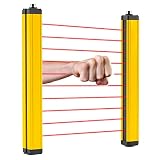
- [Fast Reaction] - The light curtain sensor responds as fast as 0.01 seconds. And the detection distance between transmitter and receiver can be up to 5m. NOTICE: the beam pitch of all types of the safety light curtains is 40mm, which is suitable for wrist or body detection.
- [Security Guard] - This safety grating is mainly used to protect personal safety and reduce work-related injuries. According to research, 90% of work-related injuries are due to lack of safety protection.
- [Stable Output] - It does not need a synchronization line since the power supply can be supplied separately. And it can resist electromagnetic interference and has stable output.
- [Wide Application] - It is applicable to machine tool operation area, production line, automatic welding line, automatic equipment, cutting and pressing equipment, etc. In addition, it has a high protection grade (IP65) and can be suitable for various working environments.
- [Good Quality] - The safety light curtain has a high-brightness indicator light, which makes its working state easy to identify. And the surface is treated with high-quality baking varnish, which makes it waterproof, oil-proof and well sealed.
Correction: make every foreseeable task a separate exposure scenario with its own access and restart analysis.
Relying on one device
Mistake: assuming an emergency stop, light curtain or gate interlock alone solves every hazard.
Correction: combine controls as needed and test their interaction, including reach-around paths and connected machinery.
Using the risk assessment as the final proof
Mistake: filing a signed assessment without measuring stopping behavior or testing fault responses.
Correction: validate each safety function in the real cell and keep dated evidence.
Ignoring reliability signals
Mistake: treating nuisance trips, bypass attempts or recurring faults as production inconveniences.
Correction: investigate them as indicators that the safeguard, process or training may be inadequate.
U.S. compliance scope and professional support
The OSHA statements above apply to workplaces in the United States. Other jurisdictions may impose specific machinery, guarding or collaborative-robot requirements. Even in the United States, employers and integrators retain responsibility for meeting applicable OSHA duties and for selecting and applying consensus standards appropriately.
Complex cells benefit from qualified robot-safety and system-integration expertise, especially when the application combines multiple machines, unusual tooling, frequent human access or power-and-force-limited operation. Ask any provider to show the methods, competence, deliverables and validation evidence they will supply; availability or suitability cannot be assumed from a service label.
A repeatable measurement cycle
- Inventory every operating, setup, recovery, cleaning and maintenance task.
- Identify hazards, exposed people, access paths and possible motion for each task.
- Select engineering safeguards and define their safety functions.
- Specify the collaborative mode and operating limits, if used.
- Validate sensors, logic, stopping behavior, force or pressure limits and restart controls in the installed cell.
- Train affected workers and document competence.
- Inspect and test critical components on a defined schedule.
- Log faults, nuisance trips, repairs, bypasses and changes.
- Reassess after incidents, near misses, maintenance changes or any change to tasks, tooling, layout or software.
The Bottom Line
A robot is as safe and reliable as the complete application and the evidence supporting it. Use task-based risk assessment to choose controls, validate those controls under real conditions, and maintain dated inspection, fault, training and change records. Reassess whenever people, programs, tooling or safeguards change; “collaborative” is a design mode, not a safety exemption.
Quick Recap
Product prices and availability are accurate as of the date/time indicated and are subject to change. Any price and availability information displayed on Amazon at the time of purchase will apply.
Quick wins for a faster PC:
Clear out junk files and repair common Windows errorsFree Scan →Scan for outdated or missing drivers - takes under a minuteDriver Scan →



