To get the most usable distance from an e-Sprinto G1, start with the basics that you can control: set the tires to the pressure in the G1 manual or on the vehicle label, remove unnecessary weight, accelerate and brake progressively, hold a steady speed when traffic permits, and choose a less hilly route when it is practical. Charge and store the scooter according to e-Sprinto’s instructions, and plan trips with a reserve rather than treating the dashboard or product-page figure as a promise.
The current G1 product page displays a 130 km range claim. It does not state a test method, publication date, rider weight, speed, terrain, weather or traffic conditions, so it cannot predict the distance every rider will achieve.
As an Amazon Associate I earn from qualifying purchases.
What the G1’s published range means
e-Sprinto lists 130 km for the G1, alongside a stated 4.5-hour charging time, 81 kg kerb weight and 150 kg carrying capacity. These are company-published specifications on the current product page, not an independent road test. Because the page gives no test procedure or operating conditions, use the figure as a reference point for planning, not as a guaranteed return-trip distance.
Quick wins for a faster PC:
Repair Windows errors before they cause bigger problemsFix Now →Scan for outdated or missing drivers - takes under a minuteDriver Scan →| Published item | Value | How to interpret it |
|---|---|---|
| Range | 130 km | e-Sprinto’s displayed claim; test conditions and real-world guarantee are not stated. |
| Charging time | 4.5 hours | Company specification; actual time can depend on battery state, charger and conditions. |
| Kerb weight | 81 kg | Listed scooter weight, separate from rider, passenger and luggage. |
| Carrying capacity | 150 kg | Company-listed maximum load; additional mass generally makes the motor work harder. |
The same scooter can cover different distances on different days. Speed changes, tire pressure, combined rider and cargo weight, hills, wind, temperature, battery condition and the charge available at departure all alter energy use. No G1-specific source establishes a range figure by speed, load, temperature or elevation, so avoid promises such as a fixed percentage gain from any single adjustment.
#1 Best Overall

- Accurate, Dependable Readings: Factory‑calibrated to ±1 PSI, so you can confidently match your vehicle’s recommended PSI (check the door jamb sticker). Ideal for monthly checks and road trips — consistent results every time, cold or warm.
- Bright Backlit Display & Nozzle Light: The illuminated nozzle helps you find the valve stem in the dark, while the backlit LCD makes readings crystal clear in dim garages or at night. No more squinting or holding a flashlight.
- 4 Measurement Units, One Button: Quickly switch among PSI, Bar, Kgf/cm², and KPA with a single press. No complex settings — just press and cycle to your preferred unit. Perfect for drivers who need multiple scales.
- Broad Compatibility for Everyday Vehicles: 0–150 PSI covers cars, SUVs, motorcycles, and spare tires (often 60 PSI). Fits standard Schrader valves; just press on for a reading.
- Auto‑Off to Extend Battery Life: The gauge automatically powers down after 30 seconds of inactivity, so the included 2*AAA batteries last longer. Always ready for your monthly checks without surprise dead batteries.
Set up every ride for maximum usable range
1. Verify tire pressure without guessing
e-Sprinto says that maintaining correct tire pressure is crucial for two-wheeler efficiency. Check the pressure when the tires are cold and compare it with the value printed on the G1 vehicle label or specified in the latest G1 owner’s manual. The available general guidance does not establish a G1-specific PSI or bar number, so copying a value from another scooter can leave the tires over- or under-inflated.
A basic digital tire-pressure gauge is an optional tool, but it does not replace the manufacturer’s specification. If a tire repeatedly loses pressure, has a visible cut, or shows a damaged valve, have it inspected before a long trip; simply adding air may hide a puncture.
2. Start with enough charge and a route plan
Before leaving, check the battery indicator and compare the planned distance with the conditions you expect: passengers, luggage, hills, high speeds, cold weather and likely stops. e-Sprinto’s charging guidance recommends checking the charge before departure and identifying charging options for an extended ride. For a round trip, plan for the outward and return legs plus a reserve for detours, traffic and slower charging access. Do not set out on a route that requires the scooter to arrive at the displayed minimum solely because the product page lists a maximum range.
Free tools Windows power users keep installed
One-click scans. No signup required.
3. Remove weight you do not need
Take off unused bags, tools and other cargo. e-Sprinto identifies heavier loads as a range-reducing factor. Keep the remaining load secured and within the 150 kg carrying capacity listed for the vehicle. That limit includes the rider, passenger and luggage; it is not an allowance that can be added to the rider’s weight.
4. Inspect the scooter before departure
- Look for a soft tire, exposed damage or a loose valve.
- Confirm that the charging connector is fully removed and stored safely before riding.
- Check that luggage does not rub the wheel, obstruct controls or shift during braking.
- Verify that the battery level is visible and that the planned destination has a realistic charging option if the trip is long.
Ride in a way that wastes less energy
Build speed gradually
Hard launches demand a high current from the battery. Twist the throttle progressively and allow the scooter to gather speed smoothly rather than repeatedly accelerating at full input. This is an efficiency practice, not a reason to merge into unsafe traffic gaps slowly; accelerate as needed to remain predictable and safe.
Hold a steady cruising pace
e-Sprinto recommends steady cruising where conditions allow. Repeated bursts of acceleration followed by braking consume more energy than maintaining a consistent speed on an open, legal stretch of road. Use the pace appropriate for the posted limit, traffic, visibility and surface. Do not ride below a safe speed, obstruct traffic or make sudden maneuvers merely to conserve charge.
Brake smoothly and anticipate stops
Look farther ahead for signals, queues, junctions and turning vehicles. Easing off the throttle early and braking progressively avoids the accelerate-then-stop cycle. Keep a safe following distance so you can slow in a controlled way instead of making emergency inputs. Smooth braking also reduces tire and brake wear, but it cannot create more energy than the battery stores.
The Tool Desk
Outbyte Driver Updater FREEFix the driver behind crashes, sound loss and screen glitchesFind Drivers →Outbyte PC Repair FREEClear out junk files and repair common Windows errorsFree Scan →Rank #2
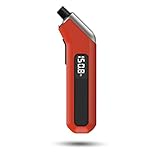
- PROCESS LEVEL ACCURACY: Each ETENWOLF’s digital tire pressure gauge is calibrated manually to ANSI B40.7 Grade 2A(plus-minus 1 PSI).Presta valve adapter not included, if used for bicycles, it must be purchased separately
- ACCURACY IN EXTREME PRESSURE RANGE: Whether tire pressure is below 12 PSI or above 140 PSI, ETENWOLF’s digital tire gauge is accurate as well
- ACCURACY IN EXTREME WEATHER: Built-in AI chip with thermal compensation inside, ETENWOLF’s tire gauge works normally even in extreme cold or hot weather(-4°F-130°F/-20°C-54°C)
- PRESSURE RANGE 3-200 PSI : ETENWOLF’s digital tire pressure gauge can measure pressure of all types of vehicles
- REPLACEABLE AAA BATTERIES: Batteries are easy to replace and helps to extend the tire pressure gauge’s life span, with LED light to illuminate dark areas for easy tire pressure reading
Manage hills and route elevation
Steep climbs are energy-intensive, and e-Sprinto advises avoiding them when a practical alternative exists. When comparing two otherwise suitable routes, a flatter option may preserve more charge even if it is slightly longer. Do not choose a route that compromises lighting, road quality, legal access or personal safety for a theoretical efficiency gain. On a descent, maintain a controlled speed and follow the G1’s operating instructions rather than assuming that coasting or regenerative braking will restore a predictable amount of energy.
Account for wind, temperature and surface conditions
Headwinds, cold weather, wet surfaces and rough pavement can increase the work required to maintain speed. The available G1 material does not quantify their effect, so treat them as reasons to increase your reserve rather than applying a fixed correction percentage. If a trip that is normally comfortable becomes marginal on a cold or windy day, charge first or shorten the route.
Charge the battery correctly
Use the correct charger
e-Sprinto advises using the charger supplied with the vehicle or one that the company has confirmed as compatible. A generic unit with a similar plug can have the wrong voltage, current or charging controls. That can damage the battery or create a safety hazard. If the original charger is lost or damaged, obtain the correct replacement through e-Sprinto or an authorized service route instead of selecting a substitute by connector shape alone.
Check the port and cable before connecting
e-Sprinto’s charging guidance recommends inspecting the charging port and cable for dust, damage or loose connections. Keep the area dry and clean, and stop if you see melted plastic, exposed conductors, scorching, moisture inside the port or a connector that does not seat firmly. Do not open the battery, charger or wiring to repair an electrical fault yourself; ask e-Sprinto or a qualified service provider to diagnose it.
Do these 3 things before closing this tab:
1Repair Windows errors before they cause bigger problems2Fix the driver behind crashes, sound loss and screen glitches3Clear out junk files and repair common Windows errorsAvoid deep discharge
General e-Sprinto battery guidance recommends recharging before the battery is completely depleted. Repeatedly riding until the scooter shuts down leaves less margin for an unexpected detour and can make recovery more difficult. Recharge after a demanding ride rather than storing the scooter at an empty state, while following the G1 manual for its exact charging sequence and indicator behavior.
Allow the normal charging cycle to finish
The product page lists 4.5 hours as the charging specification. Treat that as a company figure, not a stopwatch guarantee for every session. Starting charge, temperature, charger condition and battery age can change the time. Place the scooter where the charger can remain ventilated and undisturbed, and disconnect it according to the G1 manual when charging is complete.
Store the G1 when it will not be used
For extended storage, e-Sprinto’s general maintenance guidance recommends leaving the battery at about 50 percent and keeping the scooter in a cool, dry place. This is general brand advice; use the latest G1 manual if it specifies a different storage level, inspection interval or procedure. Avoid damp sheds, direct sun, heaters and locations where freezing or excessive heat is likely.
Rank #3

- PRO ACCURACY - mechanic recommended, performance tested, & calibrated accurate to professional ANSI 2A standards - with dual pressure sensors certified to ±0.50% FS (0.50 PSI), offering reliable readings up to 100 PSI w/ precise readout resolution of 0.10 PSI - so you can now maintain your tires with a shop-grade mechanic trusted tool
- STRONG & RUGGED - feels solid in the hand & built to last from 100% solid brass & steel parts shielded by our shock-resistant gear-style protective guard to protect against drops & impact. Features ultra soft & strong 10" fully rotational, leak-proof HybridFlex air hose w/ 360 swivel angled air chuck that can be swapped out w/ any 1/4" NPT chuck
- ADVANCED ENGINEERING - all readings lock-on to the display until the "ON" button is pressed once to reset to zero. Features built-in air bleeder valve that bleeds pressure in real time without needing to reset the display - ideal for cars, trucks, motorcycles, bikes, RV & trailers, spare tires, and much more
- SMART DISPLAY - features high-resolution digital 2.5 inch LCD display screen w/ battery life indicator & bright LED backlight for high visibility in the dark. Gauge is programmed to auto shut-off after 150 seconds of inactivity to save battery (2x AAA batteries included)
- 100% Lifetime Warranty by JACO - serving the automotive industry for 35+ years. Enjoy longer-lasting tires, improved fuel economy, and superior vehicle performance & handling with properly inflated tires.
Before returning the scooter to service, inspect the tires, charging lead, connector and visible wiring, then check the battery level. If the scooter has been stored for a long period and will not accept a normal charge, do not repeatedly try incompatible chargers or dismantle the pack. Contact e-Sprinto or an authorized dealer for the correct service path.
Plan trips with a realistic reserve
Use conditions, not the headline number, as your planning baseline
Start by estimating the actual distance, including the return journey and likely detours. Then consider whether the route includes sustained hills, high-speed roads, a passenger, heavy luggage, strong wind or unusually cold weather. The more of these factors apply, the more conservative your plan should be. Because no independent G1 test supplies an adjustment table, there is no defensible formula that converts the 130 km claim into an exact distance for your circumstances.
Build charging opportunities into longer journeys
Identify a compatible charging point before departure and confirm that you can legally and safely stop there. A charging stop is useful only if the destination has the correct electrical access and enough time for the scooter’s normal charging process. Keep an alternative location in mind when the route has sparse services, and do not count on an unknown public charger without verifying compatibility.
Keep a simple range log
For your own scooter, record the starting charge, approximate distance, rider and cargo load, terrain, weather and riding pattern. Comparing similar trips over time can reveal a developing problem, such as a tire that keeps losing pressure or a battery that no longer holds its usual charge. Your log is personal evidence, not a replacement for the manufacturer’s specification or a laboratory test.
Compare trips before blaming the battery
When one ride ends with less charge than expected, compare it with a genuinely similar ride. A route with several climbs is not equivalent to a flat commute, and a solo trip is not equivalent to one carrying a passenger or extra luggage. Note whether you spent more time at high speed, stopped and restarted frequently, faced a headwind, rode on rough or wet pavement, or began with less charge. This simple comparison prevents a normal change in energy use from being mistaken for a battery defect.
Recommended Free Tools
Look for repeatability. If the same route, load and riding style produce similar results over several outings, that pattern is more useful for your own planning than the headline specification. If the result changes sharply without a change in conditions, check tire pressure and charging first, then seek service rather than trying to compensate by riding closer to empty.
When the G1 suddenly loses range
A gradual difference between two rides can be explained by speed, hills, wind, temperature, load or charge state. A sudden and persistent change deserves a check rather than a guess.
Rank #4

- Enhanced Visibility in Low Light: Features a green backlit LCD screen and integrated flashlight, allowing for clear reading of tire pressure even in dark or dimly light conditions.
- Durable & Heavy-Duty Design: Constructed from robust stainless steel, specially engineered for RV and truck use. Helps maintain proper tire pressure to reduce wear and extend tire lifespan.
- Nozzle easily forms a seal with the valve stem giving quick and accurate readings in 0.1 increments; 4 settings with longer range: 0-230 PSI / 0-16 Bar / 0-16 Kg/cm² / 0-1585 Kpa
- Wide Pressure Range & Easy Operation: Covers 0-230 PSI / 0-16 Bar / 0-16 Kg/cm² / 0-1585 Kpa. Simply press the “ON/UNIT/OFF” button to turn on, select your unit, and it auto-shuts off after 30-40 seconds to conserve battery.
- User-Friendly & Versatile: Ergonomic non-slip texture ensures a firm grip. Includes batteries and comes with a 1-year warranty. Suitable for cars, trucks, motorcycles, bicycles, and more.
- Confirm that the tires are at the pressure stated in the G1 manual or on the vehicle label.
- Review whether the recent ride had more cargo, a passenger, steeper climbs, faster cruising or colder weather.
- Inspect the charging port, cable and connector for dirt, looseness or damage.
- Confirm that the supplied or manufacturer-approved charger completes a normal charge and that the indicator behaves as described in the manual.
- Look for unusual heat, smell, noise, warning lights, swelling or visible wiring damage. Stop using the scooter if any safety-critical symptom appears.
- Contact e-Sprinto or an authorized service provider for battery, motor or electrical diagnosis. Do not attempt internal battery repairs.
The indexed e-Sprinto owners manual is not verified as G1-specific, so use it only if e-Sprinto confirms that it applies to your vehicle. For model-specific pressure, charging and fault procedures, ask e-Sprinto support for the latest G1 documentation.
A practical routine for everyday efficiency
Before leaving
- Check charge against the planned distance and reserve.
- Measure cold-tire pressure against the G1 specification.
- Remove unnecessary cargo and secure what remains.
- Choose a safe route with fewer steep climbs where practical.
During the ride
- Accelerate progressively.
- Maintain a legal, steady pace when traffic and road conditions permit.
- Anticipate stops and brake smoothly.
- Watch the battery indicator so you can change plans before the charge becomes critical.
After the ride
- Recharge before complete depletion, using the supplied or confirmed-compatible charger.
- Inspect the port and cable before the next charging session.
- Note unusual range changes alongside weather, load and route conditions.
What is not established about G1 range
There is no published G1-specific tire-pressure number in the available material, no independently measured real-world range, and no verified range chart by rider weight, speed, terrain or temperature. The product page also does not state the conditions behind its 130 km figure. Those gaps matter when comparing your own trip with the headline specification. Use the manual, vehicle label and e-Sprinto support for exact vehicle instructions rather than importing numbers from another model.
PC Slower Than It Used to Be?
A free scan shows the junk files, broken settings and background clutter dragging Windows down - then fixes them in one click.Free scan · Windows 10 & 11Outdated Drivers Are Slowing You Down
One free scan finds every outdated or missing driver and matches the right update for your exact hardware.Free scan · exact hardware matchFor charging and maintenance context, e-Sprinto’s general articles are useful: 8 Tips To Maximize Your Electric Scooter’s Range (September 15, 2023), Things To Know About e-Sprinto Electric Two-Wheeler Charging (October 17, 2023), and Ultimate Guide On How To Maintain Your Electric Two-Wheeler. Apply their general advice to the G1 only where the G1 manual does not give a different instruction.
Frequently Asked Questions
How far can an e-Sprinto G1 really travel on one charge?
e-Sprinto currently displays 130 km as the G1 range claim. The product page does not provide test conditions, so actual distance depends on speed, tire pressure, load, hills, weather, battery condition and available charge. Plan with a reserve rather than treating 130 km as a guaranteed trip distance.
Does tire pressure affect G1 range?
Yes. e-Sprinto says correct tire pressure is important for two-wheeler efficiency. Use the pressure printed on the G1 vehicle label or specified in the latest G1 manual. Do not copy a PSI or bar value from another scooter.
What tire pressure should I use on the G1?
The available G1 material does not establish a specific PSI or bar figure. Check the vehicle label or latest G1 owner’s manual, and ask e-Sprinto support if that information is missing.
What’s actually slowing this PC down?
Pick the symptom - the matching free tool is one click away.
How should I ride to maximize range?
Accelerate gradually, maintain a steady legal pace when traffic and road conditions allow, anticipate stops and brake smoothly. Avoid repeated hard acceleration and braking, but never ride unsafely or obstruct traffic to save energy.
Best Value

- Digital Tire Pressure Gauge 2 Pack, Industrial Tire Gauge 3-200 PSI, Calibrated to ANSI B40.7 Grade 2A(plus-minus 0.5%), Air Pressure Gauge with Replaceable AAA Batteries
- ACCURACY IN EXTREME PRESSURE RANGE: Whether tire pressure is below 12 PSI or above 140 PSI, ETENWOLF’s digital tire gauge is accurate as well
- ACCURACY IN EXTREME WEATHER: Built-in AI chip with thermal compensation inside, ETENWOLF’s tire gauge works normally even in extreme cold or hot weather(-4°F-130°F/-20°C-54°C)
- PRESSURE RANGE 3-200 PSI : ETENWOLF’s digital tire pressure gauge can measure pressure of all types of vehicles
- REPLACEABLE AAA BATTERIES: Batteries are easy to replace and helps to extend the tire pressure gauge’s life span, with LED light to illuminate dark areas for easy tire pressure reading
Does carrying a passenger reduce range?
Additional rider, passenger and luggage weight generally increases the work the scooter must do. Remove unnecessary cargo and stay within e-Sprinto’s listed 150 kg total carrying capacity.
Should I take a longer, flatter route?
A flatter route can use less energy than a steep route, even if it is slightly longer. Choose it only when it remains safe, legal and practical; do not trade lighting, road quality or personal safety for a theoretical gain.
Can I use any charger with the G1?
No. Use the charger supplied with the scooter or one e-Sprinto has confirmed as compatible. A similar-looking generic charger may have the wrong electrical specifications and can create damage or a safety hazard.
How should I store the G1 for a long period?
e-Sprinto’s general maintenance guidance recommends about 50 percent charge in a cool, dry place. Follow the latest G1 manual if it specifies a different storage level or procedure, and inspect the scooter before putting it back into service.
What should I do if the G1 suddenly loses range?
Check cold-tire pressure, recent load and route conditions, then inspect the charging port, cable and connector. Confirm that the approved charger completes a normal charge. Stop using the scooter for unusual heat, smell, swelling, warning lights or damaged wiring, and contact e-Sprinto or an authorized service provider.
The Bottom Line
Maximize usable G1 range by checking the correct tire pressure, carrying only what you need, riding smoothly at a safe steady pace, avoiding unnecessary climbs and recharging before deep discharge. Use the supplied or approved charger, store the scooter around 50 percent charge in a cool, dry place for extended downtime, and plan every trip with conditions and a reserve in mind. The 130 km figure is e-Sprinto’s published claim, not a promise for every rider or route.
Quick Recap
Product prices and availability are accurate as of the date/time indicated and are subject to change. Any price and availability information displayed on Amazon at the time of purchase will apply.




