If you own a Subaru, “STARLINK” may mean two completely different things. It can refer to the touchscreen multimedia system in the dashboard, or to Subaru’s connected-services program for remote controls, safety assistance, vehicle reports, and alerts.
That distinction matters when you are trying to pair a phone, update the infotainment system, start the engine from your driveway, or figure out why a remote command failed. Subaru has also renamed its connected services, so older references to STARLINK Safety Plus and Security Plus can be confusing. Here is how the systems fit together, what they do, and where the common problems come from.
As an Amazon Associate I earn from qualifying purchases.
What does Subaru STARLINK mean?
Subaru has used the STARLINK name for several products over the years:
The Tool Desk
Outbyte PC Repair FREEClear out junk files and repair common Windows errorsFree Scan →Outbyte Driver Updater FREEFix the driver behind crashes, sound loss and screen glitchesFind Drivers →- STARLINK Multimedia: The vehicle’s touchscreen and audio interface. Depending on the model and trim, it handles radio, Bluetooth, Apple CarPlay, Android Auto, and built-in navigation.
- STARLINK Safety, Security, and Concierge: The former name for Subaru’s subscription-based connected services.
- MySubaru Connected Services: The current name for those connected services on most non-EV Subaru models.
- SubaruConnect: The separate connected-services system used by Subaru EVs such as the Solterra, Trailseeker, and Uncharted.
STARLINK Multimedia is primarily a vehicle interface. MySubaru Connected Services uses a cellular telematics module in the vehicle, Subaru’s servers, and the MySubaru app or website. One does not automatically provide the functions of the other.
#1 Best Overall
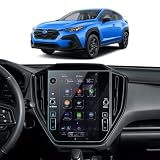
- 【𝐏𝐞𝐫𝐟𝐞𝐜𝐭 𝐅𝐢𝐭】 Verify your screen size with Picture 2 before purchase. LANTU Tempered Glass Screen Protector is tailored to precisely match 2024 2025 2026 Subaru Crosstrek XV(Premium/Sport/Limited) & 2022-2024 WRX (Premium/GT/Limited) & 2024-2026 Impreza 11.6’’ STARLINK Navigation Screen. Enjoy seamless, edge-to-edge coverage without any impact on functionality. We guarantee quality and stand behind our product
- 【𝐄𝐧𝐡𝐚𝐧𝐜𝐞𝐝 𝐏𝐫𝐨𝐭𝐞𝐜𝐭𝐢𝐨𝐧】 9H tempered glass offers high-level protection, preventing scratches, shattering, and damage. Keep 2024-2026 subaru crosstrek screen looking new for years with advanced anti-explosion technology, ensuring safety for you and your 2024 2025 2026 subaru crosstrek screen
- 【𝐅𝐢𝐧𝐠𝐞𝐫𝐩𝐫𝐢𝐧𝐭 𝐑𝐞𝐬𝐢𝐬𝐭𝐚𝐧𝐜𝐞】Experience effective resistance against fingerprints and smudges for a cleaner 2026 Impreza screen. Enjoy a smooth, hassle-free experience without constant smudging or unwanted marks
- 【𝐒𝐦𝐨𝐨𝐭𝐡 𝐓𝐨𝐮𝐜𝐡】Achieve crystal-clear visuals and vibrant colors with our 99% HD clarity and ultra-thin 0.26mm screen protector. Enjoy an impeccable smooth touch experience on 2025 2026 subaru crosstrek screen
- 【𝐄𝐚𝐬𝐲 𝐈𝐧𝐬𝐭𝐚𝐥𝐥 & 𝐑𝐞𝐦𝐨𝐯𝐞】 Easily install the 2026 crosstrek screen protector with automatic adsorption, ensuring a bubble-free experience. When removal is needed, it leaves no residue
Subaru’s current connected-service names
Older articles and owner manuals may use names that no longer appear on Subaru’s website. The current plan family generally depends on the vehicle’s model year:
| Vehicle model year | Current plan family |
|---|---|
| 2016–2025, when properly equipped | MySubaru Safety and Security plans |
| 2026 and newer, when properly equipped | MySubaru Companion plans |
The current plan names are MySubaru Safety, MySubaru Security, MySubaru Concierge, MySubaru Companion, and MySubaru Companion+. References to STARLINK Safety Plus, Security Plus, or Concierge are usually legacy terminology rather than entirely different services.
What MySubaru Connected Services can do
2016–2025 models
MySubaru Safety can include:
- Advanced Automatic Collision Notification
- Diagnostic Alerts
- Enhanced Roadside Assistance
- Maintenance Notifications
- Service Appointment Scheduler
- SOS Emergency Assistance
- Vehicle Condition Check
- Vehicle Health Report
- Over-the-air software updates
MySubaru Security adds eligible remote and monitoring features such as:
- Remote lock and unlock
- Remote horn and lights
- Remote vehicle locator
- Remote engine start with climate control
- Stolen Vehicle Recovery
- Stolen Vehicle Immobilizer
- Boundary, speed, and curfew alerts
- Trip logs and driving journals
- Destination to Vehicle
Subaru currently advertises a three-year free trial of MySubaru Safety and a six-month free trial of MySubaru Security with a new vehicle, subject to eligibility and enrollment requirements. A free trial is not the same as permanent access; remote features can disappear when the applicable trial or paid subscription ends.
2026 and newer models
MySubaru Companion includes Emergency Recovery Services, over-the-air updates, Vehicle Health & Care, and Remote Access.
MySubaru Companion+ adds features including:
- Remote engine start
- Remote lock and unlock
- Remote climate control
- Heated and ventilated seat control, when equipped
- Remote horn and lights
- Curfew, boundary, and speed alerts
- Valet Mode
- Trip logs and driving journals
- MySubaru Personal Assistant
Companion plans depend on a 4G network connection. Subaru advertises a five-year free Companion trial for qualifying new vehicles, while Companion+ features require the upgraded plan. Equipment and availability still vary by model and trim.
How to use the MySubaru app
For eligible non-EV Subarus, the MySubaru app is the main interface for remote services. You can also access many of the same functions through the MySubaru website. Remote controls normally appear on the account home page. They can also be found through the menu at the top of the screen.
To review or change a plan in the mobile app, open Manage Subscriptions. Having a MySubaru account and adding a vehicle VIN does not automatically activate every remote feature. The vehicle must be eligible, associated with the correct account, connected to Subaru’s network, and covered by a plan that includes the command you want to use.
Remote-start climate controls
On supported vehicles, the home page includes Quick Start and Climate Presets controls.
- Select Climate Presets next to Quick Start.
- Adjust the available temperature, fan, and defroster settings.
- Select Save Settings & Start Engine to apply the settings and start the vehicle.
- Select Save Preset if you want to save the setup without starting the engine.
For a delayed start, select Adjust Climate & Delay Settings under Remote Engine Start, choose Engine Start, and select a delay of 5 or 10 minutes. Exact controls and engine-runtime options vary by vehicle and app version.
Location privacy settings
Location-based functions such as Remote Vehicle Locate and Boundary Alert depend on the vehicle transmitting location information. In the MySubaru app, open:
Quick wins for a faster PC:
Repair Windows errors before they cause bigger problemsFix Now →Scan for outdated or missing drivers - takes under a minuteDriver Scan →Rank #2

- Exact Fit: Designed for Subaru WRX STARLINK 2022 2023 2024 2025 2026 (Premium, Limited, TR, GT, TS) models, fits 11.6" gps navigation touch screen, WRX Screen Protector
- 9H Hardness Scratch and Wear Resistant: CDEFG for Subaru WRX STARLINK 2022 2023 2024 2025 Tempered Glass Screen Protector Surface passed 9H hardness test, sharp keys, gravel friction do not leave traces, goodbye to the screen “face” trouble. Fngerprints can be wiped clean, keeping the screen fresh and bright for a long time.
- Ultra- Clear Light Transmission, Sensitive Touch: CDEFG for Subaru WRX STARLINK 2022 2023 2024 2025 Tempered Glass Screen Protector has a light transmission rate of up to 98%, which allows you to read the screen clearly with true-to-life colors and no chromatic aberration.0.26mm ultra-thin thickness precisely fits the screen curvature, with no delay in the touch response, and the control is as smooth as that of a bare screen.
- EASY INSTALLATION: CDEFG for Subaru WRX STARLINK 2022 2023 2024 2025 Tempered Glass Screen Protector Installation tool is complete, the screen protector supports repeated tearing and pasting, automatic adsorption installation, you can effortlessly attach the screen protector for a seamless installation.
- PACKAGE LIST: CDEFG for Subaru WRX STARLINK 2022 2023 2024 2025 Tempered Glass Screen Protector, Installation Tool Kits, User's Guide
Menu → My Profile → Vehicle Location Tracking
There you can turn Send Vehicle Location at Ignition-Off on or off. Subaru says only the primary MySubaru account holder can change this setting. Turning location tracking off can reduce or disable location-dependent services.
Checking STARLINK Multimedia software
The common path for checking the multimedia head unit’s software information is:
Settings → General → System Information
This is not a universal screen layout for every Subaru. The company has used several systems, including dual 7-inch displays, 11.6-inch Multimedia Plus systems, and 11.6-inch Multimedia Navigation systems. Model year, trim, and software version can change the names and positions of menu items.
Updating the multimedia system over the air
- Connect the vehicle to an active Wi-Fi or other supported internet connection.
- Open Settings → General → System Information.
- Use the available software-update option to check for an update.
- Keep the vehicle connected while the download and installation proceed.
- Allow the multimedia system to restart, potentially more than once.
If the download fails, check the connection, move closer to the Wi-Fi source, or try another connection such as a phone hotspot. A Subaru retailer can perform the update if the over-the-air process continues to fail. The display and menus may change after installation, so an older screenshot may not match your vehicle.
Free tools Windows power users keep installed
One-click scans. No signup required.
Pairing a phone over Bluetooth
For the 2020–2022 Outback and Legacy interface, the verified process is:
- From the home screen, select Phone.
- If no phone is connected, select Yes when asked whether you want to add a device.
- If a phone is already paired, select Add Device.
- Note the Subaru device name shown on the vehicle screen.
- Open Bluetooth settings on the phone and select the Subaru device.
- Confirm that the PIN on the phone matches the PIN on the vehicle.
- Allow contact and message access when prompted.
- On the vehicle screen, select Confirm, then Download to transfer contacts.
Newer systems generally use Settings → Phone → Add Device or Add Phone, although labels differ by model and trim. If contacts or messages do not appear, open the Subaru Bluetooth entry on the phone and enable contact synchronization, message access, and notifications.
Apple CarPlay and Android Auto
STARLINK Multimedia is not Apple CarPlay or Android Auto. It is the vehicle system that displays those smartphone-integration platforms.
For wired Apple CarPlay, Subaru recommends a quality USB-IF or MFi-certified cable, an up-to-date iPhone, and current versions of the relevant apps. CarPlay must also be allowed on the phone. Check:
Do these 3 things before closing this tab:
1Scan for outdated or missing drivers - takes under a minute2Clear out junk files and repair common Windows errors3Fix the driver behind crashes, sound loss and screen glitchesiPhone Settings → Screen Time → Content & Privacy Restrictions → Allowed Apps
If the phone was paired incorrectly in the past, remove the vehicle from the iPhone:
Settings → General → CarPlay → select the vehicle → Forget This Car
Rank #3

- 2-Pack of Nano Films:Confirm your screen size with Picture 2 before buying. LANTU Nano plastic Screen protector is designed for 11.6'' 2026 2025 2024 2023 2022 2021 2020 Subaru Outback Legacy STARLINK Screens. Enjoy seamless, edge-to-edge coverage without any impact on functionality. We assure quality and take responsibility for any issues
- Less Fingerprints:Nano Protective film effectively prevents fingerprints and smudges, keeping your 2020-2026 Outback Legacy screen clean
- Enhanced Visuals:Achieve crystal-clear visuals and vibrant colors with our 99% HD clarity and ultra-thin 0.26mm screen protector. Enjoy an impeccable smooth touch experience on your Outback Legacy screen
- Extended Lifespan:Prolong screen life with advanced anti-explosion tech, saving replacement costs. Keep your 2025 2026 Outback Legacy screen looking new for years
- Easy to Install & Remove: Installing LANTU Nano screen protector is a breeze with automatic adsorption, ensuring a bubble-free experience. When removal is needed, it leaves no residue
Then reconnect using a suitable cable and follow the vehicle’s pairing prompts. Wireless and wired behavior depends on the model, trim, head unit, and phone.
Vehicle Health Reports, maintenance, and recalls
Owners with active connected services can view monthly health reports. On the MySubaru website:
- Select View Details under the Vehicle Health heading.
- Select Display full report.
- Use the date-range menu in the upper-right corner to view available reports.
Reports from the previous two months should normally be available. An open recall can change what appears on the MySubaru home page: a recall banner may take priority over the usual vehicle-status information.
Adding a VIN to MySubaru also begins automatic service-history recording. Warranty claims, Subaru Added Security claims, recalls, service campaigns, and maintenance performed by participating retailers may appear. Retailer records can take approximately 30 days or longer to arrive, so the history should not be treated as a real-time or complete record of every repair.
Why remote commands fail
The security alarm was triggered
If the security alarm has activated, Subaru disables remote engine-start commands until the vehicle is manually started once. The reset procedure is:
Recommended Free Tools
- Start the vehicle manually.
- Turn it off normally.
- Try Remote Engine Start again in MySubaru.
This is a security behavior, not necessarily an app malfunction. The vehicle must also have an active plan that includes remote engine start.
Remote controls are missing
Check these possibilities:
- The vehicle is not equipped for the requested feature.
- The free trial or paid subscription expired.
- The VIN is connected to another MySubaru account.
- The app is showing a different vehicle.
- The vehicle has no usable cellular connection.
- The service is still being provisioned after enrollment.
Remote start, remote locking, vehicle locating, and similar functions are not included merely because you created an account.
Vehicle status is stale
Connected-service data is not a continuous live feed on every Subaru. The vehicle must have the proper telematics hardware, an active subscription, and a usable network connection. Diagnostic, location, status, and command information can therefore be delayed or unavailable.
What the 3G shutdown changed
The U.S. 3G retirement affected certain Subaru telematics systems, particularly some active-service vehicles from the 2016–2018 model-year range. Affected features included Automatic Collision Notification, SOS Emergency Assistance, Stolen Vehicle Recovery, and remote locking or unlocking.
Subaru’s retailer-update deadline was in February 2022. Vehicles that were not updated lost the affected connected services, and Subaru said subscriptions would be canceled with a prorated refund where applicable.
The shutdown did not disable the car as a vehicle. It affected connected-service functions on certain properly equipped vehicles with active subscriptions. It is inaccurate to say that every 2016–2018 Subaru lost STARLINK or became undriveable.
Independent reader supportYour contribution helps us test, update, and keep practical guides available for everyone.Privacy and vehicle data
For an enabled vehicle with an active MySubaru Connected Services subscription, Subaru’s privacy notice says the company may receive information such as:
Rank #4
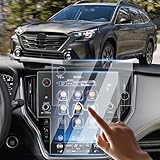
- 【Fit perfectly Subaru Outback 11.6"】-Sunsdrew 2PCS Screen Protector Specialized for 2020 2021 2022 2023 2024 Subaru Outback and 2020 2021 2022 2023 2024 Subaru Legacy 11.6-inch touch display screen.Sunsdrew screen protector uses advanced technology and laser cutting to fit perfectly on the original device screen.NOTE: NOT fit for 2022 Subaru WRX and 7-inch screen.
- 【CLEAR&ANTI-GLARE】-Installing our protective film does not affect the GPS display's color, icon size and touch screen functionality. Screen still legible even wearing sunglasses. Viewing the screen will not reflect light, and daily driving will not be troubled by glare, the probability of accident happenings will be greatly reduced.
- 【SCRATCH-PROTECTION】-Made of 9H hardness tempered glass, providing your dashboard panel maximum coverage, protects your screen from scratches, scrapes and impact from minor shock. Ordinary daily collisions will not cause damage to your screen, won't break easily.
- 【FINGERPRINT RESISTANT】-The hydrophobic and oleophobic layer reduces sweat residue and fingerprints, keeping your screen pristine all day long. It does not interfere with your screen's touch sensitivity. Touch feels smooth and not stuck.
- 【EASY TO INSTALL&REMOVE】-Give the screen one more good wiping to get dust off, pull off the backing, then drop the screen protector on. Just take about 18 minutes to make your center control navigation screen much more crisp, clear and have brighter coloring.
- Precise vehicle location
- Vehicle diagnostics
- Odometer and maintenance information
- Tire-pressure, fuel, and battery data
- Vehicle status, including doors, windows, and seatbelts
Some data-collection settings can be changed through Privacy Portal in the MySubaru app or on the MySubaru website. Disabling location tracking may reduce location-based functionality.
Outdated Drivers Are Slowing You Down
One free scan finds every outdated or missing driver and matches the right update for your exact hardware.Free scan · exact hardware matchWindows Errors? Fix Them Before They Spread
Repair common Windows errors and clear accumulated junk for a smoother, more stable PC - no reinstall needed.Free scan · no reinstallSubaru also states that it does not remotely collect information from the vehicle’s onboard multimedia system, including radio stations, navigation destinations, Apple CarPlay or Android Auto use, or driver profiles. That information remains on the vehicle system and can be deleted through a factory reset.
Which app should Subaru owners use?
| Vehicle | App | Primary purpose |
|---|---|---|
| Most eligible gasoline and hybrid Subaru models | MySubaru | Connected services, remote commands, vehicle health, service, and alerts |
| Subaru EVs, including Solterra, Trailseeker, and Uncharted | SubaruConnect | EV connected services |
| Any equipped Subaru | STARLINK Multimedia screen | Audio, Bluetooth, smartphone integration, and available navigation |
Using the wrong app is a common source of confusion. A MySubaru account does not turn the dashboard system into a remote-control service, and SubaruConnect is not the general replacement for MySubaru on non-EV models.
FAQ
Is Subaru STARLINK the same as MySubaru?
No. STARLINK Multimedia is the dashboard infotainment system. MySubaru Connected Services is the subscription-based cellular service used for functions such as remote start, vehicle health reports, alerts, roadside assistance, and vehicle locating.
Can every Subaru with STARLINK be started from a phone?
No. Remote start requires compatible telematics hardware, an eligible model and trim, an active plan that includes remote engine start, and a usable cellular connection. A MySubaru account by itself is not enough.
What’s actually slowing this PC down?
Pick the symptom - the matching free tool is one click away.
What app does Subaru use for remote start?
Most eligible non-EV Subaru models use the MySubaru app. Subaru EVs, including the Solterra, Trailseeker, and Uncharted, use the SubaruConnect app.
Where can I check the STARLINK Multimedia software version?
On common Subaru touchscreen systems, open Settings → General → System Information. Menu names vary across model years, trims, multimedia generations, and software versions.
Did the 3G shutdown make older Subarus undriveable?
No. It affected certain connected-service functions on some properly equipped 2016–2018 vehicles, including SOS assistance, collision notification, stolen-vehicle recovery, and remote locking. It did not disable ordinary vehicle operation.
The Bottom Line
Before troubleshooting “STARLINK,” identify which Subaru system you are dealing with. Phone pairing, CarPlay, software updates, and navigation belong to STARLINK Multimedia. Remote start, vehicle reports, alerts, roadside assistance, and location features belong to MySubaru Connected Services—or SubaruConnect for Subaru EVs.
For remote features, verify the vehicle’s eligibility, the correct app and VIN, the active subscription, the privacy settings, and the cellular connection. For touchscreen problems, start with Settings → General → System Information, then check the phone connection and available software updates. That separation resolves much of the confusion caused by Subaru’s overlapping product names.
Quick Recap
Product prices and availability are accurate as of the date/time indicated and are subject to change. Any price and availability information displayed on Amazon at the time of purchase will apply.




