Recommended Free Tools
Short answer: the KTM 990 Adventure documented in the 2012 owner’s manual does not have a TFT display or an integrated navigation system. It uses a conventional “combination instrument” with a tachometer, warning lamps, function buttons and a basic display. The MODE button selects ODO, TRIP 1, TRIP 2 or ambient temperature; SET resets either trip meter. Navigation therefore requires a separate phone or GPS unless your particular motorcycle has an aftermarket system. Model year, Adventure versus Adventure R variant and market matter, so verify your own manual before applying any instruction.
What display is fitted to a KTM 990 Adventure?
The name “990 Adventure” covers several model years and market versions, but the 2012 owner’s manual describes an analogue-style instrument assembly rather than the color TFT dashboards fitted to later KTM motorcycles. KTM calls it a combination instrument. The manual states: “The combination instrument is installed in front of the handlebar.” It identifies four areas:
As an Amazon Associate I earn from qualifying purchases.
- Function buttons
- Tachometer
- Indicator lamps
- Display
That distinction is important when searching for instructions. A TFT is a configurable color screen that can show graphical menus, connectivity information and, on supported motorcycles, map guidance. The 990 unit documented in 2012 is a simpler information display. The reviewed manual sections do not describe a touchscreen, color map, KTM MY RIDE, phone pairing or turn-by-turn navigation.
| Motorcycle or document | What the available documentation establishes | How to use the information |
|---|---|---|
| 2012 KTM 990 Adventure | Combination instrument with tachometer, indicator lamps, function buttons and display. Display modes are ODO, TRIP 1, TRIP 2 and ambient temperature. | Use MODE to select a reading and SET to reset a trip meter. Do not expect integrated maps or phone controls. |
| 2006 KTM 990 Adventure manual | An earlier model-year reference exists, but it is not a substitute for the manual for a later motorcycle. | Use it only when it matches the motorcycle’s year and market; do not assume every control is identical. |
| Later KTM motorcycles with TFT/connectivity hardware | KTM describes newer dashboard systems with split-screen layouts and connectivity-unit map integration. | Those features belong to the relevant newer model and equipment package, not automatically to a 990 Adventure. |
KTM warns that specifications can vary by country and directs owners to model-specific owner and repair manuals. Identify the model year, exact variant and market before treating any online description as definitive.
#1 Best Overall

- Seamless Wireless CarPlay Experience: Stay fully connected with wireless CarPlay, enabling hands-free navigation, calls, music, and voice commands—perfect for urban riders and touring enthusiasts
- Android Auto for Every Adventure: Streamlined Android Auto for motorcycle support offers real-time GPS, voice-activated control, Bluetooth sync, music streaming, and app access for safer rides
- 5-Inch IPS Display Built for Riding: Crisp 5-inch IPS touchscreen with 854x480 resolution, anti-glare view, sunlight readability, glove-friendly operation, and night mode display designed for bikers
- Bluetooth Stereo with Immersive Audio: Enjoy premium motorcycle stereo system with Bluetooth headset pairing, hands-free calls, stable signal, surround sound, and ride-safe voice clarity
- Waterproof and Weatherproof Ruggedness: IP-rated rugged housing ensures rainproof durability, dust resistance, mud protection, secure mount stability, and reliable function in all conditions
How to use the 2012 990 Adventure display
Find the controls
With the instrument powered, use the function buttons on the combination instrument. The 2012 manual documents MODE and SET for the display functions. It also identifies a separate button associated with ABS shutdown on the 990 Adventure. The same manual says that button has no function on the 990 Adventure R, so do not generalize its behavior across variants or years.
Cycle through the readings with MODE
- Press MODE once to move to the next display reading.
- Continue pressing MODE to cycle through the four documented modes: ODO, TRIP 1, TRIP 2 and ambient temperature.
- Stop when the value you need is shown. Pressing MODE changes the displayed information; it does not reset a trip meter.
The manual’s wording is explicit: “Possible display modes are the distance traveled (ODO), trip master 1 (TRIP 1), trip master 2 (TRIP 2) and the ambient temperature.” ODO is the motorcycle’s accumulated distance reading. TRIP 1 and TRIP 2 are separate distance counters that can be used for fuel stops, route legs or other intervals. The ambient-temperature mode reports temperature rather than a navigation instruction or engine diagnosis.
Reset TRIP 1 or TRIP 2 with SET
- Use MODE until TRIP 1 or TRIP 2 is visible.
- Press SET.
- Confirm that the selected trip master returns to 0.0.
- If you need to preserve the other trip counter, select only the one you intend to reset; the two trip masters are separate.
SET is documented for resetting the trip masters. The supplied 2012 instructions do not describe SET as an odometer-reset control, a menu-confirmation key or a route-control key. Treat ODO as a separate accumulated reading and do not attempt to reset it through the trip-meter procedure.
Outdated Drivers Are Slowing You Down
One free scan finds every outdated or missing driver and matches the right update for your exact hardware.Free scan · exact hardware matchPC Slower Than It Used to Be?
A free scan shows the junk files, broken settings and background clutter dragging Windows down - then fixes them in one click.Free scan · Windows 10 & 11What the display cannot be used for
- It cannot display a graphical map based on the documented 2012 functions.
- It does not provide a documented route-search or destination-entry menu.
- The reviewed sections do not document Bluetooth phone pairing, KTM MY RIDE or KTMconnect setup for this motorcycle.
- It does not turn a connected phone into an integrated dashboard simply because a navigation app is running.
Does the 990 Adventure have built-in navigation?
Not according to the reviewed 2012 owner’s-manual sections. They describe the combination instrument and its four display modes, but not a navigation computer, map screen, route prompts or a connectivity unit. That is a bounded statement about the documented 2012 motorcycle, not a claim that every 990 sold in every country has identical equipment.
Rank #2

- Seamless Wireless CarPlay Experience: Stay fully connected with wireless CarPlay, enabling hands-free navigation, calls, music, and voice commands—perfect for urban riders and touring enthusiasts
- Android Auto for Every Adventure: Streamlined Android Auto for motorcycle support offers real-time GPS, voice-activated control, Bluetooth sync, music streaming, and app access for safer rides
- 7-Inch IPS Display Built for Riding: Crisp 7-inch IPS touchscreen with 1024*600 resolution, anti-glare view, sunlight readability, glove-friendly operation, and night mode display designed for bikers
- Bluetooth Stereo with Immersive Audio: Enjoy premium motorcycle stereo system with Bluetooth headset pairing, hands-free calls, stable signal, surround sound, and ride-safe voice clarity
- IP68 Waterproof and Weatherproof Ruggedness: IP-rated rugged housing ensures rainproof durability, dust resistance, mud protection, secure mount stability, and reliable function in all conditions
If a used motorcycle has a screen or navigation instructions that are not described in the manual, it may have an aftermarket phone mount, GPS, auxiliary display or wiring installed by a previous owner. Photograph the equipment, trace its power and data connections safely and identify the manufacturer’s manual rather than assuming it is original KTM hardware. An accessory screen cannot be used as evidence that the factory combination instrument is a TFT.
How to get navigation on a KTM 990 Adventure
Option 1: Use a phone as a separate navigation device
The most straightforward arrangement is a navigation app running on a phone mounted independently of the KTM combination instrument. The phone calculates and displays the route; the 990’s original display continues to show its own ODO, trip and temperature readings. There is no documented factory data path that makes the phone’s map appear in the 2012 instrument.
A generic motorcycle handlebar phone mount can be suitable, but fitment and durability are not established here. Before riding, check:
Do these 3 things before closing this tab:
1Scan for outdated or missing drivers - takes under a minute2Clear out junk files and repair common Windows errors3Fix the driver behind crashes, sound loss and screen glitches- Clamp diameter and clearance around the 990’s handlebar and controls
- Vibration isolation, especially if the phone’s camera has optical stabilization
- Rain, dust and screen-glare protection
- Charging-cable routing that cannot contact the steering, throttle or brake controls
- A secure backup plan if the phone overheats, loses signal or runs out of power
Download the route or map area before leaving coverage if your navigation app supports offline use. Keep the route setup stationary; entering destinations while moving is unsafe and does not add any integration with the KTM instrument.
Rank #3
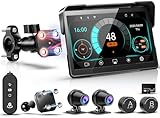
- 🧲【2026 Upgraded Four-Contact Magnetic Quick-Release Bracket】Unlike the older fixed bracket, this upgraded bracket uses four strong magnetic contacts for a more secure attachment, helping reduce breakage and loss due to road bumps. Installation is quicker and easier; simply snap it on. It can be easily removed in seconds when parked, making it convenient to carry and helping reduce the risk of theft or loss.
- 🏍️【Smart Riding Dashboard with Speedometer & Compass View】The intuitive dashboard interface displays speed, compass direction, tire pressure, temperature, date, and connection status in one easy-to-read screen. Quickly access key riding information while navigating, helping you stay informed and focused on the road ahead.
- 🖥️【7 Inch Higher-Quality Screen Upgrade (From 5 Inch)】Get the perfect fit for your with this 7-inch motorcycle carplay screen upgrade. As premium motorcycle accessories for men and touring riders, it enhances readability without blocking controls or dash view, seamlessly integrating into the interior to provide ideal functionality and sleek aesthetics for touring.
- 🌨️【IP69K Waterproof Motorcycle Touchscreen】The 7-inch IPS motorcycle carplay waterproof display is bright and clear, even under direct sunlight, and touch response is fast. The IP69K waterproofing works flawlessly when you ride in rain or snow. The pantalla para moto features advanced liquid nano coating technology that repels raindrops and protects against dust and sand infiltration, ensuring reliable performance in all weather conditions for safer riding.
- ⚙️【7-Inch IPS Carplay Para Moto with TPMS Sensor】This LBW dash cam for motorcycle carplay applies the 7-inch IPS display screen, with 1440x720 resolution, 170° full-viewing angle, and high contrast for ultra-clear visuals. The built-in WiFi lets you control your motorcycle video recorder directly through the mobile app to view live video, download footage, take pictures, and more.
Option 2: Fit a dedicated motorcycle GPS
A dedicated GPS can be mounted separately and powered from an appropriate, properly protected accessory circuit. It remains an independent device: route calculations and map rendering occur in the GPS, not in the 990’s factory combination instrument. Select equipment for motorcycle vibration, weather exposure and readable operation with gloves, and follow the GPS maker’s installation instructions for fusing, connectors and waterproofing.
Because no 990-specific accessory fitment was verified in the available material, measure the mounting space and confirm the electrical requirements before buying. Do not describe a generic GPS as a KTM TFT upgrade.
Option 3: Verify an existing aftermarket installation
If your motorcycle already has navigation, identify exactly where directions appear. A screen mounted above the gauges, a Bluetooth headset announcement or a phone display may all be navigation, but none proves that the original 990 instrument supports it. Look for a model number, owner’s manual or wiring label on the accessory and use that documentation for pairing, route import and power troubleshooting.
Are KTM’s newer navigation features compatible with a 990 Adventure?
KTM’s official navigation feature description, updated in March 2024, separates features by motorcycle hardware and model year. It says Basic navigation is free for motorcycles from model year 2022 onward that have navigation-dashboard integration. For older motorcycles or motorcycles without that dashboard integration, the page describes a one-time payment according to the order. Premium navigation is described as a subscription. These conditions describe KTM’s supported newer ecosystem; they do not establish that a 990 Adventure can receive those functions.
Rank #4
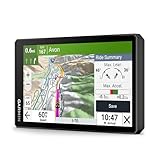
- Large 6" high-definition display; built for riding the open road or track with an IP67 rating to withstand handlebar vibration, harsh weather and rough road conditions
- Preloaded with detailed street maps and high-definition topographic maps; easily download high-resolution satellite imagery directly to the device
- See how far you’ve leaned over in each turn with the live lean angle gauge; view your ride summary in the Tread smartphone app to see all your data — such as G-force, max speed, acceleration, deceleration and more
- Make a custom route on the device with the visual route planner or in the Tread smartphone app
- Ride the more curvy, scenic, thrilling roads with the Garmin Adventurous Routing setting; find the best-rated routes from other riders with the great rides database via the Tread smartphone app; see popular roads for riding on the map with popular moto paths
| Feature description | What KTM says | What that means for a 990 owner |
|---|---|---|
| Basic navigation | Free for model-year 2022-or-newer motorcycles with navigation-dashboard integration; older or non-integrated motorcycles are described as requiring a one-time payment according to the order. | Do not infer eligibility from the age of the app. First confirm that the motorcycle has the required dashboard integration. |
| Basic functions | Route options, waypoints, destination search, offline map downloads by country and turn guidance where applicable. | These are feature-list descriptions, not proof that the 990 combination instrument can show them. |
| Premium navigation | A subscription with additional functions. | A subscription cannot add missing display hardware to the original 990 instrument. |
| Premium examples | GPX import/export, traffic features, lane assistant, junction view and multiday planning, among other functions. | Confirm the supported motorcycle, country and dashboard before paying for any service. |
KTM’s TFT guide describes later dashboards with split-screen layouts and map navigation integrated into a connectivity unit. The guide says those systems were initially planned for upcoming premium models, with additional range options to follow. It is not a 990 Adventure setup guide.
A separate India-market release for announced 2025 Adventure models describes a 5-inch TFT with connectivity and turn-by-turn navigation, including music and calls through KTMConnect. That is a different model generation and market. It should not be used as evidence that a 990 Adventure has the same screen or that its parts are interchangeable.
Independent reader supportYour contribution helps us test, update, and keep practical guides available for everyone.What does the KTMconnect app do?
The current KTMconnect app listing, updated June 17, 2026, describes Mapbox-based navigation, offline operation, turn-by-turn directions sent to a compatible KTM dashboard and GPX-file support. The listing does not name the 990 Adventure as compatible. An app feature is therefore not a compatibility guarantee for an older motorcycle.
Quick wins for a faster PC:
Repair Windows errors before they cause bigger problemsFix Now →Scan for outdated or missing drivers - takes under a minuteDriver Scan →Before installing the app or paying for a navigation tier, verify all of the following:
Best Value

- Motorcycle navigation for the twisty road to adventure
- Rugged, glove-friendly, Sunlight-readable 4.3” display; resistant to fuel vapors, UV Rays and harsh weather
- Pair with a compatible smartphone for hands-free calling, smart notifications through the free Smartphone Link app, easily share GPX files for group rides
- Access free Live services for traffic and weather using the smartphone link app
- Garmin Adventurous Routing finds curvy or hilly roads; limits major highways
- The exact motorcycle model year and variant.
- Whether the motorcycle has a KTM dashboard with navigation integration.
- Whether your country and account region support the relevant feature tier.
- Whether directions are expected on the motorcycle display, in the phone app, or both.
- Whether the required connectivity unit, Bluetooth profile and phone operating-system version are present.
If the 990 has only the factory combination instrument documented in 2012, the app listing alone does not create a compatible dashboard connection. Use a separate phone or GPS unless a documented, model-specific retrofit says otherwise.
Factory 990 instrument versus newer KTM TFT navigation
| Comparison point | 990 Adventure combination instrument documented for 2012 | Newer KTM TFT/connectivity system |
|---|---|---|
| Display type | Conventional combination instrument with tachometer, lamps, buttons and basic display. | Color TFT dashboard on supported later models. |
| Factory display controls | MODE selects ODO, TRIP 1, TRIP 2 and ambient temperature; SET resets a selected trip master. | Model-specific menus and connectivity controls; exact operation varies by motorcycle. |
| Where navigation is calculated | No documented integrated navigation calculation. | Phone/app and compatible dashboard work together according to the model’s connectivity system. |
| Phone dependence | Separate phone or GPS is required for navigation. | Depends on the supported KTM system and feature tier. |
| Offline capability | Not a documented function of the factory instrument. | KTM’s app listing describes offline maps for supported configurations. |
| Directions on the bike | Not documented for the original 990 display. | Turn guidance is described where dashboard compatibility applies. |
| Upgrade path | No KTM-supported 990 upgrade path is established by the cited material. | Hardware, model year, market and dashboard integration determine eligibility. |
How to check your exact 990 before buying navigation equipment
- Read the identification information. Record the model year, whether it is an Adventure or Adventure R, and the market in which it was sold.
- Match the owner’s manual. Use the manual for that year and market, not a manual for a newer KTM with a TFT.
- Inventory the existing cockpit. Confirm whether you have the documented tachometer, indicator lamps, function buttons and basic display, or an accessory mounted separately.
- Look for documented connectivity hardware. Do not assume that a phone holder, USB socket or Bluetooth headset is a navigation dashboard.
- Confirm the accessory’s fit and power requirements. Check handlebar clearance, vibration protection, weather resistance, fuse requirements and cable routing.
- Decide where you want directions. A phone or GPS can show a full map independently; the original 990 display should be treated as an instrument readout, not a navigation screen.
KTM’s manual portal and model documentation are the appropriate authority when a year, country or variant differs from the 2012 example. If the manual’s controls do not match the motorcycle in front of you, stop and identify the correct document instead of experimenting with button combinations.
Troubleshooting the documented display functions
MODE does not show the reading you expect
- Press MODE repeatedly and watch for the four documented modes in sequence: ODO, TRIP 1, TRIP 2 and ambient temperature.
- Check that you are pressing the display’s function button rather than an unrelated control.
- If the sequence or labels differ, verify the motorcycle’s model year and variant against its manual.
SET did not reset the trip meter
- Use MODE to select TRIP 1 or TRIP 2 before pressing SET.
- Check that the selected trip master changes to 0.0.
- If you were viewing ODO or temperature, return to the intended trip mode; the documented reset applies to the trip masters.
A button appears to control ABS
The 2012 manual identifies a button for ABS shutdown on the 990 Adventure and says that the button has no function on the 990 Adventure R. Because this behavior varies by variant, use the manual matching your motorcycle before operating it. Do not treat every third button on every 990 as an ABS control.
What’s actually slowing this PC down?
Pick the symptom - the matching free tool is one click away.
A phone navigation app works, but nothing appears on the KTM display
That is expected when the motorcycle has the conventional 990 combination instrument. The phone is operating independently. Check the phone’s mount, power, route download and audio connection rather than searching for a missing TFT menu. Only a documented compatible dashboard can display app directions as an integrated KTM feature.
Bottom line for 990 Adventure owners
The 2012 KTM 990 Adventure’s factory display is a combination instrument, not a TFT. MODE cycles ODO, TRIP 1, TRIP 2 and ambient temperature, while SET resets the selected trip master to 0.0. The reviewed manual does not document integrated navigation, KTM MY RIDE or phone pairing. Use a separate phone or motorcycle GPS for directions, and verify the exact year, Adventure variant and market before relying on instructions from a newer KTM TFT or KTMconnect listing.
Quick Recap
Product prices and availability are accurate as of the date/time indicated and are subject to change. Any price and availability information displayed on Amazon at the time of purchase will apply.




