The Tool Desk
Outbyte PC Repair FREERepair Windows errors before they cause bigger problemsFix Now →Outbyte Driver Updater FREEScan for outdated or missing drivers - takes under a minuteDriver Scan →There is no universally correct ADAS front-camera specification. A cost-sensitive system may use roughly 2 MP at 30 fps, while current high-resolution designs commonly use 8 MP at 30 fps; demanding systems can pair 8 MP with 40–60 fps when the sensor, HDR mode, camera link, processor, and thermal design support it. These are industry design ranges—not regulatory minimums.
Resolution determines how much spatial detail reaches the perception system. Frame rate affects temporal sampling, motion between frames, and potentially latency. Neither number guarantees safer performance on its own: field of view, optics, exposure time, HDR, LED-flicker mitigation, processing delay, calibration, and software are equally important.
What an ADAS front camera actually is
An advanced driver-assistance system (ADAS) front camera is a forward-looking sensing chain, not simply a windshield-mounted video recorder. A production system typically combines an image sensor, lens and optical stack, HDR and LED-flicker-mitigation processing, an automotive serializer or high-speed interface, a vision processor, perception software, diagnostics, calibration, synchronization, and safety mechanisms.
Depending on the vehicle and software, the camera may support:
Free tools Windows power users keep installed
One-click scans. No signup required.
#1 Best Overall

- Forward Recognition Camera Module
- Forward collision warning and automatic emergency braking
- Vehicle, pedestrian, and cyclist detection
- Lane-departure warning, lane keeping, and lane centering
- Traffic-sign recognition
- Intelligent headlight control
- Free-space and road-edge detection
Supplier platforms from onsemi, Renesas, Ambarella, and ZF illustrate how the camera is part of a larger perception system.
Resolution: what megapixels do—and do not—tell you
Resolution describes the number of pixels in an image. For example, 1920×1080 is approximately 2 megapixels, while 3840×2160 is approximately 8.3 megapixels. But a sensor’s native pixel count is not necessarily its active output: the system may crop, bin, window, downscale, or produce different outputs in different operating modes.
The useful question is not “How many megapixels does the sensor have?” It is “How many useful pixels cover the smallest critical target at the required range?” A simple first estimate is:
Horizontal pixels per degree ≈ horizontal image pixels ÷ horizontal field of view in degrees
At the same 60-degree horizontal field of view, a 1920-pixel image provides about 32 pixels per degree, while a 3840-pixel image provides about 64 pixels per degree. That is a meaningful increase in spatial detail. However, if the higher-resolution camera also uses a much wider lens, some of that advantage is spent covering additional road area.
Focal length and field of view therefore matter as much as pixel count. A narrower, longer-range camera can place more pixels on a distant vehicle or sign than a high-resolution wide-angle camera. Front-vision systems may use fields of view ranging broadly from about 30 to 120 degrees, according to material published by Nexperia.
More resolution is most useful when the system must detect small distant objects, recognize signs, distinguish pedestrians or cyclists, classify vehicles, or create digital crops and multiple perception views. It does not automatically create longer detection range. Range also depends on contrast, illumination, lens quality, sensor sensitivity, atmospheric conditions, target reflectivity, distortion, and the perception model.
Rank #2

- Helps assist driver awareness
- Read the vehicle owner's manual for important feature limitations and information
- Some GM Genuine Parts may have formerly appeared as ACDelco GM Original Equipment (OE)
- GM Engineers design and validate OE parts specifically for your Chevrolet, Buick, GMC, or Cadillac vehicle
Frame rate: temporal sampling, not total response time
Frame rate is the number of complete image samples captured per second:
- 30 fps: one frame approximately every 33.3 milliseconds
- 60 fps: one frame approximately every 16.7 milliseconds
A higher frame rate gives the system more frequent scene updates, reduces the amount of motion between consecutive frames, and can improve tracking of cut-ins, sudden braking, lane-position changes, and other rapidly changing events.
But frame rate is not the same as end-to-end ADAS latency. The complete path can include:
- Sensor exposure and readout
- HDR combination and image-signal processing
- Transfer through the camera link
- Neural-network inference
- Object tracking and motion prediction
- Decision logic
- Brake or steering actuation
A 60-fps camera can still produce a slow response if the system buffers frames, processes them in batches, drops frames, or runs perception at only 30 fps. Conversely, a carefully designed 30-fps system may meet its timing budget when it has sufficient pixels, reliable tracking, low processing delay, and complementary radar data.
Resolution versus frame rate
| Requirement | Usually benefits more from | Why |
|---|---|---|
| Small, distant signs or objects | Resolution | More pixels cover the target and preserve classification detail. |
| Fast cut-ins and sudden braking | Frame rate | More frequent samples can improve tracking and reduce acquisition delay. |
| Long-range classification | Resolution | Spatial detail is often the limiting factor. |
| Motion blur | Exposure control | Frame rate helps only if the exposure is short enough. |
| Compute and bandwidth | Neither is free | Increasing either resolution or frame rate increases data and processing demand. |
The comparison is not always 8 MP versus 60 fps. An 8 MP/30-fps camera supplies more spatial information than a 2 MP/60-fps camera, while the 2 MP system supplies more frequent temporal samples. The right choice depends on the smallest target, required range, vehicle speed, field of view, and response-time budget.
Why exposure time matters more than many specifications admit
Frame rate defines the interval between frames; exposure time largely determines motion blur. At 60 fps, a camera can still use a long exposure in low light and produce a blurred image. A short exposure reduces blur but requires more light or more sensor gain, and excessive gain increases noise.
Designers must also account for:
- Rolling-shutter distortion as different sensor rows are captured at different times
- HDR multi-exposure artifacts when objects move between exposures
- Low-light noise and loss of fine detail
- Sensor readout speed, which affects the time span of a frame
The OmniVision OX08D20, for example, is specified as a rolling-shutter sensor. Rolling shutter is not automatically unsuitable, but its readout behavior must be evaluated against vehicle dynamics, object motion, and algorithm tolerance.
Rank #3

- Enhanced Driving Experience: This dash cam comes with a free 64GB memory card pre-installed; Want to add accessories like a GPS module or hardwire kit? Feel Free to rea*ch out to us to learn how to get them; Notes: 1. If connected to Avylet APP, cannot be used with CarPlay screen simultaneously; Only one Wi-Fi connection is allowed at a time; 2.Any problem ( connection or installation) reach out to us via details in user manual or visit website at Avylet
- Dual 4K Max or 2.5K+1080P Recording: Offers ultra-clear 3840×2160@30fps resolution or 2.5K front + 1080P rear recordings, providing crucial evidence for accidents, legal issues, or insurance claims; The 170° ultra-wide lens reduces blind spots, ensuring full road coverage; The built-in 2.7" IPS screen lets you easily check the real-time status, make quick adjustments, and review footage on the spot
- Wi-Fi & Free APP & OTA Upgrade: Connect the dash cam to your smartphone via WiFi using the free Avylet APP for live viewing, video playback and download, and instant sharing on social media; Easily adjust settings, view live streams and manage recordings on both dash cams and Avylet APP; Over-the-air (OTA) firmware updates let you keep your dash cam up to date
- Smart Driving Guardian-ADAS: Drive with confidence as the ADAS system proactively warns you of lane departure, forward collisions, nearby pedestrians, and when the vehicle ahead starts moving. Note: ADAS features require installation of the external GPS module and calibration for best results. ADAS is not available in 4K front camera mode - please switch to 2.5K+1080P resolution to enable it
- External GPS Module Support: Supports an optional GPS module (not included, ASIN: B0FKFYWCQX) to record real-time driving data, including speed, location, route and time directly onto your videos. Easily access this information during playback on your computer (rea*ch out to us to download the required player), making it easy to provide crucial evidence for insurance claims
HDR and LED-flicker mitigation can outweigh headline FPS
Forward cameras operate in scenes containing a bright sky and dark road, tunnel entrances and exits, sun glare, headlights, wet-road reflections, LED traffic signals, LED taillights, and signs. A camera that captures more nominal pixels can perform worse if highlights clip or dark areas disappear.
High dynamic range (HDR) helps retain information across bright and dark parts of the scene. LED-flicker mitigation (LFM) reduces pulsing, banding, or intermittent visibility caused by the interaction between LED modulation and camera exposure timing. Onsemi advertises up to 150 dB HDR with LFM on its Hyperlux platform, while OmniVision lists LFM and multiple HDR modes for the OX08D20. These figures are vendor specifications and should not be compared directly without checking definitions, test conditions, exposure strategy, and operating mode.
Do these 3 things before closing this tab:
1Fix the driver behind crashes, sound loss and screen glitches2Repair Windows errors before they cause bigger problems3Scan for outdated or missing drivers - takes under a minuteAlso evaluate lens quality, low-light sensitivity, windshield reflections, condensation, dirt, wiper occlusion, vibration, and mounting alignment. The optical path from road scene to neural-network input matters more than the sensor label alone.
Typical current front-camera configurations
Current supplier material shows several viable design points:
| Configuration | Typical rationale | Main trade-off |
|---|---|---|
| 2 MP/30 fps | Cost-sensitive forward vision and basic warning functions | Lower bandwidth and compute, but fewer pixels on distant or small targets. |
| 8 MP/30 fps | High-resolution front vision, long-range detail, signs, and digital crops | More spatial information, but substantially higher processing and transport demand. |
| 8 MP/40–60 fps | Higher-performance sensing and demanding tracking | More frequent updates, but increased power, thermal, bandwidth, and integration cost. |
Texas Instruments describes automotive camera use cases starting around 2 MP and 30–60 fps. Its front-camera architecture examples include a 2 MP/30-fps cost-sensitive camera and an 8 MP/30-fps integrated front camera.
Current component examples show why the complete mode matters:
- Onsemi AR0823AT: 8.3 MP and up to 60 fps at full resolution; AR0820AT: 8.3 MP and up to 40 fps.
- OmniVision OX08D20: 8 MP, with listed frame rates that vary by HDR mode—for example, 60 fps at 3840×2160 in one HDR3 mode and 30 fps at that resolution in an HDR6 mode.
- Ambarella CV22AQ: an example of 8 MP/30-fps computer-vision processing with detection, classification, tracking, and segmentation.
- ZF smart-camera systems: a product-family example using 8 MP HDR sensors and LFM.
These products demonstrate what is available, not what every vehicle must use. Neither Euro NCAP nor the cited UNECE regulation establishes a universal requirement that an ADAS front camera must have a particular megapixel count or frame rate. Their requirements focus on system functions and performance. See the current Euro NCAP Safety Assist materials and UNECE Regulation No. 157.
Rank #4

- Helps assist driver awareness
- Some GM Genuine Parts may have formerly appeared as ACDelco GM Original Equipment [OE]
- GM Genuine Parts are designed, engineered and tested to rigorous standards, and are backed by General Motors
- GM Engineers design and validate OE parts specifically for your Chevrolet, Buick, GMC, or Cadillac vehicle
- GM regularly updates production and service part designs to integrate new materials and technologies
How the required specification changes by function
| Function | Resolution priority | Frame-rate priority | Other critical factors |
|---|---|---|---|
| Lane-departure warning | Medium | Medium | Field of view, road-marking contrast, and calibration |
| Lane centering | Medium-high | Medium-high | Low latency and stable lane tracking |
| Traffic-sign recognition | High | Medium | Long-range pixels, HDR, and lens quality |
| Vehicle detection | Medium-high | Medium-high | Range, object size, and radar fusion |
| Pedestrian detection | High | High | Night performance, HDR, exposure, and blur |
| Automatic emergency braking | Enough for the target range | Enough for the latency budget | End-to-end timing, validation, and complementary sensing |
| Highway assistance | High | Medium-high | Long-range tracking and redundant or complementary sensing |
This is an engineering heuristic, not a compliance table. A camera specification alone cannot guarantee a particular ADAS feature.
Bandwidth: why 8 MP at 60 fps is demanding
A first-order raw data estimate is:
Data rate = pixels per frame × frames per second × bits per pixel
Before protocol overhead, 12-bit output is approximately:
Quick wins for a faster PC:
Repair Windows errors before they cause bigger problemsFix Now →Fix the driver behind crashes, sound loss and screen glitchesFind Drivers →Clear out junk files and repair common Windows errorsFree Scan →- 1920×1080 at 30 fps: 746 Mbps
- 3840×2160 at 30 fps: 2.99 Gbps
- 3840×2160 at 60 fps: 5.97 Gbps
Actual requirements may be higher or different because of blanking, encoding, metadata, HDR packing, multiple streams, compression, and whether the camera sends raw or processed data. Check the sensor output mode, serializer/deserializer, MIPI or other interface, ISP input rate, memory bandwidth, AI tensor bandwidth, and thermal envelope separately. Nexperia notes that rising resolution and frame rate increase the need for faster communication, while AMD lists automotive platforms supporting up to 4K/60 video capability.
Independent reader supportYour contribution helps us test, update, and keep practical guides available for everyone.Processing: capture resolution is not neural-network resolution
An 8 MP sensor may feed the perception stack as a downscaled full frame, a cropped region of interest, an image pyramid, or separate near-field and long-range streams. If the AI model ultimately receives a small tensor, some of the sensor’s additional pixels may be discarded before inference.
That is not necessarily wasteful: high-resolution capture can preserve flexibility for intelligent crops, multiple models, or future software. But buyers should ask exactly where downscaling occurs, what tensor sizes are used, how many frames per second each model processes, and whether inference latency remains within budget. The processor must sustain preprocessing, inference, tracking, memory traffic, and thermal limits—not merely accept the camera’s advertised input rate.
Renesas describes an R-Car front-camera platform with deep-learning acceleration and AUTOSAR support, while Ambarella’s cited platform illustrates on-device processing for several perception tasks.
What’s actually slowing this PC down?
Pick the symptom - the matching free tool is one click away.
Best Value
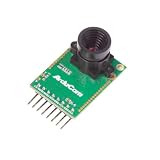
- Compatible with Arduino, Raspberry Pi Pico, MCU, Raspberry Pi, ARM, DSP, FPGA platforms
- 2 megapixels image sensor OV2640, build-in 650nm IR block filter, visible light only
- M12 mount or CS mount lens holder with changeable lens options
- I2C interface for the sensor configuration,SPI interface for camera commands and data stream
- Arducam team has solved the compatibility of our SPI camera with Raspberry Pi Pico. Please refer to the Doc page: bit.ly/4twnuxF
A practical selection framework
- Define the critical target and distance. Specify whether it is a car, pedestrian, cyclist, sign, or lane marking; its minimum dimensions; the required detection range; vehicle speed; and warning or braking time.
- Select field of view and focal length together. A wide lens covers more lateral road area but spreads pixels more thinly. A narrow lens improves distant angular detail but may miss nearby or lateral targets.
- Estimate pixels on target. Use angular target size and pixel density as an initial calculation, then validate with the actual lens, distortion, active area, cropping, and image-processing pipeline.
- Build the temporal budget. Account for frame interval, exposure, readout, HDR, transport, ISP, AI inference, tracking, decision logic, and actuation. Do not substitute 16.7 ms or 33.3 ms for total system latency.
- Evaluate difficult lighting and motion. Test daylight, night, glare, tunnels, headlights, LED signals, rain, spray, dirty glass, vibration, and fast targets. Compare HDR, LFM, exposure control, readout speed, and noise—not just resolution and fps.
- Confirm compute and transport capacity. Review bit depth, HDR packing, link margin, ISP throughput, RAM bandwidth, actual model throughput, power, cooling, software support, and diagnostics.
- Validate the complete system. Measure detection range, classification, false positives, blur, latency, LED behavior, weather performance, misalignment tolerance, blockage detection, frame drops, timestamps, and communication faults.
Common specification traps
“More megapixels always wins”
Not if the extra pixels are spread across a wider FOV, lost to downscaling, obscured by noise, or undermined by poor HDR, optics, calibration, or a dirty windshield.
“60 fps means instant response”
It does not. Frame cadence is only one part of detection-to-actuation latency, and buffering or slow inference can erase much of the theoretical advantage.
“HDR numbers are directly comparable”
They are not necessarily comparable. Ask about the HDR definition, exposure method, test illumination, bit depth, HDR mode, output resolution, frame rate, lens, ISP, and whether the figure describes the sensor or the complete camera.
“Sensor resolution equals AI resolution”
The perception model may operate on a resized or cropped image. Confirm what reaches the network and at what rate.
Recommended Free Tools
“Rolling shutter is automatically unacceptable”
Rolling-shutter behavior is a design consideration. Readout speed, object motion, vehicle dynamics, and algorithm tolerance determine whether it is acceptable for the use case.
“The camera specification defines the safety level”
Functional safety depends on the whole system: safety goals, diagnostics, fault detection, calibration validity, synchronization, graceful degradation, and complementary sensors. ISO 26262 processes and ASIL claims must be interpreted for the named product or platform, not generalized to every system using it. Onsemi and Renesas make product- or platform-specific safety and application claims in their respective materials.
What to request from a supplier
- Full resolution, crop, binning, and windowing modes
- Frame-rate limits for every HDR and LFM mode
- Exposure and readout timing, including rolling-shutter characteristics
- Raw output bit depth, packing, metadata, and link requirements
- Lens and module reference designs, not only bare-sensor data
- Low-light, glare, tunnel, LED, and motion performance data
- Thermal and power behavior at the intended operating mode
- Timestamping, frame counters, synchronization, and fault diagnostics
- Calibration, blockage detection, software, safety documentation, and product lifecycle
Bottom line
Start with the smallest critical target, required range, field of view, vehicle speed, and end-to-end latency budget. Then choose enough resolution to put useful pixels on that target and enough frame rate to support temporal tracking and response timing. In many current designs, that leads to 2 MP/30 fps for cost-sensitive systems, 8 MP/30 fps for high-resolution front vision, or 8 MP/40–60 fps for more demanding architectures. The defensible choice is the one that survives real-world tests of HDR, LFM, exposure, blur, bandwidth, compute, thermal behavior, calibration, and faults—not the one with the largest number on the datasheet.
Quick Recap
Product prices and availability are accurate as of the date/time indicated and are subject to change. Any price and availability information displayed on Amazon at the time of purchase will apply.




