Do these 3 things before closing this tab:
1Fix the driver behind crashes, sound loss and screen glitches2Repair Windows errors before they cause bigger problems3Scan for outdated or missing drivers - takes under a minuteWilliams Racing really did use an Excel-based process to manage approximately 20,000 Formula 1 car-build components. But the headline needs an important correction: the team was not designing its F1 car in Excel. The workbook was being used to coordinate parts, production, inspection, inventory, and assembly—and James Vowles concluded that it had become inadequate for the job.
The Excel problem was real—but it was not what many headlines imply
Williams Racing used an Excel-based process to track approximately 20,000 components in a Formula 1 car-build package. James Vowles, who became the team’s principal in early 2023, described the system as inadequate for the operational complexity involved. It was difficult to navigate and update, and it did not reliably show essential information such as cost, production time, order status, or priority.


As an Amazon Associate I earn from qualifying purchases.
Williams was not designing aerodynamic surfaces or engineering suspension components in Excel. The spreadsheet was being used as a coordination and tracking layer: a large list of parts and their changing operational states. That distinction matters. The story is not that a modern F1 team used a spreadsheet instead of CAD. It is that a highly complex manufacturing operation had allowed a spreadsheet-based workflow to become a substitute for connected inventory, production, quality, and build-management systems.
What’s actually slowing this PC down?
Pick the symptom - the matching free tool is one click away.
What Williams was actually tracking
A Formula 1 car is not a simple collection of a few hundred major assemblies. It contains a large number of individual components, many of which exist in multiple revisions, quantities, manufacturing stages, inspection states, and locations. A useful parts record might need to answer questions such as:
#1 Best Overall
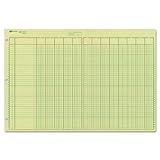
- | EFFICIENT| 40 numbered lines, 13 numbered columns with descriptions for quick reference.
- | COMPREHENSIVE | Precision-printed lines in green and brown ruling are smudge-proof and easy to read
- | PRACTICAL | Tear-off headers for custom labeling.
- | QUALITY | Premium Green Eye-Ease paper helps avoid eye strain when working over long periods of time.
- | VERSATILE | 50 double-sided, side-punched sheets in ample 11 x 16-3/8 inches of workspace.
- Which design revision is required?
- Has the part been ordered, manufactured, inspected, or rejected?
- Is it waiting for a supplier, machining, finishing, inspection, or assembly?
- Where is it physically located?
- Which car, assembly, test, or spare package needs it?
- What is its required date and production priority?
- What related parts or tasks are blocked until it is available?
The reported Williams process attempted to manage this kind of information through an Excel workbook containing roughly 20,000 individual parts. Excel can certainly store 20,000 records. Microsoft’s documented worksheet limit is currently 1,048,576 rows, so the raw size of the list was not the technical problem.
The problem was the work around the list. A spreadsheet can hold values, but a complex operation also needs controlled workflows, permissions, revision history, dependencies, audit trails, reliable status changes, and a shared view of inventory and work in progress. Those capabilities are possible to build around spreadsheets, but they require disciplined design and maintenance. A workbook that has gradually accumulated manual fixes and local conventions can become difficult to trust even when it is nowhere near its row limit.
Why the workbook became a manufacturing bottleneck
Parts do not move through a factory in a single straight line. A component may be ordered, delayed, manufactured, sent for treatment, inspected, returned for correction, approved, assigned to a car, moved to a different location, or held as a spare. Each transition changes what people need to do next.
Outdated Drivers Are Slowing You Down
One free scan finds every outdated or missing driver and matches the right update for your exact hardware.Free scan · exact hardware matchWindows Errors? Fix Them Before They Spread
Repair common Windows errors and clear accumulated junk for a smoother, more stable PC - no reinstall needed.Free scan · no reinstallAccording to reporting based on Vowles’s comments, Williams’s old process struggled to represent those states clearly. Staff had to compensate manually, which made it harder to identify the most urgent work. Reported consequences included late-arriving parts, incorrect priorities, components accumulating in the factory, and workers physically searching for parts.
That is a familiar failure mode in operations. A spreadsheet may begin as a useful local tool, perhaps created by one engineer or production planner. More columns, colors, filters, tabs, and instructions are added as new requirements appear. Eventually, the workbook is no longer merely a list. It becomes an informal database, task queue, approval system, inventory ledger, and reporting tool at the same time—without necessarily providing the safeguards of any of those systems.
The result can be a dangerous illusion of control. Everyone may be looking at the same file, but not everyone is seeing the same reality. A status may be updated late, a part may be recorded under an old revision, a physical item may be in a different place from the location listed, or an urgent requirement may be buried among thousands of routine entries.
Did Excel cause Williams to miss 2019 pre-season testing?
Earlier Williams delays reportedly included the team missing early pre-season testing in 2019. However, the available reporting presents the spreadsheet and the wider build process as part of a broader operational weakness. It does not establish that Excel alone caused that delay, or that one workbook explains all of Williams’s performance and reliability problems.
Manufacturing delays can result from many connected factors, including design timing, supplier capacity, tooling, quality issues, assembly problems, logistics, and decisions about development priorities. The fair conclusion is narrower: a poor parts-tracking and build-management process could make those problems harder to see, prioritize, and recover from.
What changed after James Vowles arrived?
Vowles and chief technical officer Pat Fry began reviewing Williams’s design-and-build systems after joining the team’s leadership in early 2023. The review identified the Excel-centered car-build process as a major weakness.
Ars Technica reported on the issue on March 20, 2024, after Vowles and Fry discussed the team’s process and its replacement. Autosport later reported, on February 14, 2025, on Williams’s new car-build system and described the former approximately 20,000-part Excel process as replaced or obsolete by the time of the 2025 car-build work.
Public reporting describes the replacement at a functional level. It is intended to connect manufacturing, quality assurance, inventory, and build processes more effectively than the old workbook. That is the important change: the team moved away from a document that people had to interpret and maintain manually toward a workflow in which part status, inspection, inventory, and build requirements can be connected.
Free tools Windows power users keep installed
One-click scans. No signup required.
The exact commercial product—or complete combination of internally built and third-party systems—has not been publicly identified in the sources reviewed. It would therefore be inaccurate to claim that one named ERP, manufacturing platform, or collaboration application replaced the entire Williams stack.
What does Atlassian have to do with it?
Atlassian became Williams’s title partner for 2025. The partnership announcement described Atlassian as helping accelerate the team’s technology transformation through its “System of Work,” collaboration platform, and AI-related capabilities.
That partnership is evidence of a significant technology relationship, but it is not proof that Jira, Confluence, or another individual Atlassian product alone replaced Williams’s full car-build or enterprise-resource-planning system. A Formula 1 operation can use collaboration software alongside manufacturing, inventory, quality, engineering, and production systems. Those are related parts of an operating environment, not necessarily one application.
Williams has also presented its modernization as a multi-year effort. Public reporting indicated that the full benefit of broader infrastructure changes would take years to appear, with the 2028 car expected to show the effect of some improvements more fully. The team’s factory and careers material in 2026 continues to describe structured shop-floor sequencing and coordination of race-ready parts and spares, consistent with an ongoing transformation, but it does not identify every software component behind that work.
The Tool Desk
Outbyte PC Repair FREEClear out junk files and repair common Windows errorsFree Scan →Outbyte Driver Updater FREEFix the driver behind crashes, sound loss and screen glitchesFind Drivers →Why a spreadsheet can work—and when it stops working
Excel is not inherently unsuitable for manufacturing. A small workshop, race team, or engineering group may reasonably use it for a controlled parts list, a prototype workflow, or a temporary planning exercise. It is flexible, familiar, inexpensive, and easy to adapt without waiting for a software implementation.
The risk rises when the spreadsheet becomes the authoritative record for a fast-moving operation with many people, locations, suppliers, revisions, and deadlines. The key warning signs include:
- Multiple versions: people email copies or save local files, so no one knows which workbook is authoritative.
- Manual status updates: progress depends on someone remembering to change a cell.
- Ambiguous states: colors or abbreviations mean different things to different teams.
- No reliable history: it is difficult to determine who changed a value, when it changed, and why.
- Weak dependency tracking: the file does not automatically show which assemblies or deadlines are blocked by a missing part.
- Poor physical traceability: the database says a component exists, but not necessarily where it is or whether it has passed inspection.
- Manual prioritization: urgent work is selected through judgment and repeated reconciliation rather than a shared rules-based view.
These weaknesses matter more than the number of rows. A 20,000-row workbook can be perfectly manageable as a static reference list and completely unsuitable as a live manufacturing-control system.
Independent reader supportYour contribution helps us test, update, and keep practical guides available for everyone.How a smaller operation can move beyond a manual parts list
Businesses do not need an F1 budget to learn from the Williams case. The first step is not automatically buying an expensive enterprise platform. It is defining the process and the data that must be trusted.
Quick wins for a faster PC:
Repair Windows errors before they cause bigger problemsFix Now →Fix the driver behind crashes, sound loss and screen glitchesFind Drivers →- Create one part identity. Assign each item a consistent part number, revision, description, unit, and owner.
- Define the states. Use explicit statuses such as ordered, received, in production, awaiting inspection, approved, rejected, assigned, and consumed. Avoid relying on unexplained colors.
- Record events, not just the latest value. Keep timestamps and users for receiving, movement, inspection, approval, and assignment.
- Connect parts to work. Link the component to a purchase order, work order, assembly, customer job, vehicle, or spare package.
- Track locations. Record where an item should be and where it was last scanned or confirmed.
- Set priorities from requirements. A due date, dependency, and risk level should drive priority more reliably than a manually sorted column.
- Start scanning where it helps. A USB barcode scanner can reduce manual item entry for a small inventory workflow when parts have suitable labels. Scanning can improve identification and timestamping, but it does not by itself provide approvals, dependency management, quality control, or enterprise resource planning.
- Choose software after mapping the process. Depending on the operation, the appropriate category may be inventory management, manufacturing execution, product-lifecycle management, digital work instructions, or a combination of systems.
Microsoft’s documentation for barcode-reader controls illustrates the general approach: a scan can capture an item value and record it with a timestamp in an inventory application. That is a useful building block, not evidence that Williams uses Microsoft Power Apps or that a barcode reader alone solved its factory problem.
Best Value

- PERFECT FOR RECORD KEEPING: The 2 Pack account ledger books are versatile and can be used to track finances, budgets, expenses, and other business or personal records. They are perfect for individuals, or small business owners who need a reliable and efficient way to keep track of their finances. With 100 pages, customers can record transactions over an extended period, making it a handy tool for bill planner, weekly budget planner, monthly budget planner.
- COMPACT AND LIGHTWEIGHT: The Budget Planner is compact and lightweight with each book weighing 7 ounces and measuring 8.5 x 6.25 inch, making them easy to carry around. You can take the budget notebook in a bag or briefcase, making them ideal for on-the-go use. This feature ensures that you can access your records at any time, whether you are at work or on the move.
- PREMIUM QUALITY: Elegant style with the words ''Account Tracker'' embossed in fancy Gold Foils. Water-proof and scratch resistant hard cover. Coil ring binding is a practical design feature that enhances the functionality of the account ledger books. It allows pages to turn smoothly and easily, making it effortless to flip through the book while keeping pages in place. The ring binding also ensures that pages won't fall out, preventing the loss of vital information.
- DURABLE WATER-PROOF COVER WITH GOLD FOIL LETTERS: The words ''Account Tracker'' embossed in shiny Gold Foil letters gives it a professional and fancy look that can fit in any setting. Additionally, the durable cover is scratch resistant, It provides a durable layer of protection that can withstand daily wear and tear, making it suitable for long-term use.
The broader lesson for engineering and manufacturing teams
The surprising part of the story is not that an F1 team used Excel. Spreadsheets often survive in sophisticated organizations because they are fast, adaptable, and embedded in practical workarounds. The surprising part is how long a local solution can remain in place after the operation around it has become too complex for that solution.
Once a business is tracking thousands of components across design revisions, suppliers, production steps, inspection decisions, stores, assemblies, and deadlines, the central question is no longer “Can this file hold the data?” It is “Can every relevant person trust the current state of every item, and can the organization prove how that state changed?”
That is the distinction between a spreadsheet used as a helpful tool and a spreadsheet forced to act as an operating system. Williams’s modernization effort appears to have recognized that distinction. The team’s old process was not exposed by an inability to store 20,000 parts; it was exposed by the difficulty of turning those parts into reliable, shared, actionable information.
Recommended Free Tools
Frequently Asked Questions
Did Williams design its Formula 1 car in Excel?
No. Williams used Excel as a parts-tracking and coordination tool, not as the CAD system for designing its Formula 1 components. The reported workbook listed or managed car-build parts and their operational states.
How many parts did Williams track in Excel?
The reported process involved approximately 20,000 individual car-build components. The figure refers to the parts being tracked, not to Excel’s maximum capacity or necessarily to every operation performed by the entire Williams organization.
What replaced Williams’s Excel system?
Public reporting confirms that Williams implemented a new system connecting manufacturing, quality assurance, inventory, and build processes. It does not publicly identify the complete commercial or internal software stack that replaced the workbook.
Did Excel cause Williams to miss 2019 pre-season testing?
No. Reporting links the Excel-centered workflow to broader operational difficulties, including prioritization and parts delays, but it does not prove that Excel alone caused Williams to miss 2019 pre-season testing or explains all of the team’s performance problems.
The Bottom Line
Bottom line: Williams Racing did not design its Formula 1 car in Excel. It used an Excel-based workbook to track roughly 20,000 car-build components, and James Vowles judged that process too difficult to navigate, update, prioritize, and trust. Williams replaced it with a more connected car-build system, although the complete software architecture has not been publicly disclosed.
Quick Recap
Product prices and availability are accurate as of the date/time indicated and are subject to change. Any price and availability information displayed on Amazon at the time of purchase will apply.




