The blue route, lane lines and object icons on a Tesla’s Full Self-Driving (Supervised) display show a rendered view of what the system intends to do—not a complete, live map of everything the car perceives. Tesla’s manuals explicitly warn that the visualization can omit objects, road markings, signals and other variables. Camera information used by FSD may not appear on screen, so a tidy display can coexist with uncertainty on the road.
What the FSD visualization actually represents
The dashboard graphic is an interface for communicating an intended path and selected detections. It is not a diagnostic overlay of the entire perception and decision stack.
As an Amazon Associate I earn from qualifying purchases.
Tesla says the display is not holistic
The Model 3 Owner’s Manual states: “The Full Self-Driving (Supervised) visualization may not be a holistic representation of the objects, road markings, road signals, and other variables that Full Self-Driving (Supervised) takes into account as it attempts to drive to your destination.” In practical terms, an empty section of the screen does not prove that the roadway is empty, and a neatly drawn lane does not prove that every boundary has been correctly understood.
Do these 3 things before closing this tab:
1Clear out junk files and repair common Windows errors2Fix the driver behind crashes, sound loss and screen glitches3Repair Windows errors before they cause bigger problemsCamera input can be missing from the picture
Tesla’s Model Y documentation says FSD uses camera data “that may not be represented in the visualization.” The same documentation says more recent map data improves accuracy. Those are separate issues: an up-to-date map can help routing and lane context, but it does not turn the rendered scene into a complete account of current camera perception.
#1 Best Overall

- 【OEM Fit & Plug-and-Play for Tesla Model Y (2020-2024) and Model 3 (2016-2023)】 Specifically designed for Tesla Model Y and Model 3, this HotSunTesTec CarPlay HUD installs quickly in just 50 minutes without modifying your car. The 9.6-inch HD 2.5D screen with a 1920x480 resolution features an ultra-thin bezel for a sleek look and superior visibility, perfectly blending with your Tesla’s interior.
- 【Seamless 60 FPS Wireless CarPlay and Android Auto】 Enjoy smoother, faster CarPlay and Android Auto integration with 60 FPS performance. Use your favorite navigation, music, and apps on split or full screen. Supports Siri and Google Assistant for voice commands, enabling hands-free convenience.
- 【Automotive-Grade Linux System with High-Performance CPU】 Powered by a Linux system and vehicle-grade CPU, this HUD offers 4x faster performance than the previous model with ultra-low power usage, ensuring a stable, long-lasting experience in all driving conditions.
- 【No AC Vent Obstruction and Customizable Interface】 Unlike other models, this HUD is uniquely optimized for the Tesla Model Y and Model 3 to avoid blocking air conditioning vents. Choose from five unique, high-quality UI designs to personalize your HUD interface for a fun and functional driving experience.
- 【Immersive Driving Features & Real-Time Sync】Available in five colors (white, red, black, blue, grey) to match your Tesla’s exterior, this HUD supports steering wheel control, day/night modes, and OTA updates for easy, worry-free software upgrades. Displays real-time vehicle info like turn signals, brake status, speed, and temperature. Additional safety features include Auto-Pilot alerts, Blind Spot Monitoring, Front Collision Warning, Battery Warming, Passenger Seat Adjustment
Vision-based hardware is not the same as the display
Tesla describes FSD on vision-based configurations as relying on cameras; radar is disabled when the vehicle is equipped for that configuration. The absence of a radar icon or a missing object on the screen therefore cannot be used to infer exactly which sensor evidence the driving system has or lacks at that moment.
Why a clean map can precede a wrong maneuver
When the display and the road disagree, several explanations can fit the same visual symptom. Treat the graphic as evidence of the system’s intended action, not proof that the action is safe or that every relevant input is represented.
Rank #2

- [Perfect Tesla Integration] – Exclusively designed for Model Y 2019-2024 & Model 3 2017-2023. Flawlessly merges with dashboard (no air vent blockage!) and supports AMD/Intel Ryzen CPUs + Tesla V12+ software.
- [Real-Time Safety & Data HUD] – Projects blind spot warnings, rainbow road navigation, speed, gear, battery status, tire pressure alerts and critical vehicle data. Keep eyes forward, drive safer.
- [30-Min Plug & Play Setup] – No cutting wires! Disconnect OEM harness, connect cables, attach power – ready in 30 minutes. Free OTA updates via Wi-Fi for future features.
- [12 Shortcuts + Wireless Smartphone] – One-tap control for doors, seats, trunk, Android Auto/CarPlay. Stream, navigate, and split-screen wirelessly.
- [Anti-Glare Screen + Zero Risk] – Vibrant 9.66” HD display (1920x480P) readable in sunlight. Backed by a 60-day trial and lifetime warranty support.
| What you see | What it may indicate | What to do |
|---|---|---|
| The drawn lane or road shape differs from the pavement | Map context, camera interpretation, temporary markings or their interaction may be inconsistent. | Follow the actual lane and be ready to override immediately; do not steer toward the graphic simply because it looks orderly. |
| Few or no object icons on a busy road | The visualization may be omitting objects even while FSD uses information not shown on screen. | Scan the road, mirrors and intersections yourself instead of treating the sparse display as confirmation that the path is clear. |
| The path announces an unexpected turn | The system’s intended route may not match current signs, lane restrictions or the driver’s safe choice. | Cancel or override the maneuver when it is uncertain, and obey the roadway rather than the projected path. |
| The car reacts late or fails to react in poor visibility | Glare, fog, rain, dust or other airborne obscurants can degrade camera perception and degradation detection. | Reduce reliance on FSD, take control early and continue only when you can see and judge the road yourself. |
Four checks that prevent over-reading the screen
1. Display versus reality
Look first at the physical roadway: lane boundaries, signs, traffic lights, pedestrians, cyclists, stopped vehicles and temporary traffic control. Use the visualization to understand what FSD is trying to do, not to replace that scan.
Free tools Windows power users keep installed
One-click scans. No signup required.
2. Map versus camera perception
A routing or lane error can involve map freshness, current camera visibility or both. Tesla says recent map data improves accuracy, but its warning about omitted scene information still applies when the map is current.
Rank #3

- JUNIPER is equipped with its own built-in camera; therefore, this HUD does NOT INCLUDE a camera to prevent functional redundancy and ensure product compatibility.
- Blind Spot Monitoring & Safety Alerts: Visual warnings (yellow/red flashes) for vehicles in blind spots, synchronized with turn signals for safer lane changes./Ultra-HD 10.88-inch Touchscreen: Enjoy crystal-clear visuals with responsive touch controls for effortless navigation through menus, settings, and real-time driving metrics.
- Rainbow Road & Real-Time Data Sync: Displays speed, gear, tire pressure, battery status, and FSD hands-off reminders—just like your Tesla’s native interface.
- Wireless CarPlay & Android Auto: Connect your smartphone via Bluetooth for seamless access to navigation, music, and apps. Supports AirPlay/Miracast screen mirroring too!
- Customizable 3D Car Models & UI Themes: Personalize your dashboard with 5 Tesla models (including Cybertruck) and multiple color options. Switch between day/night modes or auto-sync with Tesla’s system.
3. Clear versus degraded visibility
Bright sun glare, a dirty or obstructed camera view, fog, heavy rain, spray, dust and smoke can change what the cameras can reliably observe. A stable-looking graphic does not establish that visibility is adequate.
4. Intended action versus safe action
The path and icons explain an intended maneuver. The driver remains responsible for deciding whether that maneuver is legal and safe and for intervening before the vehicle commits to an unsafe movement.
Rank #4
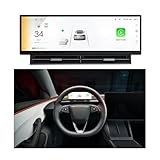
- 【HUD Compatible with Tesla Model 3/Y】Elevate the front screen Compatible with Tesla Model 3/ Model Y with an advanced 10.88 inch display featuring 1920x532 high resolution. Powered by Linux system ensures smooth performance without lag, enhancing both driving safety and operational convenience. Designed Compatible with Model 3 2017-2023, Model Y 2019-2023. Easy installation, requiring no complicated wiring or modifications
- 【Blind Spot Monitoring&Safety Warning】 It also provides safety alert reminders, such as real-time display sync, blind spot warnings, SWC control, wireless connectivity, displays speed, gear, tire pressure, battery status, autopilot ,seat adjustments, and volume control, keeping your focus on the road.
- 【10.88 Inch Large Touchscreen】The 10.88-inch Ultra-HD touchscreen delivers clear visuals. Whether you’re navigating menus, adjusting settings, or keeping an eye on real-time driving metrics, its responsive touch controls let you operate everything smoothly with just a light tap. Customize your dashboard with 5 models and 5 color choices. Effortlessly Switch between day/night modes or auto-sync with your car's system.
- 【Wireless Carplay & Android Auto】Seamlessly connect your phone via CarPlay or Android Auto. You can make Bluetooth hands-free calls, stream music, get real-time navigation, and access messages without touching your phone. It also supports AirPlay & Miracast to mirror your phone to the dashboard in front of the driver.
- 【Independent Air Vent】The dashboard features a dedicated air vent design that boosts airflow, delivering a steady, comfortable stream of air to the driver. It won’t block or disrupt air circulation, keeping the driving experience consistently comfortable
Why glare, fog and rain expose the limitation
NHTSA’s Engineering Analysis EA26002-10023 examines Tesla FSD as an exclusively vision-based system under degraded roadway conditions. The agency reported concerns that the degradation-detection system did not always detect or communicate impaired visibility with enough warning under glare and airborne obscurants. In reviewed crashes, FSD lost track of—or never detected—a lead vehicle.
The Tool Desk
Outbyte PC Repair FREEClear out junk files and repair common Windows errorsFree Scan →Outbyte Driver Updater FREEScan for outdated or missing drivers - takes under a minuteDriver Scan →NHTSA also records Tesla’s assessment that a later degradation-detection update might have affected three of nine identified incidents. The agency notes that Tesla described internal data and labeling limitations that prevented uniform crash-event analysis and could have caused under-reporting during portions of the study period. These are regulator findings and company statements, not evidence that every FSD trip fails in degraded visibility; they show why a driver should not infer capability from a calm-looking dashboard.
Best Value
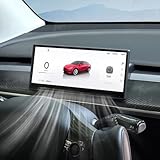
- Driving Safety & Assistance: Front Camera System(Except JUNIPER)Enhances parking and low-visibility safety. Blind Spot Detection, Autopilot Warnings.
- Display: 8.9-inch HD Touchscreen, Crisp 1920×720 resolution with 2.5D curved glass for anti-fingerprint protection. Real-Time Driving Data: Shows speed, gear, battery level, turn signals, and more.
- Smooth Operation: 256MB RAM + 8GB ROM ensures fast response and ample storage. Highly responsive, smartphone-like control.
- Full Smartphone Integration: Supports CarPlay (iOS), Android Auto, and HUAWEI HiCar for navigation, calls, and media. Enables data transfer & wireless firmware updates (OTA).
- Customization & Convenience: 3D Visual UI – Customizable themes (day/night modes) with True 3D modeling. Multi-Language Support Accessible for global users.
The driver’s legal and practical responsibility remains
Tesla’s owner documentation says the driver may override FSD whenever uncomfortable or uncertain. Its strongest warning is direct: “NEVER make assumptions and predict when and where Full Self-Driving (Supervised) will stop or continue through an intersection or road marking.”
That warning applies even when the map looks correct. At an intersection, lane split, construction zone or faded marking, judge the real scene and be prepared to take control before the intended path becomes dangerous. Do not wait for the visualization to change as confirmation that intervention is needed.
How to investigate an apparent FSD map problem
- Record the physical mismatch. Note the lane, sign, signal, road edge, vehicle or obstacle that the car appeared to misunderstand.
- Record what the display showed. Capture the projected path and any icons without assuming that missing icons mean missing perception.
- Describe conditions. Include time of day, sun angle, rain, fog, spray, dust, glare, dirty camera areas and temporary markings.
- Separate map and perception questions. Ask whether the issue concerned route or lane geometry, a visible object, or both. Map freshness can affect accuracy, but it cannot explain every scene-level omission.
- Classify the outcome by safety, not appearance. A strange path that was overridden early is different from a missed lead vehicle or an unsafe intersection decision.
- Stop relying on the system when uncertainty persists. The driver’s override is the recovery mechanism Tesla documents; the screen is not a guarantee that FSD will correct itself.
Why one dashboard behavior cannot prove overall FSD safety
Tesla’s evidence dashboard says its studies stratify collision and surrogate-safety results by road class, control type and time period. That context matters: a single system-initiated maneuver, a single road class or one period cannot establish a universal safety rate.
Recommended Free Tools
Tesla’s Vehicle Safety Report also presents extrapolated injury and fatality estimates based on assumptions about collision reductions. Those figures must be read as model-based extrapolations with Tesla’s stated geography, denominator, period and assumptions—not as direct counts of injuries or fatalities caused or prevented by every FSD trip.
Quick Recap
A practical rule for reading the map
- Use the blue path to see what FSD intends, never as proof that the path is safe.
- Assume the display can omit relevant objects, markings, signals and camera-derived information.
- Check current road conditions independently, especially in glare, fog, rain, spray, dust or smoke.
- Keep the ability to override immediately whenever the intended action is unclear or conflicts with the roadway.
- Judge safety claims using the road type, control condition and time period, rather than one screenshot or maneuver.
Product prices and availability are accurate as of the date/time indicated and are subject to change. Any price and availability information displayed on Amazon at the time of purchase will apply.




