Free tools Windows power users keep installed
One-click scans. No signup required.
Hyundai radio problems are not all the same. A system that has no power needs a different check from one with a frozen screen, missing sound, poor AM/FM reception, or a Bluetooth connection that will not work. Start with the safe, vehicle-specific checks below: confirm the ignition and volume settings, identify whether the entire infotainment system or only one function has failed, perform the system’s built-in reset, and then inspect the correct fuse. If the problem began after a weak or disconnected 12-volt battery, check that separately.
Hyundai infotainment systems vary substantially by model, model year, trim, navigation system, display, and software generation. The fuse location, circuit name, reset-button location, menus, and update procedure are therefore not universal. Keep your Hyundai owner’s manual nearby, and perform these checks only while parked.
As an Amazon Associate I earn from qualifying purchases.
First, identify what “radio not working” means
Before replacing anything, match the symptom to the likely fault:
| Symptom | Most useful first checks |
|---|---|
| Blank screen and no sound | Ignition mode, power button, fuse, 12-volt voltage, reset, and software |
| Screen works but there is no sound | Mute, volume, audio balance, source selection, amplifier, and speakers |
| AM/FM does not work but Bluetooth or USB does | Band selection, manual tuning, reception, antenna, and radio-specific software |
| Only Bluetooth, Apple CarPlay, or Android Auto fails | Phone restart, Bluetooth pairing, USB cable, permissions, and projection settings |
| System freezes or repeatedly reboots | Built-in reset, official software update, VIN campaign lookup, and dealer diagnosis |
| Problem started after a dead or disconnected battery | Battery condition, fuse, lost settings, and required infotainment reset |
Do not assume that a failed radio means the head unit must be replaced. The underlying cause may be a setting, low voltage, a blown fuse, an antenna problem, an amplifier, wiring, or software.
#1 Best Overall

- 【High Quality Car Stereo Player】- Our double din car stereo size with 7.01"(L)*3.94"(W)2.56"(H), please check the size of your car's radio before ordering. 7inch double din car stereo with 1024*600 Full HD touch screen gives you a fantastic experience. You can enjoy the stream music and the clear picture with your family. Hope you have a good time.
- 【Double Din Car Stereo Phone Mirror Link】- Support mirrorlink and navigation function for most the android cell phone and iPhone, you can connect your smartphone to car audio via a smartphone data cable, easily connect and sync any content (such as video, music, GPS Navigation etc) to the car player displayed on a large screen. Note: the stereo player is not a GPS unit, it gets GPS navigation function by connecting to the cellphone.
- 【7 inch Double Din Car Radio With Bluetooth 5.0 and FM 】- Bluetooth 5.0 and microphone allow you to answer callings, listen to music and media sounds from devices with Bluetooth function. Take Phone Call Hands Free - Free both your hands by dialing and listening to a call on radio by BT connection. It will ensure the safety of your way. High-quality FM radio stereo receiver, three kinds of channel search mode, listen to music, news and traffic information, anywhere and enjoy yourself.
- 【Car Stereo Double Din Inputs】- USB /SD/AUX input. car audio receivers support vast USB, TF Card(Up to 32G) storage equipment, you can download the songs and videos you like into the storage equipment to play. AUX audio input, support external aux(3.5mm plug) to input into the audio, such as navigation, MP3, MP5. Charging function, the USB interfaces are support of cellphones' charging, no worries about having no power. Support Remote Control.
- 【Standard Double Din Stereo with Backup Camera】- Parking has never been easier with this premium double din car stereo which supports front and rear camera, for a safer and time-efficient experience! Simply shift into reverse and the system powers on the camera automatically, for optimal visibility no matter the weather conditions! If you encounter any operation or other problems, please contact us (click "Contact Seller" on your order page)
1. Confirm that the infotainment system is powered
Park the vehicle before operating the menus or controls. Put the ignition or start system in ACC or ON, depending on the Hyundai’s operating instructions, and press the physical infotainment power button. A blank screen with no sound can simply mean that the system is turned off or that the vehicle is not in the appropriate ignition state.
Then check the basics:
- Turn the volume knob up several steps.
- Press the steering-wheel mute control once to make sure the system is not muted.
- Confirm that the audio balance and fade have not been moved entirely to one side or to an inactive speaker location.
- Check whether the system is connected to a source that is currently silent, such as an empty USB input or paused phone.
- Switch between available sources, such as AM, FM, Bluetooth audio, and USB, if the screen responds.
If the screen is normal but there is no sound from any source, the fault may involve the amplifier, speakers, wiring, or head unit rather than the radio tuner.
2. Determine whether the fault is radio-only or system-wide
If only AM/FM is affected
Open the radio screen, select another available band, and manually tune to a known local station rather than relying only on presets or scanning. Hyundai systems commonly provide band selection, manual tuning, station lists, and scan functions, although the exact labels differ by vehicle.
The Tool Desk
Outbyte PC Repair FREEClear out junk files and repair common Windows errorsFree Scan →Outbyte Driver Updater FREEFix the driver behind crashes, sound loss and screen glitchesFind Drivers →Reception can legitimately deteriorate in tunnels, parking structures, valleys, remote areas, or behind obstructions. Metallic window film or other modifications can also interfere with an on-glass antenna. If Bluetooth, USB, menus, and other media functions work normally while AM/FM remains weak or silent in a location with known strong stations, investigate the antenna, antenna connection, or tuner before blaming the entire display unit.
If every infotainment function is unavailable
If the display, menus, Bluetooth, USB, phone projection, and radio all fail, an antenna is unlikely to be the only problem. Prioritize the vehicle’s power supply, infotainment fuse, 12-volt battery condition, software, and head-unit diagnosis.
If only Bluetooth, Apple CarPlay, or Android Auto fails
These are separate connection functions, not proof that the AM/FM radio is defective. Restart the phone, turn its Bluetooth off and back on, remove the Hyundai from the phone’s saved devices and reconnect it, and verify that the phone is permitted to connect. For wired Apple CarPlay or Android Auto, inspect the USB connection and try a known-good data cable. If the Hyundai has more than one USB port, use the port designated for phone projection.
Do not pair or troubleshoot a phone while driving. Hyundai’s available features and displayed screens differ by vehicle, so use the owner’s manual for the exact phone-projection menu path.
Quick wins for a faster PC:
Repair Windows errors before they cause bigger problemsFix Now →Fix the driver behind crashes, sound loss and screen glitchesFind Drivers →Rank #2

- Seamless Bluetooth Connectivity: Car stereo with Bluetooth technology allows you to enjoy hands-free calling and high-quality wireless music streaming from your iPhone and Android devices.
- Powerful, Clear Audio Performance: Equipped with a built-in MOSFET amplifier, this Pioneer car stereo delivers up to 50 watts per channel to four speakers for rich, dynamic sound across your entire vehicle.
- High-Quality Music Playback via USB: Enjoy clear, detailed sound from your favorite tracks using the front USB input—compatible with FLAC, MP3, and WMA formats.
- Compact 1-DIN Design: Single din radio is designed with a super-short chassis to make installation easy, even in vehicles with limited dash space, without compromising on performance.
- Simple Sound Customization: Dedicated Direct EQ Keys let you adjust bass, treble, and balance settings on the Pioneer stereo to match your personal listening style.
3. Use the Hyundai system’s built-in reset
A frozen, slow, or unresponsive screen may have an internal software error. Many Hyundai infotainment systems include a small physical reset button. With the vehicle safely parked, press and hold that button using a suitable non-damaging tool, such as a pen tip or paper clip, for the duration specified for the installed system.
The reset-button location and procedure vary. It may be near the screen, controls, or another part of the infotainment panel. If there is no clearly marked reset opening, check the model-year manual or ask a Hyundai dealer. Do not insert a metal object into an unknown opening, force a control, or remove dashboard trim just to search for a reset switch.
A system reset is a troubleshooting step, not a guaranteed repair. It will not repair a failed amplifier, broken antenna, damaged display, bad wiring harness, or defective head unit. If the issue returns, check for an official software update and arrange diagnosis.
4. Inspect the correct infotainment or audio fuse
If the radio has no power, locate the fuse-panel diagram and circuit list in the owner’s manual or on the vehicle-specific fuse-panel label. Hyundai vehicles can have more than one fuse panel, and the relevant circuit may be labeled for audio, AVN, multimedia, infotainment, or another system name. There is no single Hyundai radio fuse number or location that applies to every model and year.
Do these 3 things before closing this tab:
1Fix the driver behind crashes, sound loss and screen glitches2Clear out junk files and repair common Windows errors3Scan for outdated or missing drivers - takes under a minuteBefore inspecting a fuse:
- Park the vehicle and switch the ignition and electrical accessories off.
- Find the correct fuse panel and circuit using the vehicle-specific documentation.
- Remove the suspected fuse with the fuse puller supplied in the vehicle or an automotive fuse puller.
- Inspect the fuse element or test it with appropriate equipment.
- If it is blown, replace it only with a fuse of the same physical type and exactly the same amperage rating.
A small automotive blade fuse kit can be useful if it contains the exact fuse type and ratings required by your Hyundai. Treat it as a source of correctly matched replacements, not as a universal radio repair. Some vehicles use different blade-fuse sizes, and the audio circuit’s amperage must come from the vehicle documentation.
Fuse safety: Never install a higher-capacity fuse, bridge the circuit with wire, or use foil. Those substitutions can damage the vehicle or create a fire hazard. Hyundai also warns against using a screwdriver or other metal object as a fuse-removal tool because it can short the electrical system.
If the replacement fuse blows immediately or blows again soon afterward, stop replacing fuses. A short circuit, damaged wiring, failed module, amplifier, or another electrical fault may be present. Continuing to fit new fuses can turn a diagnostic problem into a larger electrical failure.
5. Consider a weak or recently disconnected 12-volt battery
Low vehicle-battery voltage can prevent an infotainment system from starting or make it behave unpredictably. This is especially worth considering if the Hyundai has had a slow engine start, interior lights left on, a jump-start, a discharged battery, or recent battery replacement.
Rank #3
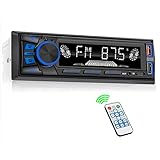
- 【Bluetooth Upgrade for Older Vehicles】Upgrade your vehicle with this single DIN Bluetooth radio and enjoy wireless music without replacing your entire car audio system. The Bluetooth car stereo pairs with a compatible smartphone to stream playlists, podcasts, and audiobooks through your vehicle’s speakers, giving daily commutes and road trips a more convenient, cable-free soundtrack.
- 【Hands-Free Calling & Push-to-Talk】The built-in microphone and dedicated answer/end button let you hear calls through your car speakers and talk without holding your phone. Once Bluetooth is connected, press the push-to-talk button to access a supported phone voice assistant for calls or music, helping reduce phone handling while driving.
- 【FM Radio with 18 Presets】This FM car radio covers 87.5–108 MHz and supports automatic and manual station search. Save up to 18 favorite stations, while the memory function keeps them ready for quick access to music, news, weather, talk shows, sports, and local traffic information.
- 【5 Ways to Play & Multiple Audio Formats】Enjoy music through Bluetooth, FM radio, USB, AUX input, or TF/microSD card. This car stereo supports MP3, WMA, APE, FLAC, and WAV files, giving you flexible listening options with or without mobile data. Rear RCA outputs also support connection to a compatible external amplifier or powered subwoofer.
- 【50W x 4 Output, EQ & 7-Color Lighting】This single DIN car stereo delivers up to 50W x 4 maximum output across four channels. Choose from Pop, Rock, and Classic EQ presets to match different music styles, then select one of seven LED button colors to complement your dashboard and personalize your driving space.
A battery event can also explain lost settings. After a 12-volt battery is discharged, disconnected, or reconnected, the clock and infotainment settings may need to be reset. That does not automatically mean the battery event permanently damaged the radio.
Check the battery and charging system if symptoms continue, but do not treat disconnecting the battery as a universal reset. It can create additional reset requirements and may be inappropriate to improvise on hybrid or electric models. Hybrid and EV Hyundais can have different 12-volt arrangements and procedures. Do not touch high-voltage components or attempt high-voltage diagnosis; have an abnormal auxiliary-battery or electrical condition inspected by an authorized technician.
6. Check Hyundai’s official infotainment software update resource
Hyundai’s official navigation and infotainment update site allows owners to search by VIN or vehicle type, compare the installed software version, download the appropriate package, and install it through the supported vehicle procedure. The official site lists releases for some 2026 systems, including releases identified in June and July 2026, but an update is not necessarily available for every Hyundai.
What’s actually slowing this PC down?
Pick the symptom - the matching free tool is one click away.
Use the update intended for the exact vehicle and infotainment system. Do not use files downloaded for a similar-looking Hyundai, interrupt the installation, remove the USB or SD media early, or switch off the vehicle during an update. If the display repeatedly reboots, cannot remain powered long enough to update, or the update fails, dealer assistance is safer than repeated attempts.
After an update, settings, paired phones, or radio presets may need to be restored. An update can address a software fault, but it cannot repair physically failed hardware.
7. Search for recalls and service campaigns by VIN
Use Hyundai’s U.S. recall and campaign lookup with the vehicle’s complete 17-character VIN. A generic search for “Hyundai radio recall” is not a substitute for a VIN check because eligibility depends on the specific vehicle and campaign. Hyundai states that eligible recall and campaign repairs are completed free of charge by a Hyundai dealer.
This check is particularly important on newer vehicles. Recent NHTSA reports include examples of display-related software problems: certain 2026 GV70 vehicles were reported to have instrument-panel and AVN displays that could intermittently reboot and temporarily go blank because of an HD-radio-related software logic issue. A separate report concerns certain 2025–2026 Tucson vehicles with intermittent instrument-panel display reboots caused by software communication errors.
Rank #4

- Push To Talk - Connect to your Smartphone’s Android and IOS assistant with the push of a button via Bluetooth. This unit Lets you access information, accept commands, and keep driving
- Switchable Tuner - The selectable tuner function allows you to adjust this receiver's tuner to receive radio broadcasts in the US & Europe
- Bluetooth - Answer/make calls and be hands-free with no distractions. The built-in microphone picks up your voice and your car speakers let you hear the person on the other side. Play and control your music and apps like Spotify/Pandora wirelessly
- Auxiliary - Compatible with the audio output from smartphones as well as MP3 players
- Inputs - The USB port gives you the option to have a vast library of audio files at your fingertips. The auxiliary input is a convenient way to hook up to your MP3 player. Advanced Bluetooth supported profiles include A2DP, AVRCP and HFP
Those examples do not mean every Hyundai radio failure is covered by a recall. They show why a VIN-specific lookup is more useful than assuming the symptom applies to every vehicle of the same model.
Do not keep driving normally if a blank display hides the speedometer, warning lamps, camera view, or other safety information. Arrange prompt inspection and follow the recall or dealer instructions.
8. Know when the problem is probably hardware
Stop basic DIY troubleshooting and seek professional help if:
- The correct replacement fuse blows again.
- The system remains completely dead after the correct fuse and battery checks.
- The display is cracked, physically damaged, or repeatedly reboots.
- There is no sound from any source even though the screen operates.
- The radio cuts out when the vehicle hits bumps or vibrates.
- The antenna is visibly damaged or reception changed after body or window work.
- An official reset and compatible software update do not resolve the problem.
- The vehicle is a hybrid or EV and the suspected issue involves auxiliary-battery or high-voltage-related components.
Possible causes include an antenna or antenna cable, amplifier, speaker wiring, power or ground connection, communication network fault, software module, or head unit. Hyundai troubleshooting guidance directs owners to an authorized dealer when the reset, fuse, and software steps do not resolve the issue. An automotive electrical diagnosis or car-audio repair shop may also be appropriate, provided the technician understands the vehicle’s integrated systems.
PC Slower Than It Used to Be?
A free scan shows the junk files, broken settings and background clutter dragging Windows down - then fixes them in one click.Free scan · Windows 10 & 11Crashes, No Sound, or Screen Glitches?
Random freezes, missing sound and display glitches usually trace back to one bad driver. Find and replace yours safely.Free scan · under a minuteDo not order a generic “Hyundai radio” yet
Replacement head units differ by model year, trim, navigation status, screen size, amplifier configuration, wiring harness, backup-camera integration, steering-wheel controls, and programming or anti-theft requirements. A unit that physically fits the dashboard may still be electronically incompatible.
Before considering replacement, gather the model year, model, trim, VIN or original head-unit part number, display size, navigation status, and amplifier configuration. Confirm compatibility with a Hyundai dealer, vehicle-specific parts supplier, or qualified car-audio installer. In many cases, diagnosis is less expensive and more reliable than guessing at a replacement unit.
Quick decision checklist
- Blank screen and no sound: Confirm ACC/ON, press power, inspect the correct fuse, consider 12-volt power, reset the system, and check VIN campaigns.
- Screen works but no sound: Check mute, volume, balance, source, and then consider amplifier, speaker, or wiring faults.
- Only AM/FM fails: Try another band and manual tuning in a strong-signal location; investigate reception and antenna issues.
- Only phone connection fails: Restart the phone, reset Bluetooth pairing, check the cable and correct USB port, and review projection settings.
- Problem follows a battery event: Check battery condition and restore settings, but do not assume battery disconnection is the correct reset.
- Fuse blows again or safety display is blank: Stop DIY testing and arrange professional inspection.
For model-specific help, the useful details are the Hyundai’s model year, model, trim, whether the screen is blank, whether any sound remains, whether Bluetooth or USB still works, and whether the problem began after a battery event.
Best Value

- Wired and Wireless CarPlay & Android Auto with Voice Control: The double din car stereo supports wireless apple car play and android auto. Connecting Phone wireless automaticly, as soon as you start the car. You can get directions from GPS navigation apps from phone link like Google Maps and Waze, planing the route for you, put on your personal playlist on Spotify (from phones), have Siri / Google Assistant (from phones) call a friend, etc. Let AI deal with the stress and focus on the wheel!
- High Fidelity Sound Quality with Built-in DSP: Built in DPS with 4.2 channels Pre Amplifier with max 240W output, FR, FL, RR, RL, adjusting music effect wherever position. 2 Subwoofer speakers outputs that delivers outstanding sound quality and breathtaking bass effects. With 10 band EQ Audio Equalizer that allows to adjust the music effect as like. To reduce the effect to music quality of overheating, adds a large heat sink in unit and increase the space for heat disspation.
- High-Quality Bluetooth Connection with Independent Bluetooth 5.3 Module & Extra Antenna: Independent Bluetooth 5.3 Module with extral Bluetooth antenna, improving transmission efficiency, reducing static noise, hands free calling and audio streaming of the car play screen. Powerfull upgraded smart chip, faster connection, lower delay of signal. Built-in microphone and external microphone interface, make phone calls or voice command more stable, clearly and smoother, while you stay focused on the road.
- Immersive 7-Inch IPS Touchscreen& Wired Mirror Link:Effortlessly connect compatible devices, enabling to enjoy videos and other content on the expansive 7-inch IPS HD touchscreen. With a dazzling resolution of 1024x600, every image and video comes to life with stunning clarity, vivid colors, and breathtaking detail. Attention: This stereo comes NO Wi-Fi hotspot function!
- Safety Driving Effortless SWC Control Features: equipped with Steering Wheel Control (SWC) integration, offers enhanced convenience and safety by allowing you to control various functions directly from your steering wheel. Effortlessly adjust volume, change tracks, and activate voice commands without taking hands off the wheel. Ensures a smoother and more intuitive driving experience, enabling to stay focused on the road ahead while enjoying seamless control over car's entertainment system.
Frequently Asked Questions
Why is my Hyundai radio screen black but the car still starts?
The infotainment system may be turned off, not receiving the correct ACC/ON state, affected by a blown fuse or low 12-volt voltage, frozen, or experiencing a software or hardware fault. Confirm the power button and ignition mode, then use the vehicle-specific reset and fuse instructions.
What fuse controls the radio in a Hyundai?
The fuse number, location, and circuit label vary by Hyundai model and year. Use the owner’s manual and the fuse-panel label rather than relying on a generic fuse number found online.
Can disconnecting the Hyundai battery reset the radio?
Battery disconnection is not a universal reset. It may cause the clock and infotainment settings to be lost and can be inappropriate to improvise on hybrid or electric vehicles. Use the system’s designated reset procedure first.
Why does my Hyundai have radio power but no sound?
Check mute, volume, balance, fade, and the selected source. If every source is silent while the screen works, the amplifier, speakers, wiring, or head unit may require diagnosis.
Should I replace my Hyundai radio if resetting it does not work?
Not immediately. Check the correct fuse, 12-volt battery condition, official software updates, and VIN-specific recalls or campaigns first. Replacement compatibility depends on the model year, trim, display, amplifier, wiring, camera, controls, and programming.
Recommended Free Tools
The Bottom Line
Start with the simple distinction: is the Hyundai infotainment system dead, is only the sound missing, or is only AM/FM or phone connectivity failing? Confirm power and settings, use the vehicle-specific reset, inspect only the correctly rated fuse, and consider low 12-volt power or an official software update. If a fuse blows again, a safety display is blank, or the problem survives these checks, stop guessing and have the vehicle diagnosed by a Hyundai dealer or qualified automotive-electrical technician.
Quick Recap
Product prices and availability are accurate as of the date/time indicated and are subject to change. Any price and availability information displayed on Amazon at the time of purchase will apply.




