The Tool Desk
Outbyte Driver Updater FREEScan for outdated or missing drivers - takes under a minuteDriver Scan →Outbyte PC Repair FREEClear out junk files and repair common Windows errorsFree Scan →Start a dated record as soon as a defect appears, report it promptly to an authorized Ford dealer, and keep a copy of every repair order and related communication. For each occurrence, capture the date, mileage, location, operating conditions, exact symptoms and warning messages, and what happened before and after. Use the Warranty Guide for your specific truck to check coverage and dispute procedures; warranty terms vary by vehicle and market.
Why a clear record matters
A useful claim file shows the sequence of events: what you noticed, when and under what conditions it happened, when you told the dealer, what the dealer inspected, and what it did. That information can help you explain an intermittent concern, follow the progress of repeated repair visits, and communicate with Ford or a warranty administrator. It does not, by itself, establish that a defect is covered or guarantee a particular outcome.


As an Amazon Associate I earn from qualifying purchases.
Keep observations separate from conclusions. For example, record “a vibration began while towing uphill at about 45 mph” rather than writing “the transmission failed” unless a qualified technician has made that diagnosis. A suspected cause can be noted as a suspicion, but label it as such. The clearest record preserves what you experienced without turning it into a diagnosis.
Ford’s U.S. 2027 Super Duty Owner’s Manual says owners are responsible for required maintenance, recommends retaining maintenance receipts, and directs owners to bring the vehicle to an authorized dealer as soon as a problem exists. It also says: “However, we cannot deny you of your vehicle warranty solely for the lack of receipts, or for your failure to have all scheduled maintenance performed on your vehicle.” That statement is from the 2027 manual; it does not determine coverage for an individual repair, and you should consult the Warranty Guide applicable to your VIN and vehicle rather than assuming the 2027 terms apply to another model year.
Build a dated defect chronology
Open a note, spreadsheet, or paper log for the truck. Make a separate entry for each occurrence and each dealer visit. Keep entries factual and contemporaneous where possible; if you add something later, mark when you added it rather than making the record look as though it was written earlier.
Record the vehicle and event details
- Vehicle: Year, model, configuration if known, and the full 17-character VIN. Keep contact information with the file, but do not post the VIN or personal details publicly.
- First occurrence: Date and approximate time, odometer reading, and where the truck was. If the exact date or mileage is uncertain, say so and give your best estimate.
- How it was being used: Note whether it was starting, idling, driving, parked, carrying a load, or towing. Include relevant speed, road grade, weather, road surface, or other conditions you actually observed.
- What happened: Describe the sound, smell, vibration, leak, warning, loss of function, or change in handling. Use ordinary language and details such as duration, frequency, and whether the condition stopped on its own.
- Before and after: Record what happened immediately before the symptom, what you did in response, whether the truck could be driven safely, and whether the symptom returned.
- Warnings and messages: Copy the wording as displayed, including any indicator or message you can identify. Do not replace an exact message with a guess about what it means.
A useful entry might read: “October 13, about 7:20 a.m.; odometer 18,420; on the highway with a trailer, the truck began vibrating at approximately 45 mph while climbing a grade. Vibration lasted about 20 seconds and stopped after slowing. No warning message noticed.” This describes an observation; it does not claim a cause.
Document changes over time
For later events, note whether the symptom is becoming more frequent, lasting longer, occurring under different conditions, or affecting another function. Record any actions taken, such as stopping, restarting, or arranging a tow. Avoid experimenting with a truck in a way that could create a safety risk or worsen damage. If a condition may make the vehicle unsafe, prioritize safety and seek appropriate assistance rather than trying to reproduce it for the record.
What’s actually slowing this PC down?
Pick the symptom - the matching free tool is one click away.
Capture photos, video, and related records safely
Photos or a short video may help preserve a visible or intermittent condition, such as a leak or a warning message. Capture the date, mileage, and circumstances separately in your chronology so the file remains understandable later. For an intermittent sound or vibration, a recording may not convey what you felt or heard in person; describe the conditions in writing as well.
- Take evidence only when it is safe to do so. Do not handle a phone while driving or put yourself, passengers, or others at risk to get a recording.
- Keep the original files when practical and make a backup. Note which event each file relates to.
- Preserve relevant invoices, towing or loaner records, maintenance receipts, prior service records, and messages with the dealer or warranty administrator.
- Keep a copy of anything you give the dealer, including your written chronology or a concise symptom summary.
Ford recommends retaining maintenance receipts. A notebook, spreadsheet, or service-record binder can help keep the material together, but Ford does not require a particular record-keeping product. A log is an organizational aid, not a substitute for the vehicle-specific warranty terms.
Report the concern to an authorized Ford dealer
Ford’s 2027 U.S. Super Duty Owner’s Manual states, “You are responsible for bringing your vehicle to an authorized dealer as soon as a problem exists.” Follow the instructions in the Warranty Guide for your truck and describe the concern promptly. When you arrange service, give the advisor a concise account of what happens and the conditions under which it occurs. Ask that your concern be written on the repair paperwork in terms that reflect what you reported.
- Prepare a short summary. Include the first known date, current mileage, symptom, frequency, conditions that bring it on, and any warning message. Bring the chronology and relevant evidence, but lead with the clearest description rather than a long theory about the cause.
- State the concern plainly. Explain what you experienced and what you want checked. If the symptom is intermittent, say how often it occurs and what conditions have preceded it. Distinguish what you observed from any suspected cause.
- Ask for the concern to be recorded. Before the visit is closed, check that the repair order reflects your reported symptom, not only the technician’s findings. Request that the repair order identify the reported concern separately from the cause found and the correction, if any.
- Keep the paperwork. Ask for a copy of the repair order when the vehicle is checked in and the final paperwork when it is returned. If the dealer provides updated documents, retain those too.
- Record the visit in your chronology. Note the dealer and location, drop-off and return dates, intake and completion mileage, how long the truck was unavailable, and any case or repair-order numbers.
The Federal Trade Commission’s auto-repair guidance describes repair orders as records that include each repair, parts, costs, labor charges, and odometer readings at drop-off and completion. Keep the order and final invoice even when the dealer says no repair was performed or no fault was found: those documents record the visit and the result reported at that time.
Check each repair order before you leave
Read the paperwork while the visit is fresh in your mind. The following details make a claim file easier to follow and align with the kinds of information the FTC and NHTSA materials identify. The sources do not establish a single mandatory consumer checklist for every Ford visit, so ask the dealer to correct a material error or omission rather than treating this list as a formal Ford form.
Rank #3

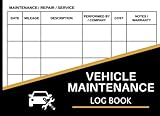
- 110 Sheets Log Book: This vehicle maintenance log book includes 110 record sheets to track repairs, services, fuel costs, and other vehicle-related expenses. It also comes with 36 convenient “Service Due” stickers to help remind you of upcoming maintenance schedules. Everything you need to keep your car records organized in one place.
- Detailed Information: Each page is carefully structured with dedicated sections for date, mileage, service description, parts replaced, vehicle information, cost, and additional notes. The clear and organized format allows you to maintain accurate records, monitor repair history, and better manage long-term vehicle performance and expenses.
- Enough Writing Space: The record sheets provide ample space for clear and thorough entries. Whether you’re documenting routine oil changes or major repairs, there’s plenty of room to write detailed information without feeling cramped.
- Easy to Use: The spiral binding allows the notebook to lay flat for comfortable writing, making entries quick and convenient. The included 36 “Service Due” stickers can be placed inside the book or on visible surfaces like your windshield or dashboard, helping you keep important maintenance reminders in sight.
- Proper Size: This compact logbook measures 5.5” x 7.1”, which fits easily in your glove compartment, center console, backpack, or desk drawer. Its portable size ensures you can access and update your vehicle records anytime, whether at home, in the garage, or at the service center.
- Vehicle identification, owner contact details, dealer or repair-facility name, and repair-order or claim number.
- Visit date, intake and completion odometer readings, and dates the truck was out of service.
- Your concern in the words you originally reported, including relevant conditions and warning text.
- What the shop inspected, what it found, any stated cause, and whether it could reproduce the symptom.
- Correction or work performed, parts used or replaced, and technician comments where available.
- Any follow-up instructions or next steps communicated to you.
A 2023 NHTSA information request to Ford sought warranty information such as VIN, repair date and mileage, dealer, customer concern, cause, correction, replacement parts, and technician comments. That is an example of why precise records can be useful; it was an agency request in an investigation, not a required consumer form or a promise that every repair order will contain every field.
When the dealer cannot duplicate the symptom
A “could not duplicate” finding records the dealer’s result during that visit; it does not erase the fact that you reported a symptom. Keep the repair order and check that it distinguishes your concern from the technician’s finding and any work performed. If the document does not describe the concern accurately, ask whether it can be corrected or supplemented.
At the next visit, provide the updated chronology rather than relying on memory or assuming the prior report will be carried forward. Point out any conditions that have made the symptom more likely, such as a particular speed, load, temperature, or road situation, but do not create those conditions if doing so would be unsafe. Record the dealer’s explanation, the date, mileage, and any recommended follow-up. The cited sources do not establish a Ford-specific rule for no-duplication reports; keeping a precise record is a practical documentation step, not a guarantee of coverage.
Keep repair attempts and communications organized
Give each service visit its own entry, even if the concern sounds identical. A sequence of records can show whether the same symptom was reported more than once, what was checked, and how long the truck was unavailable. Maintain a simple index so you can retrieve a document quickly when speaking with a dealer, Ford, or a warranty administrator.
- Log every visit and return date, odometer readings, dealer location, repair-order number, and days out of service.
- Save messages, letters, and notes from phone calls. For a call, record the date, person or department, case number if provided, the issue discussed, and any requested or promised action.
- Keep receipts for towing, rental or loaner arrangements, and other related expenses. Whether such expenses are covered depends on the applicable terms and circumstances; preserve the records without assuming reimbursement.
- Ask for important explanations or next steps in writing where practical, and keep the response with the relevant visit.
When contacting a warranty administrator about a payment or coverage dispute, the FTC advises consumers to deal with the warranty administrator. Record the date, contact, case number, issue summary, and resolution you are requesting. Follow the specific Warranty Guide and contract terms that apply to your vehicle.
Independent reader supportYour contribution helps us test, update, and keep practical guides available for everyone.Check the warranty and dispute process for your truck
Ford warranty coverage varies by model year, vehicle, coverage, and market. Find the Warranty Guide applicable to your VIN and truck rather than assuming another model year’s owner manual describes your terms. Review the sections that identify what coverage applies, how to request service, and what dispute or escalation steps are available. The cited material does not establish universal deadlines, a universal repair-attempt count, or a result for a particular defect.
Ford’s manual also says warranty coverage may be denied if a vehicle or part failed because of abuse, neglect, improper maintenance, or unapproved modifications. That does not mean a missing maintenance receipt alone decides a claim: the same 2027 manual says missing receipts or failure to perform all scheduled maintenance cannot, by themselves, be the sole basis for denial. Keep available maintenance records and describe any relevant work accurately; do not assume that either a record gap or a maintenance history resolves the coverage question.
Recommended Free Tools
If the issue is not resolved, preserve the written explanation, claim correspondence, repair orders, and dates. The applicable warranty, dispute procedure, potential state consumer protections, and available remedies depend on the truck, jurisdiction, defect, and repair history. A state consumer-protection authority can provide information about rules in your location; for advice on a specific legal dispute, consider a qualified attorney.
Best Value

- Made in USA - Proudly produced in Ohio by a Veteran-owned business
- This book will help you remember your last oil change /last service appointment. You can easily track all services, mileage and maintenance for multiple automobiles - great for business or personal use.
- The yearly expense summary is a very important part of this book. The yearly summary page is a perfect tool for your tax prep and your budget. After every month you should log your total business miles and personal miles in the “Annual Mileage Summary” page.
- This book comes in two convenient sizes, 8.5” x 11” - perfect to fit into any binder or clipboard that you may use for business and 5” x 7” which is the perfect size to fit into your glove compartment!
- Our unique cover is a semi-rigid transparent cover that leads to a sturdy book that resists stains and wrinkles. Reorder SKU: LOG-100-57CW-PP(Auto-Maintenance)
Use NHTSA for a potential safety defect, not as a warranty substitute
If the defect could pose a safety risk, NHTSA encourages consumers to file a safety-defect complaint. Its investigation resources describe how consumer complaints may be considered alongside warranty claims, service bulletins, crash and injury data, and other information. A complaint contributes information to a safety process; it is separate from asking Ford to repair the truck under warranty, does not determine warranty coverage, and does not guarantee an investigation or a particular outcome.
Keep the safety complaint confirmation or reference information with your other records. Continue to follow the applicable Ford service and warranty process independently. Federal law includes a provision addressing inadequate repair when a manufacturer elects to repair a defective or noncomplying vehicle and the repair is not completed adequately within a reasonable time. That provision is not a substitute for checking the specific warranty, facts, and applicable remedies in an individual case.
A practical claim-file checklist
Before contacting the dealer or following up on an open concern, make sure your file includes the items that apply:
Crashes, No Sound, or Screen Glitches?
Random freezes, missing sound and display glitches usually trace back to one bad driver. Find and replace yours safely.Free scan · under a minuteWindows Errors? Fix Them Before They Spread
Repair common Windows errors and clear accumulated junk for a smoother, more stable PC - no reinstall needed.Free scan · no reinstall- A dated chronology with VIN, mileage, location, operating conditions, symptoms, warning messages, and changes over time.
- Copies of photos or video, labeled with the event they show, plus relevant maintenance records and receipts.
- Every repair order and final invoice, including both visits where the concern was reproduced and visits where it was not.
- A visit log with dealer, dates, mileage, repair-order or claim number, time out of service, and follow-up.
- Copies or notes of communication with the dealer, Ford, or the warranty administrator, including case numbers and requested resolutions.
- The Warranty Guide applicable to the truck and any relevant safety-complaint reference information.
Keep one organized copy of the file and a backup. When you share records, provide the documents relevant to the issue and retain the originals or your own complete copies.
Quick Recap
Product prices and availability are accurate as of the date/time indicated and are subject to change. Any price and availability information displayed on Amazon at the time of purchase will apply.




