What’s actually slowing this PC down?
Pick the symptom - the matching free tool is one click away.
For Toyota-supported Techstream diagnostics, choose a Drew Technologies Mongoose-Plus MFC3 or MongoosePro MFC2/MFC interface. Toyota identifies these as its recommended J2534 devices for diagnostic functions. A cable appearing on Toyota’s J2534 list does not necessarily mean it is approved for diagnostics: that list is for reprogramming validation. Before buying, verify the interface version and setup against your vehicle, the job you need to do, and Toyota’s current TIS information.
Which Techstream cable should you buy?
The best-supported options are the Mongoose-Plus MFC3 and MongoosePro MFC2/MFC. Toyota’s Techstream Lite FAQ says these are the only J2534 devices it recommends for diagnostic functions. Toyota also sells Techstream Lite kits featuring the MFC2 and MFC3 through its MFC2 kit and MFC3 kit listings.
That recommendation is about the interface, not a promise that any cable will work with every car, computer, Techstream version, or task. Match the exact device and configuration to the vehicle and intended function before ordering.
Quick choice by job
| What you need | What to look for | Important qualification |
|---|---|---|
| Techstream diagnostics | Mongoose-Plus MFC3 or MongoosePro MFC2/MFC | Toyota’s Techstream Lite FAQ recommends these for diagnostic functions; confirm current compatibility for your setup. |
| J2534 ECU reprogramming | A device and configuration on Toyota’s current J2534 reprogramming list | The list validates reprogramming configurations, not general Techstream diagnostics. |
Why a J2534 cable on Toyota’s list may still be wrong for diagnostics
Toyota’s J2534 Reprogramming page is a reprogramming validation list. Toyota says only the listed device, firmware, DLL, and API combinations have been tested for that purpose, and strongly recommends using only validated interface devices. The chart page reports that it was last updated August 12, 2022, so check the live TIS page before relying on a listed configuration for a purchase.
#1 Best Overall
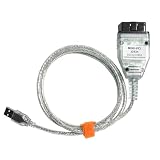
- NOTE: Any installation problems, please contact customer service. The latest version: for VCI J2534 Cable - The software V18.00.008, the firmware V1.4.8
- This mini vci j2534 cable works with Toyota, for Lexus and for Scion vehicles since 1996 through the OBD2 port, supporting Diagnostic, Programming, Reprogramming and Coding functions. Note: The prodcut can not work for TPMS.
- For Techstream OBD2 adapter cable supports Windows XP, Windows 7 and Windows 10 operating systems for flexible use on different computers.During installation, you need to uninstall the firewall guard and turn off the real-time protection program to avoid damage to the software. If the VCI J2534 cable CD arrives damaged, please contact in time, we will send you the software download link.
- Compatible More Vehicles, Supported Protocols:K-Line ISO 9141, KWP 2000 ISO 14230-4, SAE J1850 PWM, SAE J1850 VPW, CAN 2.0B ISO 11898, CAN ISO 15765-4
- Install Note, Any installation problems, please contact customer service. The software cannot work with antivirus. The virus protector may notify it as“virus” by mistake. Please disable or uninstall the anti-virus software on your PC to make sure the diagnose software works normally.
Reprogramming validation does not establish support for diagnostics. Toyota says it has not validated other configurations for current GTS+ diagnostic use and does not recommend or support them for that purpose. If the task is scanning, viewing live data, or performing diagnostic functions, follow Toyota’s specific MFC3/MFC2/MFC recommendation rather than treating any reprogramming-listed J2534 unit as interchangeable.
What else you need besides the interface
Hardware alone does not provide official Techstream software access. Toyota says Techstream Lite requires an active TIS subscription. TIS also indicates that a Professional-level subscription is required to download and install Techstream software and access calibration files. Confirm which subscription covers your intended work before purchasing a kit; subscription requirements depend on the task and access needed. See Toyota’s J2534 reprogramming and subscriptions information and calibration-file guidance.
Rank #2

- WIDE COMPATIBILITY: This mini vci j2534 cable works with Toyota, Lexus and Scion vehicles since 1996 through the OBD2 port, supporting Diagnostic,Programming,Reprogramming and Coding functions.(Note: When the VCI J2534 Cable is used to detect Toyota hybrid vehicles (such as Toyota Prius and Lexus vehicles), it can only partially detect the car, because the hybrid model is not exactly the same as the Toyota protocol.)
- SOFTWARE INTEGRATION: This j2534 reprogramming tool is compatible with TIS Techstream V18 software for comprehensive vehicle diagnostics and maintenance.This obd2 cable supports all the functions that your car and Techstream version supports, but sometimes you need to try different Techstream version to meet your specific requirements, lower or higher version.
- SYSTEM REQUIREMENTS: The Toyota Techstream OBD2 adapter cable supports Windows XP, Windows 7 and Windows 10 operating systems for flexible use on different computers.During installation, you need to uninstall the firewall guard and turn off the real-time protection program to avoid damage to the software. If the VCI J2534 cable CD arrives damaged, please contact us in time, we will send you the software download link within 12 hours.
- CONNECTOR TYPE: Features J2534 pass-through interface with USB connection for easy plug-and-play operation
- DIAGNOSTIC FEATURES: Enables real-time vehicle data monitoring, error code reading, and ECU reprogramming capabilities
Check vehicle, year, market, and computer compatibility
Toyota’s Techstream 2.0 page describes coverage for 1996–current Toyota, Scion, and Lexus vehicles marketed in North America. That range is specific to the Techstream 2.0 product information, not a blanket guarantee for every interface or later tool configuration. Verify coverage for the exact vehicle and software version on Toyota’s Techstream 2.0 page.
The same page says a 2020 Toyota GR Supra requires an additional diagnostic cable and Windows 10. Do not assume that requirement applies to other vehicles—or that the page’s older, model-specific computer note describes every current configuration. Toyota’s validated reprogramming chart lists Windows 11 support for its stated calibration-software configuration; verify the current device and software requirements for your job.
Rank #3

- Support all the diagnostic communication protocols needed for Toyota (since 1996).Supported Protocols:K-Line ISO 9141 / KWP 2000 ISO 14230-4 / SAE J1850 PWM / SAE J1850 VPW / CAN 2.0B ISO 11898 / CAN ISO 15765-4. Support computer system:Windows XP;Windows7 32 bit.If met problems of asking password, just try more times to nstall driver.
- MINI VCI Diagnostic Test Scanner Function - MINI VCI check engine light shut off, multi-language interface, freeze frame displays, internet updateable, user friendly and others function, heavy duty thick-shielded cable for best test results.
- 16Pin OBD2 MINI VCI Diagnostic USB Cable Supported Protocols - K-Line ISO 9141, KWP 2000 ISO 14230-4, SAE J1850 PWM, SAE J1850 VPW, CAN 2.0B ISO 11898, CAN ISO 15765-4
- Premium Quality - 16Pin OBD2 MINI VCI diagnostic USB cable made of premium material, this car usb cable obd2 diagnostic scanner is sturdy, not easy to aging and abrasion resistant, to ensure maximum strength and durability for long lasting usage
- If you know less of the car & computer knowledge and don't like remote assist, we don't recommend you buy this. Firewall and defender need to be closed in case it damages the software.
- Confirm the vehicle’s make, model, year, and market.
- Confirm the precise Mongoose model and any required firmware, DLL, or API version.
- Check the operating-system and Techstream-version requirements for the intended function.
- Look for a vehicle-specific cable or procedure, such as the additional cable Toyota specifies for the 2020 GR Supra.
- Confirm current TIS access and subscription requirements before relying on included software claims.
USB extension cable limits
Toyota’s Techstream Lite FAQ says USB extensions can be used with Mongoose-Plus MFC3 and MongoosePro MFC2/MFC vehicle interface modules. For a generic extension, keep the combined length of the device and extension at or below 16 feet; Toyota warns that longer setups may produce communication errors. Active USB extensions are available for longer runs, but verify that the extension is suitable for the specific interface.
Be cautious about ECU reprogramming
ECU flashing is not a routine cable test. Toyota warns that interrupting reprogramming can permanently damage a vehicle controller. Once flashing begins, do not disconnect the interface, interrupt the operation, or allow the PC to enter standby or hibernation. Follow the applicable Toyota service bulletin and procedure, as described in Toyota’s ECU reprogramming guidance. Buying a supported cable by itself does not make reprogramming safe or appropriate without the required procedure and preparation.
Rank #4

- 【COMPATIBILITY】This mini vci j2534 cable works with Toyota, Lexus, and Scion vehicles since 1996 through OBD2 diagnostic port for comprehensive vehicle diagnostics and programming.(Note: If the mini vci cable techstream is used to detect Toyota hybrid vehicles (such as Toyota Prius and Lexus vehicles), it can only partially detect the car because the hybrid model is not exactly the same as the Toyota protocol).
- 【SOFTWARE VERSION】This mini vci J2534 toyota is compatible with the latest Techstream V18.00.008 software for up-to-date diagnostic capabilities and vehicle coverage. We only sell the hardware of the products, excluding the software. During installation, you need to uninstall the firewall guard and turn off the real-time protection program to avoid damage to the software. If the VCI J2534 cable CD arrives damaged, please contact us in time, we will send you the software download link within 12 hours.
- 【SYSTEM REQUIREMENTS】Supports multiple Windows operating systems including Windows XP, Windows 7 and Windows 10 in both 32-bit and 64-bit versions. NOTE: We only sell the hardware of the products, excluding the software.
- 【CONNECTION TYPE】VCI J2534 USB interface provides stable data transfer between vehicle and computer through J2534 protocol standards.
- 【SAVE YOUR MONEY】This mini VCI cable techstream enables professional-level diagnostics, ECU reprogramming and real-time data monitoring for Toyota family vehicles.This Mini VCI J2534 cable is a must-have for the DIY enthusiast.
How to avoid a cable that will not connect
- Start with the job. Decide whether you need diagnostics or ECU reprogramming; the two functions do not use the same compatibility test.
- Choose a Toyota-recommended diagnostic interface. For diagnostics, check MFC3 or MFC2/MFC against Toyota’s Techstream Lite guidance.
- Verify the exact configuration. For reprogramming, compare the device, firmware, DLL, and API with Toyota’s current validated list rather than relying on the device name alone.
- Confirm software access and requirements. Check the TIS subscription level, Techstream version, operating system, vehicle coverage, and any special cable requirement.
- Buy through a channel that can identify the exact hardware. Toyota’s Tools and Equipment catalog lists the MFC2 and MFC3 Techstream Lite kits; confirm what the kit includes and what subscription or access must be obtained separately.
A generic Mini-VCI cable should not be treated as Toyota-recommended or validated based on the compatibility information above. Likewise, a seller’s claim that software “comes with” a cable does not establish official Toyota software access or diagnostic support. Check the precise product and access terms with Toyota TIS and the seller before purchase.
Quick Recap
Best Value

- 【NOTE】 Before installing the software, please close the antivirus software and firewall. Do not connect to the internet; otherwise, it will damage the jlr sdd cable! The software supports the old PWM and CAN protocols, as well as K-line and L-line.
- 【COMPATIBLE VEHICLES】This lydesor JLR SDD cable professional diagnostic scanner is compatible with the following vehicle systems: Fit for Jaguar vehicles: X100, X150, X202, X250, X350, X351, X400 from 2005-2017; Fit for Land R-over vehicles: L316, L319, L320, L322, L359, L538 from 2005-2017; Fit for Volvo vehicles: from 1996–2004; Fit for Toyota vehicles: from 1996–2022.
- 【MULTI-SYSTEM SUPPORT】This obd2 diagnostic scanner for jlr sdd j2534 is compatible with JLR SDD V165, for Volvo VIDA 2014D, and for Toyota TIS Techstream V18.00.008 diagnostic software packages.
- 【SOFTWARE COMPATIBILITY SYSTEM】This obd2 scanner for jlr sdd j2534 only supports Windows XP and Windows 7 (32-bit/64-bit) operating systems. Windows 8 and 10 are not supported. Please confirm that your computer system is compatible before purchasing.
- 【DIAGNOSTIC FUNCTIONS】 The J2534 reprogramming tool includes comprehensive OBD2 scanning capabilities and a J2534 interface for advanced diagnostics, including data lists, active tests, monitor, utility tests, reprogramming and diagnostics trouble codes.
Product prices and availability are accurate as of the date/time indicated and are subject to change. Any price and availability information displayed on Amazon at the time of purchase will apply.
Do these 3 things before closing this tab:
1Clear out junk files and repair common Windows errors2Fix the driver behind crashes, sound loss and screen glitches3Repair Windows errors before they cause bigger problems



