PC Slower Than It Used to Be?
A free scan shows the junk files, broken settings and background clutter dragging Windows down - then fixes them in one click.Free scan · Windows 10 & 11Outdated Drivers Are Slowing You Down
One free scan finds every outdated or missing driver and matches the right update for your exact hardware.Free scan · exact hardware matchAUTOSAR Classic defines FlexRay support for its XCP module, but “AUTOSAR-compatible” does not guarantee that a particular software package will work in a given ECU. Compatibility depends on the AUTOSAR release and requirement status, FlexRay cluster and LPDU configuration, controller-buffer resources, ECU and calibration descriptions, and the XCP master and interface hardware. Vector MICROSAR Classic XCP is one documented ECU-side option; ETAS INCA-FLEXRAY is calibration tooling, not an ECU-side XCP slave.
Which AUTOSAR software module provides XCP on FlexRay?
On an AUTOSAR Classic ECU, XCP is a basic-software communication and calibration function, integrated with the communication stack rather than added as a standalone application feature. The AUTOSAR Classic Platform R24-11 XCP specification requires the XCP module to support FlexRay. It describes how XCP data is exchanged through AUTOSAR communication services and sets requirements for the associated FlexRay resources and configuration.
That establishes a standard capability, not plug-and-play interoperability. A vendor’s XCP slave must be supported for the ECU’s release, hardware and software toolchain, then configured to match the network and the calibration master.
What FlexRay support means in AUTOSAR R24-11
The details below refer to AUTOSAR Classic Platform R24-11, the release whose XCP specification is the technical basis here. AUTOSAR’s Classic Platform page was listing R25-11 as current when consulted, but the R25-11 XCP requirements were not established in the material available for this article. Check the specification and requirement status for the release actually used by the project before treating R24-11 details as current for that implementation.
Free tools Windows power users keep installed
One-click scans. No signup required.
#1 Best Overall
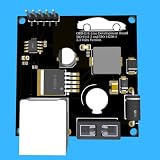
- Includes OBD2 Cable & Fuse – Comes with a ready-to-use OBD2 cord and a built-in automotive fuse for safe, reliable vehicle connection.
- 3.3V or 5V Logic Compatible – Works seamlessly with ESP32, Arduino, Raspberry Pi, STM32, Teensy, and more.
- Automotive-Grade Protection – Built-in power regulation, reverse-polarity protection, and noise filtering ensure stable, safe readings from any 12V vehicle.
- Supports Major OBD-II Protocols – Works with ISO9141, ISO14230 (KWP2000) for K-Line vehicles and ISO15765-4 CAN for modern CAN Bus systems (11-bit & 29-bit IDs).
Transport, LPDU routing and API status
The R24-11 specification describes exchanging XCP data via AUTOSAR communication services and event-driven LPDUs, with LPDU routing defined by the system designer. It marks an earlier FlexRay Interface API requirement obsolete and identifies a replacement PduR API requirement as DRAFT. Do not treat that draft replacement as a settled requirement or assume a particular API: confirm the applicable requirement status and integration path for the target release and project configuration.
Controller buffers, PDU length and frame handling
The specification calls for XCP-dedicated FlexRay controller buffers and configuration of their use and the FlexRay PDU length. It also requires the module to be able to pack multiple XCP messages into a FlexRay frame. These settings must fit the ECU’s communication-controller resources and the network design; they are not implied by selecting an XCP software package.
Rank #2

- The CAN-BUS Shield compatible with arduino or Redboard can be provided with CAN-BUS capabilities and allows you to hack your vehicle.
- This shield allows you to poll the ECU for information including coolant temperature, throttle position, vehicle speed, and engine rpms. You can also store this data or output it to a screen to make an in-dash project.
- The CAN-BUS Shield Features: CAN v2.0B up to 1 Mb/s. High speed SPI Interface (10 MHz) Standard and extended data and remote frames. CAN connection via standard 9-way sub-D connector. Power can supply to Arduino by sub-D via resettable fuse and reverse polarity protection.
- It uses the Microchip MCP2515 CAN controller with the MCP2551 CAN transceiver. CAN connection is via a standard 9-way sub-D for use with OBD-II cable. Ideal for automotive CAN application. The shield also has a uSD card holder, serial LCD connector and connector for an EM506 GPS module.
- Note: A DB9 Cable is not included with this shield.----Note: This product is a collaboration with SK Pang Electronics. A portion of each sales goes back to them for product support and continued development.
Headers, control field and multiple slaves
R24-11 addresses multiple XCP slaves on one FlexRay bus and allows header choices to vary with sequencing, alignment and net-throughput needs. It also specifies a control field with optional fill bytes. Consequently, the XCP configuration has to be considered alongside the cluster and other XCP participants, rather than configured in isolation.
A2L and cluster information
The specification requires A2L information to describe the extent to which XCP-dedicated buffers can be configured; the XCP master obtains buffer information from A2L. ASAM also notes that XCP on FlexRay requires information about the FlexRay cluster to which the ECU belongs. The ECU configuration, network description and calibration description therefore need to agree on the relevant transport and buffer details.
Quick wins for a faster PC:
Fix the driver behind crashes, sound loss and screen glitchesFind Drivers →Repair Windows errors before they cause bigger problemsFix Now →Scan for outdated or missing drivers - takes under a minuteDriver Scan →ECU-side software and calibration-tool roles
Product-directory and vendor descriptions identify the following options and roles. These descriptions are not independent interoperability test results, and they do not establish support for every ECU configuration or product version.
| Option | Role | What is documented | What still needs confirmation |
|---|---|---|---|
| AUTOSAR Classic XCP module | Standardized ECU-side capability | AUTOSAR Classic R24-11 specifies XCP support over FlexRay and related configuration requirements. | The applicable release and requirement status, vendor implementation, ECU integration, and project-specific configuration. |
| Vector MICROSAR Classic XCP | ECU-side XCP slave/basic software | ASAM’s product directory describes MICROSAR Classic as AUTOSAR Classic basic software including an XCP slave, and lists CAN, CAN FD, LIN, FlexRay and Ethernet topologies for its MICROSAR Classic XCP package. DaVinci Configurator Classic is identified for configuration and generation. | Support for the exact MICROSAR version, MCU, compiler, FlexRay setup, AUTOSAR release and project toolchain. |
| ETAS INCA-FLEXRAY | Measurement and calibration tooling | ETAS describes an add-on for calibrating FlexRay ECUs via XCP, with FlexRay interface hardware and FIBEX-compliant configuration descriptions. INCA V7.6 documentation discusses XCP-on-FlexRay access to ECU-supported memory options and memory-page management functions. | Exact INCA version, licensed features, interface hardware, ECU support and configuration descriptions. It is not a replacement for the ECU-side XCP slave. |
How to assess and configure an XCP-on-FlexRay integration
-
Pin the AUTOSAR release and requirement status
Identify the release used by the ECU and check its XCP specification. For an R24-11-based project, resolve the status of the replacement PduR API requirement, which is marked draft, and the obsolete earlier FlexRay Interface API requirement with the supplier and project architecture before implementation.
Rank #4
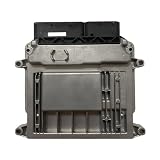 SNPMIRCCY Engine Computer Board ECU 39107-26974 CE2 M7.9.8
- Engine Management Systems
-
Confirm the FlexRay cluster and LPDU assignment
Use the network design to confirm the cluster information, frame and LPDU assignment, bus schedule, routing and available communication-controller resources. Agree on the relevant routing with the system designer.
-
Reserve buffers and set transport parameters
Verify that dedicated XCP controller buffers are available, configure their use and the PDU length, and check how multiple XCP slaves and message packing affect the planned resources and frame handling.
What’s actually slowing this PC down?
Pick the symptom - the matching free tool is one click away.
Special offer. See more information about Outbyte and uninstall instructions. Please review EULA and Privacy policy.Best Value
 Comidox 3Pcs MCP2515 CAN Bus Module for Arduino 51 MCU ARM Controller
- Support CAN V2.0B technical specification, communication rate 1Mb/S.
- 0~8 bytes long data field, standard frame, extended frame and remote frame.
- Module 5V DC power supply, SPI interface protocol control, 120 ohm terminating resistor, impedance matching, guaranteed drive capability, long-distance data transmission to prevent signal emissions.
- Module size: 44mm x 28mm, centering distance of the positioning screw hole: 23mm x 38mm.
- Operating current: typical value 5mA, standby current 1 microamperes, except for the power indicator. Working temperature: industrial grade -40 ° C to 85 ° C.
-
Keep ECU, network and A2L descriptions aligned
Ensure the generated ECU configuration and network description match the calibration description. Check that the A2L contains the XCP-dedicated buffer information needed by the master and that the required FlexRay cluster information is available to the toolchain.
-
Validate the master and interface hardware
Confirm that the calibration master supports XCP on the target FlexRay cluster and that the required interface hardware and configuration descriptions are available. For an ETAS workflow, verify the applicable INCA-FLEXRAY version, license and hardware rather than assuming all INCA setups include the same capability.
-
Compare vendor implementations against the actual ECU
Request version-specific confirmation for the target AUTOSAR release, MCU and compiler, transport and buffer handling, A2L workflow, master compatibility, calibration functions, configuration tools, support and licensing. A product’s general FlexRay listing alone does not settle these project-level questions.
Quick Recap
Bestseller No. 1Bestseller No. 2Bestseller No. 4
Product prices and availability are accurate as of the date/time indicated and are subject to change. Any price and availability information displayed on Amazon at the time of purchase will apply.