Outdated Drivers Are Slowing You Down
One free scan finds every outdated or missing driver and matches the right update for your exact hardware.Free scan · exact hardware matchWindows Errors? Fix Them Before They Spread
Repair common Windows errors and clear accumulated junk for a smoother, more stable PC - no reinstall needed.Free scan · no reinstallThe phrase “dash camera with wireless Android Auto and CarPlay” covers two very different setups. Most products in this category are portable smart screens, mirror displays or all-in-one camera systems with their own display. They run wireless Apple CarPlay or Android Auto directly from the unit.
A conventional Wi-Fi dash camera usually does not become an app on the car’s existing CarPlay or Android Auto screen. In fact, the phone’s wireless projection connection can compete with the camera’s Wi-Fi connection. Garmin documents failures including “Wi-Fi Connection Failed” and the phone being unable to discover the camera while CarPlay or Android Auto is active.
The list below therefore focuses on products that combine camera recording with wireless phone projection. The exception is the Ottocast OttoSafe Cam, which can put camera footage on a compatible factory CarPlay screen but supports Apple CarPlay only.
Quick comparison
| Product | Format | Wireless projection | Camera setup | Best for |
|---|---|---|---|---|
| Vantrue Pilot 2 | Dedicated multi-channel system with display | Apple CarPlay and Android Auto | Four-channel options | Maximum camera coverage |
| JADO G810S Plus | Mirror display | Apple CarPlay and Android Auto | Front/rear; 2.5K rear camera listed | Older cars without modern infotainment |
| ATOTO P8 P807SD-FC | Portable smart stereo | Apple CarPlay and Android Auto | 1080p front camera, 150° view | Portable stereo replacement |
| Carpuride W904 | Portable dashboard console | Apple CarPlay and Android Auto | 4K front; rear camera package optional | Front recording and a large screen |
| Carpuride W905 | Portable dashboard console | Apple CarPlay and Android Auto | 4K front; rear camera package optional | Adjustable front-camera positioning |
| Carpuride W103 Pro | 10.3-inch portable console | Apple CarPlay and Android Auto | Backup-camera configuration | Large display and camera input |
| UNAVI AnyWay Go U-8801 | Portable on-dash stereo | Apple CarPlay and Android Auto | 4K front camera listed | Cars without built-in projection |
| SCUMAXCON 10.26-inch | Portable stereo | Apple CarPlay and Android Auto | Claimed 4K front and AHD rear | Split-screen viewing |
| Sakerplus wireless CarPlay screen | Portable front/rear display | Apple CarPlay and Android Auto | Claimed 4K front and 1080p rear | Budget front/rear package |
| Ourlum Smart K60 Pro | Smart mirror display | Apple CarPlay and Android Auto | Resolution and package details unclear | Mirror-style installation |
| BowLift VisionMirror Pro | Mirror-mounted camera | Apple CarPlay and Android Auto | Front/rear cameras listed | Integrated mirror appearance |
| Ottocast OttoSafe Cam | Camera plus CarPlay adapter | Apple CarPlay only | Front camera; rear camera optional | iPhone users with factory wired CarPlay |
Camera resolutions and features in this table are manufacturer-listed specifications unless stated otherwise. Several products do not have independent image-quality testing, so headline terms such as “4K” should not be treated as proof of superior night footage.
Free tools Windows power users keep installed
One-click scans. No signup required.
#1 Best Overall

- CarPlay and Android Auto: This plug-in device connects to your phone via Bluetooth and WiFi. To use CarPlay, connect an iPhone; to use Android Auto, connect an Android phone. Simply connect it to your smartphone and access map navigation, calling, email, notifications, music, and more.
- Online Maps and Real-Time GPS Navigation with Voice Control: When connected to a smartphone, the portable Apple CarPlay display delivers precise real-time positioning and zero-delay GPS navigation. Supports real-time navigation via apps like Google Maps and Waze (non-preinstalled apps require phone connection). Equipped with the latest voice control technology, it enables map navigation, calls, emails, notifications, music, and more through Siri/Google Assistant.
- OTA Updates: Keep your device up to date with over-the-air firmware updates, so you’re always one step ahead. This wireless CarPlay screen automatically pushes new system updates, ensuring long-term compatibility between your phone and Apple CarPlay, Android Auto, and other in-car electronics.
- Night Vision Backup Camera: A waterproof rear-view camera with night vision capabilities that connects to your in-car display. The backup camera accurately and clearly records your entire driving journey, providing you with comprehensive safety protection. The rear-view camera cable works in sync with your backup lights, making installation extremely convenient.
- Phone Mirroring Connection and Four Audio Outputs: This 9-inch CarPlay screen supports mirroring for both iOS and Android phones. The Q9S double-DIN car stereo integrates CarPlay functionality while supporting Bluetooth audio, built-in speakers, FM radio, and an AUX port. Enjoy clear, stable music even in noisy environments. Connecting your phone via Bluetooth to the car's Bluetooth system for audio playback through the car speakers is the optimal choice.
The 12 best options
1. Vantrue Pilot 2
The Vantrue Pilot 2 is the most camera-focused option here. It is a dedicated multi-channel dash-camera system with an integrated 6.25-inch IPS display and wireless Apple CarPlay and Android Auto. Vantrue lists a four-channel thermal-camera system and several camera packages.
It makes sense for drivers who want extensive coverage rather than simply a front camera attached to a replacement screen. It is not an add-on that sends video to your car’s original stereo; the Pilot 2 has its own screen and its own projection connection.
Watch-out: Vantrue’s official page currently labels the Pilot 2 as pre-sale, with selected packages expected to ship in four weeks. Confirm availability before ordering.
2. JADO G810S Plus
The JADO G810S Plus replaces or overlays the existing rearview mirror with an 11-inch touchscreen dash-camera display. It supports wireless Apple CarPlay and wireless Android Auto and uses a front/rear mirror-camera arrangement. JADO lists a 2.5K rear camera.
The Tool Desk
Outbyte PC Repair FREEClear out junk files and repair common Windows errorsFree Scan →Outbyte Driver Updater FREEFix the driver behind crashes, sound loss and screen glitchesFind Drivers →This is a strong match for an older vehicle with no factory CarPlay or Android Auto. The unit pairs directly with the phone and does not depend on the vehicle’s stereo, so it can add both camera recording and phone projection to a basic car.
Important: its CarPlay or Android Auto session is separate from any factory infotainment system. You are installing an independent smart display, not upgrading the original head unit.
3. ATOTO P8 P807SD-FC
The ATOTO P8 P807SD-FC is a portable dash-mounted stereo with a QLED display, GPS, WDR, automatic dimming and remote control. The specific FC package includes ATOTO’s AC-FCR01W front recording camera, listed at 1080p with a 150-degree viewing angle.
It suits a car that lacks a usable touchscreen but where you do not want to remove the factory stereo. The P8 provides wireless CarPlay and Android Auto, while the included camera handles front recording.
Check the SKU: ATOTO lists multiple P8 variants. Confirm that the listing says P807SD-FC and includes the camera rather than assuming every P8 package does.
4. Carpuride W904
The Carpuride W904 is a portable 9.3-inch HD IPS dashboard console with wireless CarPlay, wireless Android Auto and a built-in DVR. Its front camera is listed as 4K with 350-degree rotation, making it easier to position around a phone mount, mirror or dashboard obstruction.
The W904 is useful when you want a front camera and a modern screen without replacing the factory radio. Audio can use the built-in speaker, Bluetooth, FM or AUX, depending on how you connect it to the car.
Do not assume the rear camera is included. Carpuride separates the standard W904 from the “W904+backup camera” package. Select the bundle carefully if rear recording or a reversing view is important.
Do these 3 things before closing this tab:
1Repair Windows errors before they cause bigger problems2Fix the driver behind crashes, sound loss and screen glitches3Clear out junk files and repair common Windows errorsRank #2
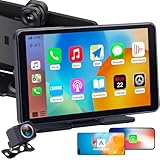
- 10-Min Plug & Play Easy Installation: For older car owners, teen drivers, and families who want maps, music, calls, and camera features without replacing the factory radio, this portable car radio with backup camera powers through the 12V socket with no dash removal or wiring harness. Mount the display, pair your phone, then route the wired rear camera cable for backup view support while adding front recording and rear parking help in one screen
- Support Wireless Apple CarPlay & Android Auto:For families sharing one car with both iPhone and Android users, this car stereo with backup camera supports wireless Apple CarPlay and Android Auto so drivers can use familiar phone apps on an easy-to-use touchscreen. View maps, answer calls, check messages, and play music without constantly looking down at a small phone during commutes, school runs, or road trips.
- 2.5K Front Dash Cam + 1080P Night Vision Rear Camera:For drivers who worry about backing up in dim garages, driveways, or crowded parking lots, this touch screen radio with backup camera records the road ahead while the 1080P rear camera shows what is behind you. The 150° wide-angle rear view and adjustable parking guidelines help make reversing easier, while clearer night backup images improve confidence in tight spaces after dark.
- Voice Control, Maps & Hands-Free Calls: For teen drivers and new drivers using cars without a built-in smart screen, this radio with backup camera helps keep everyday driving simpler and less distracting. Drivers can follow turn-by-turn map guidance, make hands-free calls, hear messages, and play music with voice control instead of picking up a phone while driving, helping them stay more focused during school runs and daily commutes.
- 7-Inch Portable Multimedia Upgrade for Older Cars: If your car still runs well but lacks a modern screen, this touch screen car stereo with backup camera adds wireless CarPlay, Android Auto, front recording, rear backup view, and flexible audio output without replacing the original stereo. It is a practical upgrade for older sedans, SUVs, pickups, RVs, and family cars that need better navigation, parking help, and a more modern driving experience.
5. Carpuride W905
The W905 is a smaller 9-inch portable smart dashboard console with wireless Apple CarPlay and Android Auto. It includes a rotating 4K front camera and supports a TF card of up to 64GB for camera data. A rear camera is available with the appropriate package.
The adjustable camera is the main practical distinction from a fixed windshield camera. It can be aimed through the windshield while the screen is positioned for visibility, rather than forcing both components into one angle.
There is a specific audio limitation: Carpuride says CarPlay and Android Auto audio can reach the vehicle through Bluetooth, but audio played from files on the TF card is not transmitted to the car speakers.
6. Carpuride W103 Pro
The W103 Pro uses a larger 10.3-inch screen and is sold in a configuration with a backup camera. It supports wired and wireless Apple CarPlay and Android Auto, along with USB, TF-card, camera-in and AUX connections. Dual Bluetooth, voice control and a Bluetooth transmitter are also listed.
This is the better Carpuride choice if screen size and camera connectivity matter more than a compact installation. It can function as a self-contained portable console while still providing access to phone navigation, calls and music.
Clarify “AutoLink” before buying: Carpuride’s description says AutoLink is wired only. That restriction applies to AutoLink; it does not cancel the separately listed wireless CarPlay and wireless Android Auto functions.
7. UNAVI AnyWay Go U-8801
The UNAVI AnyWay Go U-8801 is a portable on-dash stereo with a full touchscreen, wireless Apple CarPlay and wireless Android Auto. Its product listing includes a 4K front dash camera, microSD-card support, AUX, Bluetooth, Wi-Fi, FM transmission, AirPlay and Miracast.
It also advertises forward-collision and lane-departure alerts. Those features may be useful as supplementary warnings, but they should not be treated as a substitute for the vehicle’s safety systems.
What’s actually slowing this PC down?
Pick the symptom - the matching free tool is one click away.
Evidence limitation: the manufacturer listing does not establish independent testing of the claimed 4K recording quality or ADAS accuracy. Buy it primarily for the portable screen and camera combination, not for unverified driver-assistance claims.
8. SCUMAXCON 10.26-inch portable stereo
The SCUMAXCON unit combines a large 10.26-inch portable screen, wireless CarPlay and Android Auto, DVR recording and backup-camera support. The listing claims a 4K front camera, AHD rear camera, loop recording and a 64GB TF card. It also advertises simultaneous front/rear display and a reversing view.
Its large screen is attractive for drivers who want navigation and camera feeds visible at once. However, the specification needs careful reading: the same page describes the display as 1600×600 while using “4K” for the camera package. Confirm the actual recorded video resolution and file format with the seller before relying on that label.
9. Sakerplus wireless CarPlay screen with 4K dash cam
Sakerplus sells a portable screen with wireless Apple CarPlay, wireless Android Auto, front and rear recording, loop recording and video locking. The product page claims a 4K front camera, 1080p rear camera and up to a 170-degree viewing angle.
Recommended Free Tools
Rank #3

- 【360 Rotation 4K Dash Cam】 4K front dash cam for ultra-clear recording. Antika Car Audio Receivers has a wide-angle lens and loop recording function. Easily adjust the camera angle vertically or rotated 360°. Even can rotate the front camera to record inside the carWith 64GB SD card, Car Play screen starts looping video and automatically overwrites earlier video (when the vehicle is in a collision, it automatically locks the video)
- 【IP65 Rear Camera &1080P Reversing Camera】1080P waterproof reversing camera for better visibility when parking. The rear camera is IP65 protection level, dustproof and rainproof, easy to cope with various working environments. After correctly installing the rear camera, when the car is in reverse gear, the Carplay screen automatically switches to the reverse image and displays the reversing auxiliary line, with a large screen and a wide-angle view, it is easy to reverse into the garage
- 【Real-Time Navigation】Antika wireless Carplay screen supports Carplayfor Apple cellphone and Android Auto for Android.Seamlessly accessing your smartphone's GPS app (Google Maps, Apple Maps, Waze, etc.) in real-time, giving you updated maps, providing a safer and intelligent driving experience.Once you connect your smartphone for the first time, this carplay screen for car will automatically reconnect every time you get in your car
- 【Wireless Mirror Link】Carplay screen for car supports mirror Link for Apple/iPhone and Android smartphones. Airplay for iPhnoe, Micracast for Android samrtphone syncing to start the mirror function.Casting video to the large 10.26-inch 2.5D IPS 4K screen, enjoy the ultra clear visual and crisp auditory experience like movies, YouTube Tictok videos, and more
- 【Superior Sound Quality】 This android auto screen is equipped with the latest Bluetooth 5.0 technology, delivering exceptional sound quality and a stable, lag-free connection without dropouts. Antika Apple carplay screen supports a variety of audio outputs, including Bluetooth transmission, FM transmission, AUX output and high-quality built-in speakers, providing you with flexible choices to enjoy your favorite music and audio content.
This is aimed at buyers who want a relatively simple front/rear camera-and-screen package, especially in an older car. The combination of dual-screen display and locked clips is more useful in practice than an impressive resolution number alone.
Buy cautiously: the manufacturer page does not provide independent image testing, sensor details or a detailed phone and vehicle compatibility list. Check the return policy and ask for sample footage if nighttime performance matters.
10. Ourlum Smart K60 Pro
The Ourlum Smart K60 Pro is marketed as an Android 14 smart rearview-mirror and dash-camera display with an 11.3-inch screen. It supports wireless Apple CarPlay and wireless Android Auto.
This format will appeal to drivers who prefer a mirror-style display rather than a small camera behind the windshield. The large panel can also make navigation easier to read, although it may be more visually prominent than a conventional dash camera.
Specification gap: the available official listing does not clearly establish the front and rear recording resolutions, storage limit or whether a rear camera is included with every package. Obtain the manual or exact bundle contents before purchase.
11. BowLift VisionMirror Pro
The BowLift VisionMirror Pro is another mirror-mounted dash camera with a touchscreen, front and rear cameras, night vision, wireless Apple CarPlay and wireless Android Auto. Its appeal is primarily the integrated mirror appearance and the ability to add projection to a car without modern infotainment.
Its technical documentation is less complete than the better-established products in this group. The product page does not provide enough detail to verify recording resolution, frame rate, storage capacity or parking-mode power requirements.
Treat “Ultra HD” and similar marketing language as unverified until the seller supplies a manual showing the actual video specifications and power requirements.
12. Ottocast OttoSafe Cam
The OttoSafe Cam is different from the other products. It combines a dash camera with a wireless CarPlay adapter and can show a live road view on the vehicle’s existing screen, along with clip review, locking, deletion, impact-triggered clip protection and voice alerts.
It is designed for an iPhone user whose vehicle already has factory wired Apple CarPlay. The official compatibility information says it is iPhone-only, does not support Android Auto-only vehicles and is not compatible with Sony aftermarket head units. Vehicles with factory wireless CarPlay alone are directed toward another Ottocast product.
An optional rear camera is sold separately. The camera itself can operate when powered, but the bundled adapter is required for the integrated screen experience.
What to check before buying
1. Decide whether you need a new screen or only a camera
If your car already has wireless CarPlay or Android Auto, a normal Wi-Fi dash cam is usually the simpler purchase. It will record independently and use its own phone app when the projection connection is not competing for Wi-Fi.
Quick wins for a faster PC:
Clear out junk files and repair common Windows errorsFree Scan →Fix the driver behind crashes, sound loss and screen glitchesFind Drivers →Repair Windows errors before they cause bigger problemsFix Now →Rank #4
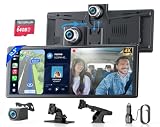
- ➤Wireless CarPlay, Android Auto & Screen Mirroring --- pgrade your car without replacing the factory stereo. Connect wirelessly to Apple CarPlay or Android Auto to access Apple Maps, Google Maps, Waze, calls, messages, music, and Siri or Google Assistant voice control. Screen mirroring also gives you more entertainment options when parked.
- ➤ Built-In Rotatable 4K Front Camera --- More flexible than a fixed front dash cam. The 4K camera is built into the screen and can rotate from the road ahead toward the cabin, giving you more control over what you record. Great for daily driving, road trips, family travel, and rideshare use. Includes loop recording, video lock(G-senor) and a 64GB memory card. 【Note: The front camera must be pulled all the way up before it can be rotated. Since the device is new, you may feel some resistance when pulling it upward.】
- ➤ 1080P Backup Camera for Easier Reversing --- See what’s behind your vehicle when backing up. The waterproof 1080P rear camera displays a clear reverse view with parking guidelines when you shift into reverse, helping make parking lots, driveways, and tight spaces easier to handle.
- ➤ 10.3" Display with Multiple Audio Options --- See and hear your drive your way. The wide 10.3" touchscreen gives you a clear view of maps, music, calls, and camera footage. Use the built-in speaker or connect to your car audio through FM, Bluetooth, or AUX for music, navigation prompts, and hands-free calls.
- ➤ Plug & Play Setup for Most Vehicles --- No stereo replacement or dashboard removal needed. Mount the screen, connect power, pair your phone, and start using wireless CarPlay or Android Auto. A practical upgrade for most cars, SUVs, pickups, RVs, and trucks without built-in smart infotainment.
If the vehicle has no modern infotainment, choose a portable stereo, mirror display or dedicated camera system. These products create their own screen and connect the phone directly to that unit.
Do not expect a generic dash camera to appear as a selectable CarPlay or Android Auto app. Apple and Google tightly control which apps can appear in their respective vehicle interfaces, and camera manufacturers generally use a separate Wi-Fi connection instead.
2. Verify the phone and connection requirements
| System | Key requirements | First-connection path |
|---|---|---|
| Wireless Android Auto | Compatible car or aftermarket stereo, active data plan, 5GHz Wi-Fi and generally Android 11 or newer | Enable Bluetooth, Wi-Fi and Location Services; pair the phone and car over Bluetooth |
| Wireless Apple CarPlay | Compatible wireless system and an iPhone with Siri enabled | Put the stereo in wireless/Bluetooth mode, then use Settings > Wi-Fi and Settings > General > CarPlay |
Android Auto is integrated into current Android phones, so current users generally do not need to download a separate Android Auto app. Google’s setup guidance still requires Bluetooth, Wi-Fi and Location Services to remain enabled during initial configuration.
For wireless CarPlay, Apple’s setup path is Settings > Wi-Fi, select the CarPlay network and enable Auto-Join, then open Settings > General > CarPlay and select the vehicle. If the car supports both wired and wireless CarPlay, connecting the iPhone by USB initially may enable wireless connections on later drives.
3. Check how the screen sends audio to the car
Portable displays do not all integrate with the factory stereo in the same way. Depending on the model, audio may use Bluetooth, an FM transmitter, AUX, a built-in speaker or a combination of these.
- Bluetooth: usually the cleanest option if the car supports Bluetooth audio.
- AUX: often reliable and free from FM interference, but the car needs a 3.5mm input.
- FM transmission: works with older stereos but can suffer interference and requires an unused frequency.
- Built-in speaker: easiest to install, but generally less integrated and less powerful.
Check the specific audio behavior for camera playback as well as CarPlay audio. The Carpuride W905, for example, states that TF-card audio cannot be transmitted to the vehicle speakers even though CarPlay and Android Auto audio can use the car’s Bluetooth connection.
4. Confirm whether the rear camera is included
“Front and rear camera support” does not always mean a rear camera is in the box. The Carpuride W904 and W905 both have packages where the rear camera is an optional bundle. Other listings may sell the backup camera separately or use different product pages for different packages.
Before ordering, confirm all of the following:
- Whether the rear camera is included rather than merely supported.
- Its cable length and connector type.
- Whether it provides a reversing trigger or only recorded footage.
- Its actual resolution and viewing angle.
- Whether the display can show front and rear feeds simultaneously.
5. Do not confuse “wireless” with battery-powered
Wireless CarPlay or Android Auto describes the phone-to-display connection. It does not mean the dash camera runs without a cable. Continuous video recording requires continuous power, so these systems normally use a 12-volt socket, USB connection or hardwire kit.
Quick wins for a faster PC:
Repair Windows errors before they cause bigger problemsFix Now →Fix the driver behind crashes, sound loss and screen glitchesFind Drivers →For parking mode, check whether the manufacturer provides a proper hardwire kit and low-voltage cut-off. Do not leave a portable unit connected indefinitely if it can drain the vehicle battery.
Independent reader supportYour contribution helps us test, update, and keep practical guides available for everyone.Common problems and practical fixes
The camera app cannot find the camera
Wireless CarPlay and Android Auto use Bluetooth for discovery and Wi-Fi for the higher-bandwidth connection. A dash camera’s phone app may also want that Wi-Fi connection. Garmin documents camera discovery and “Wi-Fi Connection Failed” problems when its camera is used while wireless projection is active.
Try closing the camera app while driving, downloading clips when the car is parked, or using a camera/display combination that records independently instead of requiring the phone to stay connected to the camera’s Wi-Fi.
The wireless adapter does nothing
A wireless adapter normally converts an existing wired connection into a wireless one. It does not create CarPlay or Android Auto in a car that never supported it. Check whether the vehicle has factory wired CarPlay or Android Auto before buying an adapter.
Best Value

- 【Stable Wireless CarPlay, Android Auto & Phone Mirroring with 5GHz WiFi + Bluetooth 5.0】 Enjoy seamless access to navigation, music, calls, messages, Siri, and Google Assistant with Wireless Apple CarPlay and Android Auto. Powered by 5GHz WiFi and Bluetooth 5.0, the IK11-PRO delivers faster pairing, lower latency, stable connections, and automatic reconnection every time you start your vehicle. For entertainment, the system also supports AirPlay for iPhone and Miracast for Android devices, allowing you to wirelessly mirror videos, photos, and other content onto the large display while parked. Giving you greater flexibility for different driving and entertainment needs.
- 【Massive 11" Borderless IPS Touchscreen – See More, Drive Smarter】 Experience navigation, music, calls, and driving information on a stunning 11-inch HD IPS display. Unlike traditional portable car screens that use a three-layer design with an air gap between the touch panel and display, the IK11-PRO features upgraded full-lamination technology that eliminates the air layer to reduce light and color loss. The result is a brighter, sharper, and more vivid viewing experience that feels closer to a modern smartphone screen. Combined with responsive touch controls, adjustable brightness, and dedicated Day and Night Modes, the display remains comfortable and easy to view in any driving condition.
- Important Notes: IK11 Pro has a relatively large screen. Before purchasing, please ensure your car's dashboard has sufficient space, otherwise it will obstruct the view. We suggest to use a suction cup mount on the dashboard away from the windshield. This allows the mount to be adjusted downwards to the side of the steering wheel, ensuring unobstructed driving visibility and easier CarPlay operation. Additionally, If you're unsure about the size, place a 9.45" × 5.83" piece of paper on your dashboard to preview the fit. If you prefer a smaller display, consider the IIWEY IK7 10-inch Portable CarPlay for compact vehicles.
- 【Real-Time GPS Navigation & Smart Voice Control】Stay focused on the road while enjoying intelligent voice-assisted driving. Compatible with Siri and Google Assistant, the system allows you to make calls, send messages, control music, and launch navigation using simple voice commands. Supports popular navigation apps including Google Maps, Waze, and Apple Maps, providing real-time traffic updates, route guidance, and accurate destination tracking for a safer and more convenient driving experience.
- 【Built-in Adjustable 4K Front Dash Cam & Waterproof 1080P Rear Camera】Drive with greater confidence using the integrated Ultra HD 4K front dash camera, designed with both adjustable height and flexible viewing-angle adjustment. Paired with a waterproof 1080P rear camera, the system captures both front and rear views simultaneously for enhanced road coverage and driving awareness. The included 64GB memory card allows you to start recording right out of the box. Support loop recording, video lock and audio recording, Allows you to preview, download, and share videos directly from your smartphone with just a few taps via WiFi app connection.
Some adapters also exclude particular aftermarket head units. Ottocast, for example, states compatibility limitations for Sony aftermarket units on its relevant product listings.
CarPlay works but Android Auto does not
Support for one projection platform does not guarantee support for the other. The OttoSafe Cam is a clear example: it supports iPhone and wireless Apple CarPlay but is not an Android Auto product. Check the exact phone platform, operating-system requirements and product variant rather than relying on a title that mentions both systems.
The camera records, but the picture is disappointing
Resolution is only one part of dash-camera quality. Sensor size, lens quality, bitrate, exposure control, HDR or WDR performance, night processing and plate readability matter just as much. A product claiming “4K” may still produce poor nighttime footage, particularly if the listing does not state the sensor, frame rate or recorded file resolution.
Use a high-endurance microSD card when the manufacturer specifies one, format it in the camera, and periodically check that loop recording is still working. A full, incompatible or failing card can leave a camera powered on but not producing usable evidence.
Recommended Free Tools
How to choose
- For the most complete camera system: choose the Vantrue Pilot 2, subject to its current pre-sale status and package availability.
- For an older car with no CarPlay: consider the JADO G810S Plus, ATOTO P8, Carpuride W904/W905 or UNAVI AnyWay Go.
- For a large portable screen: look at the Carpuride W103 Pro, SCUMAXCON or Ourlum K60 Pro.
- For a mirror-style installation: the JADO, Ourlum and BowLift options are the closest matches.
- For an iPhone and factory wired CarPlay: the Ottocast OttoSafe Cam is the only option here designed to use the existing vehicle screen, but it does not support Android Auto.
- For a normal car with working wireless projection: buy a standalone dash camera only if you are comfortable managing its separate app and Wi-Fi connection. Otherwise, use an integrated display/camera system.
FAQ
Can a dash camera appear on Apple CarPlay or Android Auto?
Usually not. A conventional Wi-Fi dash camera normally uses its own phone app and camera Wi-Fi connection. It does not appear as a standard CarPlay or Android Auto app. Products such as the Carpuride and JADO units avoid this limitation by providing their own display.
Do wireless CarPlay dash cameras also support Android Auto?
Not automatically. Support must be listed for both platforms. The Ottocast OttoSafe Cam supports Apple CarPlay only and requires factory wired CarPlay, while several portable screens in this guide list both wireless CarPlay and wireless Android Auto.
Will wireless Android Auto work with any car stereo?
No. The car or aftermarket stereo must support Android Auto, and the phone needs an active data plan, 5GHz Wi-Fi support and, for current wireless compatibility, generally Android 11 or newer. Initial setup requires Bluetooth, Wi-Fi and Location Services.
Are the rear cameras included with these products?
Not always. Carpuride W904 and W905 packages, for example, separate the base front-camera unit from versions that include a rear camera. Check the exact bundle, cable, reversing trigger and camera resolution before ordering.
The Tool Desk
Outbyte Driver Updater FREEScan for outdated or missing drivers - takes under a minuteDriver Scan →Outbyte PC Repair FREEClear out junk files and repair common Windows errorsFree Scan →The Bottom Line
For a genuine camera-plus-wireless-projection system, the portable and mirror displays are the most straightforward route because they do not rely on the vehicle’s original stereo. The Vantrue Pilot 2 is the most camera-centric option, while the JADO G810S Plus is a practical upgrade for an older car with no CarPlay or Android Auto.
If your vehicle already has wireless CarPlay or Android Auto, do not assume a conventional Wi-Fi dash cam will integrate with it. It will normally operate separately and may conflict with the phone’s projection connection. iPhone owners with factory wired CarPlay can consider the Ottocast OttoSafe Cam, but Android users need a different product class.
Before buying, verify the exact phone support, whether the rear camera is included, how audio reaches the car speakers, the storage limit and the real recorded resolution—not just the headline “4K” label.
Quick Recap
Product prices and availability are accurate as of the date/time indicated and are subject to change. Any price and availability information displayed on Amazon at the time of purchase will apply.




