The Tool Desk
Outbyte Driver Updater FREEFix the driver behind crashes, sound loss and screen glitchesFind Drivers →Outbyte PC Repair FREERepair Windows errors before they cause bigger problemsFix Now →A workable Tesla charging policy assigns responsibility for each charging cost before a driver plugs in: decide who pays for Supercharging, how home electricity is measured and reimbursed, which workplace or public charging costs are approved, and what records finance needs. Tesla supports either centralized Supercharging payment through a Tesla Business account or payment by assigned drivers; home charging requires a separate process rather than assuming Supercharger invoices capture it.
The practical goal is one repeatable workflow for the employer and a clear set of instructions for every driver. The right arrangement depends on where cars are charged, how the employer wants to pay, and the country’s tax rules.
As an Amazon Associate I earn from qualifying purchases.
Start with three charging decisions
Before issuing a company Tesla, make three choices and record them in the fleet policy. They are related, but they are not the same decision: who pays for a session, where the car will charge, and how the employer will verify or reimburse the cost.
| Decision | Options to define | What the process must capture |
|---|---|---|
| Charging location | Home, employer site, Supercharger, or another public network | Which locations are approved and whether the driver needs to submit a receipt, session record, or reimbursement claim |
| Payment responsibility | Employer or assigned driver for Tesla Supercharging; separate rules may apply at home, work, or other networks | Who adds or maintains a payment method and who is accountable if a charge is declined or unpaid |
| Records and reimbursement | Tesla Business invoices and account reporting for sessions billed through Tesla; measured home energy and a tariff-based calculation for Tesla’s documented home reimbursement integration | Who reviews each record, what evidence is retained, how exceptions are handled, and when reimbursement is approved |
There is no single arrangement established as best for every employer. A company with centralized billing may prefer the business account for Supercharging, while another may assign drivers to pay. Home charging has its own measurement and reimbursement questions regardless of who pays for public sessions.
#1 Best Overall

- Dual Voltage Level 1 & 2: Charge at 120V/12A (1.44kW, 2-5 miles/hr) with the included NEMA 5-15 adapter or at 240V/16A (3.84kW, 9-12 miles/hr) with the NEMA 6-20 plug. One SEGUMA portable tesla charger gives you two charging options for everyday home charging, backup charging, and travel
- EV Charger for Tesla Vehicle-Seguma 16A mobile ev charger for tesla is specifically designed for Tesla vehicles, engineered with standardized North American Charging Standard (NACS) connector, works flawlessly with Tesla Model-Y/X/3/S/Cybe truck
- Wireless Charging Door Control-The portable mobile car charger for tesla has a button on the connector that wirelessly opens the charging port door, eliminating the need for physical keys or buttons and making charging more convenient
- Intelligent Charging-The Seguma level 1 charger offers protection against leaks, grounding, voltage issues, overcharging, and overheating. It automatically shuts off when your Tesla is fully charged. Tip: Install a home circuit breaker for extra safety
- Extended 25FT Cable-The 25-foot cable allows easy tesla charging at home or public stations. The included portable storage bag lets you take the tesla home charger anywhere, making it ideal for travel, road trips, or visits. Perfect accessory for Model Y
Choose who pays for Tesla Supercharging
Tesla’s fleet guidance says a business can pay for charging sessions through its Tesla Business account or assign drivers as the payers. Set the payer arrangement before the first trip and make sure the account and driver instructions match it. A payment setup left implicit can produce declined charges, unexpected personal expenditure, or invoices that finance cannot reconcile.
Employer pays through the Tesla Business account
Use the business account as the designated payer if the employer wants charging sessions billed centrally. Give a named fleet or finance contact responsibility for access to the account, downloading completed-session invoices, checking them against company records, and arranging payment. Tesla says completed-session invoices are available in the Tesla Business account. Its fleet page also warns that a vehicle with an unpaid invoice cannot charge at Tesla locations until the invoice is paid, so invoice handling needs an owner and a regular cadence—not merely an occasional year-end check.
Define how the company will treat a session that does not appear where expected, a disputed charge, and an overdue invoice. These are operational controls for the employer to set; Tesla’s support information does not establish a universal reconciliation schedule or approval policy.
Assigned driver pays
If the driver is responsible for payment, tell them before handover and explain which payment method they must add and how the company handles eligible expenses. Decide whether the driver pays personally and submits a claim, uses a company payment method, or follows another employer-approved process. Do not assume that choosing a driver payer also resolves reimbursement: payer assignment identifies who is charged for the session, while the employer’s expense policy determines whether and how the driver is repaid.
Write down what the driver should do if the payment method fails, a charge is disputed, or they need to charge away from an approved location. Make the escalation contact easy to find so the driver does not have to guess whether to proceed or pay out of pocket.
Onboard drivers before the car is handed over
Tesla’s driver guidance says assigned drivers sign in using the email address issued by their employer and can use the Tesla app for charging setup and monitoring. App features for company drivers may differ from those available to personal-vehicle owners, so give drivers instructions for the fleet setup rather than relying on personal-car screenshots or assumptions. See Tesla Fleet for Drivers for Tesla’s current guidance.
- Confirm the assigned driver and employer-issued email. Ensure the person taking the car has the correct work email and knows to use it for the assigned-driver sign-in.
- Set the payer arrangement. Tell the driver whether the employer or driver pays for Tesla Supercharging, who is responsible for adding a payment method, and how any approved driver-paid costs are submitted.
- Complete access and charging setup. Have the driver follow Tesla’s current fleet-driver instructions in the Tesla app. Check that they can access the charging features needed for their role.
- Show where to monitor charging. Point out the app’s charging status and monitoring functions available to company drivers. Give a finance or fleet contact’s details for billing questions; drivers should not be expected to resolve account invoices themselves unless policy assigns that task to them.
- Explain each charging route. Cover home, workplace, Tesla Supercharging, and any other permitted public charging. Identify what the driver must save or submit for each route.
- Record acknowledgement. Keep confirmation that the driver received the policy and understands the assigned payer and expense process.
Revisit access and payment setup when a car changes hands, an employee leaves, or payer responsibility changes. The key handover control is that the current driver, employer email, vehicle assignment, and payment instructions agree.
Do these 3 things before closing this tab:
1Scan for outdated or missing drivers - takes under a minute2Clear out junk files and repair common Windows errors3Fix the driver behind crashes, sound loss and screen glitchesBuild a simple invoice-reconciliation routine
Tesla’s fleet page establishes that completed-session invoices are available in the Tesla Business account and that an unpaid invoice can prevent a vehicle from charging at Tesla locations. It does not prescribe how an employer should match charges to trips or approve exceptions. Finance should therefore define a repeatable internal check that uses the available invoice information without assuming it contains records for electricity supplied at home or by unrelated public networks.
What finance should reconcile
- Account responsibility: confirm the invoice belongs to the company account and to the relevant billing period.
- Vehicle and driver assignment: compare the sessions with the employer’s vehicle and assignment records where the available invoice information permits.
- Payment status: track unpaid amounts and assign a person to resolve them promptly, because Tesla says unpaid invoices block charging at Tesla locations for the vehicle.
- Exceptions: route unfamiliar, disputed, or apparently duplicated entries to a named reviewer before marking the period complete.
- Record retention: keep the invoice and the employer’s reconciliation or approval record according to the company’s finance and records policies.
A useful operating procedure names an account owner, a backup, the review frequency, the approver, and the escalation path for an invoice that cannot be paid or matched. The exact cadence and documentation standard are employer choices, not requirements specified in Tesla’s cited fleet page.
Rank #2
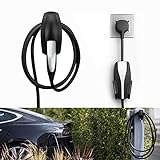
- COMPATIBLE WITH TESLA MODEL 3/MODEL Y/MODEL X/MODEL S CHARGER: Seven Sparta Charging Cable holder is a perfect holder to hang your charging cable from in the garage.
- KEEP YOUR CHARGING CABLE NEATLY AND SECURE: The cable organizer is much better than a normal hook. It does a good job of keeping the cable off of the ground, and protect your cable from falling down accidentally.
- SAFE ABS MATERIAL: The charger cable organizer is made from high quality ABS plastic, pass fireproofing grade testing. The bearing capacity can reach above 30KG at least. Prior to purchasing, we recommend confirming the product's size and material.
- EASY & SECURE INSTALLATION: The charging cable holder takes just minutes to install. The charger head fits snugly into the slot, with a notch to prevent it from sliding out.
Set rules for home charging and reimbursement
Home electricity does not automatically appear in Tesla Business Supercharging invoices. If employees charge at home, the employer needs a separate way to establish the company-car energy use, calculate the amount due, and approve the reimbursement. A driver’s household electricity bill alone may not identify which portion was used by the company vehicle.
Tesla’s Wall Connector reimbursement integration
Tesla documents a home-reimbursement workflow using a registered Tesla Wall Connector. The workflow uses measured energy and the employee’s electricity tariff, then submits the calculated amount to the employer through an enrolled partner. Tesla describes the programme on its UK-hosted support page as a way to reimburse home charging costs for a company electric vehicle through partner apps: Wall Connector Reimbursement Program.
This is a specific integration, not a claim that every home charger or every reimbursement system will automatically report energy. Tesla lists required firmware and app versions, Wall Connector registration, and a supported partner and country. The support page should be checked for the current prerequisites before the employer promises this workflow to staff; the particular version numbers are not stated here because requirements can change.
Tesla’s UK page lists Monta as the supported reimbursement partner for Denmark, Sweden, Ireland, the United Kingdom, Belgium, the Netherlands, Germany, Norway, Spain, France, Austria, and Italy. Availability and enrollment may change, so the employer should confirm both with Tesla and the partner before rollout. Tesla says future programmes may be supported; that is not confirmation that a service is already available elsewhere.
If the integration is not suitable or available
Set an alternative process before allowing home charging as a reimbursable expense. Specify what the employee must provide, how energy use and the applicable tariff will be established, who approves the claim, and how the employer will ensure that the amount relates only to the company car. Do not invent a universal reimbursement rate: the sources do not establish one, and electricity tariffs and tax rules vary.
Decide whether installing a home charger is a condition of reimbursement, an optional convenience, or unnecessary under the employer’s policy. Tesla calls the Wall Connector its most convenient solution for fleet parking locations and says it offers the fastest charging speed; that is Tesla’s product positioning, not an independent comparison. A Wall Connector is relevant to Tesla’s documented integration, but the available guidance does not say every employee needs one. Site electrical suitability and installation arrangements must be assessed for the individual property.
Plan workplace and public charging separately
Can an employee charge a company Tesla at work?
Yes, if the employer provides an approved charging arrangement at its site and tells drivers how to use and report it. Tesla identifies the Wall Connector as a charging option for fleet parking locations, but the employer still needs to decide who pays for electricity, which employees may use the equipment, and whether charging is free, reimbursable, or allocated in another way. Define how a driver should report a fault or unavailable charger, and avoid promising access that the site cannot reliably provide.
For UK employers, workplace charging facilities have a distinct HMRC treatment. HMRC’s guidance describes an exemption for employer-provided charging facilities at or near work and states that this workplace-facility exemption does not apply to home facilities. See HMRC EIM01035. The UK rule should not be applied to another country.
Use public charging for travel under a defined policy
Tesla describes Supercharging as an on-road charging option and says its network has “over 80,000 global Superchargers.” That is Tesla’s stated network figure on its fleet support page, reviewed on 9 October 2026; the page does not give a publication date. A global network count is not a guarantee that a charger will be available near every employee, route, or destination. Drivers may need a plan for alternative public charging where permitted by the employer.
Rank #3

- UP TO 9X FASTER CHARGING SPEED: The IYILO electric vehicle charging station delivers up to 46 miles of range per hour at 48A (11.5kW) via hardwired installation (60A breaker & licensed electrician required). Current is adjustable in 1A increments from 6A to 48A. Charges up to 9 times faster than a standard Level 1 charger
- AUTOMATIC CONNECTOR OVERHEAT PROTECTION: Worried about overheating during daily charging? The IYILO Level 2 EV Charger features an advanced NTC temperature sensor built directly into the NACS (Tesla-style) connector, enabling real-time temperature monitoring with live data displayed in the app. If the connector temperature exceeds 221°F (105°C), the system will automatically reduce charging power or completely shut off charging to prevent damage to your EV and ensure safe home charging.
- UTILITY CHARGING PROGRAM SUPPORT: IYILO is currently joining local utility EV charging programs and has been listed on several official portals, including but not limited to ComEd, PSEG (NJ), PSEG-LI, Seattle City Light, Salt River Project, Portland General Electric, Oregon DOT, and Georgia Power ect. Through these programs, you can take advantage of local policy support and incentives. Moving forward, we will continue expanding our partnerships with major utilities and public agencies.
- INTELLIGENT APP & SMART CHARGING CONTROL: The IYILO App features a smart, intuitive interface to set Time-of-Use (TOU) rates, track energy usage and cost, and manage multiple user accounts. It supports multiple charging modes, such as Scheduled charging and RFID card, while also offering OTA remote upgrades, ensuring optimal performance and longer lifespan. Note: Supports 2.4GHz WiFi only; 5GHz not supported
- COMPATIBLE WITH ALL NACS (J3400) EVS & PHEVS: The IYILO Level 2 EV Charger is designed with a native NACS connector and a 25ft heavy-duty charging cable, delivering seamless compatibility with all NACS-equipped electric vehicles and plug-in hybrid vehicles across North America. Engineered for Tesla-style charging standards, it ensures reliable daily home charging performance. Note: For J1772-equipped EVs, a compatible J1772 adapter is required (adapter not included)
For non-Tesla public charging, state which networks or payment methods are approved and what proof the employee must submit. The Tesla Business account invoice process described for Tesla sessions should not be treated as a complete record of all public charging unless the employer has separately confirmed that its other providers feed into that account.
Apply the tax rules for the right jurisdiction
Tax treatment depends on the employer, employee, vehicle, location, and type of charge or facility. Have tax or finance staff confirm current rules before setting reimbursement rates, deciding whether an employee benefit is taxable, or claiming an equipment incentive. The UK and US sources below address different issues and are not interchangeable.
United Kingdom: reimbursing company-car electricity
HMRC’s EIM23900 guidance says the exemption under ITEPA 2003 section 239(2) means there is no separate benefits-code tax charge when an employer reimburses an employee for electricity used to charge the employee’s company car at home or at a public charging point. HMRC says the employer must ensure the reimbursement is solely for the company car. This is UK-specific guidance about a company car; do not extend it automatically to a personally owned vehicle or a different jurisdiction.
The home-electricity reimbursement question is separate from the workplace-facility exemption. HMRC’s EIM01035 guidance concerns facilities provided at or near work and says that exemption does not apply to home facilities. Apply the rule that fits the arrangement rather than treating all charging as one category.
United States: charging-equipment credit and reimbursement questions
The IRS says a business installing qualified vehicle recharging property may be eligible for the Alternative Fuel Vehicle Refueling Property Credit, subject to the applicable requirements. See the IRS page for current eligibility and filing details: Alternative Fuel Vehicle Refueling Property Credit for Businesses. This is an equipment-credit question; it does not by itself settle the tax treatment of every employee home-electricity reimbursement arrangement.
What’s actually slowing this PC down?
Pick the symptom - the matching free tool is one click away.
Tesla’s fleet page also describes a potential Section 179 deduction of up to $31,300 for a qualifying business purchasing a new Tesla with a gross vehicle weight rating of at least 6,000 pounds. Tesla states that legitimate business use must exceed 50% and directs businesses to IRS rules and a tax adviser. Treat the amount and conditions as Tesla’s summary, not independent tax advice or a guaranteed deduction: confirm the current IRS requirements and the employer’s facts with a qualified tax professional. Tesla’s Electric Vehicle and Energy Incentives page also directs readers to IRS rules and tax professionals.
Put the policy into a one-page driver guide
A driver should be able to answer these questions without interpreting an invoice or guessing what finance expects. Keep the guide consistent with the company’s actual Tesla account configuration and reimbursement rules.
- Which email address should I use to access assigned-driver features?
- Who pays for Tesla Supercharging, and who adds the payment method?
- What should I do if a payment fails or I cannot charge at an approved location?
- Which workplace and public charging locations are allowed?
- Can I charge at home, and what measurement or evidence is required to claim the cost?
- Where do I submit an expense, and who approves it?
- Who can help with app access, billing, charger faults, and reimbursement questions?
Keep finance’s parallel procedure separate: it should identify the Tesla Business account owner, invoice review and payment steps, the person who resolves exceptions, and the approval route for home or non-Tesla public charging claims. That separation lets drivers follow a short operational guide while finance maintains the fuller audit trail.
Quick Recap
Product prices and availability are accurate as of the date/time indicated and are subject to change. Any price and availability information displayed on Amazon at the time of purchase will apply.
Quick wins for a faster PC:
Clear out junk files and repair common Windows errorsFree Scan →Fix the driver behind crashes, sound loss and screen glitchesFind Drivers →Repair Windows errors before they cause bigger problemsFix Now →



